
IDrive
IDrive backs up computers, mobile devices, servers, and NAS devices to a single account.
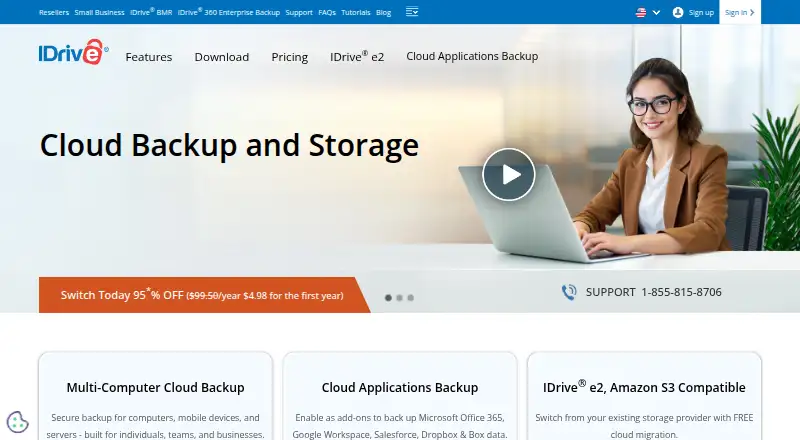
What IDrive is
IDrive backs up computers, mobile devices, servers, and NAS devices to a single account. It runs on Windows, macOS, Linux, iOS, Android, and the web. The free Basic plan includes 10 GB of storage and does not require a credit card; IDrive Mini costs $0.25 a month for 100 GB and one user. Backups can retain up to 30 earlier versions of each file, while Snapshots provide point-in-time recovery. Restore options include individual or deleted files, earlier versions, disk images, and IDrive Express. True Archiving keeps files until you delete them or run Archive Cleanup. IDrive says transfers use 256-bit AES encryption in transit and at rest, with optional private keys, and that snapshots and stored versions can help recover from ransomware incidents. Add-ons cover cloud services including Microsoft 365, Google Workspace, Salesforce, Dropbox, and Box. Team and Business plans provide multi-user administration. Support is available around the clock by live chat, email, and phone.
Good
- Free Basic plan includes 10 GB without a credit card.
- Supports computers, mobile devices, servers, and NAS devices.
- Retains up to 30 earlier file versions.
- Offers 24/7 live chat, email, and phone support.
Watch out
- Basic storage is limited to 10 GB.
- Exceeding storage limits may incur per-GB monthly charges.
- Some cloud application backups are add-ons.
Who it suits
IDrive suits individuals and organizations that want to back up multiple device types, including servers and NAS devices, under one account. Its business administration and cloud application add-ons may also suit teams managing shared backups.
Verdict
IDrive combines device backups, file history, archiving, and restore options in one service. The free 10 GB tier offers a way to start, while storage overages and add-on requirements are worth checking against your needs.
Plans and prices
From IDrive's own pricing page, checked 29 Sep 2026.
| Plan | Price | What it gives you |
|---|---|---|
| IDrive Mini | $0.25 a month | 100 GB · one user · Monthly |
| IDrive Personal | $11.99 a month | 5 TB · one user · multiple computers · Monthly |
| IDrive Team | $11.99 a month | 5 TB · 5 computers · 5 users · Monthly |
| IDrive Business | $59.99 a month | 1.25 TB · unlimited users · computers, servers, Exchange, SQL, and NAS devices · Monthly |
| Basic | Free | 10 GB · no credit card required |
| Microsoft Office 365 Backup | $20 a year | Unlimited storage · 7-day free trial · $20/Seat/Year |
| Server Backup add-on | $5 a month | Available with Mini, Personal, and Team plans · $5/Month/Server |
| IDrive e2 monthly | $5 a month | Pay-as-you-go · $5 per month, per TB |
| Google Workspace Backup | $20 a year | 10 TB storage per seat; 7-day free trial · 10 TB storage per seat · 7-day free trial · $20/Seat/Year |
| Cloud Applications Backup | $20 a year | Unlimited storage; 7-day free trial · $20/Seat/Year |
| IDrive e2 yearly | $49.50 a year | 1 TB; discounted first-year price shown separately · $49.50 / Year |
| IDrive Basic | Free | 10 GB; no credit card required |
The facts
Each one read from IDrive's own pages, with the date it was checked.
Money
- Add-on trial
- Cloud Applications Backup includes a 7-day free trial.checked 27 Sep 2026
- Discount billing
- The site advertises first-year discounts and savings for two-year plans.checked 27 Sep 2026
- Free add-ons
- A free 10 GB Basic account can be used to add services such as Cloud Applications Backup.checked 27 Sep 2026
- Free plan
- Yeschecked 22 Sep 2026
- Free tier
- IDrive Basic provides 10 GB free storage without requiring a credit card.checked 27 Sep 2026
What it does
- Archiving
- True Archiving keeps data in the IDrive account until the user deletes it or runs Archive Cleanup.checked 29 Sep 2026
- Backup scope
- mixedchecked 22 Sep 2026
- Backup transfer
- Incremental and compressed backups transfer modified portions of files to reduce network bandwidth use.checked 29 Sep 2026
- Business capacity
- Business accounts have no stated restriction on the number of computers backed up to one account.checked 27 Sep 2026
- Business use
- IDrive describes its audience as individuals, small and medium businesses, enterprises, educational institutions, and government agencies.checked 29 Sep 2026
- Cloud integrations
- Add-ons cover Microsoft 365, Google Workspace, Salesforce, Dropbox, and Box.checked 27 Sep 2026
- Compliance
- IDrive states it has SOC 2 Type 2 and ISO/IEC 27001:2022 certifications and assists customers with regulatory requirements including GDPR, PCI, and HIPAA.checked 29 Sep 2026
- Compliance support
- IDrive cites HIPAA, SOX, GLBA, and SEC/FINRA support and offers a Business Associate Agreement for HIPAA.checked 27 Sep 2026
- Computer backup
- Yeschecked 22 Sep 2026
- Encryption
- Files use 256-bit AES encryption in transit and at rest; private keys are optional.checked 27 Sep 2026
- File history
- IDrive retains up to 30 previous versions of backed-up files, and its Snapshots feature provides point-in-time recovery.checked 29 Sep 2026
- File versions
- IDrive retains up to 30 previous versions of every backed-up file.checked 27 Sep 2026
- Mobile backup
- The mobile apps back up contacts, photos, videos, and calendar events; the Android app also backs up SMS and call logs.checked 29 Sep 2026
- Overuse charges
- Exceeding storage limits may incur $0.25/GB/month for Personal and $0.50/GB/month for Team and Business.checked 27 Sep 2026
- Paid from
- 0.25checked 22 Sep 2026
- Product
- IDrive backs up computers, mobile devices, servers, and NAS devices to one account.checked 29 Sep 2026
- Ransomware protection
- Yeschecked 22 Sep 2026
Where it runs
- Device platforms
- It supports Windows, Mac, Linux, iPhone, iPad, Android, servers, and NAS devices.checked 27 Sep 2026
The company
- Headquarters
- Calabasas, California, United Stateschecked 23 Sep 2026
The full review of IDrive
Overview
IDrive is a cloud backup service that brings computers, phones, servers, and NAS devices into one account. It is best suited to people or organizations that want broad device coverage, file history, and long-term retention in the same service. Its wide restore options are a strength; storage caps and possible overage charges make plan sizing important.
Key features
IDrive covers Windows, Mac, Linux, iPhone, iPad, Android, servers, and NAS devices, so it can serve mixed device environments rather than just personal computers. Backups are incremental and compressed, transferring modified portions of files to reduce bandwidth use after the initial backup.
File history retains up to 30 previous versions, while Snapshots provide point-in-time recovery. Together with ransomware protection, these give users a route back to data from before an incident. Restore choices include individual files, earlier versions, deleted files, disk images, and IDrive Express. True Archiving keeps files in the account until the user deletes them or runs Archive Cleanup, useful when stored copies should outlive their original devices.
Files are encrypted with 256-bit AES in transit and at rest. Private keys are optional and are not stored on IDrive's servers. Cloud application add-ons cover Microsoft 365, Microsoft Entra ID, Google Workspace, Salesforce, Dropbox, and Box; the Microsoft Office 365 Backup plan has its own per-seat price and trial. Team and Business plans allow multiple users to be managed through a web console or administrative account. IDrive also cites SOC 2 Type 2 and ISO/IEC 27001:2022 certifications and support for regulatory requirements including GDPR, PCI, and HIPAA; a Business Associate Agreement is available for HIPAA. Support is offered 24/7 by live chat, email, and phone.
Pricing
IDrive Basic is free with 10 GB of storage and no credit card requirement. That is a useful starting point, but the cap limits its role as a lasting backup for larger libraries. A Basic account can also add services such as Cloud Applications Backup, whose trial lasts seven days.
- IDrive Mini: $0.25 a month, billed monthly, for 100 GB and one user. It suits a single user with modest storage needs, but offers far less capacity than Personal.
- IDrive Personal: $11.99 a month, billed monthly, for 5 TB, one user, and multiple computers. It fits an individual backing up several computers, but does not include multiple user seats.
- IDrive Team: $11.99 a month, billed monthly, for 5 TB, five computers, and five users. It suits a small team that can work within those device and user limits.
- IDrive Business: $59.99 a month, billed monthly, for 1.25 TB and unlimited users, computers, servers, Exchange, SQL, and NAS devices. Its broad device allowance is useful for organizations, though the stated storage quota is lower than Personal's.
- Microsoft Office 365 Backup: $20 a year, billed at $20 per seat per year, with unlimited storage and a seven-day free trial. It is the focused option for Office 365 backups rather than a general device plan.
Exceeding storage limits may incur $0.25/GB/month on Personal and $0.50/GB/month on Team and Business, so sustained overages can change the cost materially. IDrive advertises first-year discounts and savings for two-year plans; check renewal terms before choosing a discounted commitment. Basic has no listed price beyond its free 10 GB tier.
Platforms
IDrive supports web, Windows, macOS, Linux, iOS, and Android, along with servers and NAS devices. This breadth is useful for households or organizations with mixed hardware; people backing up only one kind of device may not need that range.
Who it's for
IDrive makes the most sense for individuals who need backups across several computers, and for teams or businesses that need centralized user administration or server and NAS coverage. Its archiving and version history also suit users who want older or deleted data to remain recoverable. It is less compelling for anyone whose storage needs exceed a plan's quota and who wants to avoid overage charges.
Pros and cons
- Pros: Broad device coverage. One account can back up computers, mobile devices, servers, and NAS devices.
- Pros: Multiple recovery paths. Up to 30 prior file versions, Snapshots, deleted-file recovery, disk-image restores, and IDrive Express cover more than a simple current-file copy.
- Pros: Persistent archive option. True Archiving keeps files until manually deleted or Archive Cleanup is run.
- Cons: Storage overages can be costly. Personal, Team, and Business may charge for each GB over the limit.
- Cons: Plan allowances differ sharply. Mini has 100 GB, while Business has 1.25 TB despite its unlimited device and user allowance; buyers need to weigh capacity against coverage.
- Cons: The Microsoft 365 backup trial is short. Seven days gives limited time to assess the add-on before deciding.
Alternatives
Choose Jottacloud if its 5 GB free tier or $12.99 a month Unlimited plan better matches your storage needs. Koofr is another freemium option, with a free 10 GB plan and deleted-file retention of seven days. Consider Google Drive for general cloud storage if 15 GB included with a Google Account is a better fit than IDrive's backup-centered plans.
FileCloud, Microsoft PowerPoint, Filen, Nextcloud Files, and pCloud are other alternatives to compare.
Browse backup software, cloud storage services, photo backup software, SaaS backup software, Google Workspace backup software, and NAS backup software for category-specific choices.
Verdict
IDrive is a strong choice for users who want one service to back up mixed devices and retain older files, with useful recovery options beyond a current copy. Its 10 GB free tier is a low-commitment start, while Personal offers substantial capacity for an individual. Look elsewhere if your expected storage may push you into overages or if a focused cloud-storage plan better matches your needs.
Getting started
- Visit https://www.idrive.com/.
- Start with the free Basic account, which provides 10 GB without a credit card, or choose a paid plan.
- Install or access IDrive on a supported platform: Windows, Mac, Linux, iPhone, iPad, Android, or web.
- Select the devices and data to back up to your account.
- Try Cloud Applications Backup with its 7-day free trial if you need an add-on.
Limits worth knowing
The free Basic account includes 10 GB. IDrive Mini includes 100 GB for one user; listed storage overages may cost $0.25/GB/month for Personal and $0.50/GB/month for Team and Business.
Questions
Is IDrive free?
Yes. The Basic account provides 10 GB of storage without requiring a credit card.
What is the lowest listed paid plan?
IDrive Mini costs $0.25 per month and includes 100 GB for one user.
Which devices and platforms can IDrive back up?
It supports Windows, Mac, Linux, iPhone, iPad, Android, servers, and NAS devices, with web access.
How many previous file versions does IDrive retain?
It retains up to 30 previous versions of each backed-up file. Snapshots also provide point-in-time recovery.
What cloud application add-ons are available?
Add-ons cover Microsoft 365, Microsoft Entra ID, Google Workspace, Salesforce, Dropbox, and Box. Cloud Applications Backup includes a 7-day free trial.
How does IDrive describe its encryption?
IDrive says files are encrypted in transit and at rest with 256-bit AES. Private keys are optional.
Alternatives to IDrive
- 1
UrBackup
Free planOpen sourceAndroidWebAPILinux9.4Free plan - 2

Bareos
Free planOpen sourceWebAPILinuxmacOS9.1From €480 a year - 3

MSP360 Backup
Free planAndroidiOSWebAPI9.0Free plan - 4

iCloud Backup
Free planAndroidiOSWebAPI8.6From $0.99 a month - 5

Backblaze Computer Backup
AndroidiOSWebmacOS8.5From $7.88 a month - 6

Acronis True Image
AndroidiOSWebAPI8.4From $49.99 a year