Google Drive
Google Drive stores and shares files, with up to 15 GB included with a Google Account.
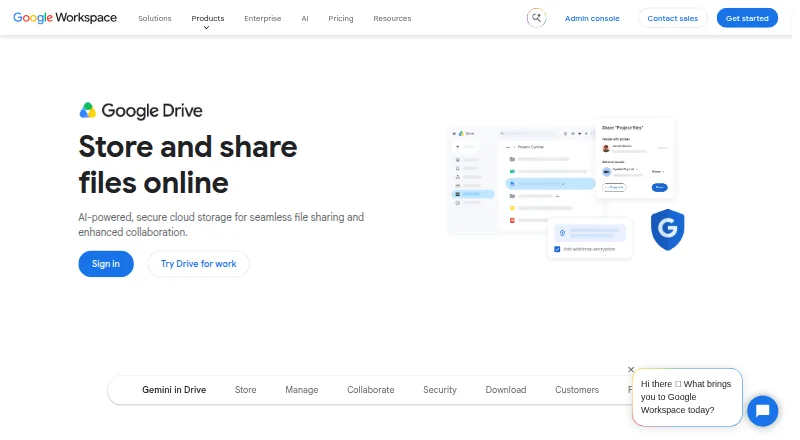
What Google Drive is
Google Drive stores and shares files, with up to 15 GB included with a Google Account. Storage options listed range from 15 GB to 5 TB per user, and additional storage can be requested at varying costs. Users can grant edit, comment, or view access and set expiration dates for shared files; shared drives let teams store and manage files together. Drive supports file versioning and integrates with Google Workspace apps and services including Slack, Zoom, Salesforce, Atlassian, and SAP. Its security and administration options include ransomware detection, client-side encryption, Vault, DLP policies, and Workspace admin controls. The mobile app can scan receipts and billing statements into searchable PDFs. Drive for desktop offers ransomware detection and file recovery, while Gemini in Drive can find, summarize, and analyze files with AI. Desktop apps are available for Windows and macOS, and mobile apps for Android and iOS. Google One Basic is listed at $1.99 a month for 100 GB; Google Workspace offers a 14-day trial.
Good
- Google accounts include up to 15 GB of storage.
- Sharing supports edit, comment, and view permissions.
- Shared drives support team file management.
- Mobile scanning creates searchable PDFs.
- Supports file versioning.
Watch out
- Storage can require a paid plan beyond the included 15 GB.
- Additional storage costs vary.
- Workspace's listed trial lasts 14 days.
Who it suits
Drive suits individuals who want cloud file storage and sharing, and teams that need shared drives, file permissions, or administrative controls. It may also suit users who want mobile document scanning or AI-assisted file search and analysis.
Verdict
Google Drive combines file storage, sharing, desktop and mobile access, and team controls. Its included 15 GB may be enough for some users, while larger storage options carry listed costs.
Plans and prices
From Google Drive's own pricing page, checked 27 Sep 2026.
| Plan | Price | What it gives you |
|---|---|---|
| Free | Free | All Google accounts include up to 15 GB of storage. · 15 GB storage · No-cost storage included with a Google Account |
| Google One Basic | $1.99 a month | 100 GB storage · billed monthly |
| Google AI Plus | $9.99 a month | 2 TB storage · billed monthly |
| Google AI Pro | $19.99 a month | 5 TB storage with expanded AI features. · 5 TB storage · billed monthly |
| Business Starter | $7 a month | Includes 30 GB pooled storage per user. · 30 GB pooled storage per user · Maximum 300 users · All plans billed monthly |
| Business Standard | $14 a month | Introductory price shown as ₹864; includes 2 TB storage. · 2 TB pooled storage per user · Maximum 300 users · All plans billed monthly |
| Business Plus | $22 a month | 5 TB pooled storage per user · Maximum 300 users · All plans billed monthly |
| Enterprise | Priced on request | Includes 5 TB or more, with no minimum or maximum user limit. · 5 TB pooled storage per user |
| Lite | — | 30 GB total storage for Google Photos, Drive & Gmail. · ₹59/mo |
| Business Base | — | Introductory pricing shown as ₹49.50 for the promotional period; price excludes tax. · ₹99 / user per month |
| Basic | — | Share storage with up to 5 others; 100 GB total storage. · ₹130/mo |
The facts
Each one read from Google Drive's own pages, with the date it was checked.
What it does
- Additional Storage
- Additional storage can be requested, and storage costs vary.checked 27 Sep 2026
- Admin Controls
- Workspace plans include security and management controls, with Admin Console support.checked 27 Sep 2026
- AI Drive Features
- Gemini in Drive can find, summarize, and analyze files with AI.checked 27 Sep 2026
- Business admin controls
- Yeschecked 20 Sep 2026
- Cancellation Terms
- Google One plans can be canceled anytime.checked 27 Sep 2026
- Compliance Support
- Google describes its cloud infrastructure as helping meet compliance requirements.checked 27 Sep 2026
- Document Scanning
- The Drive mobile app can scan receipts and billing statements into searchable PDFs.checked 27 Sep 2026
- Enhanced Support
- Enterprise includes enhanced support for faster response to critical issues.checked 27 Sep 2026
- File size limit
- 5checked 20 Sep 2026
- File versioning
- Yeschecked 20 Sep 2026
- Ransomware Recovery
- Drive for desktop offers ransomware detection, instant file recovery, and enhanced security.checked 27 Sep 2026
- Refund Terms
- The text mentions cooling-off rights but gives no specific refund terms.checked 27 Sep 2026
- Security Features
- Security includes ransomware detection, client-side encryption, Vault, and DLP policies.checked 27 Sep 2026
- Shared Drives
- Shared drives let teams store, access, and manage files together.checked 27 Sep 2026
- Sharing Permissions
- Users can share files with edit, comment, or view permissions and set expiration dates.checked 27 Sep 2026
- Storage limit
- 15checked 20 Sep 2026
- Storage Range
- Storage can scale from 15 GB to 5 TB per user.checked 27 Sep 2026
Where it runs
- Device platforms
- Windows,macOS,iOS,Androidchecked 20 Sep 2026
- Supported Platforms
- Drive for desktop is available for Windows and macOS; mobile scanning works on Android and iOS.checked 27 Sep 2026
The company
- Founded
- 1998checked 23 Sep 2026
- Google Company Fact
- Google Drive is part of Google Workspace and integrates with its apps.checked 27 Sep 2026
- Headquarters
- Mountain View, California, United Stateschecked 28 Sep 2026
Money
- Free plan
- Yeschecked 20 Sep 2026
- Free Storage
- Google accounts include up to 15 GB of storage.checked 27 Sep 2026
The full review of Google Drive
Google Drive is cloud storage and file sharing connected to Google Workspace apps. It suits people and teams who want files accessible across desktop and mobile, with sharing and administration that can scale alongside storage. Its strongest case is that breadth; its main drawback is that capacity and business controls depend on the plan.
Overview
A Google Account includes up to 15 GB, and Drive plans span personal storage through pooled business capacity. Files can be shared with view, comment, or edit access, including expiration dates, while shared drives give teams a common place to manage files. That makes Drive useful for both individual file libraries and collaborative work, but the 15 GB starting allowance may be tight for people storing large collections.
Drive supports file versioning and integrates with services including Slack, Zoom, Salesforce, Atlassian, and SAP. Gemini in Drive can find, summarize, and analyze files. These capabilities make it more than a personal archive, although the more substantial administrative and security controls are associated with Workspace plans.
Key features
- Controlled sharing: View, comment, and edit permissions plus expiration dates give senders meaningful control over access, rather than forcing every share to be equally open-ended.
- Shared drives: Teams can store, access, and manage files together. This is a practical fit for group work where files should live in a shared space, not only with an individual account.
- Scanning and recovery: The Android and iOS app turns receipts and billing statements into searchable PDFs. Drive for desktop on Windows and macOS adds ransomware detection and instant file recovery; file versioning is also supported.
- Security and administration: Security features include client-side encryption, Vault, and DLP policies. Workspace plans include security and management controls through Admin Console, and Enterprise adds enhanced support for critical issues.
- Integrations and AI: Drive works with Google apps and third-party services such as Slack, Zoom, Salesforce, Atlassian, and SAP. Gemini can find, summarize, and analyze files, which is useful for users managing substantial document collections.
Pricing
The free plan costs nothing and includes up to 15 GB with a Google Account. It is the sensible starting point for modest storage needs, but the cap can be limiting as files accumulate. Google One plans can be canceled anytime.
- Google One Basic: $1.99 a month for 100 GB. This is a modest step up for personal users who need more room without moving to a multi-terabyte plan.
- Google AI Plus: $9.99 a month for 2 TB. It fits users who need substantial storage alongside the AI plan tier.
- Google AI Pro: $19.99 a month for 5 TB with expanded AI features. It suits users with larger libraries who also want those expanded AI capabilities.
- Business Starter: $7 a month, billed monthly, with 30 GB pooled storage per user and a maximum of 300 users. It offers business administration and shared storage, but far less per-user capacity than higher tiers.
- Business Standard: $14 a month, billed monthly, with 2 TB pooled storage per user and a maximum of 300 users. Its introductory price is shown as ₹864; the larger allowance is better suited to teams sharing more substantial files.
- Business Plus: $22 a month, billed monthly, with 5 TB pooled storage per user and a maximum of 300 users. Choose it when the Standard allowance is insufficient.
- Enterprise: custom pricing, with 5 TB or more pooled storage per user and no minimum or maximum user limit. It is the tier for organizations needing flexible scale; enhanced support is included.
Google Workspace offers a 14-day trial. Storage can scale from 15 GB to 5 TB per user, and additional storage can be requested at varying cost. The Business Standard introductory price is expressed in rupees while its plan price is in US dollars, so those amounts should not be treated as interchangeable.
Platforms
Drive is available on Android, iOS, macOS, and Windows. Drive for desktop supports Windows and macOS, while mobile scanning is available on Android and iOS. This gives users a consistent choice of desktop and phone access, though the scanning feature is specifically mobile.
Who it's for
Drive is a strong fit for people already using Google Workspace apps, individuals who want a free starting allowance and room to upgrade, and teams that need shared drives, permission controls, and centralized administration. It is less compelling for anyone whose storage needs exceed the free allowance but who does not want a paid plan, or for organizations that need a price predictable without custom quoting at enterprise scale.
Pros and cons
- Pro: A Google Account includes up to 15 GB, giving personal users a useful no-cost starting point.
- Pro: Shared drives and granular sharing permissions support team access without giving every recipient the same rights.
- Pro: Windows, macOS, Android, and iOS support covers desktop and mobile workflows, including searchable document scans.
- Pro: Workspace security controls, compliance support, and broad integrations address organizational needs beyond storage.
- Con: The free allowance is capped at 15 GB, so heavier personal use requires a paid plan or a storage request.
- Con: Business Starter provides 30 GB pooled storage per user, considerably less than Standard or Plus.
- Con: Enterprise uses custom pricing, making it harder to assess cost in advance.
Alternatives
For design-led presentation creation rather than a general storage hub, Canva offers a free plan and a core design editor, templates, and content library. Pitch is a presentation-focused option with a free forever tier for five members, two external guests, and 10 GB total storage. Prezi is another freemium presentation alternative, with plans including unlimited projects on Standard.
OpenCharts combines AI credits and project tools with 10 GB Drive storage on its free tier, which may suit someone seeking that specific mix. Slaide is an open-source presentation alternative. Visme has a free Basic tier with 500 MB storage and 50 slides or pages per project, making it more oriented to bounded presentation projects than Drive's broader storage role.
AIPowerPoint.ai offers a free tier for up to three presentations per month, capped at 15 slides each, for individuals exploring AI presentations. ChatSlide offers 100 credits and PDF export on its free plan, a fit for readers prioritizing that presentation workflow.
For more options in the broader category, browse File Sharing Software. Readers looking for presentation-specific tools can also explore AI Presentation Software and Presentation Recording Software.
Verdict
Choose Google Drive if you want storage that spans personal use and team workflows, especially when Google Workspace, shared drives, or cross-device access already fit how you work. Its combination of sharing controls, integrations, and scalable plans is the main reason to choose it. Look elsewhere if 15 GB is not enough and you want to avoid recurring costs, or if you need an enterprise price you can evaluate without custom pricing.
Getting started
- Open the Google Drive website or sign in with a Google account
- Use the included free storage or select a listed storage plan
- Install Drive for desktop on Windows or macOS if needed
- Get the mobile app on Android or iOS for mobile access and scanning
- For Workspace, use the 14-day trial
Limits worth knowing
The free plan includes up to 15 GB of storage. Google One Basic is listed at $1.99 a month for 100 GB; larger listed plans offer 2 TB or 5 TB.
Questions
Is Google Drive free?
Yes. Google accounts include up to 15 GB of storage at no cost.
What is the lowest priced listed storage plan?
Google One Basic is listed at $1.99 a month for 100 GB.
Which platforms are supported?
Drive for desktop is available for Windows and macOS, and mobile apps are available for Android and iOS.
Can I share files with different permissions?
Yes. Sharing permissions include edit, comment, and view access, and expiration dates can be set.
Does Drive integrate with other services?
Listed integrations include Slack, Zoom, Salesforce, Atlassian, and SAP, along with Google Workspace apps.
Is there a trial?
Google Workspace offers a 14-day trial.
Alternatives to Google Drive
- 1

Internxt Drive
Free planOpen sourceAndroidiOSWebAPI8.6Free plan - 2

Seafile
Free planOpen sourceAndroidiOSWebAPI8.6Free plan - 3

Box
Free planAndroidiOSWebAPI8.3From $5 a month - 4

MEGA
Free planAndroidiOSWebAPI8.2Free plan - 5
Microsoft OneDrive
Free planAndroidiOSmacOSWindows8.0From $1.99 a month - 6

pCloud
Free planAndroidiOSLinuxmacOS8.0Free plan