Microsoft OneDrive
Microsoft OneDrive is a cloud storage service for Windows, macOS, iOS, and Android.
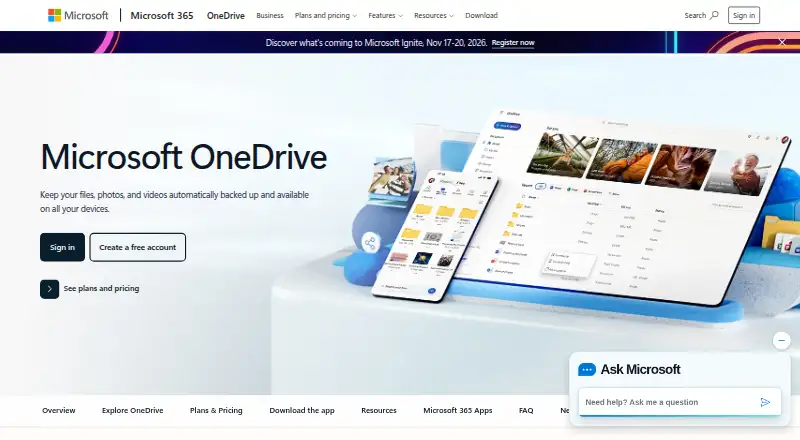
What Microsoft OneDrive is
Microsoft OneDrive is a cloud storage service for Windows, macOS, iOS, and Android. It can back up files, photos, videos, apps, and settings across devices, with offline file access and changes updating across devices. The free plan includes 5 GB of cloud storage. Microsoft 365 plans offer options including 100 GB, 1 TB, and up to 6 TB for family use; listed personal plan prices range from $1.99 per month billed annually at $19.99 to $19.99 per month billed annually at $199.99. The mobile app scans documents, while Personal Vault uses identity verification to protect important files. OneDrive detects suspicious activity and supports file recovery, and its listed security features include end-to-end encryption. It integrates with Word, Excel, PowerPoint, Outlook, OneNote, Teams, and SharePoint. Copilot can summarize files, answer questions about them, and compare them. Business plans include 1 TB of storage per user and identity and access management for up to 300 users.
Good
- Free plan includes 5 GB of cloud storage.
- Files remain accessible offline and changes update across devices.
- Mobile app scans documents into cloud storage.
- Integrates with Microsoft 365 apps and services.
- Personal Vault uses identity verification.
Watch out
- Free storage is limited to 5 GB.
- Subscriptions automatically renew unless canceled.
- Personal plan prices are billed annually.
- Business features require a business plan.
Who it suits
OneDrive suits people who want cloud backup and offline access across Windows, macOS, iOS, or Android devices. Its storage plans also include options for family sharing and business administration.
Verdict
OneDrive combines cross-device backup, offline access, and Microsoft app integrations, with storage options spanning individual and family use. Consider the annual billing terms and storage needs when selecting a plan.
Plans and prices
From Microsoft OneDrive's own pricing page, checked 22 Sep 2001.
| Plan | Price | What it gives you |
|---|---|---|
| Free | Free | 5 GB storage |
| Microsoft 365 Basic | $1.99 a month | Subscription automatically renews unless canceled in Microsoft account. · 100 GB storage · 1 person · billed annually at $19.99 |
| Microsoft 365 Personal | $9.99 a month | Subscription automatically renews unless canceled in Microsoft account; free trial offered. · 1 TB storage · 1 person · Up to 5 devices simultaneously · billed annually at $99.99 |
| Microsoft 365 Family | $12.99 a month | Subscription automatically renews unless canceled in Microsoft account; free trial offered. · Up to 6 TB storage · 1 to 6 people · Up to 5 devices per person · billed annually at $129.99 |
| Microsoft 365 Premium | $19.99 a month | Subscription automatically renews unless canceled in Microsoft account; free trial offered. · Up to 6 TB storage · 1 to 6 people · Up to 5 devices per person · billed annually at $199.99 |
| Microsoft 365 Business Basic | $7 a month | Annual subscription auto-renews; free trial offered. · 1 TB per user · 1 to 300 employees · Up to 300 users · paid yearly at $7.00 user/month |
| Microsoft 365 Business Basic (no Teams) | $5.40 a month | Annual subscription auto-renews; free trial offered. · paid yearly at $5.40 user/month |
| Microsoft 365 Business Standard with Copilot (no Teams) | $20.30 a month | Annual subscription auto-renews; free trial offered. · paid yearly at $20.30 user/month |
| Microsoft 365 Business Standard with Copilot | $23.50 a month | Annual subscription auto-renews; free trial offered. · paid yearly at $23.50 user/month |
| Microsoft 365 Business Premium with Copilot (no Teams) | $28.80 a month | Annual subscription auto-renews; free trial offered. · paid yearly at $28.80 user/month |
| Microsoft 365 Business Premium with Copilot | $32 a month | Annual subscription auto-renews; free trial offered. · paid yearly at $32.00 user/month |
| Microsoft 365 Free | Free | Product is not available in your market. |
The facts
Each one read from Microsoft OneDrive's own pages, with the date it was checked.
What it does
- Basic storage
- 100 GB of cloud storagechecked 28 Sep 2001
- Business admin controls
- Yeschecked 22 Sep 2001
- Business administration
- Business plans provide identity and access management for up to 300 userschecked 28 Sep 2001
- Business storage
- Business plans include 1 TB of cloud storage per userchecked 28 Sep 2001
- Business support
- Business plans include anytime phone and web supportchecked 28 Sep 2001
- Copilot features
- Copilot can summarize, answer questions, and compare fileschecked 28 Sep 2001
- Data encryption
- End-to-end encryption protects data wherever it is accessedchecked 28 Sep 2001
- Document scanning
- Mobile app scans important documents and keeps them in the cloudchecked 28 Sep 2001
- Family storage
- Up to 6 TB, with 1 TB per personchecked 28 Sep 2001
- File backup
- Backs up files, photos, videos, apps, and settings across deviceschecked 28 Sep 2001
- File size limit
- 250checked 22 Sep 2001
- File versioning
- Yeschecked 22 Sep 2001
- Microsoft integrations
- Integrates with Word, Excel, PowerPoint, Outlook, OneNote, Teams, and SharePointchecked 28 Sep 2001
- Offline access
- Files remain accessible offline and changes update across deviceschecked 28 Sep 2001
- Personal storage
- 1 TB (1000 GB) of secure cloud storagechecked 28 Sep 2001
- Personal Vault
- Identity-verified protection for important fileschecked 28 Sep 2001
- Photo collections
- Curated photo and video collections help relive past momentschecked 28 Sep 2001
- Ransomware protection
- Detects suspicious activity and supports file recoverychecked 28 Sep 2001
Where it runs
- Device platforms
- Windows,macOS,iOS,Androidchecked 22 Sep 2001
The company
- Founded
- 1975checked 23 Sep 2001
- Headquarters
- Redmond, Washington, USAchecked 23 Sep 2001
Money
- Free mailbox
- 15 GB of mailbox storagechecked 28 Sep 2001
- Free plan
- Yeschecked 22 Sep 2001
- Free storage
- 5 GB of cloud storagechecked 28 Sep 2001
The full review of Microsoft OneDrive
Overview
Microsoft OneDrive is cloud storage and backup for people who want files available across computers, phones, and tablets. It is most compelling for users who already work in Microsoft 365; its broad integrations and flexible personal and business plans are balanced by annual billing on paid tiers.
Key features
- Backup and offline access: OneDrive backs up files, photos, videos, apps, and settings across devices. Files can remain accessible offline, with changes updating across devices—a useful combination for people who switch between a computer and phone.
- File protection: File versioning and ransomware detection with file recovery support provide ways to restore work after unwanted changes. Personal Vault adds identity-verified protection for important files, while Microsoft says encryption protects data wherever it is accessed.
- Mobile tools and photos: The mobile app scans documents into cloud storage, and curated photo and video collections help revisit past moments. These are practical additions for people who use OneDrive as more than a work-file repository.
- Microsoft app integrations: OneDrive connects with Word, Excel, PowerPoint, Outlook, OneNote, Teams, and SharePoint. Copilot can summarize files, answer questions, and compare them. This makes the service a natural fit for Microsoft-oriented workflows; its appeal is less pronounced if those apps are not part of your routine.
- Business administration: Business plans include identity and access management for up to 300 users, 1 TB of storage per user, and anytime phone and web support. That gives organizations administration and support alongside storage, rather than only a personal cloud drive.
Pricing
The free plan costs nothing and includes 5 GB of cloud storage. It is a useful starting point, but the small quota makes it a poor fit for a large photo library or regular device backups. Free mailbox storage is 15 GB.
- Microsoft 365 Basic: $1.99 a month, billed annually at $19.99, for one person and 100 GB. It is the least expensive paid personal tier, but offers far less storage than Personal and does not include the stated multi-device allowance of that plan.
- Microsoft 365 Personal: $9.99 a month, billed annually at $99.99, for one person, 1 TB, and up to five devices simultaneously. A free trial is offered. This is the clearest fit for an individual who needs substantial storage and uses multiple devices.
- Microsoft 365 Family: $12.99 a month, billed annually at $129.99, for one to six people, up to 6 TB total, and up to five devices per person. A free trial is offered. With 1 TB per person, it suits households that can make use of separate allocations.
- Microsoft 365 Premium: $19.99 a month, billed annually at $199.99, for one to six people, up to 6 TB, and up to five devices per person. A free trial is offered. Its stated storage and device limits match Family, so the higher price is not justified by those limits alone.
Paid personal subscriptions automatically renew unless canceled in the Microsoft account. The monthly figures above come with annual billing, so they should not be read as month-to-month terms.
Business plans are priced per user and billed yearly. Microsoft 365 Business Basic costs $7 a month, billed paid yearly at $7.00 user/month; it includes 1 TB per user and supports 1 to 300 employees, up to 300 users. A free trial is offered. Microsoft 365 Business Basic (no Teams) costs $5.40 a month, billed paid yearly at $5.40 user/month; a free trial is offered. Microsoft 365 Business Standard with Copilot (no Teams) costs $20.30 a month, billed paid yearly at $20.30 user/month; Microsoft 365 Business Standard with Copilot costs $23.50 a month, billed paid yearly at $23.50 user/month. Microsoft 365 Business Premium with Copilot (no Teams) costs $28.80 a month, billed paid yearly at $28.80 user/month; Microsoft 365 Business Premium with Copilot costs $32 a month, billed paid yearly at $32.00 user/month. Free trials are offered for these listed business tiers, and annual subscriptions auto-renew. The no-Teams Business Basic price is lower than Business Basic, while the other listed business tiers specify Copilot and distinguish whether Teams is included.
Microsoft 365 Free has no price available for this market. Business Basic is the explicitly detailed business option for organizations needing user administration and per-user storage; the higher-priced listed tiers may suit organizations seeking their named Standard or Premium package with Copilot.
Platforms
OneDrive supports Windows and macOS computers, plus iPhone, iPad, and Android phones and tablets. That coverage suits households and individuals using a mix of desktop and mobile devices.
Who it's for
Choose OneDrive if you want cross-device backups, offline access, and Microsoft app integration in one service. Personal is the practical step up for one person whose files exceed the free or Basic allowance; Family makes more sense when several people need their own 1 TB allocation. Businesses needing controls for up to 300 users, per-user storage, and anytime support have a defined business option. Look elsewhere if you need more than 5 GB without an annual personal subscription or do not benefit from Microsoft’s app ecosystem.
Pros and cons
Pros
- Useful personal and family quotas: Personal provides 1 TB for one person, while Family reaches 6 TB across up to six people.
- Broad device reach: Windows, macOS, iOS, and Android support lets users access backed-up content across common computer and mobile platforms.
- Microsoft workflow integration: Connections to major Microsoft apps and Copilot file tools make OneDrive more useful within an existing Microsoft setup.
- Recovery and privacy measures: Versioning, ransomware-related recovery, Personal Vault, and encryption address several file-protection needs.
Cons
- Limited free storage: 5 GB can fill quickly when backups include photos, videos, and device content.
- Annual commitment: Paid personal prices are presented with annual billing and auto-renewal, reducing flexibility for people who want a short-term plan.
- Premium’s stated quota is not higher than Family: Both list up to 6 TB for up to six people and the same device allowance, so storage limits alone do not explain Premium’s higher price.
Alternatives
Google Drive is worth considering if you want a free plan with 15 GB of storage, compared with OneDrive’s 5 GB.
Zoho WorkDrive may fit a small team looking for 1 TB of team storage for 3–10 users, with a 10 GB per-file upload limit and three-user minimum on Starter.
FileCloud is an alternative for organizations seeking a plan with unlimited file upload size; its Essentials plan has a 20-user minimum.
pCloud offers a free plan with 10 GB of storage, twice OneDrive’s free cloud allocation.
Proton Drive offers a free plan with 5 GB of storage, matching OneDrive’s free cloud quota.
Koofr is another free-tier option, with 10 GB and seven-day deleted-file retention.
Box is an alternative to consider for individual cloud storage and file sharing.
Seafile is an alternative to consider for self-hosted file sharing and synchronization.
Browse Cloud Storage Services and File Sharing Software for more options.
Verdict
OneDrive is a strong choice for individuals, families, and organizations that want cloud storage tied closely to Microsoft apps, with backup, offline access, and recovery features. Choose Personal for one person who needs 1 TB, or Family when several people can use its separate allocations. The main reason to look elsewhere is a need for a more generous free quota or a preference to avoid annual billing.
Alternatives to Microsoft OneDrive
- 1

Internxt Drive
Free planOpen sourceAndroidiOSWebAPI8.6From $0.83 a month - 2

Seafile
Free planOpen sourceAndroidiOSWebAPI8.6Free plan - 3

Box
Free planAndroidiOSWebAPI8.3From $5 a month - 4
Google Drive
Free planAndroidiOSmacOSWindows8.2From $1.99 a month - 5

MEGA
Free planAndroidiOSWebAPI8.2From $1.63 a month - 6

pCloud
Free planAndroidiOSLinuxmacOS8.0Free plan