
FileCloud
FileCloud is an enterprise file storage and collaboration platform for sharing, syncing, backing up, and remotely accessing files.
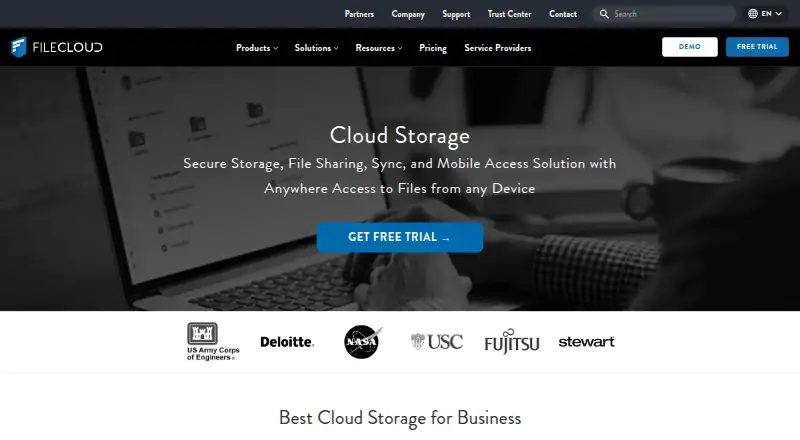
What FileCloud is
FileCloud is an enterprise file storage and collaboration platform for sharing, syncing, backing up, and remotely accessing files. Its hosted Online service and Server software can run on premises or on public cloud platforms. Users can make public, private, and time-limited shares with granular permissions. Collaboration features include file versioning, approval workflows, comments, activity streams, team folders, and document editing. FileCloud lists Windows, macOS, Linux, iOS, Android, and web access. Security features include encryption at rest and in transit, two-factor authentication, single sign-on, audit logs, and remote device wipe controls. Its listed integrations include Active Directory, NTFS, network shares, Microsoft Office Online, LibreOffice, Outlook, and FileCloud for Office. The self-hosted Community Edition has a free one-year license for up to five full users and 10 external users, but omits SSO and third-party integrations. FileCloud says its Salesforce plugin reached end of life on September 1, 2025, with no replacement planned.
Good
- Offers hosted and self-hosted deployment.
- Supports granular permissions for shared files.
- Includes versioning and approval workflows.
- Lists access across desktop, mobile, and web.
- Community Edition has a free one-year license.
Watch out
- Essentials requires at least 20 users.
- Advanced requires at least 10 users.
- Community Edition omits SSO and third-party integrations.
- Salesforce plugin has no planned replacement.
Who it suits
FileCloud describes its users as enterprises, educational institutions, government organizations, and managed service providers. It may suit organizations that need hosted or self-managed file sharing and collaboration.
Verdict
FileCloud provides file sharing and collaboration with hosted and self-managed deployment options. The Community Edition has user limits and omits some integrations and SSO; the Salesforce plugin is discontinued with no replacement planned.
Plans and prices
From FileCloud's own pricing page, checked 20 Sep 2026.
| Plan | Price | What it gives you |
|---|---|---|
| Essentials | $7 a month | 20 users minimum · Unlimited file upload size · Billed annually |
| Advanced | $14 a month | 10 users minimum · Unlimited file upload size · Billed annually |
| Service Provider | — | Service-provider deployment and licensing |
| Service Provider | Priced on request | Service-provider deployment and licensing |
| FedRAMP High | Priced on request | 10 users minimum · 10 TB base storage |
| FedRAMP High | — | 10 users minimum · 10 TB base storage |
| FileCloud Online Essentials | $7 | 10 minimum users · 5TB included · unlimited external users · unlimited file upload size · 3 workflows max. · Billed Annually; page shows “$7 user/mo Billed Annually” |
| FileCloud Online Advanced | $14 | 10 minimum users · 10TB included · unlimited external users · unlimited file upload size · Billed Annually; page shows “$14 user/mo Billed Annually” |
| FileCloud Online FedRAMP High | Priced on request | 10TB included · unlimited external users · unlimited file upload size · Get Quote |
| FileCloud Online Service Provider | Priced on request | User provided storage · unlimited external users · unlimited file upload size · Get Quote |
The facts
Each one read from FileCloud's own pages, with the date it was checked.
What it does
- Business admin controls
- Yeschecked 20 Sep 2026
- Collaboration
- Listed collaboration tools include file versioning, approval workflows, comments, activity streams, team folders, and document editing.checked 3 Oct 2026
- Community edition
- FileCloud Community Edition is self-hosted and provides a free one-year license for up to 5 full users and 10 external users; listed omissions include SSO and third-party integrations.checked 3 Oct 2026
- Compliance
- The Trust Center lists ISO 27001, SOC 2, ISO 9001, HIPAA, and FedRAMP High assurance materials; it says SOC 2 and HIPAA audit reports are available only to current customers.checked 3 Oct 2026
- Deployment
- FileCloud offers hosted Online service and Server software that can run on premises or on public cloud platforms.checked 3 Oct 2026
- File sharing
- Users can create public, private, and time-limited shares, with granular permissions and unlimited external accounts listed in the feature comparison.checked 3 Oct 2026
- File versioning
- Yeschecked 20 Sep 2026
- Integrations
- The feature list names Active Directory, NTFS, network shares, Microsoft Office Online, LibreOffice, Microsoft Office mobile apps, Outlook, and FileCloud for Office integrations.checked 3 Oct 2026
- Paid from
- 7checked 20 Sep 2026
- Product
- FileCloud describes itself as an enterprise file storage and collaboration platform for file sharing, sync, backup, and remote access.checked 3 Oct 2026
- Salesforce limitation
- FileCloud’s help page says its Salesforce plugin reached end of life on September 1, 2025, and that no replacement product is planned.checked 3 Oct 2026
- Security
- FileCloud describes AES encryption at rest, SSL/TLS protection in transit, two-factor authentication, single sign-on, audit logs, and remote device wipe controls.checked 3 Oct 2026
- Support
- The Trust Center says requested documentation is provided within one business day after an NDA is signed.checked 3 Oct 2026
- Who it serves
- FileCloud says its product is used by organizations including enterprises, educational institutions, government organizations, and managed service providers.checked 3 Oct 2026
- Zero-knowledge encryption
- Yeschecked 20 Sep 2026
Where it runs
- Device platforms
- Windows,macOS,Linux,iOS,Androidchecked 20 Sep 2026
- Platforms
- Downloads include Windows, macOS, and Linux sync clients, plus iPhone, iPad, and Android apps; the page says a FileCloud license is required to use the client apps.checked 3 Oct 2026
Money
- Free plan
- Nochecked 20 Sep 2026
The company
- Headquarters
- New York, New York, United Stateschecked 28 Sep 2026
The full review of FileCloud
FileCloud is an enterprise file platform for organizations that need controlled sharing, collaboration, and a choice between hosted and self-managed deployment. It is best suited to businesses, schools, government bodies, and service providers with dedicated administration needs rather than casual personal storage users. The trade-off is clear: extensive controls and deployment flexibility come with minimum user commitments and plan-specific limits.
Overview
FileCloud Online provides hosted storage, while FileCloud Server can run on an organization’s premises or on a public cloud platform. That deployment choice helps teams match the service to infrastructure, residency, or operational requirements, but self-management also places more responsibility on administrators. The Community Edition is useful for a small evaluation or limited installation, not as a full-featured replacement for paid plans.
Sharing supports public, private, and time-limited links with granular permissions and unlimited external accounts. Collaboration goes beyond transferring files: version history, approval workflows, comments, activity streams, team folders, and document editing are included. Connections to Active Directory, NTFS, network shares, Microsoft Office Online, LibreOffice, Microsoft Office mobile apps, Outlook, and FileCloud for Office can fit established workplace systems.
Key features
Security controls include AES encryption at rest, SSL/TLS protection in transit, two-factor authentication, single sign-on, audit logs, and remote device wiping. Business administration controls make it practical to govern access across users and devices. The Trust Center provides assurance materials for ISO 27001, SOC 2, ISO 9001, HIPAA, and FedRAMP High; SOC 2 and HIPAA audit reports are restricted to current customers. Documentation requested through the Trust Center is supplied within one business day after an NDA is signed.
One important integration exception is Salesforce. FileCloud’s Salesforce plugin reached end of life on September 1, 2025, and no replacement is planned, so Salesforce-dependent workflows should look elsewhere.
The self-hosted Community Edition offers a free one-year license for up to five full users and 10 external users. It omits single sign-on and third-party integrations, making it unsuitable where centralized identity or the listed workplace connectors are essential.
Pricing
Essentials costs $7 per user per month when billed annually and requires at least 20 users. It includes unlimited file upload size, making it the lower-cost paid entry point for larger teams that can meet the seat floor. Advanced costs $14 per user per month, billed annually, with a 10-user minimum and unlimited upload size; the higher price is aimed at organizations needing the more capable tier.
FileCloud Online Essentials is shown as $7 user/mo billed annually, with 10 minimum users, 5TB included storage, unlimited external users, unlimited upload size, and a maximum of three workflows. Online Advanced is shown as $14 user/mo billed annually, also requiring 10 users, and includes 10TB, unlimited external users, and unlimited upload size. The page labels these plan totals as $7.00 and $14.00 per year, respectively, while displaying the per-user monthly annual-billing figures; buyers should confirm the billing presentation before purchase.
Online FedRAMP High has custom pricing, 10TB included, unlimited external users, and unlimited upload size. Online Service Provider also uses custom pricing, with provider-supplied storage and unlimited external users and upload size. The Service Provider plan is intended for service-provider deployment and licensing. A 14-day trial is offered, and a free plan exists through the Community Edition rather than as an unrestricted hosted tier.
Platforms
Native device support covers Windows, macOS, Linux, iOS, and Android. FileCloud is also available on the web, with self-hosted deployment for organizations that require it.
Who it's for
FileCloud fits enterprises, educational institutions, government organizations, and managed service providers that need granular external sharing, auditability, and administrative oversight. It is a stronger choice when deployment location matters or when teams need workflow and directory integrations. Small groups, solo users, and teams unable to meet 10- or 20-user minimums should avoid the paid tiers; the Community Edition’s five-user cap and missing SSO and integrations limit its usefulness for production collaboration.
Pros and cons
- Pros: Hosted and self-managed deployment supports different infrastructure policies.
- Pros: Public, private, and expiring shares with granular permissions and unlimited external accounts suit controlled collaboration.
- Pros: Versioning, approvals, comments, activity streams, team folders, and editing provide a broad work platform.
- Pros: Encryption, SSO, two-factor authentication, audit logs, and remote wipe provide substantial administrative control.
- Cons: Paid plans require at least 10 or 20 users, excluding many small teams.
- Cons: Community Edition supports only five full users and 10 external users and removes SSO and third-party integrations.
- Cons: The Salesforce plugin is discontinued with no replacement planned.
Alternatives
Choose IDrive instead if you want a freemium service with a 10GB basic plan, a 100GB one-user plan at $0.25 per month, and broad desktop and mobile coverage.
Jottacloud is a better fit for straightforward consumer storage, with a 5GB free one-user plan and a listed unlimited tier at $12.99 per month.
Pick rclone, Kopia, or restic when free, open-source, self-managed tooling matters more than an integrated enterprise collaboration suite; storage is provisioned separately where applicable.
Duplicati and MSP360 Backup are more focused on backup, while SpiderOak offers an open-source option and a 150GB plan at $6 per month.
For broader comparisons, see Cloud Backup Services, File Sharing Software, and Cloud Storage Services.
Verdict
Choose FileCloud if your organization needs granular external sharing, strong administrative safeguards, and the option to run hosted or self-managed infrastructure. Look elsewhere if you need a low-seat service, a simple personal account, or Salesforce integration, because the minimums and discontinued plugin materially narrow its fit.
Alternatives to FileCloud
- 1

Seafile
Free planOpen sourceAndroidiOSWebAPI8.6Free plan - 2

FolderSync
Free planAndroidLinuxmacOSWindows7.7$6.99 one-time - 3

Synology Photos
Free planAndroidiOSWebExtension7.7Free plan - 4
rclone
Free planAndroidWebAPILinux7.6Free plan - 5

ownCloud
Free planAndroidiOSWebAPI7.3Free plan - 6
Syncplicity
Free planAndroidiOSWebAPI7.2Free plan