rclone
Rclone is a free command-line program for managing files across cloud storage services.
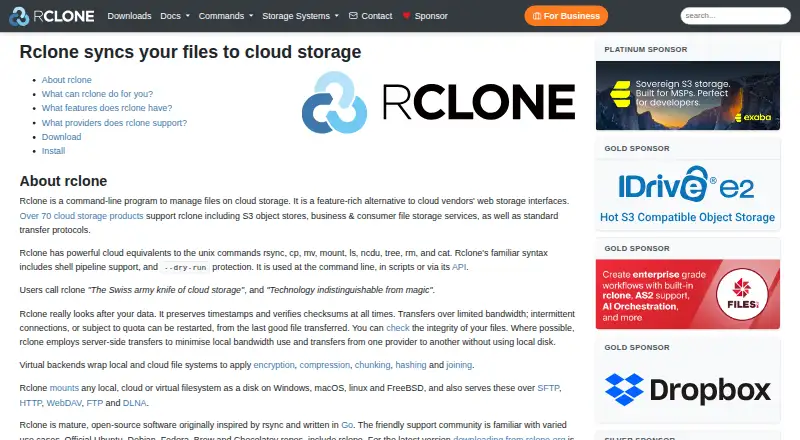
What rclone is
Rclone is a free command-line program for managing files across cloud storage services. It can back up and restore files, copy changed files, mirror or migrate data, mount storage as a disk, and combine file systems. Its site lists more than 70 storage integrations, including Amazon S3, Google Drive, Dropbox, Microsoft OneDrive, and Backblaze B2. Rclone checks MD5 and SHA1 hashes, preserves timestamps, and can restart operations. Where supported, it can transfer between providers without using local disk. Sync options include one-way sync and two-way bisync. It can mount local, cloud, or virtual file systems and serve files through SFTP, HTTP, WebDAV, FTP, and DLNA. The crypt remote encrypts files before upload and decrypts them after download, while leaving file length and modification time unencrypted. Its configuration file only lightly obscures the crypt password unless configuration encryption is enabled. Rclone is available through command line, scripts, and an API; its web GUI is described as experimental.
Good
- Free open-source project.
- Supports more than 70 storage products.
- Offers one-way sync and two-way bisync.
- Can transfer between providers without local disk.
- Mounts storage and serves files over several protocols.
Watch out
- The web-based GUI is experimental.
- Android builds are not yet first-class builds.
- Crypt does not encrypt file length or modification time.
- The crypt password is lightly obscured by default.
Who it suits
Rclone suits users comfortable managing cloud files through command-line tools, scripts, or its API. It can also serve people who need synchronization, storage mounting, or client-side file encryption.
Verdict
Rclone offers a broad set of file-management operations for cloud storage, with command-line and API access. Users considering its crypt remote should account for what it does not encrypt and protect the configuration file.
Plans and prices
From rclone's own pricing page, checked 30 Sep 2026.
| Plan | Price | What it gives you |
|---|---|---|
| rclone | Free | Free open-source project |
The facts
Each one read from rclone's own pages, with the date it was checked.
What it does
- API
- Rclone can be used through its API as well as from the command line and scripts.checked 29 Sep 2026
- API and scripting
- Rclone can be used from scripts or through its API, and its command syntax includes shell pipeline support and a dry-run option.checked 30 Sep 2026
- Client-side encryption
- The crypt remote encrypts files locally before upload and decrypts them after download; file and directory names are encrypted by default.checked 30 Sep 2026
- Encryption
- The crypt remote provides client-side encryption, encrypts files before upload and decrypts them after download, and leaves data encrypted at rest in the wrapped remote.checked 29 Sep 2026
- Encryption detail
- File content encryption uses NaCl SecretBox based on XSalsa20 and Poly1305; file and directory names are encrypted by default but can be left unencrypted.checked 29 Sep 2026
- Encryption limits
- Rclone crypt does not encrypt file length or modification time, and the crypt password in the configuration file is only lightly obscured unless configuration encryption is enabled.checked 30 Sep 2026
- GUI
- The feature list describes the web-based GUI as experimental.checked 30 Sep 2026
- Integrations
- The site lists more than 70 cloud storage products, including Amazon S3, Google Drive, Dropbox, Microsoft OneDrive, and Backblaze B2.checked 30 Sep 2026
- Mount and serve
- Rclone can mount local, cloud, or virtual file systems as disks on Windows, macOS, Linux, and FreeBSD, and serve files over protocols including SFTP, HTTP, WebDAV, FTP, and DLNA.checked 29 Sep 2026
- Mounting and serving
- Rclone can mount local, cloud, or virtual filesystems and serve files over SFTP, HTTP, WebDAV, FTP, and DLNA.checked 30 Sep 2026
- Project model
- Rclone is a free open-source project maintained by volunteers and Nick Craig-Wood.checked 30 Sep 2026
- Purpose
- Rclone is a command-line program for managing files on cloud storage.checked 30 Sep 2026
- Security caveat
- Rclone stores the encryption password in its configuration file in lightly obscured form and recommends configuration encryption if that file cannot be kept secure.checked 29 Sep 2026
- Storage integrations
- The site lists support for over 70 cloud storage products, including Amazon S3, Google Drive, Dropbox, Microsoft OneDrive, and Backblaze B2.checked 29 Sep 2026
- Support
- The project describes a friendly support community and says business sponsorship can include support contracts, advertising deals, and consultancy.checked 30 Sep 2026
- Supported systems
- The downloads page provides builds for Windows, macOS, Linux, FreeBSD, NetBSD, OpenBSD, Plan 9, and Solaris; Android builds are available but are not yet first-class builds.checked 29 Sep 2026
- Sync
- Rclone supports one-way sync and two-way bisync between directories.checked 30 Sep 2026
- Sync modes
- Rclone supports copying changed files, one-way sync, and bidirectional sync with bisync.checked 29 Sep 2026
- Transfer behavior
- Where possible, rclone uses server-side transfers to reduce local bandwidth and transfer between providers without using local disk.checked 29 Sep 2026
- Transfer integrity
- Rclone checks MD5 and SHA1 hashes for file integrity, preserves timestamps, and can restart operations.checked 29 Sep 2026
- Transfers
- It checks MD5 and SHA1 hashes for file integrity, preserves timestamps, and can restart operations.checked 30 Sep 2026
Money
- Free plan
- Yeschecked 21 Sep 2026
Where it runs
- Platform requirements
- The listed minimum requirements for release v1.75.1 are Linux kernel 3.2, macOS 12 Monterey, and Windows 10 or Server 2016.checked 29 Sep 2026
- Platforms
- The downloads page lists builds for Windows, macOS, Linux, BSD variants, Plan 9, and Solaris; Android builds are available but are not first-class builds.checked 30 Sep 2026
The full review of rclone
Rclone is a free, open-source utility for managing cloud files from the command line, scripts, or an API. It is best suited to technically comfortable users who need to move, synchronise, back up, or mount data across storage providers. Its reach and automation options make it a capable tool for those workflows, but it is not a polished graphical file manager.
Overview
Rclone brings a broad set of file operations to cloud storage, from copying and syncing to mounting remote filesystems. It can connect more than 70 storage products, including Amazon S3, Google Drive, Dropbox, Microsoft OneDrive, and Backblaze B2. That breadth is valuable when a workflow spans providers; the command-line focus makes it a less natural fit for people who expect to manage files through a conventional desktop interface. The web-based GUI is experimental.
Key features
For transfers, rclone checks MD5 and SHA1 hashes, preserves timestamps, and can restart operations. It supports copying changed files, one-way sync, and two-way sync with bisync. When the providers support it, server-side transfers can reduce local bandwidth and move data between services without sending files through local disk. These capabilities suit migrations and recurring backup workflows, though they do not remove the need to choose the right sync direction for the job.
Rclone can mount local, cloud, or virtual filesystems as disks, and serve files over SFTP, HTTP, WebDAV, FTP, and DLNA. Virtual backends can encrypt, compress, chunk, hash, or combine remotes, letting one storage setup support different processing needs. Shell pipeline support, dry runs, scripts, and an API make rclone useful in automated workflows; users looking for a visual-first tool may find that flexibility comes at the cost of a more familiar interface.
Encryption and security
The crypt remote encrypts files on the client before upload and decrypts them after download, keeping file contents encrypted at rest in the wrapped remote. It uses NaCl SecretBox based on XSalsa20 and Poly1305. File and directory names are encrypted by default, but can be left visible. Crypt does not conceal file length or modification time, and its password is only lightly obscured in the configuration file. Anyone unable to secure that file should enable configuration encryption; crypt is useful for protecting stored contents, not a guarantee that all metadata or credentials are hidden.
Pricing
Rclone is a free open-source project, and its rclone plan costs nothing. There is no paid tier to weigh against the free offering, and no free trial is needed. The price makes it a practical option for individuals and organisations that can work with its technical interface, while volunteer maintenance and community support may be less suitable for teams that require a formal support arrangement. Business sponsorship can include support contracts, advertising deals, and consultancy.
Platforms
Rclone supports Windows, macOS, Linux, FreeBSD, OpenBSD, NetBSD, Plan 9, Solaris, and Android. Android builds are available, though Android is not yet a first-class build target. Release v1.75.1 lists minimum requirements of Linux kernel 3.2, macOS 12 Monterey, and Windows 10 or Server 2016. The plan supports drive mounting, folder synchronisation, and scheduled synchronisation, but there are no mobile apps. Users can also access rclone through its API, and self-hosted and web use are supported.
Who it's for
Rclone is a strong choice for people who need to automate transfers, keep directories in sync, migrate data between providers, or expose cloud storage as a mounted disk. Its many integrations and server-side transfer support are particularly useful when work crosses storage services. It is a weaker fit for users who want a polished GUI, a dedicated mobile app, or encryption that conceals file metadata as well as content.
Pros and cons
- Pros: More than 70 storage integrations, plus copy, sync, mount, serve, and virtual-backend capabilities, cover a wide range of cloud file workflows.
- Pros: Hash checking, timestamp preservation, restartable transfers, and server-side operations where supported help with dependable and bandwidth-conscious transfers.
- Pros: Free, open-source access includes command-line, scripting, and API use without a paid plan.
- Cons: The command-line-centered design and experimental web GUI are a poor match for users who want a finished graphical file manager.
- Cons: Crypt leaves file length and modification time unencrypted, while the password needs configuration-file protection beyond its light obfuscation.
- Cons: Android builds are not first-class, and the project has no mobile apps.
Alternatives
For a narrower protocol-focused shortlist, compare WebDAV Client Software, File transfer services, and Cloud Backup Services.
CloudDrive2 may suit users seeking a freemium option with Android and iOS support and a free Basic plan limited to two cloud drives and one local mount. FolderSync is another freemium alternative with a free Android app and desktop availability. Air Explorer has a free BASIC plan for one account per cloud, read-only cloud-to-cloud transfers, and limits on simultaneous downloads and uploads. Cyberduck is a freemium, GPL-licensed option for macOS and Windows. ExpanDrive offers a free plan for personal use with community support across 15 cloud services and protocols. filex is a free alternative for Linux, macOS, Windows, web, API, and self-hosted use. GoodSync has a freemium model and plans including workstation and server options. FTPManager Pro is a paid option for FTP, FTPS, and SFTP access, with a built-in FTP server and transfers between servers and iOS devices.
Verdict
Choose rclone if you need a free, highly adaptable way to automate cloud transfers, synchronise directories, or mount storage across providers. Its strongest case is the combination of broad integrations and command-line, script, and API workflows. Look elsewhere if a polished graphical or mobile app is essential, or if you need encryption that hides file metadata and credentials without additional configuration care.
Getting started
- Visit https://rclone.org/.
- Choose a build for a supported system; Android builds are available but are not first-class builds.
- Use the command line, scripts, or API to manage storage.
- Configure a supported cloud storage remote and choose a backup, sync, mount, or serving task.
Questions
How much does rclone cost?
The listed plan is free at no cost. It is a free, open-source project.
Which platforms are supported?
Listed platforms include Windows, macOS, Linux, FreeBSD, OpenBSD, NetBSD, Plan 9, Solaris, and Android. Android builds are available but are not first-class builds; the listed minimum requirements for release v1.75.1 are Linux kernel 3.2, macOS 12 Monterey, and Windows 10 or Server 2016.
Does rclone have a graphical interface or mobile app?
Its web-based GUI is described as experimental, and mobile apps are listed as unavailable.
Can rclone encrypt cloud files?
Its crypt remote encrypts files before upload and decrypts them after download, with file and directory names encrypted by default. It does not encrypt file length or modification time, and configuration encryption is recommended if the configuration file cannot be kept secure.
Which cloud storage services does it support?
The site lists more than 70 cloud storage products, including Amazon S3, Google Drive, Dropbox, Microsoft OneDrive, and Backblaze B2.
Is support available?
The project provides a support forum and describes a friendly support community. Business sponsorship can include support contracts, advertising deals, and consultancy.
Alternatives to rclone
- 1
HTTPie
Free planOpen sourceWebLinuxmacOSWindows8.3From $10 a month - 2

restic
Free planOpen sourceAPILinuxmacOSSelf-hosted7.6Free plan - 3

Supabase
Free planAndroidiOSWebAPI7.6From $25 a month - 4

GitHub CodeQL
Free planWebExtensionLinuxmacOS7.5From $30 a month - 5

Pulumi
Free planWebAPILinuxmacOS7.4From $40 a month - 6
jq
Free planWebLinuxmacOSSelf-hosted7.2Free plan