
FolderSync
FolderSync syncs folders between devices and cloud providers or file servers, and can also synchronize two folders on one device.
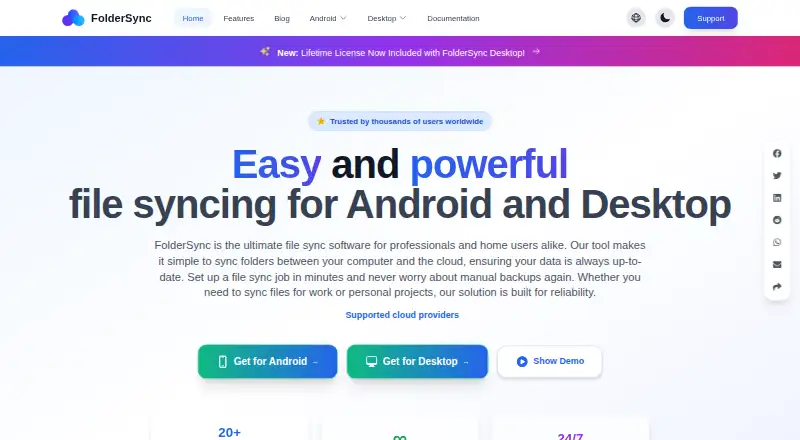
What FolderSync is
FolderSync syncs folders between devices and cloud providers or file servers, and can also synchronize two folders on one device. It supports one-way mirroring and two-way sync, as well as transfers between two remote locations using an Android device or desktop computer as a temporary intermediary. Supported services include Google Drive, Dropbox, OneDrive, Box, and Nextcloud; protocols include FTP, SFTP, SMB, S3-compatible storage, and WebDAV. Its V2 engine adds cloud-to-cloud sync, encryption, pre-sync change analysis, parallel transfers, and Cron-based scheduling. FolderSync also documents Tasker integration and configurable automation events. Encryption protects filenames and contents before upload, but works only with one-way sync, and a forgotten encryption password cannot be recovered. FolderSync says account, folder-pair, and sync-log data remain locally stored, while files go directly to the configured provider or server. The free plan is available on Android and desktop; the Android app requires version 8.0 or newer, while desktop support includes Windows 10 or newer, macOS 10.15 or newer, and qualifying Linux systems.
Good
- Supports one-way and two-way synchronization
- Can transfer files between remote locations
- Works with cloud providers and common file protocols
- V2 supports encryption and scheduled sync
- Account and sync-log data is stored locally
Watch out
- Encryption works only with one-way sync
- Lost encryption passwords cannot be recovered
- Android requires version 8.0 or newer
- Deleted or overwritten files are not retained as backups
Who it suits
FolderSync suits people who need folder synchronization across devices, cloud services, or file servers. It may also fit users who want scheduled or event-based automation, provided they account for its platform requirements and encryption limits.
Verdict
FolderSync offers broad sync options, including remote-to-remote transfers and automation. Its encryption constraints and lack of retained deleted or overwritten versions matter if you need a backup as well as synchronization.
Plans and prices
From FolderSync's own pricing page, checked 15 Oct 2026.
| Plan | Price | What it gives you |
|---|---|---|
| FolderSync | Free | Android app with ads · Premium in-app purchase removes ads and adds webhooks and automation |
| Free | Free | Android free app includes ads · Desktop can be used free, but automation and webhooks are unavailable |
| FolderSync Pro | $6.99, paid once | Paid Android app · no ads · webhooks and automation |
The facts
Each one read from FolderSync's own pages, with the date it was checked.
Where it runs
- Android requirements
- The Android app requires Android 8.0 or newer; Android TV, Android Auto and Chromebook are not officially supported.checked 15 Oct 2026
- Desktop platforms
- The desktop version supports 64-bit Windows 10 or newer, macOS 10.15 or newer, and 64-bit x86 Linux with glibc 2.17 or newer.checked 30 Sep 2026
What it does
- Automation
- Tasker and similar automation tools can trigger finely controlled synchronization jobs.checked 15 Oct 2026
- Backup limitation
- FolderSync does not retain deleted files or older overwritten versions, so it cannot restore historical versions.checked 15 Oct 2026
- Checksums
- Checksum support varies by provider; documented examples include SHA1 for Box and OneDrive and MD5 for Google Drive, Google Cloud Storage and Yandex Disk.checked 15 Oct 2026
- CLI
- The foldersync-cli utility can start or stop syncs, show logs and status, control schedules, list folder pairs, and encrypt or decrypt files.checked 15 Oct 2026
- CLI prerequisite
- The desktop application must be installed and running for the CLI to work.checked 15 Oct 2026
- Cloud integrations
- Documented cloud services include Amazon S3, Box, CloudMe, Drime Drive, Dropbox, Filen, Google Drive, Google Cloud Storage, HiDrive, kDrive, Koofr, MEGA, MinIO, Nextcloud, OneDrive, ownCloud, pCloud, Proton Drive, Storegate, SugarSync, WEB.DE and Yandex Disk.checked 15 Oct 2026
- Cloud to cloud
- It can sync two remote locations, using the installed Android device or desktop computer as an intermediary that temporarily stores transferred files.checked 30 Sep 2026
- Credentials
- For OAuth-supported providers, FolderSync receives an access token; credentials for some login-based providers are stored in its local database.checked 30 Sep 2026
- Data path
- An independent review reports that files go directly to the configured cloud provider or server rather than through FolderSync servers.checked 15 Oct 2026
- Desktop licensing
- Desktop can run free but requires a license key to unlock automation and webhooks.checked 15 Oct 2026
- Desktop requirements
- Desktop support requires 64-bit Windows 10 or newer, macOS 10.15 or newer, or 64-bit x86 Linux with glibc 2.17 or newer.checked 15 Oct 2026
- Diagnostics
- The privacy documentation describes crash reporting and anonymous usage analytics, with settings to disable analytics.checked 15 Oct 2026
- Encryption
- Optional client-side encryption uses ChaCha20-Poly1305 with 256-bit keys and Argon2id derivation, encrypting names and contents before upload.checked 15 Oct 2026
- Encryption limit
- File encryption is restricted to one-way synchronization and cannot be combined with two-way sync.checked 15 Oct 2026
- File manager
- The Android app includes a file manager for copying, moving and deleting local or remote files and managing Amazon S3 buckets.checked 15 Oct 2026
- File protocols
- Supported protocols include FTP, FTPS, FTPES, SFTP, SMB1, SMB2, SMB3, S3-compatible endpoints and HTTPS WebDAV.checked 15 Oct 2026
- Google Play data safety
- Google Play says no data is shared with third parties, while app activity, performance and device identifiers may be collected and data is encrypted in transit.checked 15 Oct 2026
The company
- Company founded
- LinkedIn lists the company as founded in 2013.checked 15 Oct 2026
- Company headquarters
- LinkedIn lists Tacit Dynamics Aps headquarters in Århus, Denmark.checked 15 Oct 2026
- Company legal name
- Google Play identifies the developer as Tacit Dynamics ApS.checked 15 Oct 2026
- Company ownership
- LinkedIn describes Tacit Dynamics Aps as a privately held information-technology company.checked 15 Oct 2026
- Company size
- LinkedIn lists the company size as one employee.checked 15 Oct 2026
The full review of FolderSync
FolderSync syncs folders across devices, cloud providers and file servers, with support for local-to-local transfers as well. It suits people who need flexible transfers and automation across mixed storage services. Its range is a strength, but encryption works only with one-way sync, and sync is not a substitute for versioned backup.
Overview
FolderSync connects services such as Google Drive, Dropbox, OneDrive, Box and Nextcloud with protocols including FTP, SFTP, SMB, S3-compatible storage and WebDAV. It can sync two remote locations, but the Android device or desktop computer mediates the transfer and temporarily stores the files. That makes it useful for moving data between services without routing through a separate server, provided the intermediary device can do the work.
One-way sync mirrors a source folder to its destination; two-way sync propagates changes in both directions. FolderSync does not retain deleted files or older overwritten versions, so either mode is a poor fit when recovery history is essential. Deletion syncing is off by default, which helps avoid accidental propagation of removals.
Key features
Sync controls and automation
The V2 engine supports cloud-to-cloud sync, parallel transfers, change analysis before syncing, encryption and Cron-based scheduling. Tasker integration and configurable events, including schedules and sync events, give users ways to automate recurring work. These controls suit users with established workflows, though scheduled automation is unavailable on the free desktop version.
Encryption and privacy
Encryption protects file names and contents before upload, using ChaCha20-Poly1305 with Argon2id key derivation. Its one-way-only restriction rules it out for users who require encrypted two-way sync, and a lost encryption password cannot be recovered. FolderSync says account, folder-pair and sync-log data stays local, while files go directly to the configured provider or server; analytics can be disabled in settings. OAuth-supported providers supply an access token, while credentials for some login-based providers are stored in FolderSync's local database.
Pricing
FolderSync is freemium. The Free plan costs nothing: the Android app includes ads, while the desktop version can be used free but does not include automation or webhooks. It is a sensible starting point for manual syncing and basic use; users who depend on desktop automation will need a paid option, whose price is custom pricing.
Platforms
FolderSync supports Android, Windows, macOS and Linux. Android requires version 8.0 or newer; Android TV, Android Auto and Chromebook are not officially supported. Desktop support requires 64-bit Windows 10 or newer, macOS 10.15 or newer, or 64-bit x86 Linux with glibc 2.17 or newer. Folder synchronisation, offline file access, mobile apps and scheduled synchronisation are supported; drive mounting is not.
Who it's for
FolderSync is a strong fit for people who regularly move folders among cloud providers, file servers and local devices, particularly when they want one-way mirroring, two-way sync or automated transfers. It is less suitable for users who need drive mounting, encrypted two-way sync or retained versions for recovery.
Pros and cons
- Broad provider and protocol support: Connects popular cloud services and file-server protocols, making it useful for mixed-storage workflows.
- Remote-to-remote transfers: Moves files between two remote locations, though the Android device or desktop computer must temporarily handle them.
- Pre-sync analysis and automation: Change analysis, Cron scheduling and Tasker integration help users manage recurring or complex syncs.
- Encryption has meaningful constraints: It is limited to one-way sync, and a forgotten password cannot be recovered.
- No version history: Deleted and overwritten files are not retained, limiting its usefulness for backup and recovery.
- Free desktop tier omits automation and webhooks: Users relying on those features need a different plan.
Alternatives
For a free open-source project, consider rclone. If you need cloud-drive mounting, CloudDrive2 offers up to two cloud drives, one local mount and two devices online at once on its free Basic plan. For read-only cloud-to-cloud transfers, Air Explorer has a free BASIC plan with one account per cloud and limits of two simultaneous downloads and uploads.
RaiDrive, Air Live Drive, Cyberduck, ExpanDrive and Cadaver are other options; see WebDAV Client Software for more choices.
Verdict
Choose FolderSync if you want broad provider and protocol coverage, flexible sync directions and automation across Android or desktop. Look elsewhere if you need encrypted two-way syncing or a backup that keeps older and deleted files.
Getting started
- Visit the FolderSync website.
- Choose the Android app or desktop version for Windows, macOS, or Linux.
- Check that your device meets the listed operating-system requirements.
- Connect a supported cloud service or file-server protocol.
- Choose one-way or two-way syncing and configure the folders.
Limits worth knowing
The Android free app includes ads. Free desktop use does not include automation or webhooks; encryption works only with one-way sync, and a lost encryption password cannot be recovered.
Questions
Is FolderSync free?
Yes. The Free plan is listed as free. The Android free app includes ads, and desktop can be used free.
Which platforms does it support?
FolderSync supports Android, Windows, macOS, and Linux. Android requires version 8.0 or newer; desktop requirements are Windows 10 or newer, macOS 10.15 or newer, or 64-bit x86 Linux with glibc 2.17 or newer.
Which storage services and protocols can it connect to?
Supported services include Google Drive, Dropbox, OneDrive, Box, and Nextcloud. Supported protocols include FTP, SFTP, SMB, S3-compatible storage, and WebDAV.
Can it sync between two cloud locations?
Yes. It uses the installed Android device or desktop computer as an intermediary that temporarily stores transferred files.
Does FolderSync encrypt files?
Its encryption covers file names and contents before upload and uses ChaCha20-Poly1305 with Argon2id key derivation. Encryption works only with one-way sync, and the password cannot be recovered if lost.
What happens to deleted or overwritten files?
FolderSync does not retain deleted files or older overwritten versions as a backup. Deletion syncing is disabled by default.
Alternatives to FolderSync
- 1

Seafile
Free planOpen sourceAndroidiOSWebAPI8.6Free plan - 2

Synology Photos
Free planAndroidiOSWebExtension7.7Free plan - 3
rclone
Free planAndroidWebAPILinux7.6Free plan - 4

FileCloud
AndroidiOSWebLinux7.5 - 5

ownCloud
Free planAndroidiOSWebAPI7.3Free plan - 6
Syncplicity
Free planAndroidiOSWebAPI7.2Free plan