
Air Explorer
Air Explorer manages cloud storage accounts through one interface and supports transfers, synchronization, and encryption.
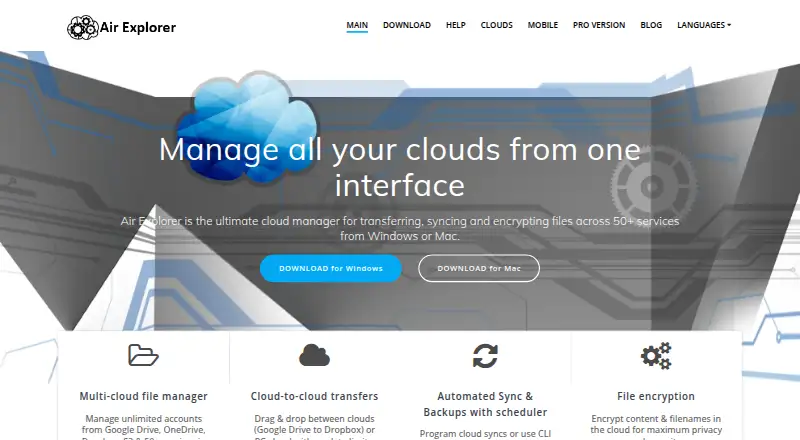
What Air Explorer is
Air Explorer manages cloud storage accounts through one interface and supports transfers, synchronization, and encryption. It can move files directly between cloud services without saving them locally; the homepage says transfers have no data limits. Supported services include Google Drive, OneDrive, Dropbox, S3, SFTP, WebDAV, and SharePoint. The desktop app supports scheduled syncs and backups, including mirror and bidirectional modes. Files and filenames can be encrypted before upload, and the site says they are unreadable without the password. On Android, the app supports cloud and device file operations, synchronization, encryption, and access to computer files added as a cloud. Free BASIC costs nothing and permits one account per cloud, read-only cloud transfers and sync, and two simultaneous downloads and uploads. The privacy policy says the software sends its version number, operating system, and language at startup for update notifications and statistics.
Good
- Transfers files directly between cloud services.
- Supports scheduled backups and synchronization modes.
- Supports Google Drive, OneDrive, Dropbox, S3, and more.
- Can encrypt file content and filenames before upload.
Watch out
- Free BASIC uses read-only transfers and synchronization.
- Android free version includes advertising.
- Each Pro license is valid for one device.
- Personalized advice and one-to-one assistance are not included.
Who it suits
Air Explorer suits people managing accounts across cloud services who need transfers, synchronization, or encryption. Its Android app also supports cloud and device file operations.
Verdict
Air Explorer brings cloud accounts, transfers, synchronization, and encryption together across Windows, macOS, and Android. Consider the free-tier limits and one-device Pro licensing before choosing a plan.
Plans and prices
From Air Explorer's own pricing page, checked 30 Sep 2026.
| Plan | Price | What it gives you |
|---|---|---|
| Free BASIC | Free | 1 account per cloud · read-only cloud-to-cloud sync/transfer · 2 simultaneous downloads · 2 simultaneous uploads |
| Pro 1 Year | $21 a year | Unlimited accounts · one device · all features · 1 YEAR subscription |
| Pro 2 Years | $31 a year | Unlimited accounts · one device · all features · 2 YEARS |
| Pro Lifetime | $42, paid once | Unlimited accounts · one device · all features · updates included · One time payment |
The facts
Each one read from Air Explorer's own pages, with the date it was checked.
What it does
- AI workflows
- The site says its AI Skill lets Claude, ChatGPT, and Google Antigravity manage synchronization, transfer files, and search clouds using natural language.checked 30 Sep 2026
- Cloud transfers
- It supports direct cloud-to-cloud file transfers without saving the files locally, and the home page says transfers have no data limits.checked 30 Sep 2026
- Encryption
- The product can encrypt file content and filenames before upload, and the site says files are unreadable without the password.checked 30 Sep 2026
- Integrations
- The supported services page lists Google Drive, OneDrive, Dropbox, S3, SFTP, WebDAV, SharePoint, and many other cloud services.checked 30 Sep 2026
- Privacy data
- The privacy policy says the software sends its version number, operating system, and language at startup for update notifications and statistics.checked 30 Sep 2026
- Product
- Air Explorer manages cloud storage accounts through one interface and supports transfers, synchronization, and encryption.checked 30 Sep 2026
- Pro limit
- Each Pro license is valid for one device, and the site says personalized advice and one-to-one technical assistance are not included.checked 30 Sep 2026
- Refund and support
- The Pro page states a 15-day guaranteed refund and provides a contact email for assistance with license transfers.checked 30 Sep 2026
- Sync and backups
- The desktop app supports scheduled syncs and backups, including mirror and bidirectional sync modes.checked 30 Sep 2026
Where it runs
- Android
- The Android app supports cloud and device file operations, synchronization, encryption, and access to computer files added as a cloud.checked 30 Sep 2026
- Platforms
- The official download page offers Air Explorer for Windows and Mac, and a separate official page offers the Android app.checked 30 Sep 2026
Money
- Android free tier
- The Android free version includes advertising and limits users to one account per cloud; some advanced features require Pro.checked 30 Sep 2026
The full review of Air Explorer
Air Explorer manages cloud storage accounts from one interface, with direct transfers, synchronization and encryption. It is best suited to people coordinating files across multiple cloud services, particularly on desktop. Its breadth is useful, but the free tier is restrictive and each Pro license covers just one device.
Overview
Air Explorer brings accounts from services such as Google Drive, OneDrive, Dropbox, S3, SFTP, WebDAV and SharePoint into a single app. Direct cloud-to-cloud transfers avoid saving files locally, and the site says transfers have no data limits. That is a practical advantage when moving files between services, although the free plan’s account and activity caps still constrain how much you can do without upgrading.
Desktop users can schedule syncs and backups, with mirror and bidirectional modes. These options suit recurring maintenance across cloud folders; they make Air Explorer more than a one-off transfer tool. The Android app also handles cloud and device files, synchronization and encryption, and can access computer files added as a cloud.
Key features
Sync, backups and AI workflows
Scheduled sync and backup are useful for users who want recurring transfers rather than manual file copying. Mirror and bidirectional modes give desktop users different ways to keep folders aligned. The site’s AI Skill lets Claude, ChatGPT and Google Antigravity manage synchronization, transfer files and search clouds using natural language. That may suit users who already work with those assistants, while the core cloud-management features remain the clearer reason to choose the app.
Encryption and privacy
Air Explorer can encrypt file contents and filenames before upload; the site says the files are unreadable without the password. This is a meaningful option for users who want encryption before cloud storage, but it also makes password handling important. At startup, the software sends its version number, operating system and language for update notifications and statistics.
Pricing
The Free BASIC plan costs nothing. It allows one account per cloud, read-only cloud-to-cloud sync and transfer, and two simultaneous downloads and uploads. That is enough for limited access, but read-only transfers and the low concurrency caps make it a poor fit for active migration or full-featured sync.
Pro 1 Year costs $21 a year, billed as a 1 YEAR subscription. Pro 2 Years costs $31 a year, billed for 2 YEARS. Both include unlimited accounts and all features, but each license is for one device. Pro Lifetime costs $42, paid once, as a one-time payment, with unlimited accounts, all features and updates included. The longer subscription lowers the annualized price compared with the one-year option, while Lifetime avoids recurring billing; all three remain single-device licenses, so they do not cover a user’s multiple devices under one license.
The Android free version includes ads and limits users to one account per cloud; some advanced features require Pro. There is no free trial. The Pro page offers a 15-day guaranteed refund and says personalized advice and one-to-one technical assistance are not included; a contact email is provided for license-transfer assistance.
Platforms
Air Explorer is available for Windows, macOS and Android. Scheduled sync and backup modes are desktop features; Android supports cloud and device file operations, synchronization, encryption and access to computer files added as a cloud.
Who it's for
Choose Air Explorer if you manage several cloud services and want direct transfers, scheduled desktop sync or pre-upload encryption in one app. It is less suitable if you need a generous free tier, a license spanning several devices, or included one-to-one technical support.
Pros and cons
- Pro: Direct cloud-to-cloud transfers avoid using local storage as an intermediary, and the site says they have no data limits.
- Pro: Desktop scheduling, mirror sync and bidirectional sync support recurring folder maintenance and backups.
- Pro: Encryption covers both file contents and filenames before upload.
- Con: Free BASIC limits each cloud to one account, makes cloud-to-cloud sync and transfer read-only, and allows only two simultaneous uploads and downloads.
- Con: Each Pro license is limited to one device, and personalized advice and one-to-one technical assistance are not included.
Alternatives
WebDAV Client Software is a category-wide starting point for comparing WebDAV tools. Consider CloudDrive2 if you need broader platform coverage, including iOS, Linux, web and self-hosted options; its free Basic plan allows up to two cloud drives and one local mount. rclone is a free, open-source choice for readers who prefer an open-source project and do not need Air Explorer’s paid plan structure.
FolderSync is another freemium option for Android and desktop platforms. RaiDrive may suit Windows or Linux users who want to consider a free plan or a free trial. Air Live Drive is a Windows and macOS alternative whose Basic plan allows one drive per cloud, up to three drives overall. Cyberduck is a macOS and Windows option with a free plan and GPL-licensed source code. ExpanDrive may be worth considering for Linux users; its free plan is described for personal use and includes up to 10 users or devices per year. Cadaver is a free command-line WebDAV client for Unix, rather than a cross-platform graphical cloud manager.
Verdict
Air Explorer is a strong fit for people who coordinate multiple cloud accounts and want direct transfers, scheduled desktop sync and encryption together. The main reason to choose it is that combination, including transfers that do not rely on a local copy. Look elsewhere if you need a more capable free tier, a Pro license for multiple devices, or included one-to-one support.
Alternatives to Air Explorer
- 1

Owlfiles
Free planAndroidiOSExtensionmacOS8.0From $12.99 a year - 2

FolderSync
Free planAndroidLinuxmacOSWindows7.7$6.99 one-time - 3
rclone
Free planAndroidWebAPILinux7.6Free plan - 4

RaiDrive
Free planLinuxWindows7.4Free plan - 5

CloudDrive2
Free planAndroidiOSWebAPI7.3From CN¥49.99 a year - 6

Air Live Drive
Free planmacOSWindows7.2From $17 a year