
MEGA
MEGA is a cloud storage service for keeping, accessing, and sharing files with privacy controls at its core.
What MEGA is
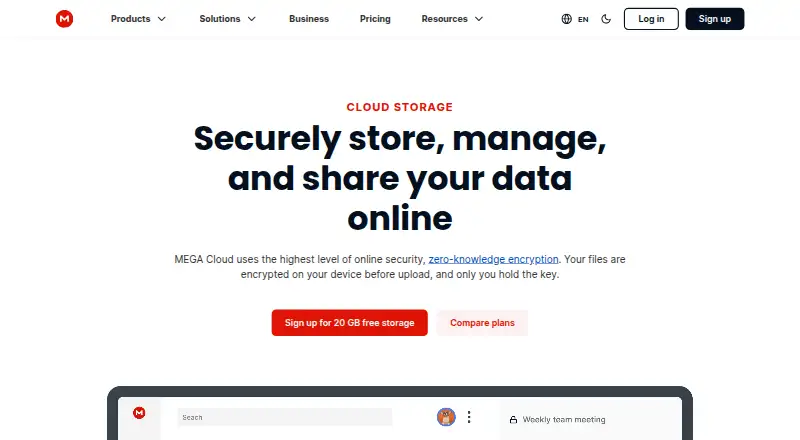
MEGA is a cloud storage service for keeping, accessing, and sharing files with privacy controls at its core. User-controlled end-to-end encryption protects stored files and encrypted text, voice, and video chats. Through its web access and dedicated apps, you can upload, search, download, stream, view, share, rename, and delete files from supported devices. File versioning is available for retaining earlier file states. The free plan costs nothing and provides 20 GB of storage with limited transfer. MEGA lists Android, iOS, Linux, macOS, web, and Windows access, with device support specifically covering Windows, macOS, Linux, and iOS. Pro plans include MEGA VPN, MEGA Pass, object storage, and unrestricted chat and meetings. Business plans support three or more users, with flexible storage and transfer starting at 3 TB. MEGA describes its company focus as security, privacy, and performance for storage and sharing. The company was founded in 2013 and is headquartered in Csomád, Pest.
Good
- 20 GB free storage
- User-controlled end-to-end encryption
- File versioning included
- Web and dedicated mobile access
- Supports Android, iOS, Linux, macOS, and Windows
- Encrypted text, voice, and video chat
Watch out
- Free plan has limited transfer
- Business plans require three or more users
Who it suits
MEGA suits people who want encrypted cloud storage and file controls across phones, computers, and browsers. It also fits teams needing business plans for three or more users with storage and transfer starting at 3 TB.
Verdict
Choose MEGA if encrypted file storage, broad device access, and file versioning are priorities. Look elsewhere if limited transfer on the free plan or the three-user business minimum does not fit your needs.
Plans and prices
From MEGA's own pricing page, checked 15 Oct 2026.
| Plan | Price | What it gives you |
|---|---|---|
| Free | Free | 20 GB storage · limited transfer · 1 user · $0 forever |
| Pro Lite | $5.87 a month | 750 GB storage · 12 TB transfer · per month; charged yearly |
| Pro I | $9.78 a month | 3 TB storage · 36 TB transfer · per month; charged yearly |
| Pro II (yearly) | $19.56 | 10 TB storage · 120 TB transfer · MEGA VPN · MEGA Pass · object storage · unrestricted chat and meetings · $19.56* USD per month, charged yearly |
| Pro II | $23.46 a month | 10 TB storage · 10 TB transfer · MEGA VPN · MEGA Pass · object storage · unrestricted chat and meetings · $23.46* USD per month |
| Pro III (yearly) | $29.34 | 20 TB storage · 240 TB transfer · MEGA VPN · MEGA Pass · object storage · unrestricted chat and meetings · $29.34* USD per month, charged yearly |
| Pro III | $35.20 a month | 20 TB storage · 20 TB transfer · MEGA VPN · MEGA Pass · object storage · unrestricted chat and meetings · $35.20* USD per month |
The facts
Each one read from MEGA's own pages, with the date it was checked.
What it does
- API
- MEGA publishes an operator API contract in OpenAPI format and an API catalog for machine-readable discovery.checked 15 Oct 2026
- Camera backup
- The mobile app can automatically back up photos and videos from a device camera roll.checked 15 Oct 2026
- Client-code licence
- MEGAsync code is available under a MEGA Limited Code Licence permitting review, compilation, modification for compatibility or defects, and non-commercial distribution under restrictions.checked 15 Oct 2026
- Cloud storage
- MEGA describes its service as cloud storage with secure always-on privacy.checked 7 Oct 2026
- Command-line tooling
- MEGAcmd provides interactive and scriptable access, including synchronization, scheduled backups, WebDAV serving, streaming, and shared-link downloads.checked 15 Oct 2026
- Desktop and mobile sync
- The Android app supports automatic synchronization of local data with Cloud Drive and one-way folder backups.checked 15 Oct 2026
- Encrypted chat and calls
- MEGA includes end-to-end encrypted one-to-one and group chat plus encrypted audio and video calls.checked 15 Oct 2026
- Encrypted storage
- MEGA is described as providing user-controlled end-to-end encrypted text, voice, and video chat and file storage.checked 7 Oct 2026
- End-to-end encryption
- Client devices encrypt and decrypt MEGA data, so MEGA says it cannot read stored files, messages, or calls.checked 15 Oct 2026
- File access
- The Google Play listing says users can upload, search, download, stream, view, share, rename, or delete files from any device.checked 7 Oct 2026
- File version history
- The service can restore earlier file versions through file version history.checked 15 Oct 2026
- File versioning
- Yeschecked 22 Sep 2026
- Included services
- The pricing page lists MEGA VPN, MEGA Pass, object storage, and unrestricted chat and meetings as included features on Pro plans.checked 7 Oct 2026
Where it runs
- Browser extension
- The Chrome extension runs its client code locally, keeps MEGA URLs local, and uses cryptographically protected updates.checked 15 Oct 2026
- Device platforms
- Windows,macOS,Linux,iOSchecked 22 Sep 2026
Money
- Business plan
- The pricing page says Business plans have three or more users and flexible storage and transfer starting at 3 TB.checked 7 Oct 2026
- Free plan
- Yeschecked 22 Sep 2026
- Free storage
- The free account includes 20 GB of storage and limited transfer quota.checked 15 Oct 2026
- Free tier limit
- The pricing page lists 20 GB of storage and limited transfer for the free plan.checked 7 Oct 2026
The company
- Company focus
- MEGA describes itself as a global technology company focused on security, privacy, and performance for storage and sharing.checked 7 Oct 2026
- Company founded
- MEGA's LinkedIn company page lists its founding year as 2013.checked 7 Oct 2026
- Company founding
- LinkedIn describes MEGA as a technology company operating since 2013.checked 15 Oct 2026
- Company headquarters
- LinkedIn lists a MEGA location at Level 21, 120 Albert Street, Auckland, New Zealand.checked 15 Oct 2026
- Headquarters
- MEGA's LinkedIn company page lists Csomád, Pest as its headquarters.checked 7 Oct 2026
The full review of MEGA
MEGA is a privacy-focused cloud storage and sharing service with encrypted chat, file versioning and apps for major desktop, mobile and browser platforms. It suits individuals and organizations that need controlled access to files across many devices. Its free allowance is useful for starting a personal library, while transfer limits and unpublished paid prices make heavier use harder to assess.
Overview
MEGA combines cloud storage with user-controlled, end-to-end encrypted text, voice and video chat. The same account can therefore cover private file storage, sharing and communication instead of requiring separate services. File versioning gives you a way to return to an earlier state after edits, an important safeguard for working documents. MEGA presents security, privacy and performance as its core priorities, and the service has operated since 2013 from headquarters in Csomád, Pest.
The free plan includes 20 GB of storage, a substantial starting point for personal documents, photos or projects. Its transfer allowance is limited, however, so users who routinely move large datasets may encounter a practical ceiling even when their storage space remains available.
Key features
- Zero-knowledge encryption: MEGA provides user-controlled end-to-end encryption for file storage and for text, voice and video chat. This is a strong match for privacy-conscious users who want protection applied to both content and conversations, rather than to storage alone.
- Broad file management: The service supports uploading, searching, downloading, streaming, viewing, sharing, renaming and deleting files from any device. That range makes MEGA suitable for an active file library, not merely a passive backup destination.
- File versioning: Earlier file states can be retained and recovered when a document is changed. Versioning is especially valuable for collaborative or frequently edited files, although it does not replace a separate recovery strategy for every kind of data loss.
- Encrypted chat and meetings: Pro plans include unrestricted chat and meetings alongside storage. Users who want private communication in the same account may find this consolidation worthwhile; people seeking storage only may not use the extra services.
- Additional Pro services: Pro plans also list MEGA VPN, MEGA Pass and object storage. These additions broaden the subscription beyond file storage, but their value depends on whether you need those services rather than only extra capacity and transfer.
Pricing
MEGA uses a freemium structure. The Free plan costs nothing and includes 20 GB of storage, with limited transfer. It is the sensible entry point for occasional sharing and moderate personal storage; frequent large transfers are the clearest reason to move up.
PRO LITE, PRO II and PRO III have custom pricing. Their published plan names indicate a paid tier structure, but a price cannot be compared here. PRO I also has custom pricing and includes 3 TB of storage plus 3 TB of transfer, making it the clearest fit for users who can quantify a multi-terabyte requirement and need transfer capacity to match it. Pro plans include MEGA VPN, MEGA Pass, object storage, and unrestricted chat and meetings.
Business plans require at least three users and offer flexible storage and transfer starting at 3 TB. That minimum makes Business more appropriate for a small team than for a solo customer; organizations needing fewer seats should consider whether an individual Pro arrangement is a better fit.
Platforms
MEGA provides web access and dedicated apps for Android, iOS, Windows, macOS and Linux. This coverage supports mixed-device households and teams, while mobile access allows files to be uploaded, searched, viewed, streamed and shared away from a desktop. The broad platform spread is a practical advantage over services tied to one operating system.
Who it's for
Choose MEGA for privacy-focused personal storage, cross-platform file access, versioned working files, or encrypted chat alongside storage. The free plan is appropriate for trying the service or maintaining a moderate collection. Pro is better for people whose transfer needs exceed the free allowance and who can justify bundled services such as VPN or private meetings. Business suits teams that can meet the three-user minimum and need at least 3 TB of flexible storage and transfer.
Look elsewhere if your usage depends on predictable low-cost paid pricing, unrestricted transfer on a free account, or a business plan for one or two people. MEGA's unpublished prices for several plans also make direct budget comparison difficult.
Pros and cons
Pros
- 20 GB free storage: Provides meaningful room for a personal collection without an upfront payment.
- Zero-knowledge encryption: Keeps user-controlled end-to-end protection central to both files and chat.
- File versioning: Offers recovery of earlier file states after unwanted edits.
- Wide platform support: Covers web, Android, iOS, Windows, macOS and Linux.
- Business capacity: Starts at 3 TB with flexible storage and transfer for teams of three or more.
Cons
- Limited free transfer: Can restrict regular large uploads and downloads despite the generous storage quota.
- Unpublished prices on most named plans: Makes paid-plan value and budgeting harder to evaluate.
- Three-user Business minimum: Excludes solo professionals and very small teams from that tier.
Alternatives
Internxt Drive is a freemium encrypted drive with a 1 GB free plan, broad platform coverage including API access, and publicly available, externally audited code.
Filen is another freemium option with apps across desktop, mobile and web; its Pro I plan is €1.99 a month for 200 GB when billed monthly.
Cryptee offers open-source software and cryptography, with a free tier of 100 MB for users who prioritize independently reviewable code over capacity.
Ente Photos is better suited to photo-focused storage, with a 10 GB free tier and a 50 GB Starter family plan at $2.49 a month.
Plient provides 5 GB of encrypted storage on its free plan, desktop and mobile apps, WebDAV and CLI access, plus a 30-day version history.
Scramble Cloud offers a 10 GB free plan with unlimited file size, bandwidth and file links for Linux, macOS and web users.
InfiniDrive includes 10 GB free with sharing, recovery, web access and optional two-factor authentication.
PreVeil focuses on encrypted email and files, offering 5 GB free with integrations for File Explorer, Outlook and Gmail.
Browse the Secure Cloud Storage, File Sharing Software and Cloud Storage Services lists for a wider shortlist.
Verdict
MEGA is a strong choice for privacy-minded users who want encrypted storage, versioning and dependable access from nearly any device, with encrypted chat available in the same ecosystem. Its 20 GB free plan makes trying it easy, but limited free transfer, custom pricing on most plans and the three-user Business minimum are substantial reasons to choose another service when predictable cost or unrestricted movement of large files matters most.
Getting started
- Open the MEGA website or install its app on Android, iOS, Windows, macOS, or Linux
- Create an account and select the Free plan
- Upload files to encrypted cloud storage
- Use search, sharing, streaming, renaming, or deletion from a supported device
Limits worth knowing
The Free plan includes 20 GB of storage and limited transfer. Business plans require at least three users and start with flexible storage and transfer from 3 TB.
Questions
Is MEGA free?
Yes. The Free plan costs nothing and includes 20 GB of storage with limited transfer.
Which platforms support MEGA?
MEGA lists Android, iOS, Linux, macOS, web, and Windows platforms.
Does MEGA provide encryption?
Yes. MEGA provides user-controlled end-to-end encrypted file storage and encrypted text, voice, and video chat.
What do Pro plans include?
The pricing page lists MEGA VPN, MEGA Pass, object storage, and unrestricted chat and meetings as included Pro features.
What are MEGA Business plans for?
Business plans are for three or more users, with flexible storage and transfer starting at 3 TB.
Alternatives to MEGA
- 1

Internxt Drive
Free planOpen sourceAndroidiOSWebAPI8.6Free plan - 2

Seafile
Free planOpen sourceAndroidiOSWebAPI8.6Free plan - 3

Box
Free planAndroidiOSWebAPI8.3From $5 a month - 4
Google Drive
Free planAndroidiOSmacOSWindows8.2Free plan - 5
Microsoft OneDrive
Free planAndroidiOSmacOSWindows8.0From $1.99 a month - 6

pCloud
Free planAndroidiOSLinuxmacOS8.0Free plan