Microsoft PowerPoint
Microsoft PowerPoint helps users create and share presentations through web, desktop, and mobile versions for Windows, macOS, Android, and iOS.
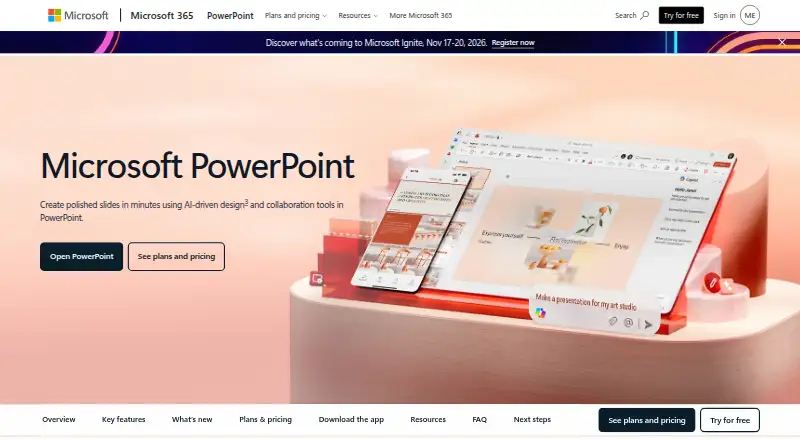
What Microsoft PowerPoint is
Microsoft PowerPoint helps users create and share presentations through web, desktop, and mobile versions for Windows, macOS, Android, and iOS. Its free web tier includes sharing, real-time collaboration, basic tools, dictation, and 5 GB of storage. Customizable templates support slide design, while users can write or draw on presentations and convert input into text or shapes. Copilot can edit presentations by rewriting, reorganizing, or adding slides. Speaker Coach gives AI-driven feedback on pace and vocabulary, and Accessibility Assistant recommends adjustments to format, color, and word choice. Cameo lets users include prerecorded video with slides. Microsoft 365 plans bundle PowerPoint with apps such as Word, Excel, Outlook, OneNote, OneDrive, and Teams. Microsoft 365 Personal costs $9.99 a month and includes 1 TB of storage; Family costs $12.99 a month and includes up to 6 TB. Fully installed Office apps can be used offline, but after at least 31 days without internet they cannot edit or create documents. Subscriptions renew automatically unless canceled in the Microsoft account.
Good
- Free web tier includes sharing and real-time collaboration
- Handwriting can convert into text or shapes
- Speaker Coach provides AI-driven presentation feedback
- Fully installed Office apps can be used offline
Watch out
- Free web tier includes 5 GB of storage
- After at least 31 offline days, apps cannot edit or create documents
- Subscriptions renew automatically unless canceled
Who it suits
PowerPoint suits people creating presentations who want web, desktop, or mobile access and collaboration tools. Those who want AI feedback or larger cloud storage can consider Microsoft 365 plans.
Verdict
PowerPoint covers presentation creation across web, desktop, and mobile, with collaboration and optional AI assistance. The free web version offers basic tools, while offline editing requires attention to the 31-day internet limit.
Plans and prices
From Microsoft PowerPoint's own pricing page, checked 29 Sep 2026.
| Plan | Price | What it gives you |
|---|---|---|
| Microsoft PowerPoint | Free | 1 person · PowerPoint for the web · Sharing and real-time collaboration · 5 GB cloud storage |
| Microsoft 365 Business Basic | $7 | Up to 300 users · Web and mobile Office apps · 1 TB cloud storage per user · Teams · user/month, paid yearly; annual subscription auto-renews |
| Microsoft 365 Personal | $9.99 a month | 1 person · 5 devices at once · 1 TB cloud storage · PowerPoint desktop app · Subscription automatically renews unless canceled in Microsoft account. |
| Microsoft 365 Family | $12.99 a month | 1 to 6 people · Up to 5 devices per person · Up to 6 TB cloud storage · Subscription automatically renews unless canceled in Microsoft account. |
| Microsoft 365 Premium | $19.99 a month | Everything in Microsoft 365 Family · Advanced Copilot chat and AI features · Subscription automatically renews unless canceled in Microsoft account. |
| Microsoft 365 Business Standard with Copilot | $23.50 | Up to 300 users · Desktop, web, and mobile Office apps · 1 TB cloud storage per user · Copilot · user/month, paid yearly; annual subscription auto-renews |
| Microsoft 365 Business Premium with Copilot | $32 | Up to 300 users · Desktop, web, and mobile Office apps · 1 TB cloud storage per user · Advanced device management and threat protection · user/month, paid yearly; annual subscription auto-renews |
| Microsoft 365 Personal | $99.99 a year | 1 person · Up to 5 devices simultaneously · 1 TB cloud storage · PowerPoint desktop app · Subscription automatically renews unless canceled in Microsoft account. |
| Microsoft 365 Family | $129.99 a year | 1 to 6 people · Up to 5 devices per person · Up to 6 TB cloud storage · Subscription automatically renews unless canceled in Microsoft account. |
| Microsoft 365 Premium | $199.99 a year | Everything in Microsoft 365 Family · Advanced Copilot chat and AI features · Subscription automatically renews unless canceled in Microsoft account. |
| Office Home 2024 | $179.99, paid once | One-time purchase for 1 PC or Mac |
| Microsoft PowerPoint Free | Free | One person; PowerPoint for the web; 5 GB cloud storage |
The facts
Each one read from Microsoft PowerPoint's own pages, with the date it was checked.
What it does
- Accessibility
- Accessibility Assistant offers AI-assisted recommendations on format, color, and word choice.checked 29 Sep 2026
- Accessibility tools
- Accessibility Assistant provides AI-assisted recommendations for format, color, and word choice.checked 27 Sep 2026
- AI assistance
- Copilot can edit, rewrite, reorganize, and add slides; Speaker Coach provides AI-driven feedback.checked 27 Sep 2026
- Brand kit
- Yeschecked 20 Sep 2026
- Business administration
- Business Basic provides core identity and access management for up to 300 users.checked 27 Sep 2026
- Business use
- Microsoft 365 business offerings include PowerPoint and describe plans for organizations of up to 300 users or employees.checked 29 Sep 2026
- Cameo
- Cameo lets users present slides with prerecorded video.checked 29 Sep 2026
- Cloud storage
- Personal includes 1 TB; Family includes up to 6 TB, or 1 TB per person.checked 27 Sep 2026
- Collaboration
- Users can share presentations and work together in real time, with comments and @mentions.checked 29 Sep 2026
- Copilot
- Copilot can make edits directly in presentations, including rewriting, reorganizing, and adding slides.checked 29 Sep 2026
- Designer
- Microsoft Designer provides AI recommendations and prebuilt templates to format text and graphics.checked 29 Sep 2026
- Handwriting
- Users can write or draw on presentations and automatically convert input to text or shapes.checked 29 Sep 2026
- Illustration tools
- Yeschecked 20 Sep 2026
- Integrations
- Microsoft 365 plans bundle PowerPoint with apps including Word, Excel, Outlook, OneNote, OneDrive, and Teams.checked 29 Sep 2026
Money
- Billing renewal
- Subscriptions automatically renew at the regular price and selected term unless cancelled in the Microsoft account.checked 27 Sep 2026
- Free plan
- Yeschecked 20 Sep 2026
- Free tier
- PowerPoint for the web includes sharing, real-time collaboration, basic tools, dictation, and 5 GB storage.checked 27 Sep 2026
- Free tier limits
- The free plan provides basic templates, fonts, icons, stickers, spelling, grammar, dictation, and voice commands.checked 27 Sep 2026
- Free trials
- Microsoft 365 consumer plans offer a free trial for one month; business plans show a free-trial option.checked 27 Sep 2026
- Free version
- PowerPoint for the web is free to use online with any email address.checked 29 Sep 2026
Where it runs
- Desktop app
- Yeschecked 20 Sep 2026
The company
- Document ownership
- Documents created by users belong fully to them and can be stored online or locally.checked 27 Sep 2026
- Founded
- 1975checked 23 Sep 2026
- Headquarters
- Redmond, Washington, USAchecked 23 Sep 2026
The full review of Microsoft PowerPoint
Microsoft PowerPoint is presentation software for building and sharing slide decks. It suits people who need presentation tools across web, desktop, and mobile, especially teams already using Microsoft 365. Its breadth is a strength, but the free web version is basic and installed apps need regular internet access to retain editing ability.
Overview
PowerPoint brings slide design, collaboration, and rehearsal tools into one application. Thousands of customizable templates and Microsoft Designer recommendations can help shape text and graphics; drawing tools also convert handwriting into text or shapes. Shared presentations support real-time editing, comments, and @mentions, making it practical for teams developing a deck together.
Presentation-specific tools extend beyond making slides: Cameo adds prerecorded video, Speaker Coach gives feedback on pace and vocabulary, and Accessibility Assistant recommends changes to formatting, color, and word choice. Copilot can rewrite, reorganize, and add slides. These are useful aids, though they do not remove the need to review the resulting presentation.
Key features
- Design and editing: Templates, illustration tools, and Designer recommendations give users multiple ways to format slides. The free tier has basic templates, fonts, icons, and stickers rather than the full paid experience.
- Collaboration: Sharing, real-time co-editing, comments, and @mentions suit group work. The free web version includes collaboration and basic tools, with 5 GB of storage.
- Rehearsal and accessibility: Speaker Coach provides instant feedback on delivery, while Accessibility Assistant suggests improvements to format, color, and word choice.
- AI and video: Copilot can edit slide content directly; Cameo supports presentations with prerecorded video. These features are most relevant to users who want assistance beyond conventional slide formatting.
Pricing
The free Microsoft PowerPoint plan is for one person and includes 5 GB of cloud storage. PowerPoint for the web provides sharing, real-time collaboration, dictation, and basic tools; it is a reasonable starting point for occasional decks, but users needing desktop apps, more storage, or broader Microsoft 365 tools should compare paid plans. Consumer Microsoft 365 plans offer a one-month free trial. Subscriptions automatically renew at the regular price and selected term unless cancelled through the Microsoft account.
| Plan | Price and terms | Best fit |
|---|---|---|
| Microsoft 365 Personal | $9.99 a month; 1 person, 5 devices, 1 TB storage | One person who wants desktop, web, and mobile Office apps and personal storage. |
| Microsoft 365 Family | $12.99 a month; 1 to 6 people, 5 devices per person, up to 6 TB storage | Households sharing Microsoft 365 and storage. |
| Microsoft 365 Premium | $19.99 a month; includes everything in Family and up to 6 TB storage | Users who want the Family plan's included apps and storage at the Premium tier. |
| Microsoft 365 Business Basic | $7 a year, billed user/month and paid yearly; up to 300 users, web and mobile Office apps, 1 TB per user, Teams | Organizations that can work with web and mobile apps; it does not include desktop Office apps. |
| Microsoft 365 Business Standard with Copilot | $23.50 a year, billed user/month and paid yearly; up to 300 users, desktop, web, and mobile apps, 1 TB per user, Copilot | Businesses needing desktop apps and Copilot. |
| Microsoft 365 Business Premium with Copilot | $32 a year, billed user/month and paid yearly; up to 300 users, desktop, web, and mobile apps, 1 TB per user, advanced device management and threat protection | Businesses that also need the stated device-management and threat-protection capabilities. |
Business plans show a free-trial option and auto-renew annually. Business Basic also provides core identity and access management for up to 300 users. All Microsoft 365 plans include ongoing technical support. Fully installed Office apps work offline, but after 31 days without internet they enter reduced functionality mode and cannot create or edit documents. That restriction matters to people who expect to work offline for extended periods.
Platforms
PowerPoint is available on the web and through desktop apps for Windows and macOS, as well as mobile apps for Android and iOS. Documents belong to the users who create them and can be kept online or locally. Installed apps support offline work, subject to the 31-day internet requirement.
Who it's for
PowerPoint is a strong choice for people who regularly create presentations and want design, collaboration, and rehearsal tools across devices. It is particularly suitable for Microsoft 365 users who can also use bundled apps such as Word, Excel, Outlook, OneNote, OneDrive, and Teams. The free web plan suits basic presentation work; users who need installed apps, expanded storage, or business administration should choose an appropriate paid plan. Those unwilling to rely on periodic internet access for installed-app editing should look elsewhere.
Pros and cons
- Pro: Real-time co-editing, comments, and @mentions support shared presentation work.
- Pro: Speaker Coach, Cameo, Copilot, and Accessibility Assistant address rehearsal, video, content editing, and accessibility in addition to slide design.
- Pro: Microsoft 365 plans bundle PowerPoint with other Office apps, and documents can be stored locally or online.
- Con: The free web plan is limited to basic tools and 5 GB of storage, so users needing installed apps must pay.
- Con: Installed apps lose editing and creation ability after 31 days without an internet connection.
- Con: Subscription plans automatically renew unless cancelled, so customers need to manage renewal deliberately.
Alternatives
Choose presentation software to compare other options for slide creation. For file storage rather than presentation design, Google Drive offers a free plan with up to 15 GB included with a Google Account; consider it when storage is the priority. For creating forms instead of slide decks, Typeform has a free plan with 10 responses per month, while Jotform is another freemium form option.
Readers comparing other software categories can browse Form Builder Software, AI App Builders, File Sharing Software, Cloud Storage Services, and Graphic Design Software.
Verdict
Choose PowerPoint if you want a full-featured presentation tool that combines slide design, team collaboration, and rehearsal support across desktop, web, and mobile. Its Microsoft 365 bundles make it especially compelling for people already working in that ecosystem. Look elsewhere if a basic free web version is not enough but a recurring subscription is unwelcome, or if extended offline editing is essential.
Getting started
- Open the PowerPoint website to use the web version.
- Choose the free web plan or a Microsoft 365 subscription.
- For desktop use, install Office apps on a computer.
- For mobile use, choose the Android or iOS app.
- Start a presentation from a customizable template or create one with the design tools.
Limits worth knowing
The free web tier includes 5 GB of storage and basic templates, fonts, icons, stickers, spelling, grammar, dictation, and voice commands. Microsoft 365 consumer plans offer a one-month free trial; business plans show a free-trial option. Fully installed Office apps enter reduced functionality mode after at least 31 days without internet and cannot then edit or create documents.
Questions
Is Microsoft PowerPoint free?
Yes. PowerPoint for the web has a free tier with sharing, real-time collaboration, basic tools, dictation, and 5 GB of storage.
How much does Microsoft 365 Personal cost?
Microsoft 365 Personal costs $9.99 a month and is for one person.
Which devices support PowerPoint?
PowerPoint is available on Windows, macOS, Android, iOS, and the web.
Does PowerPoint work offline?
Fully installed Office apps can be used offline. After at least 31 days without internet, they enter reduced functionality mode and cannot edit or create documents.
Can people collaborate on a presentation?
Yes. Users can share presentations and work together in real time with comments and @mentions.
Does PowerPoint have a free trial?
Microsoft 365 consumer plans offer a free trial for one month, and business plans show a free-trial option.
Alternatives to Microsoft PowerPoint
- 1
LibreOffice Impress
Free planOpen sourceAndroidiOSWebAPI9.4$8.99 one-time - 2

Pitch
Free planAndroidiOSWebAPI9.0From €10 a month - 3

Zoho Show
Free planAndroidiOSWebAPI8.9From $2.50 a month - 4

WPS Office
Free planAndroidiOSWebAPI8.9From $41.99 a year - 5
Google Slides
Free planAndroidiOSWeb8.6From $7 a month - 6

WPS Presentation
AndroidiOSWebLinux8.5From $5.83 a month