
Typeform
Typeform is a web-based form builder and automation platform for creating forms, surveys, quizzes, tests, polls, applications, landing pages, NPS surveys, re…
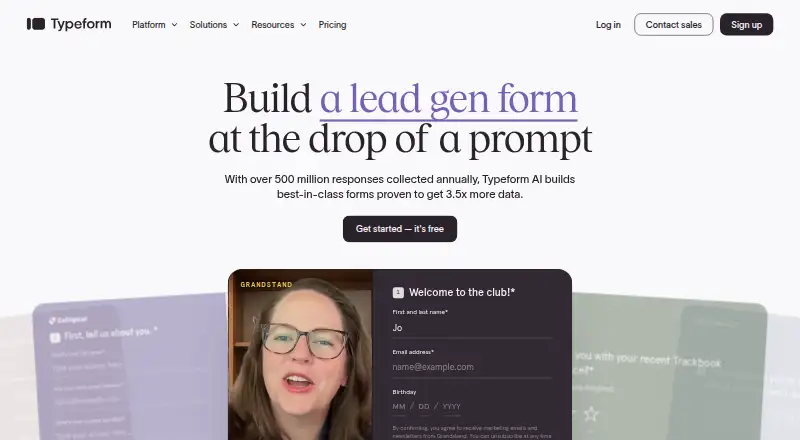
What Typeform is
Typeform is a web-based form builder and automation platform for creating forms, surveys, quizzes, tests, polls, applications, landing pages, NPS surveys, registrations, and short forms. Its no-code editor offers templates, AI-generated questions, conditional logic, and publishing by link, embed, or QR code. Typeform AI can create and revise questions, set branching rules, refine writing, and translate forms. Workflow tools can qualify and route leads, notify teams, send follow-ups, create tasks, and start onboarding or feedback sequences. Insights Hub uses AI to surface response trends, outliers, sentiment, and themes. Typeforms can be embedded on websites and in emails, and the service lists 300+ app integrations, including HubSpot, Salesforce, Google Sheets, and Stripe. The ongoing Free plan costs nothing and includes unlimited forms with 10 responses per month. Basic costs $39 a month, or 28 USD/mo with annual billing, and includes 100 responses per month for one user. On mobile, users can create AI forms, edit desktop-created forms, and publish, but cannot add logic or change layouts. Typeform lists GDPR, SOC 2 Type II, ISO certifications, HIPAA, and encryption among its security measures.
Good
- Supports forms, surveys, quizzes, polls, and more
- No-code editor includes conditional logic
- Forms can be embedded on websites and in emails
- 300+ app integrations listed
- Free plan includes unlimited forms
Watch out
- Free plan allows 10 responses per month
- Mobile creation lacks logic and layout controls
- Enterprise pricing requires contacting sales
Who it suits
Typeform suits teams that create online forms and use responses for lead routing, research, feedback, or follow-up. The listed audience includes marketing, product and UX, HR, operations, research, and customer success teams.
Verdict
Typeform combines form creation with branching, integrations, and automation for acting on responses. Its free tier has a low response limit, and some form editing controls are unavailable on mobile.
Plans and prices
From Typeform's own pricing page, checked 28 Sep 2026.
| Plan | Price | What it gives you |
|---|---|---|
| Free | Free | Try the Free plan before upgrading. · Unlimited forms · 10 responses/month · Free ongoing plan |
| Basic | $39 a month | Includes 100 responses/mo and 1 user. · 100 responses/month · 1 user · unlimited typeforms · AI form creation · conditional logic · webhooks and integrations · 39 USD/mo; yearly option 28 USD/mo, 468 USD total/yr |
| Plus | $79 a month | Includes 1,000 responses/mo and 3 users. · 1,000 responses/month · 3 users · everything in Basic · remove Typeform branding · custom subdomain · 79 USD/mo; yearly option 56 USD/mo, 948 USD total/yr |
| Business | $129 a month | Includes 10,000 responses/mo and 5 users. · 10,000 responses/month · 5 users · everything in Plus · drop-off rates · conversion tracking · priority support and live chat · 129 USD/mo; yearly option 91 USD/mo, 1,548 USD total/yr |
| Talent | $169 a month | Includes 3,000 responses/mo and 3 users. · 3,000 responses/month · 3 users · unlimited typeforms · unlimited questions · video questions and answers · reCAPTCHA · multi-language support · 169 USD/mo; yearly option 119 USD/mo, 2,028 USD total/yr |
| Free | Free | up to 10 responses/month · unlimited forms · 3,000+ templates · free |
| Growth Flow | $379 a month | 14-day free trial; credit card required. · 10,000 responses/month · 5 users · enrich 1,500 responses/month · Ask AI and Smart Insights · Contacts & Automations included · Salesforce integration · email and SMS follow-ups · 379 USD/mo after 14 days; annual option 266 USD/mo after 14 days; credit card required |
| Enterprise | Priced on request | Custom plans with limitless responses and enterprise-grade security. · unlimited responses and seats · dedicated Customer Success Manager · SSO · HIPAA and GDPR compliance · US or EU data center · priority expert support · custom plans |
The facts
Each one read from Typeform's own pages, with the date it was checked.
What it does
- AI
- Typeform AI can create, edit, delete, and reorder questions and End Screens, build branching rules, refine writing, and translate forms.checked 28 Sep 2026
- AI forms
- Typeform AI builds forms from prompts and adapts them to respondents.checked 28 Sep 2026
- AI research
- Research Flow recruits participants, conducts moderated research, and synthesizes insights.checked 28 Sep 2026
- Analytics
- The platform's Insights Hub uses AI to surface response trends, outliers, sentiment, and key themes, with visual charts and shareable reports.checked 28 Sep 2026
- Audience
- Typeform says it is built for marketing, product and UX, growth, HR and talent, customer success, operations, research, founders, and other teams that collect and act on online data.checked 28 Sep 2026
- Automation
- Workflow Builder and Contacts & Automations can qualify and route leads, notify teams, trigger follow-up emails or Slack alerts, create tasks, and launch onboarding or feedback sequences.checked 28 Sep 2026
- Basic responses
- Basic includes 100 responses per month.checked 28 Sep 2026
- Builder
- Typeform provides a no-code drag-and-drop editor with templates, AI-generated questions, conditional logic, and publishing by link, embed, or QR code.checked 28 Sep 2026
- Business responses
- Business includes 10,000 responses per month.checked 28 Sep 2026
- Completion rate
- Typeform says its conversational logic doubles completion rates versus traditional forms.checked 28 Sep 2026
- Embedding
- Forms can be embedded on websites and in emails with custom launch options.checked 28 Sep 2026
- Embed options
- multiplechecked 20 Sep 2026
- Encryption
- Typeform states that data in transit is encrypted with TLS 1.2, data at rest with AES-256, and critical data has redundant backups.checked 28 Sep 2026
- Enterprise pricing
- Enterprise pricing is custom and requires contacting sales.checked 28 Sep 2026
- File uploads
- File uploads are supported, with 1 GB to 4 GB shown across plan columns.checked 28 Sep 2026
- Form types
- The platform supports forms, surveys, quizzes, tests, polls, application forms, landing pages, NPS surveys, registration forms, and short forms.checked 28 Sep 2026
- Integrations
- Typeform says it integrates with 300+ apps, including HubSpot, Salesforce, Mailchimp, Slack, Google Sheets, Stripe, Calendly, and Notion.checked 28 Sep 2026
- Mobile limitation
- On mobile, users can create AI forms, edit desktop-created forms, and publish them, but cannot yet add logic, use question settings, change layouts, or create question groups.checked 28 Sep 2026
- Mobile support
- Typeforms can be viewed and completed on Windows and Mac computers and on smartphones and tablets running currently supported iOS or Android versions.checked 28 Sep 2026
Where it runs
- App integrations
- Typeform offers over 500 integrations through Zapier plus named app integrations.checked 28 Sep 2026
The company
- Founded
- 2012checked 23 Sep 2026
- Headquarters
- Barcelona, Spainchecked 23 Sep 2026
Money
- Free plan
- A free plan is available before upgrading.checked 28 Sep 2026
- Free trial
- Growth Flow has a 14-day free trial and requires a credit card.checked 28 Sep 2026
The full review of Typeform
Overview
Typeform is a form and survey builder for teams that want responses to lead into tailored journeys and follow-up work. It suits marketers, researchers, product teams, and other groups that need branching, integrations, and automation alongside data collection. Its strongest case is the connected workflow; its main trade-offs are tight response caps on lower plans and limited editing controls on mobile.
Key features
Building and personalizing forms
A no-code drag-and-drop editor, templates, conditional logic, and AI-generated questions support forms, surveys, quizzes, tests, polls, applications, landing pages, NPS surveys, registrations, and short forms. Typeform AI can build from a prompt, adapt forms to respondents, edit or reorder questions and End Screens, create branching rules, refine copy, and translate forms. That breadth makes the product useful beyond basic contact forms, though the mobile editor cannot yet add logic, adjust question settings or layouts, or create question groups.
Distribution, integrations, and follow-up
Forms can be shared by link or QR code, embedded on websites or in emails, and given custom launch options. Typeform reports more than 300 native integrations, including HubSpot, Salesforce, Mailchimp, Slack, Google Sheets, Stripe, Calendly, and Notion; it also offers over 500 integrations through Zapier. Workflow Builder and Contacts & Automations can route and qualify leads, notify teams, trigger emails or Slack alerts, create tasks, and start onboarding or feedback sequences. This is a meaningful advantage when a form is part of an operational process, rather than a standalone questionnaire.
Reporting and security
Insights Hub uses AI to surface response trends, outliers, sentiment, and themes, with charts and shareable reports. Business adds drop-off rates and conversion tracking, so teams that need those measures must move beyond lower tiers. Typeform cites GDPR, SOC 2 Type II, ISO 27001/27017/27018, CCPA, HIPAA certification, SSO, 2FA, and US or EU data centers. It states that data in transit uses TLS 1.2 encryption and data at rest AES-256, with redundant backups for critical data.
Pricing
The free plan costs 0.00 USD and includes unlimited forms but only 10 responses per month, making it a narrow way to try the product rather than a durable option for active collection. Basic costs $39 a month, or 28 USD/mo on the yearly option (468 USD total/yr). It allows 100 responses monthly and one user, with unlimited typeforms, AI form creation, conditional logic, webhooks, and integrations. It suits an individual with modest volume; the response cap and single seat quickly constrain a growing team.
Plus costs $79 a month, or 56 USD/mo yearly (948 USD total/yr). Its 1,000 monthly responses and three users, plus removal of Typeform branding and a custom subdomain, fit a small team that needs a more polished respondent-facing presence. Business costs $129 a month, or 91 USD/mo yearly (1,548 USD total/yr), for 10,000 responses and five users. It adds drop-off rates, conversion tracking, priority support, and live chat, making it the clearest tier for teams measuring funnel performance and needing faster assistance.
Talent costs $169 a month, or 119 USD/mo yearly (2,028 USD total/yr). It includes 3,000 responses, three users, unlimited typeforms and questions, video questions and answers, reCAPTCHA, and multilingual support; it is aimed at recruitment and talent workflows rather than maximizing response volume. Growth Flow costs $379 a month after a 14-day free trial, or 266 USD/mo after 14 days on the annual option. A credit card is required. It includes 10,000 responses, five users, enrichment for 1,500 responses monthly, Ask AI and Smart Insights, Contacts & Automations, and Salesforce integration. Choose it when those growth and automation tools justify a substantially higher bill. Enterprise has custom pricing, unlimited responses and seats, a dedicated Customer Success Manager, SSO, HIPAA and GDPR compliance, a US or EU data center, and priority expert support; it is for organizations needing scale and enterprise controls.
Platforms
Typeform is available on the web, Android, iOS, macOS, Windows, and through an API. Forms can be viewed and completed on computers and supported smartphones and tablets. Mobile creation and editing are possible, but the missing question, layout, and logic controls make a desktop browser the better choice for complex builds.
Who it's for
Typeform fits marketing, growth, product and UX, HR and talent, customer success, operations, research, and founders who collect data and need to act on it. Its branching and varied form types serve personalized surveys and applications; integrations and automations help turn submissions into team tasks and follow-up. It is less compelling for a low-volume user unwilling to accept the free plan's 10-response ceiling or pay to expand it, or for anyone expecting full form editing on mobile.
Pros and cons
- Pros: Broad form types, branching, and AI-assisted creation support tailored collection rather than static questionnaires.
- Pros: Native and Zapier integrations, plus workflow automation, can carry responses into team notifications and follow-up.
- Pros: Plans scale from one to five seats, while Enterprise offers unlimited responses and seats for larger organizations.
- Cons: The free plan's 10 responses monthly is too restrictive for most ongoing collection.
- Cons: Lower paid tiers impose response ceilings of 100 and 1,000 per month, and the annual options still require meaningful upfront yearly spend.
- Cons: Mobile users cannot access several important editing controls, including logic and question settings.
Alternatives
For a different form-builder option, compare Jotform, whose free Starter plan allows five forms and 100 monthly submissions. forms.app is worth considering when its free plan's unlimited responses and team members matter more than Typeform's connected workflow features. Choose Zoho Forms if 500 free submissions per month and 10 payment submissions better match your needs. Paperform offers a free plan with 30 monthly submissions and unlimited users; Formlets offers one free published form with unlimited responses. For other options, browse Online Form Builders, Survey Software, Lead Capture Software, AI Survey Generators, Survey API Software, and Form Builder Software.
Verdict
Choose Typeform if your team needs polished, branching forms that connect responses to analytics, integrations, and follow-up automation. Look elsewhere if you need generous free collection or unrestricted editing from a phone; Typeform's low free cap and mobile limitations are hard to ignore.
Getting started
- Visit https://www.typeform.com/.
- Choose the free plan or review paid plans, including Basic from $28 per month with annual billing.
- Create a form with the no-code editor, templates, or AI form creation.
- Add questions and conditional logic, then publish by link, embed, or QR code.
- Connect integrations or workflow tools as needed.
Limits worth knowing
The Free plan allows 10 responses per month. Basic includes 100 responses per month for one user; the stated annual-billing price is $28 per month. On mobile, users cannot add logic, use question settings, change layouts, or create question groups.
Questions
Is Typeform free?
Yes. Its Free plan costs $0 and includes unlimited forms and 10 responses per month.
How much does Typeform cost?
Basic is $39 per month, or $28 per month with annual billing. Plus is $79 monthly or $56 with annual billing, and Business is $129 monthly or $91 with annual billing. Enterprise pricing is custom.
Does Typeform offer a free trial?
Yes. Growth Flow has a 14-day free trial and requires a credit card.
Which devices and platforms does Typeform support?
Its listed platforms include Android, iOS, macOS, Windows, web, and API. Forms can be completed on computers and supported iOS or Android phones and tablets.
Can Typeform collect payments and files?
Yes. Typeform supports payment collection and file uploads.
How many integrations does Typeform offer?
It lists more than 300 native app integrations and over 500 integrations through Zapier.
Alternatives to Typeform
- 1
Alchemer
Free planAndroidiOSWebAPI9.0From $315 a year - 2
SoGoSurvey
Free planAndroidiOSWebAPI8.9From $99 a month - 3

SurveyLab
Free planAndroidiOSWebAPI8.9From $49 a month - 4

KoboToolbox
Free planiOSWebAPI8.4From $21 a month - 5

Formbricks
Free planAndroidiOSWebAPI8.4From $74 a month - 6

SurveyJS
Free planOpen sourceWebAPISelf-hosted8.4Free plan