Jotform
Jotform is a form and workflow platform with products including Form Builder, Jotform Apps, Tables, Inbox, Mobile App, Sign, Workflows, and AI Agents.
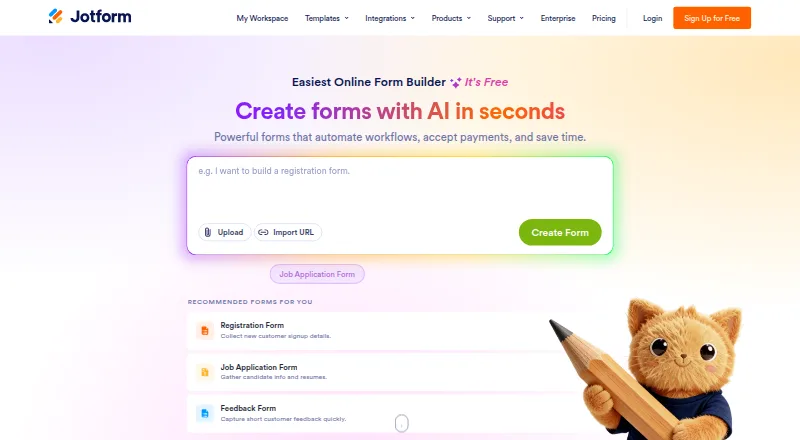
What Jotform is
Jotform is a form and workflow platform with products including Form Builder, Jotform Apps, Tables, Inbox, Mobile App, Sign, Workflows, and AI Agents. Forms can support quizzes, payment collection, file uploads, multiple embed options, conditional logic, and API access. Jotform lists integrations across CRM, storage, payments, email, and automations, and advertises more than 150 integrations on its homepage. Other capabilities include document templates, audit trails, webhooks, and user authentication. The free Starter plan allows five forms, 100 monthly submissions, 100 MB of upload space, and 500 stored submissions. Starter forms and signed documents include Jotform branding, and users must upgrade to increase Starter limits. Bronze costs $39 per month, with monthly or yearly subscriptions available. Jotform says it uses Google Cloud and AWS and complies with GDPR and CCPA. Data is encrypted for HIPAA-enabled forms and submitted PHI; HIPAA features are available on Gold and Enterprise. Enterprise is the only multiuser plan and includes enhanced security, custom domains, and SSO. Support includes tickets, a Help Center, FAQs, guides, videos, and academy content.
Good
- Starter plan includes five forms.
- Supports quizzes, payments, and file uploads.
- Provides conditional logic and API access.
- Offers integrations across several service categories.
Watch out
- Starter forms and signed documents carry Jotform branding.
- Starter limits require an upgrade to increase.
- Enterprise is the only multiuser plan.
- HIPAA features are limited to Gold and Enterprise.
Who it suits
Jotform suits people and organizations building forms, collecting submissions or payments, and connecting form workflows to other services. Teams needing multiuser access should note that Enterprise is the only multiuser plan.
Verdict
Jotform combines form creation with workflow and document tools, alongside a free tier with defined usage limits. Consider its branding and plan limits, especially if multiple users or HIPAA features are required.
Plans and prices
From Jotform's own pricing page, checked 27 Sep 2026.
| Plan | Price | What it gives you |
|---|---|---|
| Starter | Free | Free plan with standard features and usage limits. · 5 forms · 100 monthly submissions · 100 MB upload space · 1,000 monthly form views · 500 total submission storage · 10 monthly payment submissions · Free plan; no paid subscription required |
| Bronze | $39 a month | Lowest-priced paid plan; monthly or yearly subscriptions available. · 25 forms · 1,000 monthly submissions · 1 GB available space · 100,000 monthly form views · 10,000 total submission storage · 100 monthly payment submissions · Billed monthly |
| Silver | $49 a month | For small to mid-tier businesses; monthly or yearly subscriptions available. · 50 forms · 2,500 monthly submissions · 10 GB available space · 1,000,000 monthly form views · 25,000 total submission storage · 250 monthly payment submissions · Billed monthly |
| Gold | $129 a month | Highest limits outside Enterprise and optional HIPAA features. · 100 forms · 10,000 monthly submissions · 100 GB available space · 10,000,000 monthly form views · 100,000 total submission storage · 1,000 monthly payment submissions · Billed monthly |
| Enterprise | Priced on request | Custom pricing for large organizations. · Unlimited forms and use · Unlimited submissions · Unlimited Jotform Teams |
The facts
Each one read from Jotform's own pages, with the date it was checked.
What it does
- Available products
- Products include Form Builder, Jotform Apps, Tables, Inbox, Mobile App, Sign, Workflows, and AI Agents.checked 27 Sep 2026
- Cloud hosting
- Jotform uses Google Cloud and AWS and does not maintain in-house servers.checked 27 Sep 2026
- Data encryption
- All data is encrypted for HIPAA-enabled forms and submitted PHI.checked 27 Sep 2026
- Embed options
- multiplechecked 22 Sep 2026
- Enterprise administration
- Enterprise is the only multiuser plan and includes enhanced security, custom domains, and SSO.checked 27 Sep 2026
- File uploads
- Yeschecked 22 Sep 2026
- Form limit
- 5checked 22 Sep 2026
- General support
- Support includes tickets, Help Center, FAQ, guides, videos, academy content, and more.checked 27 Sep 2026
- HIPAA features
- HIPAA compliance features are available on Gold and Enterprise plans.checked 27 Sep 2026
- Integration categories
- Integrations cover CRM, storage, payments, email, and automations.checked 27 Sep 2026
- Integration count
- Jotform advertises more than 150 integrations on its homepage.checked 27 Sep 2026
- Native integrations
- 200checked 22 Sep 2026
- Payment collection
- Forms can collect payments directly for products, fees, or donations.checked 27 Sep 2026
- Privacy compliance
- Jotform states that it complies with GDPR and CCPA.checked 27 Sep 2026
- Quiz support
- Yeschecked 22 Sep 2026
- Refund policy
- A full refund is available when canceling within 30 days of payment.checked 27 Sep 2026
- Supported currencies
- Jotform charges in U.S. dollars or euros depending on location.checked 27 Sep 2026
Money
- Billing periods
- Subscriptions are available monthly or yearly and renew automatically unless canceled.checked 27 Sep 2026
- Free plan
- Yeschecked 22 Sep 2026
- Free tier branding
- Starter forms and signed documents include Jotform branding.checked 27 Sep 2026
- Free tier limits
- Users must upgrade to increase Starter plan limits.checked 27 Sep 2026
The company
- Founded
- 2006checked 23 Sep 2026
- Headquarters
- San Francisco, California, United Stateschecked 23 Sep 2026
- Team support
- Enterprise customers can receive a dedicated support team.checked 27 Sep 2026
The full review of Jotform
Overview
Jotform is a form-building platform with companion tools for documents and workflows, available on web, iOS, and Android. It suits organizations that need to collect submissions and connect them to broader processes, though its free tier’s branding and usage caps can become restrictive as volume grows. Smaller users can start free; multiuser administration requires Enterprise.
Its product range includes Form Builder, Jotform Apps, Tables, Inbox, Mobile App, Sign, Workflows, and AI Agents. That breadth makes Jotform more than a form creator, but buyers should weigh the value of an interconnected toolkit against plan limits and the cost of higher-capacity use.
Key features
Forms support conditional logic, quizzes, file uploads, payment collection, and multiple embed options. These capabilities cover common collection needs without limiting forms to simple questionnaires. Jotform also provides document templates, audit trails, user authentication, API access, and webhook triggers, which can help carry collected information into adjacent processes.
Jotform advertises more than 20,000 templates. Its homepage cites more than 150 integrations, while its product specifications state 200 native integrations, spanning CRM, storage, payments, email, and automation. That reach is useful when forms need to feed existing services, although the differing counts make a precise integration total less straightforward.
Jotform states that it complies with GDPR and CCPA and hosts on Google Cloud and AWS rather than maintaining in-house servers. Data is encrypted for HIPAA-enabled forms and submitted PHI; HIPAA features are available only on Gold and Enterprise. Organizations handling protected health information therefore need a qualifying plan, not simply a standard form subscription.
Pricing
The free Starter plan costs nothing and requires no paid subscription. It allows 5 forms, 100 monthly submissions, 100 MB of upload space, 1,000 monthly form views, storage for 500 total submissions, and 10 monthly payment submissions. Starter forms and signed documents carry Jotform branding, and increasing Starter limits requires an upgrade. It is a sensible way to begin modest collection, but the caps and branding make it a poor fit for sustained high-volume or polished client-facing use.
Bronze costs $39 a month, billed monthly, and raises capacity to 25 forms, 1,000 monthly submissions, 1 GB of space, 100,000 monthly views, storage for 10,000 submissions, and 100 monthly payment submissions. It is the lowest-priced paid tier and fits users whose principal need is more volume than Starter permits. Silver costs $49 a month, billed monthly, and provides 50 forms, 2,500 monthly submissions, 10 GB, 1,000,000 monthly views, storage for 25,000 submissions, and 250 monthly payment submissions. Its larger quotas suit small to mid-tier businesses with growing collection needs.
Gold costs $129 a month, billed monthly, and includes 100 forms, 10,000 monthly submissions, 100 GB, 10,000,000 monthly views, storage for 100,000 submissions, and 1,000 monthly payment submissions. It is the highest-limit option before Enterprise and the first listed plan with optional HIPAA features; group approvals are also available. Enterprise has custom pricing, unlimited forms and use, unlimited submissions, and unlimited Jotform Teams. It is the only multiuser plan, with enhanced security, custom domains, SSO, and the possibility of a dedicated support team, making it the relevant choice for organizations needing shared administration rather than an individual workspace.
Subscriptions are available monthly or yearly and renew automatically unless canceled. Jotform charges in U.S. dollars or euros depending on location, and offers a full refund when canceled within 30 days of payment.
Platforms
Jotform is available on the web, iOS, and Android. That cross-platform availability makes it accessible from desktop and mobile devices, while the broader product range includes a Mobile App alongside its form and workflow tools.
Who it's for
Jotform is a strong fit for individuals and organizations that need forms with uploads, payments, quizzes, or conditional logic, and want templates and integrations to support the work around those forms. Starter works for light use; Bronze and Silver provide measured steps up in quotas, while Gold is the relevant tier for higher volume or optional HIPAA capabilities. It is less suitable for teams that need several users on a lower-cost plan, since Enterprise is the only multiuser tier.
Pros and cons
- Pros: The free plan supports forms, payments, uploads, and a modest volume of submissions, giving users a practical entry point without a subscription.
- Pros: Forms, document templates, audit trails, APIs, and workflow products cover more of the collection process than form creation alone.
- Pros: Broad integration coverage and multiple embed options make it adaptable to existing services and sites.
- Cons: Starter has tight submission, storage, view, and payment quotas, and adds Jotform branding to forms and signed documents.
- Cons: Multiuser administration is reserved for Enterprise, so organizations needing shared access must move to custom pricing.
- Cons: HIPAA features are limited to Gold and Enterprise, putting compliant health-data workflows above the lower paid tiers.
Alternatives
For a wider selection, compare Online Form Builders and Form Automation Software; Mobile Forms Software is another category to consider when mobile collection is the priority. Organizations focused specifically on staff processes can browse HR Workflow Automation Software, while teams seeking board-based task tracking can compare Kanban Software and those centered on signing can consult E-Signature Software.
GIS Cloud is a freemium, multi-platform option for users whose forms are part of a mapping workflow. mWater may suit teams seeking unlimited standard use, forms, users, surveys, and integrations on its free platform. DataScope is another freemium option, with a free plan allowing 100 actions monthly and 10 users. KoboToolbox offers a freemium route for private companies, for-profit organizations, and personal use. Monival is worth considering when a free community plan with offline mobile use and a 100-submission monthly limit fits the need. Survtapp has a free plan capped at 100 monthly responses and three forms. CommCare is an open-source alternative with a web platform under BSD and an Android app under Apache 2.0. IndeForms is another freemium forms option, with a free Basic plan allowing 100 responses a month.
Verdict
Choose Jotform if you want form collection backed by templates, integrations, and tools for documents and workflows, with a free plan for low-volume use and paid tiers that scale quotas. Look elsewhere if branding and strict free limits are unacceptable, if you need multiple users without Enterprise pricing, or if HIPAA features are necessary but Gold or Enterprise is beyond reach.
Getting started
- Visit the Jotform website.
- Choose the free Starter plan or a paid plan.
- Create forms using Form Builder, or choose another Jotform product such as Sign or Tables.
- Add available options such as conditional logic, file uploads, or payment collection.
- Embed the form or use Jotform’s web, iOS, or Android platforms.
Limits worth knowing
Starter allows 5 forms, 100 monthly submissions, 100 MB upload space, 1,000 monthly form views, 500 stored submissions, and 10 monthly payment submissions. Starter forms and signed documents include Jotform branding; increasing these limits requires an upgrade.
Questions
Is Jotform free?
Yes. Its Starter plan is free and includes standard features with usage limits.
What does Starter include?
It includes 5 forms, 100 monthly submissions, 100 MB upload space, 1,000 monthly form views, 500 stored submissions, and 10 monthly payment submissions.
Which platforms does Jotform support?
Jotform is available on web, iOS, and Android.
Can forms collect payments and files?
Yes. Payment collection and file uploads are listed features.
What is the lowest-priced paid plan?
Bronze costs $39 a month. Subscriptions are available monthly or yearly and renew automatically unless canceled.
Which plans include HIPAA features?
HIPAA compliance features are available on Gold and Enterprise. Data is encrypted for HIPAA-enabled forms and submitted PHI.