
DataScope
DataScope replaces paper-based forms with digital tools for on-site work and operational data collection.
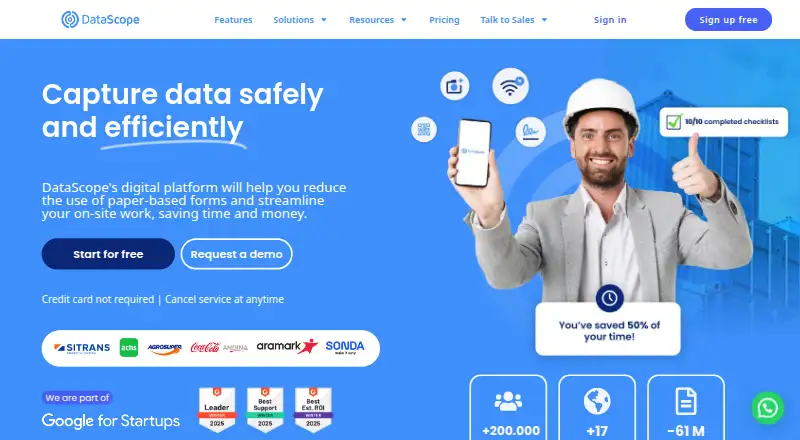
What DataScope is
DataScope replaces paper-based forms with digital tools for on-site work and operational data collection. Teams can build customized forms, checklists, and work orders for company processes. The mobile app collects information offline and synchronizes it when a connection returns. Field features include photo capture, QR and barcode scanning, GPS location, notifications, and task assignment. Dashboards show operational data in real time, and the web dashboard supports data export. Listed integrations include Zapier, Power Automate, Power BI, Looker Studio, several databases, Google Forms, Google Sheets, and webhooks. Its API reads and modifies platform data through HTTPS requests using JSON. DataScope's listed use cases include occupational health and safety, quality controls, inspections, and work and service orders. The Free plan provides 100 actions per month, 10 users, three forms, five assets, and one-year storage. Paid plans show annual billing prices of 4,15 UF/month for Starter, 6,64 UF/month for Professional, and 16,6 UF/month for Enterprise. DataScope is headquartered in Santiago, Chile.
Good
- Mobile data collection works offline
- Forms, checklists, and work orders are customizable
- Real-time dashboards and web data export
- Free plan includes 10 users
Watch out
- Free plan allows three forms and five assets
- Free plan limits usage to 100 actions monthly
Who it suits
DataScope suits teams digitizing inspections, safety and quality checks, or work orders, especially when field staff need offline collection. It offers mobile apps for Android and iOS.
Verdict
DataScope combines customizable field forms with offline collection and operational reporting. Review the action, form, and asset limits to see whether the Free plan fits your workflow.
Plans and prices
From DataScope's own pricing page, checked 14 Oct 2026.
| Plan | Price | What it gives you |
|---|---|---|
| Starter | 5,415 UF a month | 750–50,000 actions/month · 0,008 UF/additional action · unlimited users · 5 forms · 20 assets · 2-year storage · paying annually |
| Professional | 8,664 UF a month | 750–50,000 actions/month · 0,013 UF/additional action · unlimited users · API · task assigner · findings · custom PDF · basic signature · up to 5 active plannings · 3-year storage · paying annually |
| Enterprise | 20,166 UF a month | 1,500–50,000 actions/month · 0,017 UF/additional action · unlimited users · OAuth2 webhooks · priority support · 100-year storage · dynamic signature and quorum · unlimited plannings · paying annually |
| Free | — | 100 actions/month · web forms · up to 10 users · 1-year storage · 3 forms · 5 assets |
The facts
Each one read from DataScope's own pages, with the date it was checked.
What it does
- AI features
- AI can generate forms from text or PDFs, answer operational questions in natural language and create training assessments.checked 14 Oct 2026
- API
- The API reads and modifies platform data through HTTPS POST and GET requests with JSON content.checked 28 Sep 2026
- API and webhooks
- REST endpoints support data export and metadata operations, while webhooks send JSON through HTTP POST requests.checked 14 Oct 2026
- API authentication
- The public API uses an API key supplied in an Authorization header.checked 14 Oct 2026
- API bindings
- The API documentation provides examples and language bindings for Shell and Ruby.checked 14 Oct 2026
- Asset management
- The Assets module keeps equipment, vehicles, facilities and other physical assets in centralized records with usage history and meters.checked 14 Oct 2026
- Dashboards
- DataScope provides real-time dashboards and supports Power BI and Looker Studio connections.checked 14 Oct 2026
- Data location
- The privacy policy says personal information submitted through the service is stored in the United States and may be processed by staff or service providers in Chile.checked 28 Sep 2026
- Digital forms
- Users can build forms and checklists with conditional logic, required fields, photos, signatures and code scanning.checked 14 Oct 2026
- Documentation
- The Help Center contains dedicated sections for forms, users and permissions, assets, planning, mobile use, operations, analytics, integrations, security and billing.checked 14 Oct 2026
- Electronic signatures
- Verified electronic signatures support internal and external signers, signing order, bulk signing and QR validation on signed documents.checked 14 Oct 2026
- Field tools
- Features include on-site photos, QR and barcode scanning, GPS location, notifications and task assignment.checked 28 Sep 2026
- Forms
- Teams can create customized digital forms, checklists and work orders for company processes.checked 28 Sep 2026
- Funding record
- Crunchbase lists four funding rounds and identifies Google for Startups Latino Founders Fund non-equity assistance, but amounts are gated.checked 14 Oct 2026
- Google Play adoption
- The Android listing shows more than 100,000 downloads and an update dated October 2, 2026.checked 14 Oct 2026
- Integrations
- Listed integrations include Zapier, Microsoft Power Automate, Google Sheets, Google Forms, Power BI, Looker Studio, MySQL, PostgreSQL, BigQuery and Microsoft SQL Server.checked 14 Oct 2026
- Intended use
- The listed solutions address occupational health and safety, quality controls, inspections, and work and service orders.checked 28 Sep 2026
- Legal entity
- The privacy policy identifies the controller as DataScope SpA with Chilean RUT 76.558.257-1.checked 14 Oct 2026
- Limit: mobile login failures
- Several Google Play reviews report being unable to log in after creating accounts on the website.checked 14 Oct 2026
- Limit: mobile reliability
- Google Play reviews include reports that the app did not work and that screens remained blank on some newer OnePlus devices.checked 14 Oct 2026
- Limit: review representativeness
- Trustpilot states that DataScope has no recent history of inviting reviews, so the five-review score may not represent current customers.checked 14 Oct 2026
The company
- Company facts
- LinkedIn lists DataScope as privately held, founded in 2016, headquartered in Santiago, Chile, with 11–50 employees.checked 14 Oct 2026
- Headquarters
- Santiago, Chilechecked 28 Sep 2026
Where it runs
- GetApp pricing listing
- GetApp lists a starting price of 30 per user per month and identifies free trial and free version availability.checked 14 Oct 2026
The full review of DataScope
DataScope is a field-work platform for building digital forms, checklists and work orders. It suits teams conducting inspections, safety checks and service operations, particularly when staff work without reliable connectivity. Its strongest case is combining offline capture with operational reporting; its action caps and tiered form limits call for a close fit check.
Overview
DataScope replaces paper-based processes with mobile data collection and web-based operational oversight. It is aimed at organizations that need to standardize field procedures, capture evidence and keep work moving across locations. Offline collection is a practical advantage, but the Free and Starter form caps may constrain teams managing many processes.
Key features
Teams can create customized forms, checklists and work orders, then use them in the field to record photos, signatures and GPS locations or scan QR codes and barcodes. Notifications and task assignment support follow-through beyond collecting a response. The mobile app works offline and syncs once connectivity returns, a meaningful benefit for remote sites or buildings with poor coverage.
Web dashboards present operational data in real time and support export. Integrations include Zapier, Power Automate, Power BI, Looker Studio, MySQL, Postgres, Big Query, MS SQL, Google Forms and Google Sheets. The API reads and modifies platform data through HTTPS GET and POST requests using JSON; API access starts with Professional. Enterprise adds webhooks with OAuth2. This breadth will matter most to teams connecting field operations to existing reporting or business systems.
DataScope says it uses administrative, technical and physical safeguards for personal information and limits staff access to those who need it. Personal information submitted through the service is stored in the United States and may be processed by staff or service providers in Chile, a relevant consideration for organizations with data-location requirements.
Pricing
The Free plan costs nothing and includes 100 actions per month, 10 users, three forms, five assets and one-year storage. It is a useful way to start a small workflow, but the action quota and form cap make it a limited fit for broader operations.
Starter costs 5415.00 UF per month, with an annual billing price shown as 4,15 UF/month. It includes 750–50.000 actions per month, unlimited users, five forms, Excel export, and Google Sheets, Zapier and Power Automate integrations. Compared with Free, the higher action range and integrations support larger teams, but five forms still restrict the number of separate processes.
Professional costs 8664.00 UF per month, with an annual billing price shown as 6,64 UF/month. It provides 750–50.000 actions per month, unlimited users and forms, API access, up to five active plannings and three-year storage. This is the more suitable tier for teams that need to scale their form library or connect platform data programmatically, though action limits remain.
Enterprise costs 20166.00 UF per month, with an annual billing price shown as 16,6 UF/month. It includes 1.500–50.000 actions per month, unlimited users, forms and plannings, webhooks with OAuth2, priority support and 100-year storage. It suits organizations needing those integrations, longer retention and priority support; its higher starting action allowance does not remove the stated upper limit.
Across the paid tiers, action usage is counted for processes such as new form responses, finding-management events, signature workflow events and assessment responses. Teams should account for these events when assessing whether a monthly quota will cover their work.
Platforms
DataScope supports Android, iOS, web and API access. The mobile apps are available on both major mobile platforms, with offline collection for field work.
Who it's for
DataScope is a strong fit for teams handling occupational health and safety, quality controls, inspections, and work or service orders. It is especially relevant where forms must work offline and managers need current operational views. Small teams with only a few processes can begin on Free; organizations needing many forms, API access or extended retention should look at Professional or Enterprise. Teams that do not need field workflows or offline collection may find the plan structure harder to justify.
Pros and cons
- Pros: Offline mobile collection syncs when connectivity returns, helping field teams continue work in low-coverage locations.
- Pros: Photos, signatures, GPS, scanning and task assignment support evidence capture and operational handoffs in one workflow.
- Pros: Reporting, export, integrations and API access provide routes from field data to operational oversight and external systems.
- Cons: Free is capped at 100 actions per month, three forms and five assets, limiting its usefulness for larger deployments.
- Cons: Starter remains capped at five forms, while the Professional and Enterprise tiers are needed for unlimited forms.
- Cons: Submitted personal information is stored in the United States and may be processed in Chile, which may not suit every organization's data-location needs.
Alternatives
Compare mobile forms software if you want to assess this category more broadly.
Jotform is worth considering for web and mobile forms: its free plan includes five forms and 100 monthly submissions, while DataScope emphasizes field operations and offline collection.
GIS Cloud is an alternative for teams seeking a GIS-focused platform with Android, iOS, web, API and self-hosted availability.
mWater offers unlimited standard use, forms, users, surveys and integrations on its free platform plan, a different fit for teams that prioritize broad free usage.
KoboToolbox offers a Starter plan at $21 a month with 1,000 submissions, an option to compare for submission-volume needs.
Monival has a free Community plan with up to three forms, 100 submissions per month and five enumerators, alongside offline mobile collection.
Survtapp has a free plan with three users, 100 responses per month, three forms and 120-day data retention, which gives smaller teams another capped free option.
CommCare is an open-source alternative, with its web platform under a BSD license and Android mobile app under Apache 2.0.
Epicollect5 is free to use for as many projects and entries as desired, subject to a fair usage policy.
Verdict
Choose DataScope if your team needs customizable field procedures, offline mobile capture and reporting in a single operational workflow. Its field tools and integration options give it a clear role in inspections and service operations. Look elsewhere if you need more than the Free or Starter form caps without moving up a tier, or if US storage and possible processing in Chile do not fit your data requirements.
Alternatives to DataScope
- 1

CommCare
Free planOpen sourceAndroidWebAPISelf-hosted8.3From $100 a month - 2

Jotform
Free planAndroidiOSWeb8.2From $39 a month - 3

Survtapp
Free planAndroidiOSWebAPI8.1From $19 a month - 4
FORM
AndroidiOSWebAPI7.9From $21 a month - 5

TrueContext
AndroidiOSWebAPI7.8From $400 a month - 6

ActivityInfo
AndroidiOSWebAPI7.7From €545 a year