
Paperform
Paperform is an online platform for building customizable forms and product pages without code.
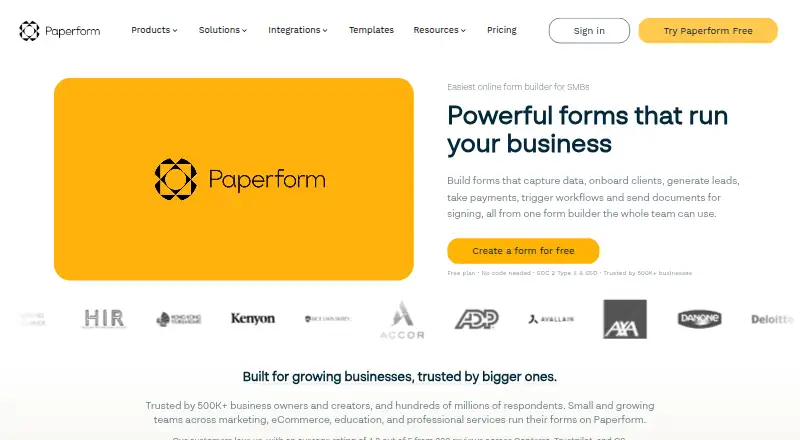
What Paperform is
Paperform is an online platform for building customizable forms and product pages without code. Forms can use conditional logic, calculations, quizzes, and file uploads, and the service combines form building with e-signatures and workflow automation. AI tools can create a styled form from a prompt, convert an uploaded PDF or image into a form, generate formulas, and analyze submission data. Payments can be collected through Stripe, Square, PayPal Business, and Braintree. Forms can be published as standalone pages, embedded elsewhere, or used with WordPress, and respondents can view and submit them on mobile devices. Form creation and editing, however, require a desktop or laptop; there is no Google Play or Apple App Store app. Paperform connects with over 2,000 apps through direct integrations, Zapier, and Make. The Free plan allows 30 submissions per month, three signed documents per month, 5,000 automation credits per month, and 100 MB of storage; its branding cannot be removed.
Good
- Forms can include quizzes, calculations, and file uploads.
- Supports payments through four named providers.
- Connects with over 2,000 apps and software.
- Forms can be submitted on mobile devices.
- Unlimited forms are allowed across plans.
Watch out
- Form creation and editing require a desktop or laptop.
- Free plan limits submissions to 30 per month.
- Paperform branding cannot be removed on Free.
Who it suits
Paperform suits teams and individuals creating forms for areas such as marketing, eCommerce, education, and professional services. It can fit workflows that need payments, e-signatures, or automation, as long as form editing can happen on a desktop or laptop.
Verdict
Paperform combines form creation with payments, signatures, workflow automation, and AI tools. Its mobile support is for respondents; form builders need a desktop or laptop.
Plans and prices
From Paperform's own pricing page, checked 28 Sep 2026.
| Plan | Price | What it gives you |
|---|---|---|
| Free | Free | Free forever for individuals and small teams · 30 submissions/month · unlimited users · 3 signed documents/month · 5,000 automation credits/month · 100 MB upload storage · Paperform branding not removable · Free forever |
| Essentials | $29 a month | Unlimited forms · 1 user · 1,200 submissions/year · 240 payment submissions/year · 1 GB upload storage · Monthly billing |
| Pro | $49 a month | For small teams · Unlimited forms · 3 users · 12,000 submissions/year · 3,000 payment submissions/year · 10 GB upload storage · Monthly billing |
| Business | $124 a month | For businesses needing scalability, powerful integrations, and priority support · Unlimited forms · 5 users · 120,000 submissions/year · 30,000 payment submissions/year · 100 GB upload storage · Monthly billing |
| Pro | $588 a year | Unlimited submissions · unlimited users · 25 signed documents/month · 20,000 automation credits/month · 10 GB upload storage · branding removable · $588.00 per year (= $49.00/month, billed annually) |
| Business | $1,488 a year | Unlimited submissions · unlimited users · 100 signed documents/month · 100,000 automation credits/month · 100 GB upload storage · branding removable · $1,488.00 per year (= $124.00/month, billed annually) |
| Enterprise | Priced on request | Custom pricing with robust security and SLAs · Unlimited submissions · unlimited users · unlimited signed documents · custom automation credits · unlimited upload storage · SLA and local data residency available |
The facts
Each one read from Paperform's own pages, with the date it was checked.
What it does
- AI calculations and insights
- Paperform offers AI Calculations to generate formulas and AI Insights to analyze submission data.checked 28 Sep 2026
- AI form creation
- AI Form Creation can generate a styled form from a prompt and convert an uploaded PDF or image into a Paperform.checked 28 Sep 2026
- API
- The Standard API is available on Pro, Business and Enterprise plans, while Business API endpoints are available on Business and Enterprise.checked 28 Sep 2026
- Audience
- Paperform says small and growing teams across marketing, eCommerce, education and professional services use its forms.checked 28 Sep 2026
- Business reach
- Paperform says it is trusted by 500K+ business owners and creators and hundreds of millions of respondents.checked 28 Sep 2026
- Embed options
- multiplechecked 20 Sep 2026
- File uploads
- Yeschecked 20 Sep 2026
- Form limit
- Paperform allows unlimited forms across all plans and sets no per-form field limit.checked 28 Sep 2026
- Human support
- Support is available through live chat with Paperform's customer success team, with plan-based priority levels.checked 28 Sep 2026
- Integrations
- Paperform says it connects with over 2,000 popular apps and software through direct integrations, Zapier and Make.checked 28 Sep 2026
- Mobile and desktop use
- Paperform is a responsive website whose forms can be viewed and submitted on mobile devices, but form creation and editing require a desktop or laptop.checked 28 Sep 2026
- Mobile editor
- Paperform has no mobile editor; form building happens at a desktop.checked 28 Sep 2026
- Native integrations
- 2000checked 20 Sep 2026
- Notable features
- Paperform combines forms, eSignatures, workflow automation, conditional logic, calculations, and AI insights.checked 28 Sep 2026
- Paid from
- 29checked 20 Sep 2026
- Payment collection
- Paperform supports unlimited payment submissions on every plan and charges no transaction fees.checked 28 Sep 2026
The company
- Company origin
- Paperform was launched in 2016 by founders Dean and Diony McPherson.checked 28 Sep 2026
- Founded
- 2016checked 28 Sep 2026
- Headquarters
- Sydney, New South Wales, Australiachecked 28 Sep 2026
Money
- Free branding
- Paperform branding is included on the Free plan and cannot be removed.checked 28 Sep 2026
- Free plan
- Yeschecked 20 Sep 2026
- Free plan limits
- 30 submissions/month, 3 signed documents/month, 5,000 automation credits/month, and 100 MB upload storage.checked 28 Sep 2026
- Free trial
- Pro and Business offer a 7-day free trial with no credit card required.checked 28 Sep 2026
Where it runs
- Mobile apps
- Paperform says it has no Google Play or Apple App Store app.checked 28 Sep 2026
The full review of Paperform
Overview
Paperform is a no-code platform for building customizable forms and product pages. It suits teams that need to connect data collection with payments, signatures, or automated workflows. Its broad toolkit comes with a clear trade-off: respondents can use forms on mobile, but builders need a desktop or laptop.
Key features
Forms support quizzes, conditional logic, calculations, and file uploads, with unlimited forms and no per-form field limit on every plan. That flexibility is useful for varied intake and transaction flows, rather than just short surveys. AI Form Creation can draft a styled form from a prompt or convert an uploaded PDF or image; AI Calculations can generate formulas, and AI Insights can analyze submission data.
Every plan includes forms, Papersign e-signatures, and Stepper workflow automation. Payments work with Stripe, Square, PayPal Business, and Braintree. For teams that want a form to initiate a transaction and subsequent work, that breadth is a strong advantage over a tool focused only on collecting answers.
Paperform connects with more than 2,000 apps through direct integrations, Zapier, and Make. The Standard API is available on Pro, Business, and Enterprise; Business API endpoints are restricted to Business and Enterprise. Forms can be embedded externally, published as standalone pages, or added to WordPress. Unlimited use is subject to a fair use policy, and a hard cap of 10,000 submissions per day applies regardless of plan.
Pricing
The Free plan costs nothing, forever. It includes unlimited users and forms, but caps monthly submissions at 30, signed documents at 3 per month, automation credits at 5,000 per month, and upload storage at 100 MB. Paperform branding cannot be removed, making Free a constrained way to evaluate workflows rather than a polished public-facing option.
Essentials costs $29 a month, billed monthly. It allows one user, 1,200 submissions per year, 240 payment submissions per year, and 1 GB of storage. It is the lowest paid tier, but the single seat and annual quotas make it best for an individual with moderate needs, not a collaborative team.
Pro costs $49 a month, billed monthly. It raises the allowance to 3 users, 12,000 submissions per year, 3,000 payment submissions per year, and 10 GB storage, and adds the Standard API. This is a more workable small-team tier, though the submission and payment quotas still matter for busier operations.
Business costs $124 a month, billed monthly. It provides 5 users, 120,000 submissions per year, 30,000 payment submissions per year, 100 GB storage, 10 workspaces, Standard and Business API access, and priority support. It fits organizations that need greater throughput and integration capability, but has five named seats despite the broader statement that seats are unlimited on every plan; plan limits should be checked against team needs.
Enterprise has custom pricing, unlimited submissions, users, signed documents, and upload storage, custom automation credits, unlimited workspaces, and available SLAs and local data residency. Paid plans include a 7-day free trial without a credit card. Prices are in USD and exclude sales taxes. Paperform says support priority varies by plan, from limited support on Free to first priority and enablement on Enterprise.
Platforms
Paperform is a responsive website: respondents can view and submit forms on mobile devices, while creating and editing forms require a desktop or laptop. There is no Apple App Store or Google Play app. The service supports web and API access, but its mobile support is for form respondents rather than builders.
Paperform states that it is GDPR and SOC 2 Type II compliant. Security controls include roles and permissions, data residency, privacy controls, SSO, and access management.
Who it's for
Paperform is a strong fit for small and growing teams in marketing, eCommerce, education, and professional services that need forms to handle payments, signatures, and workflows together. It is less suitable for people who need to build forms from a phone, or for high-volume collection that would exceed a lower plan's quotas.
Pros and cons
- Pro: Forms, e-signatures, and workflow automation are included on every plan, so a team can link collection to follow-up work without moving to a higher tier for those tools.
- Pro: Payment processing, 2,000-plus integrations, and API options make it capable of fitting into broader business processes.
- Pro: Unlimited forms and no per-form field limit leave room for complex forms and multiple use cases.
- Con: Form creation and editing are desktop-only, and there is no mobile app, ruling it out for mobile-first builders.
- Con: Free branding is permanent on the Free plan, while its 30 monthly submissions and 100 MB of storage leave little headroom for sustained use.
- Con: Paid plans have defined annual submission and payment-submission quotas, and the daily hard cap remains 10,000 even on higher tiers.
Alternatives
Typeform is worth considering for readers who want broader device support, including Android, iOS, macOS, and Windows; its Free plan allows unlimited forms but only 10 responses per month.
Zoho Forms may suit a reader who values a larger free submission allowance: its free tier permits 500 submissions per month across 3 forms, with 200 MB of storage and 10 payment submissions.
Online Form Builders and Form Builder Software are broader categories to compare when choosing a form tool.
Lead Capture Software and Form API Software are category directories for readers prioritizing those use cases.
EngagePop, LeadXForms, ConvertFlow, Gleam Competitions, involve.me, and Popupsmart are other options to compare.
Verdict
Choose Paperform if your team needs forms that can also collect payments, capture signatures, and trigger workflows, with integrations and AI tools in the same platform. Look elsewhere if builders must work on mobile or if your expected volume exceeds the quotas of the plan you can justify.
Getting started
- Open the Paperform website
- Choose the Free plan or a paid plan
- Use a desktop or laptop to create a form
- Build from a prompt, upload a PDF or image, or start with a blank form
- Publish as a standalone page, embed it, or use WordPress
- Connect services through direct integrations, Zapier, or Make
- Collect submissions, payments, files, or signed documents
Limits worth knowing
The Free plan includes 30 submissions per month, three signed documents per month, 5,000 automation credits per month, and 100 MB upload storage, with Paperform branding required. Paperform also enforces a hard cap of up to 10,000 submissions per day on every subscription plan. Form creation and editing are limited to desktop or laptop use.
Questions
Is Paperform free?
Yes. The Free plan is free forever for individuals and small teams, with usage limits and Paperform branding that cannot be removed.
How much do paid plans cost?
Essentials costs $29 a month, Pro $49 a month, and Business $124 a month. Pricing is in USD and excludes sales taxes; paid plans include a seven-day trial without a credit card.
Can Paperform collect payments?
Yes. Payments can be collected through Stripe, Square, PayPal Business, and Braintree.
What platforms and publishing options are supported?
Paperform supports external embeds, standalone pages, WordPress, and responsive forms for respondents. Forms can be viewed and submitted on mobile devices, but editing requires a desktop or laptop.
How many integrations does Paperform offer?
Paperform says it connects with over 2,000 apps through direct integrations, Zapier, and Make.
Does Paperform have a mobile app?
No. Paperform says it has no Google Play or Apple App Store app.