
Zoho Show
Zoho Show is a presentation tool available on the web, Windows, macOS, iOS, Android, and as a Chrome extension.
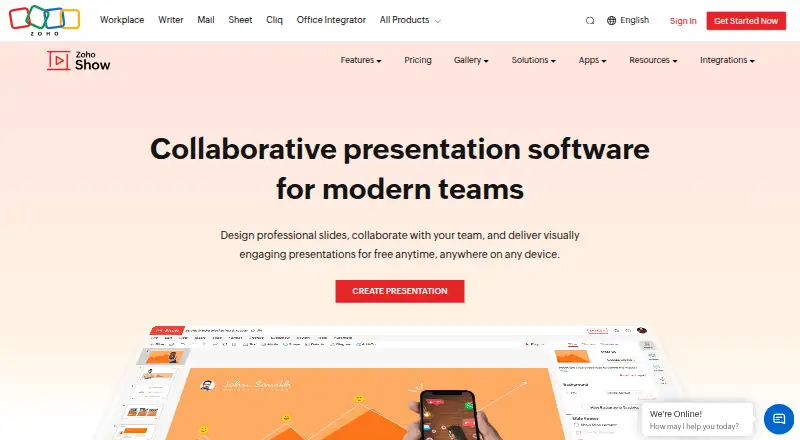
What Zoho Show is
Zoho Show is a presentation tool available on the web, Windows, macOS, iOS, Android, and as a Chrome extension. It supports importing and exporting PowerPoint files, which lets users bring presentations into Zoho Show or export them again. Presenter mode is available for delivering slides, and offline access allows work without an active connection. Real-time collaboration and AI assistance are also included. Zoho Show uses a freemium model, with a Free Plan listed as free and a maximum upload size of 500 MB. Its pricing information also lists a 15-day trial. The Professional Plan lists a starting file upload size of 1 GB and starting team storage of 1 TB; a price is not provided for that plan. Zoho Show is made by Zoho Show, founded in 1996 and headquartered in Chennai, India. The combination of PowerPoint file support, presentation delivery features, collaboration, and access across desktop, mobile, browser, and extension platforms gives users several ways to work with slide decks.
Good
- Imports and exports PowerPoint presentations.
- Offers presenter mode and offline access.
- Supports real-time collaboration.
- Available on web, Windows, macOS, iOS, Android, and Chrome extension.
- Free Plan costs nothing.
Watch out
- Free Plan has a 500 MB maximum upload size.
- Professional Plan price is not provided.
Who it suits
Zoho Show suits people creating or presenting slide decks who want PowerPoint import and export or presenter mode. It also fits groups that need real-time collaboration and users who value offline access across the listed platforms.
Verdict
Choose Zoho Show if you need presentations with PowerPoint file support, presenter mode, and collaboration across its supported platforms. The Free Plan caps uploads at 500 MB, so consider the Professional Plan if its listed 1 GB starting upload size and 1 TB starting team storage fit your needs.
Plans and prices
From Zoho Show's own pricing page, checked 15 Oct 2026.
| Plan | Price | What it gives you |
|---|---|---|
| Free Plan | Free | Individuals · unlimited cloud storage · 500 MB uploads · templates · collaboration · offline mode · mobile apps · imports · versioning |
| Professional Plan | $2.50 a month | Teams and organizations · starts with 1 TB/team storage · Zoho Office Suite · team folders · admin dashboard · 1 GB uploads · custom brand library · LiveCast integration · per user/month/billed annually |
The facts
Each one read from Zoho Show's own pages, with the date it was checked.
What it does
- AI assistance
- Yeschecked 22 Sep 2026
- AI assistant
- Zia can generate presentations from prompts, add slides, create context-aware images and content, and edit slide text.checked 15 Oct 2026
- API authentication
- API requests support Zoho OAuth 2.0 and an API-key alternative, with per-method scopes and documented rate-limit errors.checked 15 Oct 2026
- API documentation
- The REST API documentation advertises 65 operations, 16 OpenAPI 3.1 documents and code-generation-ready specifications.checked 15 Oct 2026
- API examples
- The quick-start guide includes cURL, JavaScript, Python and Java request examples for listing presentations.checked 15 Oct 2026
- API licence and hosting
- The reviewed developer pages document a hosted REST service and do not publish an open-source licence or self-hosting package.checked 15 Oct 2026
- Audio and video
- Users can record or add audio and video directly inside presentations.checked 15 Oct 2026
- Broadcasting
- Broadcast sessions include presenter controls and chat without requiring a third-party application.checked 15 Oct 2026
- Charts and Data Art
- The product provides charts, graphs and animation tools for emphasizing trends.checked 15 Oct 2026
- Chrome extension
- The Chrome extension can save ideas as drafts, create presentations, import PowerPoint files and open existing decks.checked 15 Oct 2026
- Collaboration
- Collaborators can receive view, edit or comment permissions, work in real time and discuss slide elements with threaded comments.checked 15 Oct 2026
- Data Fields
- Data Fields let users reuse presentation variables across slides or synchronize values from external sources.checked 15 Oct 2026
- Design tools
- Show supports text boxes, media, shapes, diagrams and charts for slide design.checked 15 Oct 2026
- Integrations
- Official integration documentation lists Slack, Google Drive, Zoho Flow, Zapier and Show MCP connections.checked 15 Oct 2026
- Limit: compatibility
- A Software Advice reviewer says Show was not compatible with other tools and did not work well when coordinating presentations with other presenters.checked 15 Oct 2026
- Limit: connectivity dependence
- TechRadar reports that the web application historically required reliable internet and could crash or lose changes on slow connections.checked 15 Oct 2026
Where it runs
- Browser requirements
- Supported browsers include Chrome 64+, Safari 11.1+, Firefox 67+, Edge 12+, Brave 1+, Opera 51+ and Ulaa 2+.checked 15 Oct 2026
- Desktop apps
- Zoho's 2025 recap says native Windows and Mac desktop apps launched during 2025.checked 15 Oct 2026
The company
- Company founding
- Zoho says its parent company began as AdventNet in 1996 and was renamed Zoho Corporation in 2009.checked 15 Oct 2026
- Company headquarters and size
- LinkedIn lists Chennai, Tamil Nadu as headquarters and company size as 10,001+ employees.checked 15 Oct 2026
- Company legal name
- Crunchbase lists the legal name as Zoho Corporation Pvt. Ltd.checked 15 Oct 2026
- Founded
- 1996checked 28 Sep 2026
- Headquarters
- Chennai, Indiachecked 28 Sep 2026
Money
- Free plan
- Yeschecked 22 Sep 2026
The full review of Zoho Show
Zoho Show is a presentation app from Zoho, the Chennai-based software maker founded in 1996. It is a good fit for people who need to create and present slides across devices while exchanging PowerPoint files or editing with collaborators. Its main compromise is the free plan’s 500 MB maximum upload size.
Overview
Show combines presentation creation with PowerPoint import and export, real-time collaboration, offline access, and presenter mode. Together, those features suit a workflow that moves between preparing a deck, sharing it with others, and presenting it without depending on a live connection. AI assistance is also included, though its specific role is not established here, so it should not drive the choice.
PowerPoint support is a practical advantage when colleagues or clients use Microsoft’s format. Offline access and presenter mode make Show more useful beyond collaborative editing. The clearest constraint is file capacity: the Free Plan permits uploads up to 500 MB, while the Professional Plan starts at 1 GB per upload and 1 TB of team storage.
Key features
- PowerPoint import and export: Bring PowerPoint presentations into Show and export them back out, which helps when a deck must circulate between tools.
- Real-time collaboration: Collaborators can work on the same presentation together, a useful fit for shared projects rather than a strictly individual workflow.
- Offline access: Work with presentations without a live connection, which matters when connectivity is unreliable.
- Presenter mode: Show includes a dedicated presenter mode, making it a stronger fit for users who both prepare and deliver their slides.
- AI assistance: AI assistance is available, but its function is not established, so there is not enough reason to choose Show over a competitor on that basis.
Pricing
Zoho Show uses a freemium model, with a free plan and a 15-day trial. The Free Plan costs nothing and caps maximum upload size at 500 MB. That is the sensible starting point for individuals or teams whose files fit within the cap; it gives up the higher upload size and team storage offered by the paid tier.
The Professional Plan has custom pricing and starts with a 1 GB file-upload size and 1 TB of team storage. Those higher starting limits make it the more suitable option for larger decks or team storage needs, but the price and seat terms are not established. Compare the limits with your needs before moving beyond the free tier.
Platforms
Zoho Show supports the web, Windows, macOS, iOS, Android, and a Chrome extension. That range accommodates desktop and mobile workflows, with the extension adding another supported route to use the service.
Who it's for
Choose Show if you need PowerPoint file exchange, shared editing, and presentation tools across desktop and mobile platforms, or if offline access is important. It is less compelling when your files exceed the Free Plan’s upload ceiling and the Professional Plan’s custom pricing does not suit your budget, or when you need more detail about what the AI assistance does before committing.
Pros and cons
- Pro — PowerPoint import and export: Helps teams exchange editable presentation files with PowerPoint users.
- Pro — Collaboration and offline access: Supports both shared work and use without a live connection.
- Pro — Presenter mode across a broad platform set: Useful for users who prepare and deliver decks from more than one kind of device.
- Con — 500 MB free upload limit: Restricts the size of files on the no-cost tier.
- Con — Custom-priced Professional Plan: Its larger starting limits may suit storage-heavy teams, but the price is not established.
- Con — Unspecified AI function: The presence of AI assistance alone does not clarify whether it fits a particular workflow.
Alternatives
Presentation software is the broader category to compare if you want to weigh more options.
- Microsoft PowerPoint is worth considering if you prefer Microsoft’s presentation app; it has a free plan and supports Android, iOS, macOS, web, and Windows.
- Google Slides is another freemium option, with Android, iOS, and web support; consider it if those are the platforms you need.
- Apple Keynote is a free option for iOS and macOS users who want presentation creation, editing, viewing, and real-time collaboration without a subscription.
- WPS Presentation is a freemium alternative supporting Linux as well as desktop, mobile, and web platforms; its WPS Standard plan includes 1 GB of cloud storage.
- PowerPoint for the web is a free-plan option for users who want PowerPoint on Android, iOS, or the web.
- Pitch may suit teams looking for a free plan with up to five members, two external guests, and 10 GB of total storage.
- Gamma is a web-based alternative with a free plan that supports importing PDF and PPTX and exporting to several formats, including PPTX and Google Slides.
- LibreOffice Impress is a free and open-source option for Windows, macOS, and Linux users.
For a related creative category, see Graphic Design Software.
Verdict
Zoho Show is a solid choice for people who need PowerPoint compatibility, real-time collaboration, presenter mode, and offline access across supported platforms. Its free plan is an accessible way to start, but the 500 MB upload cap is a meaningful ceiling. Look elsewhere if you need a clear paid price before deciding or if that free-tier limit will not accommodate your presentations.
Getting started
- Visit https://www.zoho.com/show/.
- Start with the Free Plan or use the 15-day trial.
- Open Zoho Show on the web, Windows, macOS, iOS, Android, or through the Chrome extension.
- Import a PowerPoint presentation or create a presentation in Zoho Show.
Limits worth knowing
The Free Plan has a 500 MB maximum upload size. The Professional Plan lists a 1 GB starting file upload size and 1 TB starting team storage.
Questions
Is Zoho Show free?
Yes. Its Free Plan is listed as free, and the pricing information includes a 15-day trial.
What is the Free Plan's upload limit?
The Free Plan has a maximum upload size of 500 MB.
Which platforms support Zoho Show?
It is available on the web, Windows, macOS, iOS, and Android, as well as through a Chrome extension.
Can I use PowerPoint files?
Yes. Zoho Show supports both PowerPoint import and export.
What does the Professional Plan list?
It lists a 1 GB starting file upload size and 1 TB starting team storage. Its price is not provided.
Who makes Zoho Show?
The maker is Zoho Show, founded in 1996 and headquartered in Chennai, India.
Alternatives to Zoho Show
- 1
LibreOffice Impress
Free planOpen sourceAndroidiOSWebAPI9.4$8.99 one-time - 2
Microsoft PowerPoint
Free planAndroidiOSWebmacOS9.1Free plan - 3

Pitch
Free planAndroidiOSWebAPI9.0From €10 a month - 4

WPS Office
Free planAndroidiOSWebAPI8.9From $41.99 a year - 5
Google Slides
Free planAndroidiOSWeb8.6From $7 a month - 6

WPS Presentation
AndroidiOSWebLinux8.5From $5.83 a month