LibreOffice Impress
LibreOffice Impress is a desktop presentation application for creating and designing slide decks.
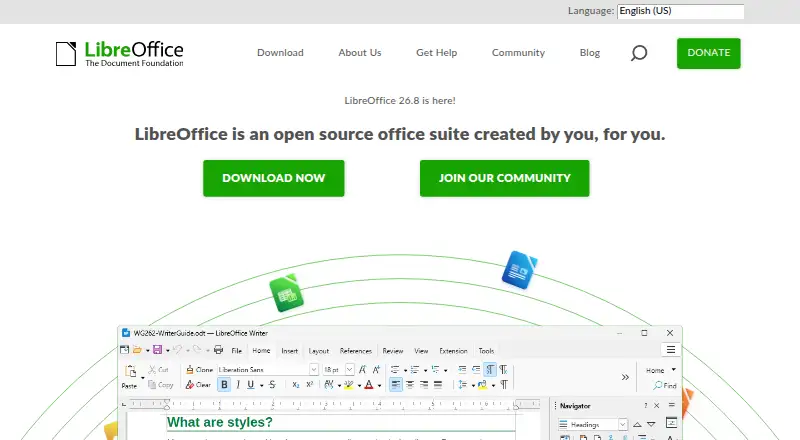
What LibreOffice Impress is
LibreOffice Impress is a desktop presentation application for creating and designing slide decks. It includes presentation design and illustration tools, a template library and master slides. Users can add animations and transitions, and work with OpenDocument and Microsoft Office-compatible files. The application supports offline editing and track changes, and is available for Windows, macOS and Linux desktop platforms. The listed Free and open source plan costs nothing and covers presentation creation, templates and master slides, animations and transitions, and format compatibility. Real-time collaboration is not supported, which matters for people who need simultaneous shared editing. The listed facts also identify a mobile app. The maker is LibreOffice Impress, founded in 2010 and headquartered in Berlin, Germany. Impress may fit people looking for presentation creation tools with offline editing and templates, particularly when real-time collaboration is not a requirement.
Good
- Template library and master slides are included.
- Supports animations, transitions and illustration tools.
- Works offline and offers track changes.
- Compatible with OpenDocument and Microsoft Office formats.
- Free and open source plan costs nothing.
Watch out
- Real-time collaboration is not supported.
- Desktop platforms listed are Windows, macOS and Linux.
Who it suits
Impress suits people creating presentations who want templates, illustration tools and offline editing on Windows, macOS or Linux. It may be less suited to teams that require real-time collaboration.
Verdict
Impress provides a range of presentation creation features with offline editing and no listed charge. Its lack of real-time collaboration is an important limitation for teams working together on slides.
Plans and prices
From LibreOffice Impress's own pricing page, checked 20 Sep 2026.
| Plan | Price | What it gives you |
|---|---|---|
| Free and open source | Free | Presentation creation · Templates and master slides · Animations and transitions · OpenDocument and Microsoft Office compatibility |
| LibreOffice desktop | Free | Windows, macOS and Linux desktop suite · No cost |
| LibreOffice Mac App Store | $8.99, paid once | macOS only; Java functionality unavailable · One-time purchase |
The facts
Each one read from LibreOffice Impress's own pages, with the date it was checked.
What it does
- Animations and transitions
- Slides support individual-object animations and transitions between slides, with automatic or manual timing.checked 14 Oct 2026
- API and SDK
- The LibreOffice SDK exposes the UNO component model, libraries, headers, IDL files and tools for external programs and extensions.checked 14 Oct 2026
- Developer documentation
- The SDK includes API reference material, a Developer's Guide with examples, Java and C++ runtime references, and sample repositories.checked 14 Oct 2026
- Documentation coverage
- The documentation site provides updated Impress guides in browser and PDF formats, with source files and translations in many languages.checked 14 Oct 2026
- Drawing and diagrams
- Impress includes drawing and diagramming tools, Fontwork text effects and 3D scene capabilities.checked 14 Oct 2026
- Editing views
- Impress provides Normal, Outline, Notes, Handout and Slide Sorter views for presentation creation and organization.checked 14 Oct 2026
- File compatibility
- LibreOffice supports OpenDocument formats plus Microsoft DOC, DOCX, XLS, XLSX, PPT and PPTX files and PDF export.checked 14 Oct 2026
- Illustration tools
- Yeschecked 20 Sep 2026
- Impress formats
- Impress uses OpenDocument Presentation files and can open PowerPoint presentations or export to PPT.checked 14 Oct 2026
- Integrations
- GetApp reviewers most frequently cite Google Drive as a LibreOffice integration, rating that integration 4.4 out of 5.checked 14 Oct 2026
- Latest release
- LibreOffice 26.8.1 was released October 8, 2026 as the latest feature branch bug-fix release.checked 14 Oct 2026
- Licence
- The main LibreOffice code is released under Mozilla Public License 2.0, while included components may use other open-source licences.checked 14 Oct 2026
- Limit: G2 interface and performance
- G2 reviewers report an older interface, occasional breaks or lag in heavy animated presentations, fewer features than PowerPoint and unsupported formats.checked 14 Oct 2026
- Limit: Trustpilot usability complaints
- Trustpilot complaints describe unpredictable layout changes, table behavior, poor help and difficult file operations despite the free price.checked 14 Oct 2026
- Limit: TrustRadius collaboration and responsiveness
- TrustRadius reviewers mention slower startup or UI responsiveness, limited advanced spreadsheet functions, difficult collaboration and a missing email client.checked 14 Oct 2026
Where it runs
- App Store availability
- The Mac App Store listing says there are not enough ratings to display an overview and notes that Java-based extensions do not work in that build.checked 14 Oct 2026
- Desktop app
- Yeschecked 20 Sep 2026
- Limit: Android viewer editing
- The official Android Viewer labels editing experimental and reviewers report laggy zooming, scrolling and weak spreadsheet functionality.checked 14 Oct 2026
- Limit: GetApp polish and interoperability
- GetApp analysis reports an outdated design, learning curve for advanced functions, formatting inconsistencies and weaker compatibility with complex Microsoft documents.checked 14 Oct 2026
- macOS requirements
- macOS builds require macOS 11 or newer, Intel or Apple silicon, 512 MB RAM and up to 800 MB disk space.checked 14 Oct 2026
The company
- Company facts
- The Document Foundation is a nonprofit software organization founded in 2010, headquartered in Berlin, and listed by LinkedIn at 2–10 employees.checked 14 Oct 2026
- Founded
- 2010checked 28 Sep 2026
- Headquarters
- Berlin, Germanychecked 28 Sep 2026
Money
- Free plan
- Yeschecked 20 Sep 2026
Alternatives to LibreOffice Impress
- 1
Microsoft PowerPoint
Free planAndroidiOSWebmacOS9.1Free plan - 2

Pitch
Free planAndroidiOSWebAPI9.0From €10 a month - 3

Zoho Show
Free planAndroidiOSWebAPI8.9From $2.50 a month - 4

WPS Office
Free planAndroidiOSWebAPI8.9From $41.99 a year - 5
Google Slides
Free planAndroidiOSWeb8.6From $7 a month - 6

WPS Presentation
AndroidiOSWebLinux8.5From $5.83 a month