Syncro Remote Access
Syncro Remote Access lets IT teams connect to and control managed devices remotely for support and troubleshooting.
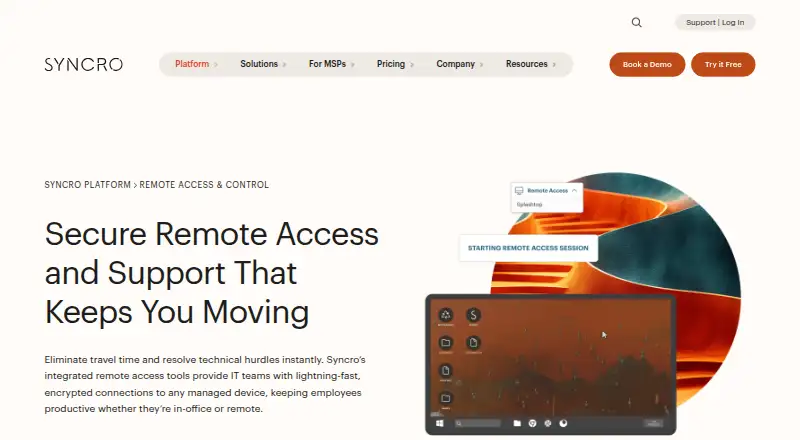
What Syncro Remote Access is
Syncro Remote Access lets IT teams connect to and control managed devices remotely for support and troubleshooting. Its remote desktop feature accesses managed Windows and Mac endpoints, while the broader service lists Windows, macOS, and Linux support. Technicians can start a session from a support ticket or device view and connect over the internet without a VPN. Sessions support multi-monitor viewing, secure file transfer, and remote command prompt and registry tools. A connection can require end-user permission or use unattended access for server maintenance, and each session is automatically logged. Splashtop remote access is included with a Syncro subscription. Syncro describes sessions as encrypted and its platform as SOC 2 Type II certified. The cloud service is intended for MSPs and internal IT departments, including lean teams, and its mobile app supports remote access on iOS and Android. A 14-day trial does not require a credit card. Syncro was founded in 2011 and is headquartered in Tampa, Florida.
Good
- Remote sessions launch from tickets or device views
- Supports attended and unattended access
- Sessions are automatically logged
- Includes Splashtop remote access
- 14-day trial requires no credit card
Watch out
- No free plan
- Remote desktop endpoints are Windows and Mac
Who it suits
Syncro Remote Access suits MSPs and internal IT teams that need remote support or unattended server access across managed endpoints. Its ticket and device-view launch options may suit technicians working from those workflows.
Verdict
Syncro combines remote sessions with logging, file transfer, and device-management functions. Weigh the annual per-user starting price against the included endpoint access and the features your team needs.
Plans and prices
From Syncro Remote Access's own pricing page, checked 8 Oct 2026.
| Plan | Price | What it gives you |
|---|---|---|
| Core Plan | $129 a month | Per-user pricing · unlimited endpoints · remote access included · Annually; $129 per user/per month (monthly billing: $159) |
| Team Plan | $179 a month | Per-user pricing · unlimited endpoints · remote access included · multi-monitor support · Annually; $179 per user/per month (monthly billing: $209) |
| Enterprise / Custom | Priced on request | For large or complex organizations · PO billing · multi-year terms · custom start dates · Flexible terms and volume pricing available |
The facts
Each one read from Syncro Remote Access's own pages, with the date it was checked.
What it does
- Audit trail
- Syncro says every remote session is automatically logged.checked 8 Oct 2026
- Connection features
- Remote sessions support multi-monitor viewing, secure file transfer, and remote command prompt and registry tools.checked 8 Oct 2026
- Included remote access
- Splashtop remote access is included with a Syncro subscription at no extra cost.checked 8 Oct 2026
- Integrations
- Syncro says it offers 50+ integrations and lists products for remote access, documentation, communication, security, and other functions.checked 8 Oct 2026
- Intended users
- Syncro describes its platform as serving MSPs and internal IT departments, including lean IT teams.checked 8 Oct 2026
- Mobile access
- The Syncro mobile app supports remote device access and is offered for iOS and Android.checked 8 Oct 2026
- Network access
- The product page says technicians can access an endpoint over the internet without requiring a VPN.checked 8 Oct 2026
- Purpose
- Syncro Remote Access lets IT teams connect to and control managed devices remotely for support and troubleshooting.checked 8 Oct 2026
- Security
- Syncro describes remote sessions as encrypted and says its platform is SOC 2 Type II certified.checked 8 Oct 2026
- Session controls
- Sessions can require end-user permission before connection or use unattended access for server maintenance.checked 8 Oct 2026
- Support
- The pricing page lists 24/5 live support from a technician, Monday through Friday.checked 8 Oct 2026
- Supported endpoints
- The remote desktop feature accesses managed Windows and Mac endpoints.checked 8 Oct 2026
- Workflow integration
- Technicians can launch a remote session directly from a support ticket or device view.checked 8 Oct 2026
The company
- Founded
- 2011checked 28 Sep 2026
- Headquarters
- Tampa, Florida, United Stateschecked 28 Sep 2026
Money
- Trial
- Syncro offers a 14-day free trial without requiring a credit card.checked 8 Oct 2026
The full review of Syncro Remote Access
Syncro Remote Access is a cloud remote-support tool for managed Windows and Mac endpoints, built into Syncro’s ticketing and device workflows. It fits MSPs and internal IT departments that need both technician access and device-management controls. The principal drawback is a relatively high per-user commitment, even though endpoint counts are unlimited.
Overview
Technicians can open a remote session directly from a support ticket or a device view, keeping diagnosis and remediation in one workflow. Splashtop remote access is included with a Syncro subscription, so the remote component does not add a separately stated access fee. Sessions can ask the end user to approve a connection or run unattended, making the same service suitable for user-assisted troubleshooting and server maintenance.
Syncro says sessions are encrypted, automatically logged, and reachable over the internet without a VPN. That combination is useful when an MSP needs an audit trail as well as practical access. Remote desktop access is described for managed Windows and Mac endpoints; Syncro’s broader support for Windows, macOS, and Linux does not mean identical remote-desktop capability on every operating system.
Key features
Technician controls
Multi-monitor viewing helps technicians work on complex desktop setups, while secure file transfer handles moving tools or documents during a session. Remote command prompt and registry tools extend support beyond screen control, which is valuable for administrative fixes and diagnostics. The Team Plan explicitly includes multi-monitor support; the Core Plan’s listed inclusions do not.
Access, records, and workflow
Permission-based sessions are appropriate when a user is present and should see or approve support activity. Unattended access is better for maintenance windows and servers. Automatic session logging gives supervisors a record of remote work, and launching from tickets or device views reduces context switching for teams already using Syncro’s service workflow.
Management and security
Syncro combines remote access with patch management, script automation, and multi-tenant management in a cloud deployment. Its platform advertises more than 50 integrations across remote access, documentation, communication, security, and related functions. SOC 2 Type II certification and encrypted sessions support organizations with formal security requirements, although the subscription is aimed at managed IT operations rather than occasional personal access.
Pricing
The Core Plan costs $129 per user per month when billed annually, or $159 per user per month with monthly billing. It includes unlimited endpoints and remote access. This is the entry point for teams that can accept annual user commitments and do not require the Team Plan’s explicitly listed multi-monitor support.
The Team Plan costs $179 per user per month billed annually, or $209 per user per month billed monthly. It retains unlimited endpoints and included remote access, adding multi-monitor support. Choose it when technicians regularly support multi-display workstations; otherwise, Core avoids paying the higher seat price for a feature you may not use.
Enterprise / Custom pricing uses flexible terms and volume pricing. It is intended for large or complex organizations and can include purchase-order billing, multi-year terms, and custom start dates. Syncro offers a 14-day trial without requiring a credit card, but there is no free plan. Pricing is per user, so expanding the technician roster increases the recurring cost even though endpoint numbers are unlimited. The pricing page lists live technician support 24/5, Monday through Friday.
Platforms
Syncro is delivered as a cloud service and supports Android, iOS, Linux, macOS, web, and Windows. Its mobile app provides remote device access on iOS and Android. Remote desktop support is specifically described for managed Windows and Mac endpoints, while the platform also supports Linux for its wider management functions.
Who it's for
MSPs can use the multi-tenant controls, ticket-linked sessions, logging, and unlimited endpoints to standardize support across customers. Internal IT departments, including lean teams, benefit when patching, scripts, device views, and remote control belong to one platform. It is a poor fit for a single occasional helper, a team that needs a free tier, or buyers unwilling to pay per technician each month.
Pros and cons
Pros
- Remote access is included: Splashtop access comes with the Syncro subscription rather than a separate stated charge.
- Flexible session modes: End-user approval supports transparent help-desk work, while unattended access covers servers and maintenance.
- Useful administrative tools: File transfer, command prompt, registry access, and multi-monitor viewing address more than basic screen sharing.
- Traceable support: Automatic session logs, encryption, and SOC 2 Type II certification support accountable IT operations.
- Unlimited endpoints: Endpoint count does not cap the Core or Team plans, which suits MSP fleets.
Cons
- High entry cost: The $129 annual-billing starting price is substantial for small teams, and monthly billing costs more.
- No free tier: Buyers get a 14-day credit-card-free trial but no ongoing free plan.
- Team is costly: Multi-monitor support requires the $179 annual-billing plan or $209 monthly billing.
- Remote desktop scope is narrower than platform scope: The stated remote endpoint coverage is managed Windows and Mac devices.
Alternatives
For a broader category view, compare Remote Monitoring and Management Software and Professional Services Automation Software.
Avaza is a freemium choice with a free plan, unlimited project collaborators, and limited included users, so it suits teams prioritizing low-cost project coordination over Syncro’s managed-device remote access.
Teamwork.com offers a free plan for five projects and five users, making it preferable when project management and a free starting tier matter more than endpoint support.
Deltek Maconomy is an enterprise professional-services ERP priced by demo request, so large firms seeking ERP breadth should consider it instead.
Datto Endpoint Backup for Windows uses consumption-based pricing tied to storage, making it the alternative when endpoint backup is the primary requirement.
Scoro offers paid time-billing tools with a listed $17 per-user monthly option, so it fits firms focused on time and project billing.
Acumatica Professional Services Edition uses custom pricing based on applications, usage, resources, and deployment, for organizations needing that ERP approach.
Monograph has subscription pricing shown at $45–$490 per month depending on firm size, making it an option for professional-services project operations.
Promys Enterprise PSA covers CRM, quoting, billing, procurement, help desk, managed services, and inventory for organizations seeking a broader PSA suite.
Verdict
Choose Syncro Remote Access if you run an MSP or internal IT team that wants unlimited managed endpoints, ticket-linked remote sessions, unattended maintenance, and automatic records in one cloud platform. Look elsewhere if you need a free or low-cost remote tool, or if your priority is remote desktop coverage beyond the stated managed Windows and Mac endpoints.
Alternatives to Syncro Remote Access
- 1
Teamwork.com
Free planAndroidiOSWebAPI8.4From $9.99 a month - 2

Avaza
Free planAndroidiOSWebAPI8.3From $11.95 a month - 3

Projectworks
AndroidiOSWebAPI7.9From $17 a month - 4

Scoro
AndroidiOSWebAPI7.6From $17 a month - 5

Acumatica Professional Services Edition
AndroidiOSWebAPI7.4From $1,000 a year - 6
Certinia Professional Services Cloud
AndroidiOSWebAPI7.4From $45 a month