
Dialpad Workforce Management
Dialpad Workforce Management is a workforce planning and performance tool for contact centers.
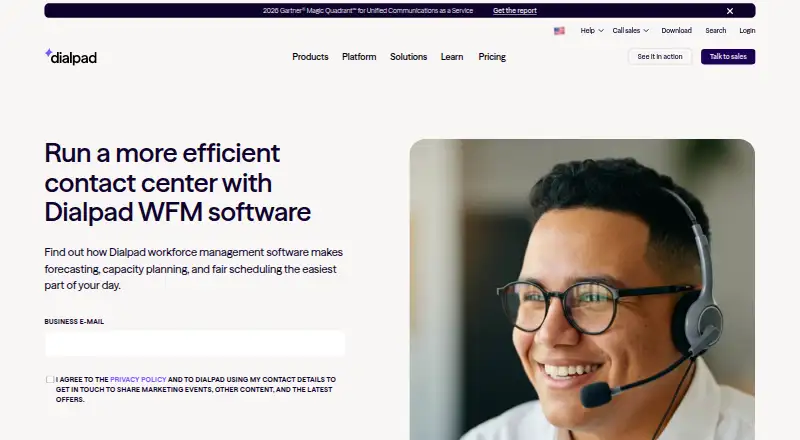
What Dialpad Workforce Management is
Dialpad Workforce Management is a workforce planning and performance tool for contact centers. It brings forecasting, capacity planning, agent scheduling, adherence tracking and performance management into Dialpad Support, and is also offered as a standalone product. Its forecasting and scheduling tools account for changing contact volumes; demand forecasting, omnichannel forecasting, intraday management and skills-based scheduling are supported. Managers can monitor adherence in real time, review productivity across channels and examine behavioral trends. Scheduling includes automatic activity rotation, shift swaps and time-off requests. Reports include utilization, time and adherence, timesheet exports, shrinkage analysis and agent distribution. Supported channels include phone, email, chat, SMS, WhatsApp, Facebook, Facebook Messenger and Instagram. Dialpad says the system collects contact volumes rather than contact content, with content redacted during collection. Forecasts typically take around 72 hours after an integration is connected. Supported customer-service platforms include Front, Twilio, Aircall, Intercom, Salesforce, Zendesk, Dixa, Kustomer and Talkdesk. Dialpad was founded in 2011 and is headquartered in San Ramon, California.
Good
- Supports skills-based, intraday and omnichannel forecasting.
- Tracks schedule adherence in real time.
- Includes shift swaps, activity rotation and time-off requests.
- Provides utilization, shrinkage and agent distribution reports.
- Integrates with customer-service platforms including Zendesk and Salesforce.
Watch out
- Forecasts typically take around 72 hours after integration setup.
- Pricing for standalone and Enterprise options is on request.
- Workforce Management is an add-on to listed Support plans.
Who it suits
It suits contact-center teams that need to forecast demand, schedule agents and monitor adherence and productivity across multiple channels. It is available as an add-on for Dialpad Support users or as a standalone product through a Customer Success Manager.
Verdict
Choose Dialpad Workforce Management if your contact center needs forecasting, scheduling and performance oversight across supported channels. Teams comparing costs should note that the standalone and Enterprise prices are available on request, and the listed Support plans require WFM as an add-on.
Plans and prices
From Dialpad Workforce Management's own pricing page, checked 1 Oct 2026.
| Plan | Price | What it gives you |
|---|---|---|
| Dialpad Support Essentials | $95 a month | Workforce Management available as an add-on · monthly |
| Dialpad Support Advanced | $135 a month | Workforce Management available as an add-on · monthly |
| Dialpad Support Premium | $170 a month | Workforce Management available as an add-on · monthly |
| Dialpad Support Enterprise | Priced on request | custom pricing · demos available |
| Dialpad Workforce Management (standalone) | Priced on request | available to all Dialpad users · standalone product · contact Customer Success Manager |
The facts
Each one read from Dialpad Workforce Management's own pages, with the date it was checked.
What it does
- Access controls
- Dialpad supports role-based access and SAML/SCIM integrations with Okta, Azure, Google Workspace, and OneLogin.checked 1 Oct 2026
- Agent scheduling
- Dialpad WFM supports automatic activity rotation, shift swaps, and time-off requests.checked 1 Oct 2026
- Data handling
- Dialpad WFM collects contact volumes rather than contact content, and content is redacted during collection.checked 1 Oct 2026
- Forecast delay
- After connecting an integration, Dialpad says it typically takes around 72 hours to generate forecasts.checked 1 Oct 2026
- Forecasting
- The product automates scheduling and shift planning while accounting for changing inflow levels.checked 1 Oct 2026
- Integrations
- Supported customer-service platforms include Front, Twilio, Aircall, Intercom, Salesforce, Zendesk, Dixa, Kustomer, and Talkdesk.checked 1 Oct 2026
- Performance tracking
- Managers can track schedule adherence in real time, monitor agent productivity across channels, and analyze behavioral trends.checked 1 Oct 2026
- Purpose
- Dialpad WFM provides forecasting, capacity planning, scheduling, adherence tracking, and performance management for contact centers.checked 1 Oct 2026
- Reporting
- WFM provides utilization, time and adherence, timesheet exports, shrinkage analysis, and agent distribution reporting.checked 1 Oct 2026
- Security
- Dialpad states that its products are SOC 2 Type II compliant, HIPAA-ready, and support GDPR requirements, with annual ISO 27001:2022, ISO 27017:2015, and ISO 27018:2019 certification.checked 1 Oct 2026
- WFM availability
- Dialpad WFM is available to all Dialpad users and as a standalone product, with interested customers directed to a Customer Success Manager.checked 1 Oct 2026
The company
- Company
- Dialpad was founded in 2011 and is headquartered in San Ramon, California, USA.checked 1 Oct 2026
- Founded
- 2011checked 28 Sep 2026
- Headquarters
- San Ramon, California, USAchecked 28 Sep 2026
Where it runs
- Platform origin
- Dialpad WFM is built on the acquisition of Surfboard and brings native scheduling, forecasting, and adherence tracking into Dialpad Support.checked 1 Oct 2026
- Supported devices
- Dialpad publishes apps for iOS, Android, macOS, Windows, and ChromeOS, plus a Chrome web extension.checked 1 Oct 2026
The full review of Dialpad Workforce Management
Dialpad Workforce Management is a contact-center workforce planning suite for forecasting demand, building schedules and supervising adherence across voice and digital channels. It is aimed at managers running multi-channel operations, particularly those already using Dialpad Support or one of its supported integrations. The strongest case is coordinated planning and oversight in one system; the main cautions are custom pricing for the WFM product itself and the roughly 72-hour forecast-generation delay after integration.
Overview
Built from Dialpad's acquisition of Surfboard, WFM adds native forecasting, scheduling and adherence capabilities to Dialpad Support while also being sold as a standalone product. It works with contact volumes rather than contact content, with content redacted during collection. That approach is useful for teams concerned about exposing conversation data while still needing demand patterns for staffing decisions.
Dialpad says its products are SOC 2 Type II compliant and HIPAA-ready, support GDPR requirements, and maintain annual ISO 27001:2022, ISO 27017:2015 and ISO 27018:2019 certification. Role-based access and SAML/SCIM connections for Okta, Azure, Google Workspace and OneLogin suit organizations with formal identity and access controls.
Key features
Demand forecasting, capacity planning and omnichannel forecasting help managers account for changing inflow instead of relying on fixed staffing assumptions. Skills-based scheduling and intraday management are important for operations where different queues require different capabilities and coverage must be adjusted during the day. Forecasts generally take about 72 hours after an integration is connected, so implementation planning needs to include that initial wait.
Automatic activity rotation, shift swaps and time-off requests give agents practical control over schedule changes while preserving managerial coordination. Supervisors can watch schedule adherence in real time, measure productivity across channels and examine behavioral trends. Reporting includes utilization, time and adherence, timesheet exports, shrinkage analysis and agent-distribution reports, providing more operational context than a schedule alone.
Supported channels are phone, email, chat, SMS, WhatsApp, Facebook, Facebook Messenger and Instagram. Integrations include Front, Twilio, Aircall, Intercom, Salesforce, Zendesk, Dixa, Kustomer and Talkdesk. API access is available, which matters when workforce data must connect to a broader operational stack.
Pricing
WFM pricing is available on request for both the standalone product and Enterprise service. The standalone edition is available to all Dialpad users and requires contacting a Customer Success Manager, so buyers should obtain a quote based on their deployment rather than infer cost from the Support tiers.
| Plan | Price | Who it suits |
|---|---|---|
| Dialpad Support Essentials | $95 a month, billed monthly | Teams wanting the entry Support tier with Workforce Management as an add-on. |
| Dialpad Support Advanced | $135 a month, billed monthly | Organizations needing the middle Support tier and willing to add WFM. |
| Dialpad Support Premium | $170 a month, billed monthly | Teams choosing the highest published Support tier, with WFM available as an add-on. |
| Dialpad Workforce Management (standalone) | Custom pricing | Dialpad users seeking WFM without selecting a listed Support tier. |
| Dialpad Support Enterprise | Custom pricing | Organizations that need an Enterprise arrangement and a tailored quote. |
The published Support prices do not include a stated WFM fee, so the add-on can materially change the total. Buyers comparing tiers should budget for that separate charge and confirm the commercial terms with Dialpad.
Platforms
Dialpad supports Android, iOS, macOS and Windows apps, ChromeOS access and a Chrome web extension, alongside web access. That coverage works for distributed contact-center staff using mixed desktop and mobile environments.
Who it's for
Choose WFM for contact centers balancing several channels, variable demand and formal adherence management. It is particularly suitable when managers need skills-based schedules, intraday adjustments and reports that connect staffing to utilization and shrinkage. It is less compelling for a small operation that only needs basic schedules or for buyers unwilling to negotiate custom WFM pricing and accommodate the forecast setup delay.
Pros and cons
Pros
- Broad planning scope: demand, capacity, omnichannel and skills-based scheduling cover both strategic forecasts and daily staffing decisions.
- Operational visibility: real-time adherence, cross-channel productivity tracking and behavioral analysis give managers ongoing oversight.
- Agent flexibility: activity rotation, shift swaps and time-off requests support schedule changes without abandoning central coordination.
- Enterprise controls: role-based access, SAML/SCIM and stated SOC, HIPAA, GDPR and ISO credentials fit regulated deployments.
Cons
- Custom WFM cost: standalone and Enterprise prices require a sales conversation, while add-on pricing is not included in the Support rates.
- Forecasting lead time: the typical 72-hour generation period after integration means forecasts are not immediate at launch.
- Dialpad-centered buying: teams outside the Dialpad ecosystem may face more integration and procurement work than existing users.
Alternatives
For a wider comparison, see Contact Center Workforce Management Software.
- Webex App is a freemium collaboration option with a free plan for meetings, rather than a direct WFM replacement.
- Daktela WFM is worth considering if a free trial and free Admin plan are priorities, with Android, iOS, macOS, web, Windows and API support.
- Mitel Secure Cloud suits buyers seeking Mitel's service-package approach.
- GetWFM fits small teams wanting a forever-free Team plan with three teams, one timezone and one month of history.
- Nextiva is an alternative paid communications platform with a $15 a month Core plan.
- Genesys Workforce Engagement Management is an option for Genesys Cloud customers considering a WEM add-on.
- 8x8 Contact Center offers a custom-quoted contact-center plan.
- Amazon Connect is a usage-priced contact-center alternative with a free trial and per-contact messaging charges.
Verdict
Dialpad Workforce Management is a strong fit for multi-channel contact centers that need forecasting, skills-based scheduling and live adherence oversight tied to established customer-service systems. Its reporting, integration range and enterprise access controls support serious operations. Look elsewhere if you need transparent WFM pricing, instant forecasts after setup or only basic scheduling for a small team.
Getting started
- Visit the Dialpad Workforce Management website.
- Choose a Dialpad Support plan with Workforce Management as an add-on, or ask about standalone access.
- Contact a Customer Success Manager about standalone availability.
- Connect a supported customer-service platform and allow around 72 hours for forecasts to generate.
Questions
How much does Dialpad Workforce Management cost?
Workforce Management is available as an add-on to Dialpad Support Essentials at $95 a month, Advanced at $135 a month, or Premium at $170 a month, each billed monthly. Standalone and Enterprise pricing is on request.
Can it be bought as a standalone product?
Yes. Dialpad says Workforce Management is available as a standalone product and directs interested customers to a Customer Success Manager.
Which channels does it support?
Supported channels include phone, email, chat, SMS, WhatsApp, Facebook, Facebook Messenger and Instagram.
Which platforms are supported?
Dialpad publishes apps for iOS, Android, macOS, Windows and ChromeOS, plus a Chrome web extension.
Which integrations are supported?
Supported customer-service platforms include Front, Twilio, Aircall, Intercom, Salesforce, Zendesk, Dixa, Kustomer and Talkdesk.
How does Dialpad handle contact data?
Dialpad says it collects contact volumes rather than contact content, and that content is redacted during collection.
Alternatives to Dialpad Workforce Management
- 1

Daktela WFM
Free planAndroidiOSWebAPI8.2From €12 a month - 2
Nextiva
AndroidiOSWebAPI8.0From $15 a month - 3

Amazon Connect
AndroidiOSWebAPI7.9 - 4
Agentforce Contact Center
AndroidiOSWebAPI7.8From $50 a month - 5
Webex App
Free planAndroidiOSWebmacOS7.8Free plan - 6
Genesys Workforce Engagement Management
AndroidiOSWebAPI7.5