
Custellence
Custellence is a web-based tool for building customer journey maps and service blueprints to support customer-centric change management.
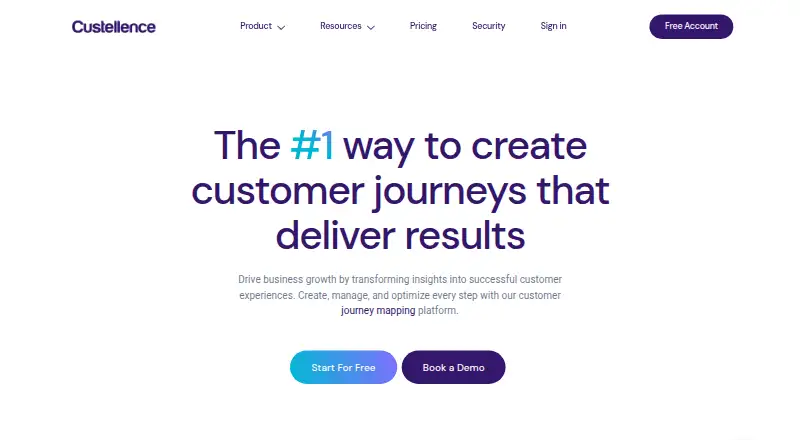
What Custellence is
Custellence is a web-based tool for building customer journey maps and service blueprints to support customer-centric change management. Start with a template or create a map from scratch, then shape it with adjustable card sizes and lengths, overlapping phases, sub-lanes, colors, images, and icons. Teams can share maps, work together in real time, comment, track changes, and assign roles and permissions. Workflow links connect maps or cards with tools such as Google, Microsoft, Slack, Jira, Trello, and Asana; Salesforce users can access Custellence through single sign-on. The free plan includes one workspace, two users, two journey maps, and unlimited viewers, but does not allow map exports. Collaborate costs $199 a month and allows unlimited users, maps, and viewers in one workspace; Collaborate and Enterprise users can export PDF, PNG, or CSV files. Custellence reports a SOC 2 Type II audit and describes encryption, salted and hashed passwords, privacy-law monitoring, and workspace audit logs.
Good
- Supports journey maps and service blueprints.
- Real-time collaboration includes comments and change tracking.
- Workflow links connect maps with several work tools.
- Exports maps as PDF, PNG, or CSV on eligible plans.
Watch out
- Free plan is limited to two maps.
- Free users cannot export maps.
- Collaborate costs $199 a month.
Who it suits
Custellence suits customer experience and journey managers who need to map customer interactions and collaborate with colleagues. Its audience includes teams in financial services, insurance, and medtech.
Verdict
Custellence combines journey mapping and service blueprints with team collaboration and workflow links. Check the free plan's map and export limits against your team's needs.
Plans and prices
From Custellence's own pricing page, checked 2 Oct 2026.
| Plan | Price | What it gives you |
|---|---|---|
| Free Forever | Free | 1 workspace · 2 users · 2 journey maps · unlimited viewers |
| Free Forever | Free | 1 workspace · 2 users · 2 journey maps · unlimited viewers |
| Collaborate | $199 a month | 1 workspace · unlimited users, journey maps, and viewers |
| Collaborate | $1,999 a year | 1 workspace · unlimited users, journey maps, and viewers |
| Enterprise | Priced on request | Unlimited workspaces, users, journey maps, and viewers · Custom pricing |
The facts
Each one read from Custellence's own pages, with the date it was checked.
What it does
- Access controls
- Paid plans offer advanced map-sharing options such as passcode-protected links and domain sharing, and the platform provides workspace audit logs.checked 2 Oct 2026
- Audience
- Custellence describes its intended users as customer experience and customer journey managers and highlights use by teams in regulated sectors including financial services, insurance, and medtech.checked 2 Oct 2026
- Collaboration
- Teams can share maps, collaborate in real time, comment, follow changes, and assign roles and permissions.checked 2 Oct 2026
- Data protection
- The company says data is encrypted in transit and at rest, passwords are hashed and salted, and it monitors compliance with privacy laws including GDPR.checked 2 Oct 2026
- Editing
- Maps support customizable card sizes, lengths, overlapping phases, sub-lanes, and visual styling such as colors, images, and icons.checked 2 Oct 2026
- Exports
- Collaborate and Enterprise users can export maps as PDF, PNG, or CSV; Free users cannot export maps.checked 2 Oct 2026
- Integrations
- Custellence describes linking maps or cards to tools including Google, Microsoft, Slack, Jira, Trello, and Asana using workflow links.checked 2 Oct 2026
- Product
- Custellence is a web-based customer journey mapping tool for creating and connecting maps to support customer-centric change management.checked 2 Oct 2026
- Salesforce
- Custellence is listed on Salesforce AppExchange and offers Salesforce users single sign-on access.checked 2 Oct 2026
- Security
- Custellence states that it completed a SOC 2 Type II audit and makes the detailed report available to customers upon request.checked 2 Oct 2026
- Support
- The homepage says customers receive support from real people with replies within 24 hours, and Enterprise includes priority support and customer experience coaching.checked 2 Oct 2026
The company
- Company
- Custellence lists its address as Götgatan 22A, 118 46 Stockholm.checked 2 Oct 2026
- Founded
- 2015checked 28 Sep 2026
- Headquarters
- Stockholm, Swedenchecked 28 Sep 2026
Where it runs
- Mapping
- The product supports customer journey maps and service blueprints, which users can start from a template or create from scratch.checked 2 Oct 2026
The full review of Custellence
Custellence is a web-based mapping tool for customer experience teams that need to build journeys and service blueprints together. It is strongest for collaborative mapping with workflow connections, but its free plan’s two-map ceiling and lack of exports make it a limited long-term option for active teams.
Overview
Founded in 2015 and based in Stockholm, Custellence is designed to help teams use customer journey maps to support customer-centric change. Starting from a template or a blank canvas gives teams a useful choice: move quickly with a starting structure, or shape the map around a more particular service.
Its workflow links connect maps or cards to tools including Google, Microsoft, Slack, Jira, Trello, and Asana. That makes it easier to tie mapping work to existing team processes, though Custellence is a mapping tool rather than a replacement for those services.
Key features
Journey maps and service blueprints cover both the customer’s experience and the service behind it. Custom card sizes and lengths, overlapping phases, sub-lanes, colors, images, and icons allow teams to tailor a map to its subject rather than impose a single layout. Emotion mapping adds another perspective on the journey.
Real-time collaboration, comments, change following, and role and permission controls support shared work. Salesforce users can access Custellence through single sign-on, and the product is listed on Salesforce AppExchange. Paid plans add sharing controls such as passcode-protected links and domain sharing; workspace audit logs give teams another way to review activity.
Custellence says it completed a SOC 2 Type II audit and makes the report available to customers on request. It also says data is encrypted in transit and at rest, passwords are hashed and salted, and it monitors privacy-law compliance, including GDPR. The homepage promises replies from real people within 24 hours; Enterprise adds priority support and customer experience coaching.
Pricing
The Free Forever plan costs nothing and includes one workspace, two users, two journey maps, and unlimited viewers. It is suitable for a small evaluation or a narrowly scoped project, but the two-map limit constrains ongoing mapping and Free users cannot export maps.
Collaborate costs $199 a month for one workspace, with unlimited users, journey maps, and viewers. It is the practical step up for teams that need room to expand and PDF, PNG, or CSV exports. The trade-off is a substantial monthly commitment, so it makes most sense when multiple people will use the shared mapping capacity.
Enterprise has custom pricing and includes unlimited workspaces, users, journey maps, and viewers. It fits organizations that need multiple workspaces, along with priority support and customer experience coaching; the available plan details do not establish a seat or map ceiling beyond those unlimited allowances.
Platforms
Custellence is available on the web. Salesforce single sign-on offers a route into the product for Salesforce users, but the platform listing is web only.
Who it's for
Custellence is aimed at customer experience and customer journey managers who need to create maps collaboratively, connect them to operational tools, or share them with controlled access. Its security and access-control features may also suit teams in regulated fields such as financial services, insurance, and medtech. It is less compelling for solo mappers who need exports or teams that need several maps without moving beyond the free plan.
Pros and cons
- Pro: Journey maps, service blueprints, and emotion mapping support several complementary views of an experience.
- Pro: Flexible layouts and visual styling let teams adapt maps to different journeys and services.
- Pro: Collaboration tools, workflow links, and paid sharing controls help connect map work to team processes.
- Pro: The stated security measures and SOC 2 Type II audit are relevant for teams handling sensitive work.
- Con: The free plan stops at two maps and does not allow exports, limiting its use for ongoing work or deliverables.
- Con: Collaborate costs $199 a month, a high step from free for a team that only needs modest capacity.
Alternatives
Customer Journey Mapping Software is the broader category guide for comparing options.
- CX Impact is a free, MIT-licensed project for readers who want a tool spanning Linux, macOS, web, and Windows; AI agent and model usage depend on the plan.
- Milkymap is worth considering for consultants who want a single-user plan, with Satellite Pro at €9 a month, or who need an iOS option.
- Customer Journey App may fit a solo user seeking a free plan with three maps and manual mapping, plus JSON, HTML, PDF, and PPTX export.
- René Studio is another web-based freemium option, with a free plan that includes three journeys and one collaborator per workspace.
- UXPressia may suit users who want a free plan with three journey maps, three personas, three impact maps, email sharing with one user, and PNG export.
- Smaply offers a free plan with ten maps and ten personas, which may be a better fit for someone prioritizing more free map capacity.
- Cemantica is a paid option with a 21-day Enterprise trial for up to five users and no credit card needed.
- OpenText Core Journey is another paid web option; contact OpenText for pricing and request a demo.
Verdict
Choose Custellence if your customer experience team needs shared journey maps and service blueprints, flexible layouts, and links to its existing workflow tools. The decisive drawback is the gap between a free plan that cannot export and a 199.00 USD monthly Collaborate plan. Teams that need only a few maps or solo users who require exports should compare alternatives before committing.
Getting started
- Visit the Custellence website.
- Use the web-based product.
- Start with the Free Forever plan or choose a paid plan.
- Create maps from a template or from scratch.
- Invite collaborators and set roles and permissions.
Limits worth knowing
Free Forever includes one workspace, two users, and two journey maps, with unlimited viewers, but map exports are unavailable. Collaborate costs $199 a month and allows unlimited users, maps, and viewers in one workspace.
Questions
Is there a free plan?
Yes. Free Forever costs nothing and includes one workspace, two users, two journey maps, and unlimited viewers.
What does Collaborate cost?
Collaborate costs $199 a month for one workspace with unlimited users, journey maps, and viewers.
Which platforms does Custellence support?
Custellence is web-based.
Can maps be exported?
Collaborate and Enterprise users can export to PDF, PNG, or CSV. Free users cannot export maps.
What integrations are described?
Workflow links can connect maps or cards to Google, Microsoft, Slack, Jira, Trello, and Asana. Salesforce users have single sign-on access.
What security measures does Custellence describe?
Custellence says it completed a SOC 2 Type II audit, encrypts data in transit and at rest, hashes and salts passwords, and provides workspace audit logs.