Customer Journey App
Customer Journey App is a web workspace for mapping customer journeys, finding friction and planning service improvements.
What Customer Journey App is
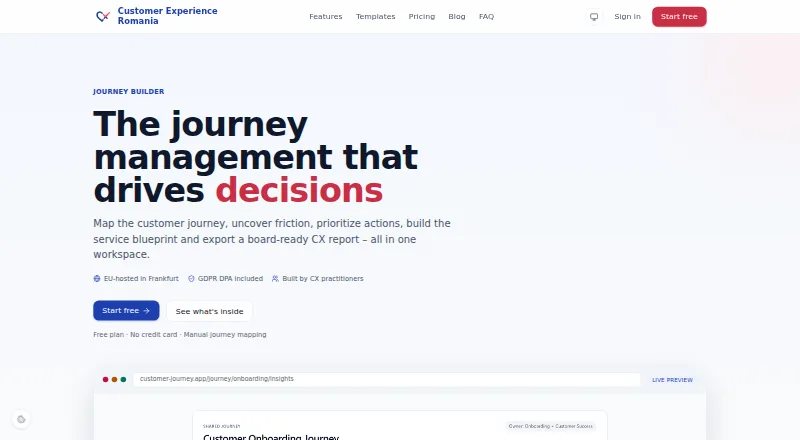
Customer Journey App is a web workspace for mapping customer journeys, finding friction and planning service improvements. Journey Builder combines journey maps, action prioritization, service blueprints and CX report exports. Maps can show emotional curves, effort-versus-impact priorities, pain-versus-opportunity balance and moments of truth. AI can create personas, journey stages, insights and action plans; AI review and document analysis are available on Pro and Enterprise. Users can import documents and customer feedback in PDF, DOCX, text and CSV formats. The app includes 10 industry templates, with examples for onboarding, ecommerce, complaint resolution, B2B and healthcare. Exports include HTML, JSON, PDF and PowerPoint; branded exports start with Starter. The maker says the app and primary data are hosted in the EU and describes role-based workspace access and other security controls. Free provides three journey maps for one user. Starter is €29 a month, billed €290/yr, and Pro is €79 a month, billed €790/yr; both list launch prices locked for 12 months. A 7-day trial is listed.
Good
- Maps include emotion and effort-versus-impact views.
- Can switch journeys to service blueprint format.
- Imports customer feedback and documents in several formats.
- Exports HTML, JSON, PDF and PowerPoint.
- Free plan includes three maps for one user.
Watch out
- Free plan is limited to three journey maps.
- Free workspaces do not have AI access.
- Starter supports up to three members; Pro up to ten.
- SOC 2 and ISO 27001 certification are not currently claimed.
Who it suits
It suits CX and service design consultants, in-house CX or insights teams, and healthcare or service-experience teams. The free plan may fit an individual mapping a small number of journeys.
Verdict
Customer Journey App brings journey mapping, blueprinting and CX exports into one workspace, with AI features varying by plan. Check map, seat and AI limits against your team's needs before choosing a tier.
Plans and prices
From Customer Journey App's own pricing page, checked 28 Sep 2026.
| Plan | Price | What it gives you |
|---|---|---|
| Free | Free | 3 journey maps · 1 user · manual mapping · templates · JSON, HTML, PDF and PPTX export · 10 version snapshots |
| Starter | €29 a month | 10 journey maps · up to 3 teammates · 2,000 AI credits/month · AI personas, stages, insights and actions · branded PDF/PPTX exports · 50 version snapshots · €290/yr; launch price locked for 12 months |
| Pro | €79 a month | Unlimited journey maps · up to 10 teammates · 20,000 AI credits/month · document and review import with AI · workspace audit log · stronger AI routing · €790/yr; launch price locked for 12 months |
| Enterprise | Priced on request | Unlimited journeys, seats and version history · custom AI credits · priority support and SLA · SSO/SAML on roadmap · Custom pricing |
The facts
Each one read from Customer Journey App's own pages, with the date it was checked.
What it does
- AI and feedback
- AI can generate personas, stages, insights and action plans, while review and document analysis is available on Pro and Enterprise.checked 28 Sep 2026
- AI data handling
- AI runs only when invoked; free workspaces have no AI access, and paid-workspace routing may use configured providers such as Claude, Gemini or self-hosted Ollama.checked 28 Sep 2026
- Audience
- The product is presented for CX and service design consultants, in-house CX/PX and insights teams, and healthcare and service-experience teams.checked 28 Sep 2026
- Compliance status
- The maker offers GDPR-related documents and self-service data export and deletion, and says it does not currently claim SOC 2 or ISO 27001 certification.checked 28 Sep 2026
- Exports
- The app exports HTML, JSON, PDF and PowerPoint reports, with branded exports on Starter and above.checked 28 Sep 2026
- Hosting and access security
- The maker says the app and primary data are EU-hosted, with Supabase authentication, row-level security, server-side authorization and role-based workspace access.checked 28 Sep 2026
- Integrations and imports
- The site describes importing documents and customer feedback, including PDF, DOCX, text and CSV inputs; it names no third-party customer-data integrations.checked 28 Sep 2026
- Journey diagnostics
- Maps include emotional curves, effort-versus-impact prioritization, pain-versus-opportunity balance and moments of truth.checked 28 Sep 2026
- Product
- Journey Builder maps customer journeys, identifies friction, prioritizes actions, builds service blueprints and exports CX reports in one workspace.checked 28 Sep 2026
- Service blueprint
- Any journey can be switched to Service Blueprint type, with fields for frontstage actor, backstage actor, support process and physical evidence.checked 28 Sep 2026
- Support
- The maker directs users to its help center and contact page for guides, product support, beta access and feedback.checked 28 Sep 2026
- Templates
- The maker says the product includes 10 industry templates, including onboarding, ecommerce, complaint resolution, B2B and healthcare journeys.checked 28 Sep 2026
The company
- Founded
- 2021checked 28 Sep 2026
- Headquarters
- Bucharest, Romaniachecked 28 Sep 2026
- Team limits
- Workspaces support roles; Starter allows up to 3 members, Pro up to 10, and Enterprise is listed as unlimited.checked 28 Sep 2026
The full review of Customer Journey App
Customer Journey App is a web-based workspace for mapping customer journeys, diagnosing friction and producing service blueprints and CX reports. It is best suited to CX and service-design teams that want analysis and reporting alongside their maps. Its free tier is a practical starting point, but map, seat and AI limits shape how far a team can take it.
Overview
Journey Builder combines journey maps with emotional curves, effort-versus-impact prioritization, pain-versus-opportunity balance and moments of truth. Together, these views help teams identify where an experience breaks down and weigh possible actions; the app organizes the diagnosis, while the team still decides what to change.
Any journey can be switched to a service blueprint, with fields for frontstage and backstage actors, support processes and physical evidence. That makes the workspace useful for service designers connecting customer-facing steps to operational work, not just for teams documenting a journey. Ten industry templates cover examples such as onboarding, ecommerce, complaint resolution, B2B and healthcare.
Exports include HTML, JSON, PDF and PowerPoint. Branded PDF and PowerPoint exports start with Starter, so teams preparing materials for clients or stakeholders may need a paid plan. The app accepts PDF, DOCX, text and CSV inputs for documents and customer feedback, but it names no third-party customer-data integrations. That makes it better suited to file-based analysis than to teams expecting a directly connected customer-data stack.
Key features
AI and feedback
AI can generate personas, stages, insights and action plans on paid workspaces. Starter includes 2,000 AI credits per month; Pro raises that to 20,000 and adds AI analysis of imported documents and reviews. Free workspaces have no AI access, so the free plan is strictly a manual-mapping option. AI runs only when invoked, and paid-workspace routing may use configured providers such as Claude, Gemini or self-hosted Ollama.
Workspace security and support
The maker says the app and primary data are EU-hosted, with Supabase authentication, row-level security, server-side authorization and role-based workspace access. It offers GDPR-related documents and self-service data export and deletion, but does not claim SOC 2 or ISO 27001 certification. Organizations requiring either certification should look elsewhere. Support is directed through the help center and contact page for guides, product support, beta access and feedback.
Pricing
Customer Journey App has a free plan, paid plans from €29/mo and a 7-day trial. Starter and Pro show monthly prices alongside annual billing terms; the launch price is locked for 12 months.
- Free — free: Three journey maps, one user, manual mapping, templates, HTML/JSON/PDF/PPTX exports and 10 version snapshots. It is enough to assess the mapping workflow solo, but has no AI and does not accommodate a team.
- Starter — €29 a month: Billed €290/yr, with the launch price locked for 12 months. It allows 10 maps and up to three teammates, includes 2,000 AI credits per month, AI personas, stages, insights and actions, branded PDF/PPTX exports and 50 snapshots. This is the sensible step up for a small team that needs AI assistance and branded reporting; it still caps maps and seats.
- Pro — €79 a month: Billed €790/yr, with the launch price locked for 12 months. It provides unlimited maps, up to 10 teammates, 20,000 AI credits per month, document and review import with AI, a workspace audit log and stronger AI routing. It suits teams doing regular feedback analysis or maintaining many journeys, though the 10-seat ceiling may constrain larger groups.
- Enterprise — custom pricing: Unlimited journeys, seats and version history, custom AI credits, priority support and an SLA. SSO/SAML is on the roadmap. It is aimed at larger organizations needing scale and service commitments; teams requiring SSO/SAML now should not assume this plan provides it.
Platforms
Customer Journey App runs on the web. It is a fit for browser-based work, not for teams seeking a native desktop or mobile app.
Who it's for
The product is presented for CX and service-design consultants, in-house CX/PX and insights teams, and healthcare and service-experience teams. Its mix of mapping diagnostics, blueprint fields and export formats is particularly relevant when a team needs to move from a customer journey to operational actions or a report. A solo user can start free; collaborative work requires a paid plan, since Free is limited to one user.
Pros and cons
- Pro: Mapping diagnostics include emotional curves and prioritization lenses, giving teams more than a visual journey record when deciding where to focus.
- Pro: Switching any journey into a blueprint connects frontstage and backstage activity with support processes and physical evidence.
- Pro: The free plan supports three maps and multiple export formats, making it useful for solo manual mapping before committing to a paid tier.
- Con: Free workspaces have no AI, while AI credits and review/document analysis depend on plan, limiting automated analysis for cost-conscious teams.
- Con: Starter caps teams at three members and maps at 10; Pro allows up to 10 members, so growing teams may need Enterprise.
- Con: File imports are supported, but no third-party customer-data integrations are named, and the maker does not claim SOC 2 or ISO 27001 certification.
Alternatives
For a broader comparison, see Customer Journey Mapping Software.
- CX Impact is a free, MIT-licensed project with Linux, macOS, web and Windows support; consider it if open-source licensing or desktop platform coverage matters more than Customer Journey App's paid AI tiers.
- Milkymap offers a free single-user basic plan and a €9 a month single-user Pro plan, as well as iOS and web access; it may suit a consultant who prioritizes a lower-priced individual plan or an iOS app.
- Custellence has a free plan with one workspace, two users and two maps, while Collaborate costs $199 a month for unlimited users, maps and viewers; consider it if unlimited collaboration is the priority.
- René Studio offers a free plan with three journeys, one collaborator per workspace and 1,000 AI credits per month; it may fit someone who wants AI credits on a free tier.
- UXPressia offers a free plan with three journey maps, three personas and three impact maps, plus PNG export; its Pro plan costs $36 a month per user. Consider it if that combination of map types and PNG export matches your workflow.
- Funnelytics has a free Shopify app with read-only store access and a Map Pro plan at $39 a month; it is the more relevant option for a reader focused on Shopify store access.
- JourneyIQ has a free Starter plan for one journey, five stages and three AI scans per month, and a Growth plan at $49 a month with unlimited journeys and stages and an AI Copilot; consider it if those free-plan limits are sufficient or its Growth offer better fits your needs.
- JourneyTrack is a paid web app with a free trial; consider it if you want to compare another paid journey-mapping option.
Verdict
Customer Journey App is a strong fit for small CX and service-design teams that need mapping, diagnosis, blueprinting and report exports in one web workspace. Starter is the practical choice when three collaborators, branded exports and modest AI use are enough; Pro makes more sense for heavier document and review analysis. Look elsewhere if you need a certified SOC 2 or ISO 27001 provider, named customer-data integrations or more than 10 seats without moving to custom pricing.
Getting started
- Open https://customer-journey.app/
- Start with the Free plan or choose a paid plan
- Use the 7-day trial listed for the service
- Create journey maps manually or from templates
- Import PDF, DOCX, text or CSV documents and feedback
- Invite teammates according to the selected plan
Limits worth knowing
The Free plan includes three journey maps, one user, manual mapping, templates, exports and 10 version snapshots, but no AI access. Starter allows 10 maps, up to three teammates and 2,000 AI credits monthly; Pro raises this to unlimited maps, 10 teammates and 20,000 credits monthly.
Questions
Is there a free plan?
Yes. Free costs nothing and includes three journey maps for one user.
What does the paid pricing start at?
Starter is €29 a month, billed at €290/yr, and a 7-day trial is listed.
Which platforms are supported?
Customer Journey App is available on the web.
Can it create service blueprints?
Yes. Any journey can be switched to Service Blueprint type with actor, process and physical-evidence fields.
Does AI work in every workspace?
No. Free workspaces have no AI access; paid workspaces can route AI through configured providers such as Claude, Gemini or self-hosted Ollama.
What exports are available?
Exports include HTML, JSON, PDF and PowerPoint, with branded exports on Starter and above.