
UXPressia
UXPressia is a customer experience mapping and management platform for organizing journey maps, personas, service blueprints, and other CX materials.
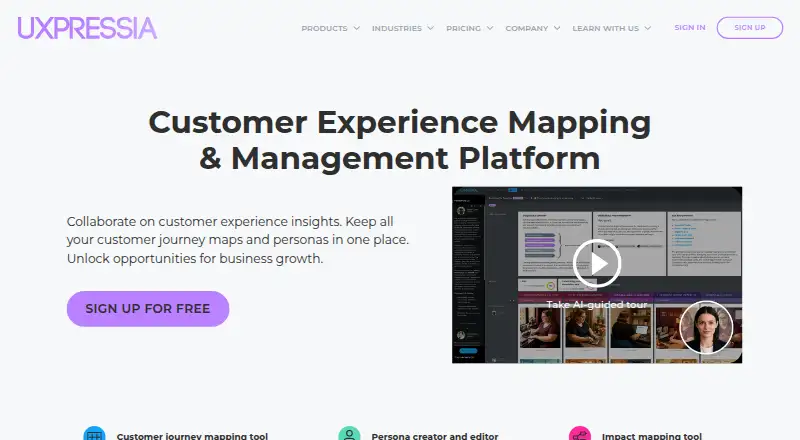
What UXPressia is
UXPressia is a customer experience mapping and management platform for organizing journey maps, personas, service blueprints, and other CX materials. Its tools also include impact mapping and CX Chunks. Teams can work on maps and personas together in real time or asynchronously, and templates are available for journey maps, impact maps, service blueprints, and personas. AI capabilities can generate journey maps and personas, import maps from images, chat with personas, and produce workspace insights. Maps and personas can be exported to PNG, PDF, CSV, or PPTX, depending on plan. Business includes integrations such as Google Analytics, Google Sheets, Mixpanel, Slack, Microsoft Teams, Jira, and Azure DevOps; Enterprise adds Qualtrics and custom integrations. The free plan includes three journey maps, three personas, and three impact maps, with PNG export. Pro costs $36 a month per user and includes unlimited maps and PDF and CSV export. UXPressia says customer data is not used to train AI models, but it does not offer dedicated AI instances for individual customers.
Good
- Templates cover maps, blueprints, and personas
- Real-time and asynchronous collaboration
- AI can generate maps and personas
- Exports include PNG, PDF, CSV, or PPTX
Watch out
- Free plan limits users to three journey maps
- Free plan limits users to three personas and impact maps
- Dedicated AI instances for individual customers are unavailable
Who it suits
UXPressia suits CX strategists, CX and UX designers, researchers, analysts, and project managers who need to create and organize customer experience maps and personas. Teams that need the listed integrations or broader export formats should check the plan details.
Verdict
UXPressia brings customer experience mapping, collaboration, templates, and AI tools into one platform. Its free plan has set map and persona limits, while paid features and export options vary by plan.
Plans and prices
From UXPressia's own pricing page, checked 30 Sep 2026.
| Plan | Price | What it gives you |
|---|---|---|
| Free | Free | Up to 15 tags · 3 customer journey maps, 3 personas, and 3 impact maps · Email sharing with 1 user · PNG export |
| Pro | $36 a month | Unlimited maps, personas, impact maps, and tags · PDF and CSV export · Live chat support · per user |
| Business | $95 a month | Includes Pro features · Team library, reports, branding, PPTX export · Google Analytics, Google Sheets, Mixpanel, Slack, MS Teams, Jira, and Azure DevOps integrations · per user |
| Enterprise | Priced on request | Includes Business features · SSO, MFA, provisioning · Separate workspaces · IP whitelisting · Custom integrations |
The facts
Each one read from UXPressia's own pages, with the date it was checked.
What it does
- AI
- Its AI capabilities include generating journey maps and personas, importing maps from images, chatting with personas, and producing workspace insights.checked 30 Sep 2026
- AI data handling
- UXPressia says customer data is not used to train AI models and AI prompts and images are encrypted in transit using TLS.checked 30 Sep 2026
- AI limitation
- UXPressia says it does not currently offer dedicated AI instances for individual customers.checked 30 Sep 2026
- Collaboration
- UXPressia says teams can collaborate on journey maps and personas in real time and asynchronously.checked 30 Sep 2026
- Core tools
- The platform provides customer journey mapping, persona creation, impact mapping, service blueprints, and CX Chunks.checked 30 Sep 2026
- Exports
- Maps and personas can be exported in PNG, PDF, CSV, or PPTX formats, with plan availability varying.checked 30 Sep 2026
- Integrations
- Business includes integrations with Google Analytics, Google Sheets, Mixpanel, Slack, Microsoft Teams, Jira, and Azure DevOps; Enterprise adds Qualtrics and other custom integrations.checked 30 Sep 2026
- Intended users
- UXPressia lists CX strategists, CX/UX designers and directors, digital consultants, business analysts, project managers, researchers, and HR professionals among its users.checked 30 Sep 2026
- Product
- UXPressia describes itself as a customer experience mapping and management platform for centralizing customer journey maps, personas, service blueprints, and other CX assets.checked 30 Sep 2026
- Security
- UXPressia says it performs daily backups and regular vulnerability scans and security audits, and uses access logging, intrusion prevention, and a server-side firewall.checked 30 Sep 2026
- Support
- UXPressia offers email support and website live chat, with its support page saying email replies typically arrive within 24–48 hours on business days.checked 30 Sep 2026
- Templates
- The platform offers templates for customer journey maps, impact maps, service blueprints, and personas.checked 30 Sep 2026
The company
- Company
- UXPressia says it was established in 2015 and is headquartered in Sacramento, California, United States.checked 30 Sep 2026
- Founded
- 2015checked 23 Sep 2026
- Headquarters
- Sacramento, California, United Stateschecked 23 Sep 2026
The full review of UXPressia
Overview
UXPressia is a web-based workspace for mapping customer journeys and organizing related CX materials. It suits CX and UX teams, consultants, and analysts who need to create several kinds of experience artifacts together. Its range of mapping tools is useful, but meaningful collaboration and broader exports require a paid plan.
Key features
Journey maps, personas, impact maps, service blueprints, and CX Chunks cover multiple stages and formats of CX work in one platform. That breadth can help teams keep connected artifacts together; a team with a narrow mapping need may not get much from the additional tools. Templates for journeys, impact maps, blueprints, and personas provide structured starting points rather than requiring every project to begin from scratch.
Teams can collaborate on journey maps and personas in real time or asynchronously, which accommodates both workshops and work contributed at different times. AI can generate journey maps and personas, import maps from images, support chats with personas, and produce workspace insights. UXPressia says customer data is not used to train AI models and that prompts and images are encrypted in transit using TLS. It does not offer dedicated AI instances for individual customers, so organizations requiring isolated AI environments may need another option.
Export formats include PNG, PDF, CSV, and PPTX, but access depends on plan: Free includes PNG, Pro adds PDF and CSV, and Business adds PPTX. Business also connects to Google Analytics, Google Sheets, Mixpanel, Slack, Microsoft Teams, Jira, and Azure DevOps; Enterprise adds Qualtrics and other custom integrations. UXPressia describes daily backups, vulnerability scans, security audits, access logging, intrusion prevention, and a server-side firewall. Support is available by email and website live chat; email replies typically arrive within 24–48 hours on business days.
Pricing
Free: free. It allows up to 15 tags and three customer journey maps, personas, and impact maps, with email sharing for one user and PNG export. This is enough to try the core mapping workflow, but the three-item caps and single-user sharing make it a poor fit for ongoing collaborative work.
Pro: $36 a month, billed per user. It removes limits on maps, personas, impact maps, and tags, adds PDF and CSV export, and includes live chat support. Pro fits individuals and teams that need room to build out their library, though PPTX export and the named integrations require the next tier.
Business: $95 a month, billed per user. It includes Pro features plus a team library, reports, branding, PPTX export, and the Google, Microsoft, Atlassian, and analytics integrations listed above. The added coordination and distribution tools suit teams sharing work across functions, but the per-user price raises the cost as seats grow.
Enterprise: custom pricing. It includes Business features, SSO, MFA, provisioning, separate workspaces, IP whitelisting, and custom integrations. These controls make it the relevant tier for organizations with access-management or integration requirements; those needs come with custom pricing rather than a stated per-user rate.
Platforms
UXPressia is available on the web, making it a fit for teams doing their mapping work in a browser-based workspace.
Who it's for
UXPressia names CX strategists, CX/UX designers and directors, digital consultants, business analysts, project managers, researchers, and HR professionals among its users. It is most compelling when those roles need to create and share multiple CX artifacts; solo users or teams with a single simple mapping task may find the breadth and paid collaboration tiers unnecessary.
Pros and cons
- Broad CX toolkit: Journey maps, personas, impact maps, service blueprints, and CX Chunks bring related work into one platform.
- Flexible collaboration: Real-time and asynchronous work on maps and personas supports both live and staggered contributions.
- Useful paid-tier progression: Pro removes asset caps, while Business adds team features, integrations, and PPTX export.
- Restrictive free ceiling: Three maps, personas, and impact maps, plus sharing with one user, limit its usefulness for a continuing team workflow.
- Per-seat cost at higher tiers: Pro and Business prices are billed per user, so larger teams face higher subscription costs.
- No dedicated AI instances: Organizations that require isolated AI environments may not be able to use its AI features under their requirements.
Alternatives
For a broader directory of related tools, see Customer Experience Management Software and Customer Journey Mapping Software.
Choose Qualtrics instead if you need a free survey option: its free plan is for one user and allows three active surveys and 500 total responses. QuestionPro is another survey-focused choice, with a free Essentials plan for one user, 200 responses per survey, and 30 question types.
Alida offers a paid platform subscription with unlimited surveys, usability tests, and research activities, with fixed subscription-based pricing and no per-participant fees stated. Press'nXPress is a paid option without a free plan or free trial.
Eloquant offers Contact Centre Basic (Annual) at €55 a month, billed from 55€/month/agent, with omnichannel calls, callbacks, automated outbound calls and SMS, advanced routing, recording, and real-time monitoring. Hello Customer uses custom, volume-based pricing rather than per-seat billing.
Wootric is a paid alternative with a free trial; its Professional plan covers one journey point, one metric (NPS, CSAT, or CES), up to five seats, and self-service support. CustomerSure is another paid alternative with a free trial; its CX Starter plan costs £1,999 a month and covers 30 users, 30 active surveys, 5,000 emails per month, 20 sites or teams, and one brand.
Verdict
Choose UXPressia if your CX or UX work spans several mapping formats and you want a shared workspace with templates, collaboration, and optional AI support. Its free tier is useful for a limited evaluation, while Pro and Business provide the capacity and distribution features for sustained team use. Look elsewhere if your needs are limited to surveys or if your organization requires dedicated AI instances; for expanding teams, weigh the per-user Business price against the value of its integrations and team tools.
Getting started
- Open the UXPressia website
- Choose the Free, Pro, Business, or Enterprise plan
- Use the web platform to create maps, personas, or service blueprints
- Invite collaborators for real-time or asynchronous work
- Connect available integrations on Business or Enterprise
- Export maps or personas in formats provided by your plan
Limits worth knowing
The Free plan allows up to 15 tags, three customer journey maps, three personas, and three impact maps, with email sharing for one user and PNG export. Pro costs $36 a month billed per user and adds unlimited maps, personas, impact maps, and tags, plus PDF and CSV export.
Questions
Is UXPressia free?
Yes. The Free plan costs 0.00 USD and includes limited maps, personas, impact maps, tags, sharing, and PNG export.
How much does Pro cost?
Pro costs $36 a month, billed per user.
Which platforms does UXPressia support?
UXPressia is available on the web.
Which integrations are included?
Business includes Google Analytics, Google Sheets, Mixpanel, Slack, Microsoft Teams, Jira, and Azure DevOps. Enterprise adds Qualtrics and custom integrations.
What export formats are available?
Maps and personas can be exported as PNG, PDF, CSV, or PPTX, with availability depending on the plan.
Does UXPressia use customer data to train AI?
UXPressia says customer data is not used to train AI models. It also says dedicated AI instances for individual customers are not currently offered.
Alternatives to UXPressia
- 1
Pisano
AndroidiOSWebAPI7.3From $0.01 a month - 2

Qualtrics
Free planAPI7.3From $420 a month - 3

Alida
AndroidiOSWebAPI6.9 - 4
Happ
AndroidiOSWeb6.6 - 5
QuestionPro
Free planAPI6.6From $83 a month - 6

Sprinklr Unified-CXM Platform
AndroidiOSWebAPI6.6