
Zapier
Zapier is a web-based automation service for connecting apps through workflows called Zaps.
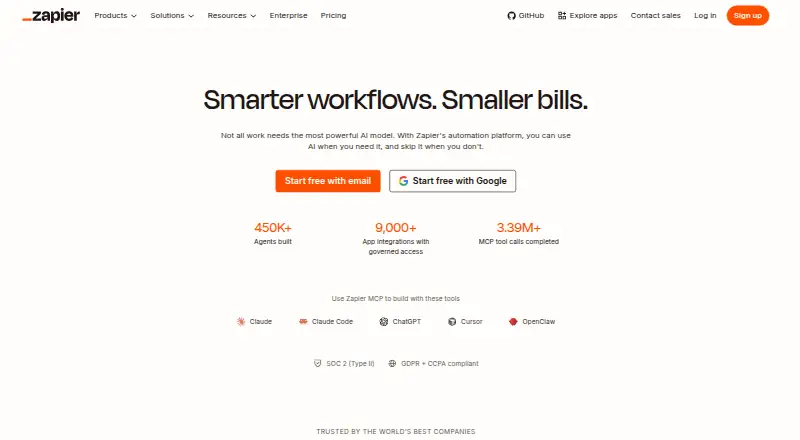
What Zapier is
Zapier is a web-based automation service for connecting apps through workflows called Zaps. Each Zap begins with a trigger and then carries out one or more actions; a task is counted when an action successfully moves data or completes work. Zapier supports automation across more than 9,000 apps, with multi-step workflows, conditional logic, and webhook triggers. The free plan includes 100 tasks per month, unlimited Zaps limited to two steps, one user, and a 15-minute polling interval. Polling for new data does not consume tasks, but successful actions do; without pay-per-task billing, workflows stop at the task limit until the next usage period. Team includes 25 users and shared Zaps, folders, and app connections. Annual billing has a lower monthly fee, with a 33% saving shown in the pricing selector. Zapier is headquartered in San Francisco, California.
Good
- Connects workflows across more than 9,000 apps
- Supports multi-step workflows and conditional logic
- Free plan includes unlimited two-step Zaps
- Team plan includes 25 users and shared Zaps
Watch out
- Free plan is limited to 100 tasks monthly
- Free Zaps are limited to two steps
- Workflows pause at the task limit without pay-per-task billing
Who it suits
Zapier suits people who want to automate work between supported apps, from individual users to teams that need shared workflows. The free plan is an option for users whose workflows can fit within 100 monthly tasks and two steps per Zap.
Verdict
Zapier offers broad app coverage and a free tier for simple, low-volume workflows. Users who need multi-step Zaps or shared team features will need a paid plan.
Plans and prices
From Zapier's own pricing page, checked 27 Sep 2026.
| Plan | Price | What it gives you |
|---|---|---|
| Free | Free | Free forever; includes 100 tasks per month · 100 tasks per month · Two-step Zap workflows · 15-minute polling interval · 1 user · Free forever |
| Professional | $19.99 a month | Includes multi-step Zaps, premium apps, webhooks, and email and live chat support · Multi-step Zap workflows · Unlimited Premium apps · 2-minute polling interval · Starting from |
| Team | $69 a month | Includes 25 users, shared Zaps and folders, shared app connections, and SAML SSO · 25 users · 1-minute polling interval · Starting from |
| Enterprise | Priced on request | For organization-wide systems with advanced controls and annual task limits · Unlimited users · Annual task limits · Contact for pricing |
The facts
Each one read from Zapier's own pages, with the date it was checked.
Money
- Annual billing
- Annual payments provide a lower monthly fee and the pricing selector shows a 33% saving.checked 27 Sep 2026
- Free plan
- Yeschecked 20 Sep 2026
- Free tier
- The Free plan is free forever and includes 100 tasks per month.checked 27 Sep 2026
- Free trial
- Professional and Team plans offer a free trial.checked 27 Sep 2026
- Free Zaps
- The Free plan includes unlimited Zaps but limits them to two steps.checked 27 Sep 2026
- Polling billing
- Polling for new data does not use tasks; successful actions do.checked 27 Sep 2026
- Professional price
- The Professional plan starts at $19.99 per month.checked 27 Sep 2026
- Team price
- The Team plan starts at $69 per month.checked 27 Sep 2026
Where it runs
- App coverage
- Zapier offers automation across more than 9,000 apps.checked 27 Sep 2026
The company
- Company name
- The company is Zapier Inc.checked 27 Sep 2026
- Headquarters
- San Francisco, California, United Stateschecked 23 Sep 2026
- Team collaboration
- The Team plan includes 25 users and shared Zaps, folders, and app connections.checked 27 Sep 2026
What it does
- Conditional logic
- Yeschecked 20 Sep 2026
- Enterprise controls
- Enterprise includes advanced admin permissions, app controls, deployment options, and observability.checked 27 Sep 2026
- Multi-step workflows
- Yeschecked 20 Sep 2026
- Native connectors
- 9000checked 20 Sep 2026
- Paid from
- 19.99checked 20 Sep 2026
- Security compliance
- Zapier maintains SOC 2 Type II, SOC 3, GDPR, and CCPA compliance.checked 27 Sep 2026
- SSO provisioning
- Security features include SAML-based SSO and SCIM user provisioning.checked 27 Sep 2026
- Support options
- Support ranges from email on Free to live chat, priority support, screen sharing, and technical account management.checked 27 Sep 2026
- Task definition
- Tasks are counted when a Zap successfully moves data or completes an action.checked 27 Sep 2026
- Task limit pause
- Without pay-per-task billing, workflows pause at the task limit until the next usage period.checked 27 Sep 2026
- Webhook triggers
- Yeschecked 20 Sep 2026
- Workflow definition
- A Zap is an automated workflow with a trigger and one or more actions.checked 27 Sep 2026
The full review of Zapier
Zapier links apps through automated workflows called Zaps, making it a strong fit for people who need services across a varied software stack to pass data between them. Its broad connector library is the main draw; task caps and paid-plan requirements are the trade-offs.
Overview
A Zap starts with a trigger and runs one or more actions. Zapier’s coverage of more than 9,000 apps gives it a compelling role as a general-purpose connector, while multi-step workflows and conditional logic support more than simple one-action handoffs. It is less compelling for users whose needs fit within the Free plan’s tight monthly task budget and two-step ceiling.
Key features
Zapier combines app connections with workflow orchestration, data transformation, conditional logic, and webhook triggers. That breadth makes it suitable for workflows that need several actions or more control over how information moves, rather than only a basic trigger-and-action pairing.
Tasks are counted when a Zap successfully moves data or completes an action; polling for new data does not consume tasks. The allowance therefore goes toward work performed, not every check for new information. Still, successful actions can use up the quota, and without pay-per-task billing workflows pause at the task limit until the next usage period.
Polling intervals are 15 minutes on Free, two minutes on Professional, and one minute on Team. Free is a poor fit when a workflow needs to react quickly; the faster checks on paid plans make them more suitable for time-sensitive automation.
Zapier maintains SOC 2 Type II, SOC 3, GDPR, and CCPA compliance. SAML-based single sign-on and SCIM user provisioning support account management, while Enterprise adds advanced admin permissions, app controls, deployment options, and observability.
Pricing
The Free plan costs nothing and is free forever. It includes 100 tasks per month, unlimited Zaps, two-step workflows, a 15-minute polling interval, and one user. That is enough for low-volume, straightforward automation, but the task allowance and two-step limit quickly rule it out for heavier or more involved workflows.
Professional starts at $19.99 a month and includes multi-step Zaps, unlimited premium apps, webhooks, a two-minute polling interval, and email and live chat support. It is the practical step up for an individual who needs more than two steps or premium app connections. Professional and Team include a free trial; the trial lasts 14 days. Annual payments lower the monthly fee, with the pricing selector showing a 33% saving.
Team starts at $69 a month and includes 25 users, shared Zaps and folders, shared app connections, SAML SSO, and a one-minute polling interval. It suits teams that need to share workflows and connections rather than manage isolated individual accounts. Enterprise has custom pricing, unlimited users, annual task limits, and advanced organization-wide controls.
Support ranges from email on Free to live chat, priority support, screen sharing, and technical account management. The expanded support options matter most when automation is central to team operations; Free users have the narrowest route to help.
Platforms
Zapier is available on the web.
Who it's for
Choose Zapier if you need to connect a wide mix of apps and want room to build workflows beyond a single action. Free works for low-volume, single-user tasks that can tolerate a 15-minute check interval. Individuals needing multi-step automation should consider Professional; teams that need shared Zaps, app connections, or centralized access controls have a clearer case for Team or Enterprise.
Look elsewhere if two steps and 100 monthly tasks are too restrictive but the paid tiers do not suit your needs, or if you need a platform beyond the web.
Pros and cons
- Pros: More than 9,000 app connections give Zapier unusually broad reach across software stacks.
- Pros: Multi-step workflows, conditional logic, webhooks, and data transformation support more involved automation.
- Pros: Team includes 25 users and shared workflows and connections, while Enterprise adds organization-wide controls.
- Cons: Free is limited to 100 tasks monthly and two-step workflows, making it unsuitable for sustained or complex automation.
- Cons: Workflows pause at the task limit without pay-per-task billing, so reaching the cap can interrupt automation.
- Cons: Free checks for new data every 15 minutes, too slowly for workflows that need a faster response.
Alternatives
Make is worth considering if a free plan with up to 1,000 credits per month and two active scenarios fits your needs better; it also runs on Android, iOS, and the web.
Activepieces offers a free plan with 1,000 credits a month and unlimited flows, making it an alternative for a solo user willing to rely on community support.
Windmill is an option for readers seeking a free and open-source plan with three workspaces and support for self-hosting.
IFTTT is an alternative for those whose needs fit a free allowance of two Applets and unlimited Applet runs.
Ui.Vision RPA is another freemium automation option.
n8n is an option for readers specifically seeking a self-hosted Community Edition.
Microsoft Power Automate may suit readers looking for cloud flows and standard connectors in a free trial, or a paid plan at $15 a month billed yearly.
Browserflow is an alternative for readers whose automation needs fit its free allowance of one cloud flow and 30 minutes of cloud automation per month.
For broader comparisons, see Task Automation Software, Integration Platform as a Service Software, Workflow Management Software, Workflow automation tools, and Deal Desk Software.
Verdict
Zapier is a strong choice for individuals and teams that need a broad app catalog and workflows capable of more than one action. Its main reason to choose is the combination of wide coverage and flexible automation; its main reason to look elsewhere is the sharp gap between the free plan’s low task cap and the paid plans needed for multi-step work, faster polling, or collaboration.
Getting started
- Open the Zapier website
- Create a free account
- Build a Zap with a trigger and one or more actions
- Connect the apps you want to automate
- Use the Free plan with 100 tasks per month or start a Professional or Team trial
- Upgrade when you need multi-step workflows, premium apps, or shared team features
Limits worth knowing
The Free plan allows 100 tasks per month, one user, two-step Zaps, and a 15-minute polling interval. Workflows pause at the task limit unless pay-per-task billing is enabled; Professional starts at $19.99 per month.
Questions
Is Zapier free?
Yes. The Free plan is free forever and includes 100 tasks per month. Professional and Team plans offer free trials.
How many apps does Zapier connect?
Zapier offers automation across more than 9,000 apps.
What is a Zap?
A Zap is an automated workflow with a trigger and one or more actions.
What happens when the task limit is reached?
Without pay-per-task billing, workflows pause until the next usage period.
Does Zapier support enterprise controls?
Enterprise includes advanced admin permissions, app controls, deployment options, observability, unlimited users, and annual task limits; pricing is contact for pricing.
Alternatives to Zapier
- 1

Make
Free planAndroidiOSWebAPI8.9From $9 a month - 2

Kestra
Free planOpen sourceWebAPILinuxmacOS8.7Free plan - 3

Azure Logic Apps
Free planWebAPILinuxmacOS8.7Free plan - 4

Informatica Intelligent Data Management Cloud
Free planWebAPIExtensionLinux8.6From £26,550 a year - 5
Workato Agent Studio
Free planiOSWebAPILinux8.6Free plan - 6

Nango
Free planOpen sourceWebAPISelf-hosted8.4Free plan