
Make
Make is a visual integration and automation platform for connecting services, coordinating workflows, and putting AI to work.
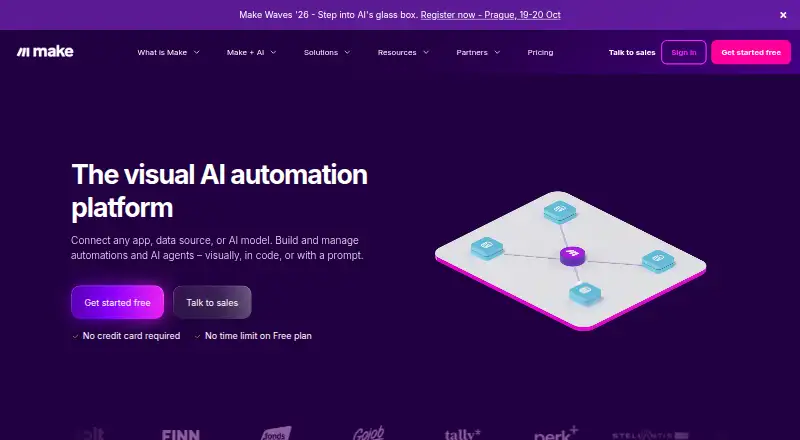
What Make is
Make is a visual integration and automation platform for connecting services, coordinating workflows, and putting AI to work. Its drag-and-drop builder supports multi-step scenarios, conditional logic, data handling, HTTP requests, webhooks, and analytics; automations can also be built in code or from a prompt. Make lists more than 3,000 pre-built apps and integrations, and users can create custom apps or connect public APIs. AI options include agents, tools, Maia natural-language building, and more than 300 AI app integrations. The REST API can access Make data and control the platform through HTTP requests. Android and iOS apps can monitor phone events and perform device actions. Each scenario action consumes credits, with some AI-provider features using more. The Free plan has no time limit or card requirement and includes up to 1,000 credits monthly, two active scenarios, and a 15-minute minimum scheduled-run interval. Core is listed at $9 a month; Enterprise pricing is custom. Make lists GDPR, SOC 3, and SOC 2 Type II compliance, encryption, and single sign-on.
Good
- More than 3,000 pre-built apps and integrations
- Visual, code, and prompt-based workflow building
- Conditional logic and webhook triggers
- Android and iOS apps can monitor phone events
Watch out
- Free plan is limited to 1,000 credits monthly
- Free scheduled runs have a 15-minute minimum interval
- Scenario actions consume credits
- Enterprise pricing is custom
Who it suits
Make suits people and teams who want to connect apps and automate processes, including workflows involving AI. Its free plan offers a way to start, while team roles and custom integrations support collaborative use.
Verdict
Make combines a visual workflow builder with broad app connectivity, API access, and AI tools. Check the credit allowance and run interval against your needs before choosing the free plan.
Plans and prices
From Make's own pricing page, checked 28 Sep 2026.
| Plan | Price | What it gives you |
|---|---|---|
| Free | Free | No time limit; includes up to 1,000 credits/month. · 1,000 credits/month · 2 active scenarios · 15-minute minimum interval · 5-minute maximum execution · 5 MB maximum file size · monthly |
| Core | $9 a month | 10,000 credits/month · unlimited active scenarios · 1-minute minimum interval · 40-minute maximum execution · 100 MB maximum file size · monthly |
| Pro | $16 a month | For individuals and SMB teams automating across multiple workflows; price for 5k credits/mo. · 10,000 credits/month · unlimited active scenarios · priority scenario execution · 250 MB maximum file size · 30-day execution-log storage · monthly |
| Teams | $29 a month | 10,000 credits/month · unlimited active scenarios · teams and team roles · 500 MB maximum file size · 30-day execution-log storage · monthly |
| Enterprise | Priced on request | Custom pricing for organizations running critical business processes with automation. · Custom functions · enterprise app integrations · 24/7 support · overage protection · advanced security features · 1,000 MB maximum file size · custom pricing |
The facts
Each one read from Make's own pages, with the date it was checked.
What it does
- Access control
- Make says its hosting environment is accessible only from a private network via VPN and does not support direct public-internet access.checked 28 Sep 2026
- AI agent support
- Make supports building transparent AI agents that orchestrate complex workflows.checked 27 Sep 2026
- AI features
- Make offers AI agents, AI tools, Maia natural-language automation building, and 300+ AI app integrations.checked 28 Sep 2026
- API
- The Make REST API lets users access Make data and control the platform through HTTP requests without opening its graphical interface.checked 28 Sep 2026
- API access
- The Teams plan provides access to more than 300 Make API endpoints.checked 27 Sep 2026
- Conditional logic
- Yeschecked 22 Sep 2026
- Credit model
- Each module action in a scenario consumes credits, with most actions consuming one credit and some AI-provider features consuming more.checked 28 Sep 2026
- Customer base
- Make says more than 400,000 organizations use the platform across more than 200 countries and territories.checked 28 Sep 2026
- Custom integrations
- Users can create custom apps and share them with people in their organization.checked 27 Sep 2026
- Encryption
- Make states that data at rest uses full-disk AES-256 encryption with AWS Key Management Service and network communication uses TLS 1.2 and 1.3 with AES-256.checked 28 Sep 2026
- Encryption and SSO
- The platform includes encryption and single sign-on.checked 27 Sep 2026
- Enterprise support
- Enterprise includes 24/7 enterprise support and access to a Value Engineering team.checked 27 Sep 2026
- Included task runs
- 10000checked 22 Sep 2026
- Integrations
- Make lists more than 3,000 pre-built apps and supports custom apps and connections to public APIs.checked 28 Sep 2026
Where it runs
- App library
- Make offers more than 3,000 pre-built apps and integrations.checked 27 Sep 2026
The company
- Company history
- Make was founded in 2015 and is now part of Celonis.checked 27 Sep 2026
- Company ownership
- Make is part of Celonis and says it has operated since 2015.checked 28 Sep 2026
- Company scale
- Make says it is trusted by over 400,000 organizations across 200+ countries.checked 27 Sep 2026
- Company team
- Make describes itself as a global team of more than 350 people.checked 27 Sep 2026
- Founded
- 2015checked 23 Sep 2026
Money
- Credit billing unit
- Credits are Make's billing unit, and each scenario action consumes credits.checked 27 Sep 2026
- Free plan
- Yeschecked 22 Sep 2026
- Free plan limit
- The Free plan includes up to 1,000 credits per month.checked 27 Sep 2026
- Free run interval
- Scheduled runs have a 15-minute minimum interval on the Free plan.checked 27 Sep 2026
The full review of Make
Overview
Make is an automation platform for people who need to connect apps and coordinate multi-step processes, including workflows that use AI. Its visual builder offers control over how those processes fit together, while a broad connector library gives it reach beyond a single app suite.
The trade-off is a credit-based model: each scenario action uses credits, and some AI-provider actions use more than most. The free plan is a useful way to start, but its 1,000 monthly credits, two active scenarios and 15-minute schedule interval set real limits on ongoing use.
Key features
Make combines drag-and-drop workflow building with options to build in code or from a prompt. Scenarios can use conditional logic, data manipulation, webhooks, HTTP requests, notes and analytics. That breadth suits processes with branching steps or custom data handling; it may be more machinery than needed for a simple, fixed app-to-app handoff.
More than 3,000 pre-built apps and integrations, custom apps for organizational sharing, and connections to public APIs provide several ways to cover systems that are not served by a standard connector. The REST API can also access Make data and control the platform over HTTP, without using its graphical interface.
AI features include Maia for natural-language automation building, AI tools, AI agents for orchestrating complex workflows, and more than 300 AI app integrations. The combination is useful for teams bringing AI into broader processes, but higher credit consumption for some AI-provider features makes the monthly allowance especially important to monitor.
Parallel and priority scenario execution offer ways to handle simultaneous work or give selected runs precedence during peak usage. Teams and team roles govern access to scenario apps, templates and connections. Make also supports Android and iOS apps that can monitor phone events and perform actions on the device.
Make says it complies with GDPR, SOC 3 and SOC 2 Type II, and includes encryption and single sign-on. Data at rest uses full-disk AES-256 encryption with AWS Key Management Service; network traffic uses TLS 1.2 or 1.3 with AES-256. Its hosting environment is accessible only through a private network via VPN, not directly from the public internet. These controls will matter to organizations assessing sensitive workflows, though the stronger enterprise security features sit on the Enterprise plan.
Pricing
Make has a time-unlimited Free plan with no credit card required. Its 1,000 credits per month, two active scenarios, 15-minute minimum scheduled-run interval, five-minute maximum execution time and 5 MB file limit are enough to begin building, but constrain frequent runs, larger files and expanding workflow portfolios. Each module action consumes credits; most use one, while some AI-provider actions cost more.
Core costs $9 a month, billed monthly, and includes 10,000 credits per month, unlimited active scenarios, a one-minute minimum interval, 40-minute maximum execution and 100 MB files. It is the clearest step up for users who need more frequent runs or more than two scenarios, though it does not include the stated priority execution or 30-day execution-log storage of higher plans.
Pro costs $16 a month, billed monthly, and is described for individuals and SMB teams automating across multiple workflows. The plan is priced for 5k credits per month, while its listed allowance is 10,000 credits per month; it also includes unlimited active scenarios, priority execution, 250 MB files and 30-day execution-log storage. Those execution and logging features distinguish it from Core, but the credit-price wording merits checking before committing.
Teams costs $29 a month, billed monthly. It includes 10,000 credits per month, unlimited active scenarios, teams and team roles, 500 MB files and 30-day execution-log storage. Choose it over Pro when shared permissions are important; the larger file cap is another practical difference.
Enterprise uses custom pricing for organizations running critical business processes. It adds custom functions, enterprise app integrations, 24/7 support, overage protection, advanced security features and a 1,000 MB file limit, as well as access to a Value Engineering team. It is aimed at organizations with business-critical requirements rather than buyers seeking a low-cost increase in credits.
Platforms
Make is available on web, Android and iOS, and exposes an API. Its On-prem agent can securely reach local networks and business apps such as SAP, which makes it relevant when workflows need to include systems outside the cloud. AWS deployment is in the EU or North America.
Who it's for
Make is a strong fit for individuals and teams coordinating workflows across many apps, especially when conditional paths, API connections, AI steps or mobile-device events matter. The visual builder and code or prompt options leave room for different building approaches, while custom apps and role controls help extend use inside an organization.
It is less compelling for a small number of simple automations that do not need detailed workflow controls, or for anyone who cannot predict credit use. The free plan's run interval and scenario cap are restrictive for ongoing high-frequency work, and credit consumption can rise faster when a workflow has many actions or uses certain AI features.
Pros and cons
- Pros: Broad connectivity. More than 3,000 pre-built apps, public API connections and custom apps give workflows multiple routes to reach needed systems.
- Pros: Flexible orchestration. Multi-step scenarios can use conditional logic, data manipulation, webhooks and parallel execution rather than being limited to a simple sequence.
- Pros: A genuine no-time-limit starting point. The free plan requires no card, letting users build and assess credit use before paying.
- Cons: Credits complicate forecasting. Each action consumes credits, and some AI-provider actions use more, so complex or AI-heavy scenarios can use the allowance unevenly.
- Cons: Free-plan ceilings are low for active operations. Two scenarios, a 15-minute interval, five-minute execution maximum and 5 MB files narrow its usefulness beyond modest workloads.
- Cons: Pro's credit wording is hard to reconcile. Its price is described for 5k credits per month, but the listed plan allowance is 10,000, so buyers should clarify which applies.
Alternatives
For a wider comparison, browse Integration Platform as a Service Software, Workflow automation tools, Workflow Management Software or Task Automation Software.
Choose Kestra if its Apache 2.0-licensed platform and Linux, macOS, Windows or self-hosted options better match your deployment preference. ByteChef is another freemium option; its Starter plan is $23 a month, billed monthly, for 5,000 tasks, one internal user, one workspace, unlimited workflows and seven-day log retention.
Pabbly Connect may suit a web-only user comparing a free allowance of 100 tasks per month and unlimited workflows. Zapier is a web-based alternative whose free plan includes 100 tasks per month and two-step workflows; its Professional and Team plans offer a free trial.
n8n is worth considering when self-hosting is central: its Community Edition is available through GitHub. Activepieces offers a self-hosted option and a free plan with 1,000 credits a month, unlimited flows, one user and community support.
Rayven Integration Platform is a self-hosted alternative with a free plan. Celigo offers a web-based free plan with two endpoints, one flow and one production environment.
Verdict
Choose Make if you need a visual, extensible way to orchestrate processes across a large app library, with API, AI and on-premises connections available as needs grow. Its workflow controls and range of integrations are the main reasons to choose it; the credit model and the free plan's run limits are the reasons to look elsewhere if predictable, frequent execution matters more than orchestration flexibility.
Getting started
- Visit the Make website.
- Start with the Free plan, which requires no credit card and has no time limit.
- Choose apps or integrations for a scenario, or create a custom app or public API connection.
- Build the workflow visually, in code, or with a prompt.
- Use the Android or iOS app if you want to work with phone events and device actions.
Limits worth knowing
The Free plan includes up to 1,000 credits per month and two active scenarios, with scheduled runs no more often than every 15 minutes. Each scenario action consumes credits, and some AI-provider features use more than one.
Questions
Is Make free?
Yes. The Free plan costs nothing, has no time limit, and does not require a credit card.
What does the Free plan include?
It includes up to 1,000 credits per month, two active scenarios, a 15-minute minimum scheduled-run interval, five-minute maximum execution, and a 5 MB maximum file size.
Which platforms does Make support?
Make lists Android, iOS, web, and API platforms. Its mobile apps can monitor phone events and perform actions on the device.
How does Make charge for workflow activity?
Credits are the billing unit, and each scenario action consumes credits. Most actions use one credit; some AI-provider features use more.
What paid plans are available?
Core is $9 a month, Pro is $16 a month, and Teams is $29 a month. Enterprise uses custom pricing.
Who makes Make?
Make is the maker and is part of Celonis. It was founded in 2015.
Alternatives to Make
- 1

Kestra
Free planOpen sourceWebAPILinuxmacOS8.7Free plan - 2

Azure Logic Apps
Free planWebAPILinuxmacOS8.7Free plan - 3

Informatica Intelligent Data Management Cloud
Free planWebAPIExtensionLinux8.6From £26,550 a year - 4
Workato Agent Studio
Free planiOSWebAPILinux8.6Free plan - 5

Nango
Free planOpen sourceWebAPISelf-hosted8.4Free plan - 6

Zapier
Free planWeb8.3From $19.99 a month