Browserflow
Browserflow is a no-code tool for scraping websites and automating repetitive browser workflows.
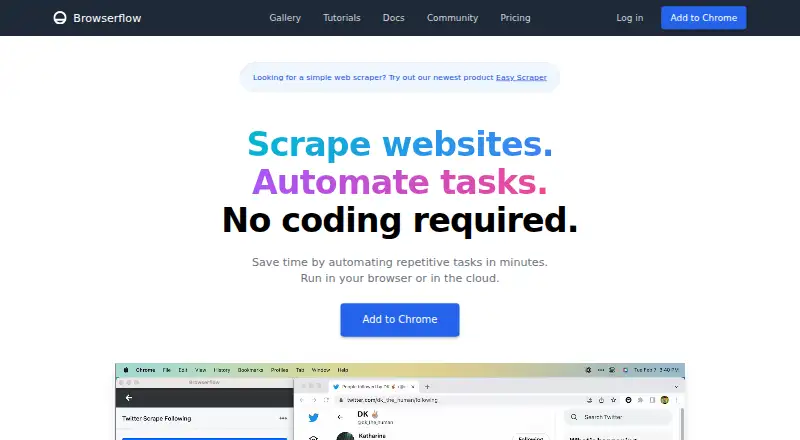
What Browserflow is
Browserflow is a no-code tool for scraping websites and automating repetitive browser workflows. Its visual editor lets you build flows, record actions, or run custom JavaScript on a page. It can extract data from HTML tables and single-page applications, and work across multiple pages and infinite feeds. Flows run in your browser or in Browserflow Cloud, where they can be scheduled even when your computer is off. The service can read and write Google Sheets, and also lists reusable community flows, rotating proxies, and saving files, screenshots, and PDFs. API access and webhooks are included from Starter upward; webhooks send run data in a POST request when a run finishes. The Free plan includes one cloud flow, up to 30 minutes of cloud automation per month, and a maximum once-a-day cloud frequency. API and webhooks, proxies, and CAPTCHA solving are excluded from Free. The privacy policy says Browserflow collects account details, cloud-stored flows, usage data, and error diagnostics, but not browsing history.
Good
- Build flows visually or record browser actions.
- Extract data from tables, single-page apps, and feeds.
- Run scheduled cloud flows while your computer is off.
- Google Sheets integration is included in every plan.
- Free plan includes unlimited desktop runs.
Watch out
- Free plan includes only one cloud flow.
- Free cloud frequency is limited to once a day.
- Free plan excludes API, webhooks, proxies, and CAPTCHA solving.
Who it suits
Browserflow suits people automating browser tasks such as web research, operations, and spreadsheet work. Its cloud scheduling may help users who need flows to run while their computer is off.
Verdict
Browserflow combines visual workflow building, web extraction, and browser or cloud runs, with Google Sheets support across plans. Review the Free cloud limits and yearly billing for paid plans before selecting a tier.
Plans and prices
From Browserflow's own pricing page, checked 15 Oct 2026.
| Plan | Price | What it gives you |
|---|---|---|
| Starter | $19 a month | Unlimited desktop runs · 10 minutes per desktop run · 2.5 cloud hours/month · 5 cloud flows · hourly maximum frequency · API and webhooks · community support · billed yearly |
| Professional | $49 a month | Unlimited desktop runs · unlimited desktop run time · 2 minutes per cloud run · 15 cloud flows · 30-minute maximum frequency · API and webhooks · data-center proxies · email support · billed yearly |
| Business | $199 a month | Unlimited desktop runs · unlimited desktop run time · 5 minutes per cloud run · unlimited cloud flows · one-minute maximum frequency · API and webhooks · data-center and residential proxies · CAPTCHA solver · priority email support · billed yearly |
| Free | Free | Unlimited desktop runs · 1 minute per desktop run · 30 cloud minutes/month · 1 cloud flow · daily maximum frequency · Google Sheets · community support · free forever |
The facts
Each one read from Browserflow's own pages, with the date it was checked.
What it does
- Action recording
- The recorder detects actions in the active tab and adds them as Browserflow commands; hover actions must be added manually.checked 15 Oct 2026
- API and webhooks
- API and webhook access is excluded from Free and included in Starter, Professional and Business.checked 15 Oct 2026
- Automation tools
- The product page lists scheduled flows, reusable community flows, rotating proxies, and saving files, screenshots, and PDFs.checked 30 Sep 2026
- Chrome Web Store version
- The Chrome listing shows version 1.0.6, updated September 18, 2025, with a 1.11 MiB package.checked 15 Oct 2026
- Cloud execution
- Browserflow Cloud runs flows on a schedule even when the user's computer is off.checked 15 Oct 2026
- Community flows
- The product includes a gallery of ready-made community solutions that users can reuse and share.checked 15 Oct 2026
- Control flow
- Documentation describes If conditions, loops, spreadsheet row searches and assertions for controlling and verifying flows.checked 15 Oct 2026
- Custom JavaScript
- A Run Script command executes JavaScript in the current page context with DOM access and exports variables whose names begin with a dollar sign.checked 15 Oct 2026
- Data extraction
- It extracts data from sources including HTML tables and single-page applications, and can handle multiple pages and infinite feeds.checked 30 Sep 2026
- Documentation depth
- The documentation has getting-started material, flow-building guides, command references, cloud guides, troubleshooting and support instructions.checked 15 Oct 2026
- Element and list selection
- Recording mode includes Select Element for extracting common element data and Select List for looping over lists of elements.checked 15 Oct 2026
- Flow building
- Its visual editor lets users build flows without code, and users can record actions or run custom JavaScript on a page.checked 30 Sep 2026
- Google Sheets
- Browserflow can read and write Google Sheets, and the pricing page includes the integration in every plan.checked 30 Sep 2026
- Google Sheets integration
- Every listed plan includes Google Sheets integration for reading and writing spreadsheet data.checked 15 Oct 2026
- HTTP requests
- The Make HTTP Request command supports GET, POST, PUT, PATCH and DELETE requests with query strings, headers and JSON, form or raw bodies.checked 15 Oct 2026
- Independent review coverage
- Slicey Tools reports that it could not find a meaningful G2, Capterra, Trustpilot or Reddit review base for Browserflow.checked 15 Oct 2026
- Intended users
- The product is presented for people who want to automate repetitive browser workflows, including web research, operations, and spreadsheet tasks.checked 30 Sep 2026
- Licence
- The official terms assign the service's features and functionality to Road to Ramen LLC; no open-source licence is stated for the commercial Browserflow service.checked 15 Oct 2026
Where it runs
- Browser actions
- Flows can perform website actions such as clicking, typing, copying, pasting, form filling, emailing, downloading files and taking screenshots.checked 15 Oct 2026
- Browser and cloud runs
- Flows can run in the user's browser or in Browserflow Cloud, including on a schedule while the user's computer is off.checked 30 Sep 2026
The company
- Company legal identity
- Crunchbase lists the legal name as Road to Ramen LLC and Namu Kang as founder.checked 15 Oct 2026
- Company size
- Crunchbase lists Browserflow as a private company with 1–10 employees, while LinkedIn lists 2–10 employees.checked 15 Oct 2026
Money
- Free plan
- Yeschecked 21 Sep 2026
- Free plan limits
- The Free plan includes one cloud flow, a once-a-day maximum frequency, and one minute per run; API and webhooks, proxies, and CAPTCHA solving are excluded.checked 30 Sep 2026
Alternatives to Browserflow
- 1

Windmill
Free planOpen sourceWebAPILinuxSelf-hosted8.3From $120 a month - 2

Make
Free planAndroidiOSWebAPI8.1From $9 a month - 3

Node-RED
Free planOpen sourceAndroidWebAPILinux7.9Free plan - 4

IFTTT
Free planAndroidiOSWebAPI7.6From $2.99 a month - 5

Zapier
Free planWeb7.5From $19.99 a month - 6
Ui.Vision RPA
Free planWebAPIExtensionLinux7.3Free plan