
IFTTT
IFTTT connects apps, devices, and services with Applets that automate actions across multiple services.
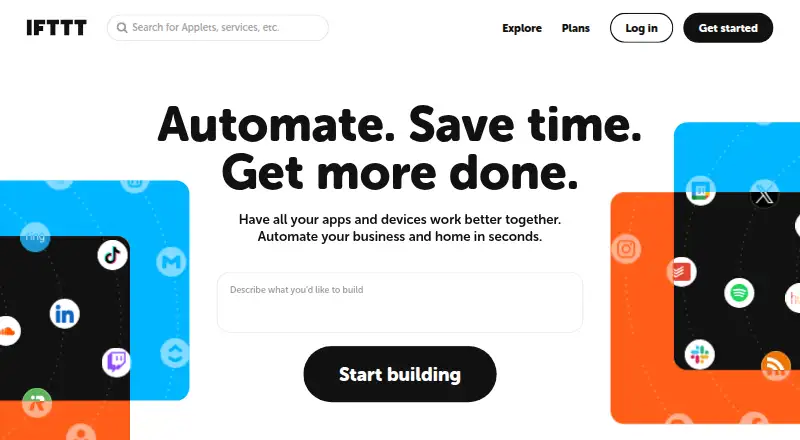
What IFTTT is
IFTTT connects apps, devices, and services with Applets that automate actions across multiple services. Its library includes over 1,000 apps, services, and devices; examples include Spotify, Evernote, Todoist, Google Sheets, Android, and Philips Hue. Basic use does not require coding. The Free plan allows 2 Applets, while Pro allows 20 and Pro+ allows unlimited Applets. Pro adds multi-action Applets and webhooks; Pro+ includes queries, filter code, multiple connected accounts per service, and access to IFTTT's Platform. The iOS and Android apps provide mobile-exclusive services, notifications, widgets, and geofencing automations. Most connected services use OAuth, which allows restricted account access without sharing a password with IFTTT. Users can export their data as JSON or delete their account in settings. Trigger checks, Applet runs, and errors are logged for 7 days; activity feed information is stored for 30 days. Free includes 30-day onboarding support. Pro costs $2.99 per month billed annually, and Pro+ costs $8.99 per month billed annually; both include a 7-day trial.
Good
- Basic use requires no coding.
- Connects more than 1,000 apps, services, and devices.
- Mobile apps include notifications, widgets, and geofencing.
- Users can export data or delete their account.
Watch out
- The Free plan allows only 2 Applets.
- Pro and Pro+ are paid plans.
- Activity feed information is stored for 30 days.
Who it suits
IFTTT suits people who want to automate actions between apps and connected devices without coding. Pro is positioned for people with multiple smart devices or multi-action automation needs; Pro+ is aimed at small business owners and users of advanced tools.
Verdict
IFTTT offers no-code automation across a broad library, with plan limits that increase from 2 Applets to unlimited. Check the plan details if you need multi-action automations or advanced tools.
Plans and prices
From IFTTT's own pricing page, checked 28 Sep 2026.
| Plan | Price | What it gives you |
|---|---|---|
| Free | Free | 2 Applets · Standard Applet speeds · Unlimited Applet runs · Free mobile app access · 30-day onboarding support · forever |
| Pro | $2.99 a month | 20 Applets · Fastest Applet speeds · Multi-action Applets · Webhooks · Increased rate limits · Customer support · $35.88 billed annually |
| Pro+ | $8.99 a month | Unlimited Applets · AI services · Connect multiple accounts · Queries and filter code · Prioritized customer support · $107.88 billed annually |
The facts
Each one read from IFTTT's own pages, with the date it was checked.
What it does
- Advanced features
- Pro+ includes queries, filter code, multiple connected accounts per service, and access to IFTTT's Platform.checked 28 Sep 2026
- Data controls
- Users can export their IFTTT data as a JSON file and delete their account through account settings.checked 28 Sep 2026
- Examples
- The Explore page features automations involving Spotify, Evernote, Todoist, Google Sheets, Android, and Philips Hue.checked 28 Sep 2026
- Integrations
- IFTTT says its library includes over 1,000 apps, services, and devices.checked 28 Sep 2026
- Intended users
- IFTTT positions Pro for people with multiple smart devices or a need for multi-action automations, and Pro+ for small business owners and users of advanced tools.checked 28 Sep 2026
- Logged activity
- IFTTT says trigger checks, Applet runs, and errors are logged for 7 days, while activity feed information is stored for 30 days.checked 28 Sep 2026
- No-code use
- IFTTT describes its platform as a low-code way for apps and services to communicate, and says coding is not required for basic use.checked 28 Sep 2026
- Paid from
- 2.99checked 22 Sep 2026
- Security
- IFTTT says most connected services use OAuth, allowing restricted account access without sharing the user's password with IFTTT.checked 28 Sep 2026
- Support
- The Free plan includes 30-day onboarding support, Pro includes customer support, and Pro+ includes prioritized customer support.checked 28 Sep 2026
- What it does
- IFTTT connects apps, devices, and services through Applets, which automate actions across two or more services.checked 28 Sep 2026
The company
- Founded
- IFTTT says it was founded in 2010.checked 28 Sep 2026
- Headquarters
- San Francisco, California, United Stateschecked 28 Sep 2026
Money
- Free plan
- Yeschecked 22 Sep 2026
- Free plan limit
- The Free plan allows 2 Applets, while Pro allows 20 and Pro+ allows unlimited Applets.checked 28 Sep 2026
Where it runs
- Mobile apps
- IFTTT offers iOS and Android apps with mobile-exclusive services and features such as notifications, widgets, and geofencing automations.checked 28 Sep 2026
The full review of IFTTT
IFTTT is a no-code automation service for linking apps, devices, and online services through Applets. It is most useful for people who want everyday tools or smart devices to trigger actions without building workflows from scratch. Its broad integration library is a strong starting point, but the two-Applet free cap makes it a limited long-term home for expanding automations.
Overview
Founded in 2010, IFTTT connects two or more services so an event in one can prompt an action in another. Its library covers more than 1,000 apps, services, and devices, with examples including Spotify, Evernote, Todoist, Google Sheets, Android, and Philips Hue. Basic use requires no coding, which makes simple connections accessible to a wide range of users. The breadth is useful only when the services a person relies on are supported, and the free tier’s two-Applet ceiling is restrictive for anyone building a larger collection.
Key features
Applets and automation scale
Applets provide the core automation model. The Free plan permits two, Pro raises that to 20 and adds multi-action Applets, and Pro+ allows unlimited Applets. Pro is the more practical choice when one trigger needs to produce several actions or when a household has multiple smart devices; Pro+ is better suited to users who need more room and advanced controls.
Mobile features and account controls
IFTTT’s iOS and Android apps include mobile-exclusive services, notifications, widgets, and geofencing automations. That makes the service relevant beyond browser-based connections, especially for routines tied to a phone’s location or activity. Most connected services use OAuth, which grants restricted access without sharing the account password with IFTTT. Users can export their IFTTT data as a JSON file or delete their account in settings. Trigger checks, Applet runs, and errors are logged for seven days; activity-feed information is stored for 30 days.
Pricing
IFTTT offers a free tier and two paid plans, with a seven-day trial. Paid prices are shown monthly, with annual billing amounts also stated.
| Plan | Price | What it includes |
|---|---|---|
| Free | free, billed forever | Two Applets, standard Applet speeds, unlimited Applet runs, free mobile app access, and 30-day onboarding support. |
| Pro | $2.99 a month (billed $35.88 billed annually) | 20 Applets, fastest Applet speeds, multi-action Applets, Webhooks, increased rate limits, and customer support. |
| Pro+ | $8.99 a month (billed $107.88 billed annually) | Unlimited Applets, AI services, multiple connected accounts, queries and filter code, and prioritized customer support. |
Free is a reasonable way to keep a couple of simple automations running: it has unlimited Applet runs, but the two-Applet cap and standard speeds limit its usefulness as a growing setup. Pro costs $2.99 a month and is the sensible step up for users who need multi-action workflows, Webhooks, faster runs, or more than two Applets. Pro+ costs $8.99 a month and is aimed at small business owners and users who need its advanced tools, multiple accounts, or unlimited Applets. Its premium price is harder to justify for occasional, straightforward connections.
Free includes 30-day onboarding support; Pro includes customer support, and Pro+ prioritizes it. The paid plans state annual billing totals alongside their monthly prices, so readers should account for the annual charge when choosing a subscription.
Platforms
IFTTT is available on Android, iOS, and the web, and it also supports an API. Its mobile apps add phone-oriented services and features such as notifications, widgets, and geofencing. Scheduled runs and app triggers are supported.
Who it's for
IFTTT suits people who want to connect familiar services or smart devices through uncomplicated automations, particularly when phone-based triggers or actions matter. Pro fits users with several devices or a need for multi-action Applets. Small business owners and users who need queries, filter code, multiple accounts, or access to IFTTT’s Platform are better candidates for Pro+. It is less compelling for someone who needs only one or two automations but expects faster speeds, or whose work depends on more advanced workflow logic than the plan features describe.
Pros and cons
- Pros: A library of more than 1,000 apps, services, and devices gives users many potential connections; basic Applets need no coding.
- Pros: Mobile-exclusive services, widgets, notifications, and geofencing extend automations to phone use.
- Pros: Unlimited Applet runs on Free let a small setup operate without a run quota.
- Cons: Free’s two-Applet cap makes it a poor fit for users who want to build a larger collection.
- Cons: Multi-action Applets require Pro, while queries and filter code require Pro+, so more involved setups push users into paid plans.
- Cons: The stated annual billing totals mean the monthly prices do not represent the full annual charge.
Alternatives
For a different automation approach, consider Make, which has a free plan with up to 1,000 credits per month, two active scenarios, and a 15-minute minimum interval. Ui.Vision RPA is another freemium option. Macro Recorder offers a free edition limited to 10 repetitions and a Standard plan with more than 10 repetitions, program execution, and goto-and-repeat. Activepieces has a free forever plan with 1,000 credits a month and unlimited flows for one user. Windmill is a freemium option with a free and open-source plan. Browserflow has a free plan with unlimited desktop runs and limited cloud automation. Zapier offers a free plan with 100 tasks per month and two-step automations. Bardeen is a freemium option with monthly Basic and Premium plans.
Browse more options in Task Automation Software and Workflow automation tools.
Verdict
Choose IFTTT for straightforward connections among everyday services and smart devices, especially when mobile triggers and a broad integration library matter. Pro is the clearest fit once two Applets or single-action workflows become limiting. Look elsewhere if you need a larger free setup or prefer a different automation model; reserve Pro+ for cases where its advanced tools and unlimited Applets justify the higher annual cost.
Alternatives to IFTTT
- 1
Flowable
Free planOpen sourceAndroidiOSWebAPI9.4From $99 a month - 2

Joget
Free planOpen sourceAndroidiOSWebAPI9.4Free plan - 3

Make
Free planAndroidiOSWebAPI8.9From $9 a month - 4

Taskade AI Agents
Free planAndroidiOSWebAPI8.9From $10 a month - 5

airSlate WorkFlow (now altaFlow)
Free planAndroidiOSWebAPI8.7From $399 a month - 6

Pyrus
Free planAndroidiOSWebAPI8.6From $15 a month