
airSlate WorkFlow (now altaFlow)
airSlate WorkFlow is now altaFlow, a no-code platform for generating documents, collecting information through forms, handling eSignatures, and governing wor…
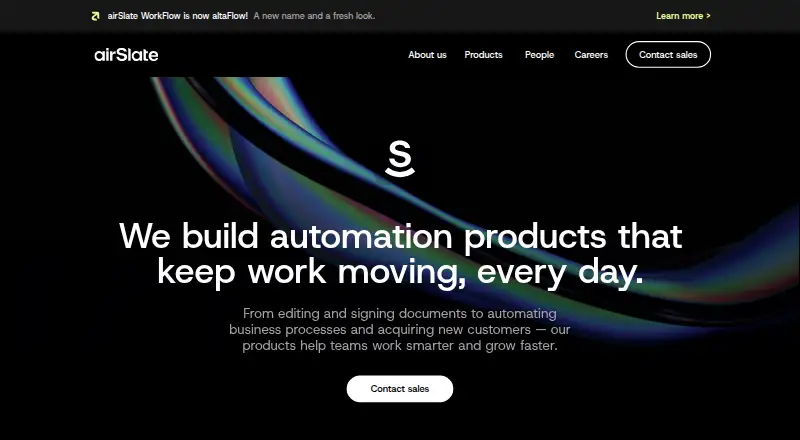
What airSlate WorkFlow (now altaFlow) is
airSlate WorkFlow is now altaFlow, a no-code platform for generating documents, collecting information through forms, handling eSignatures, and governing workflows across CRM and ERP systems. It captures data, creates documents, sends them for approval and signature, and syncs completed results back to connected systems. Document tools include conditional logic, dynamic tables, and automatic write-back. For Salesforce users, the integration can generate documents from records, route approvals and signatures, and return completed data to Salesforce. Other named integrations include Slack, Airtable, QuickBooks, Monday, Box, Dropbox, Excel, and Zoho. The service is available on web, Android, iOS, and through an API. Its Free plan is free and includes 10 credits per month. Plans include unlimited users, while pricing scales with document volume. The maker describes use across education, healthcare and insurance, legal, government, and nonprofit organizations. Security controls include encryption at rest and in transit, SAML 2.0 SSO, access controls, audit logging, and backups. Listed compliance standards include CCPA, FERPA, GDPR, HIPAA, PCI DSS, and SOC 2 Type II.
Good
- Builds documents with conditional logic and dynamic tables.
- Routes documents for approval and eSignature.
- Syncs completed results back to connected systems.
- Salesforce integration supports record-based document workflows.
- Security controls include SAML 2.0 SSO and audit logging.
Watch out
- Free includes 10 credits per month.
- Premium integrations are add-ons on Standard.
Who it suits
altaFlow suits organizations that need to collect information, create documents, and route them for approval and signature across CRM or ERP workflows. Its stated sectors include education, healthcare and insurance, legal, government, and nonprofit organizations.
Verdict
Choose altaFlow if your organization needs no-code document creation and approval workflows tied to CRM or ERP systems. Its free tier provides 10 monthly credits, while Standard starts at $1.40 per document; teams needing more credits or premium integrations should review the higher plan options.
Plans and prices
From airSlate WorkFlow (now altaFlow)'s own pricing page, checked 15 Oct 2026.
| Plan | Price | What it gives you |
|---|---|---|
| Free | Free | 10 credits · all bots except premium integrations · Help Center materials only · monthly |
| Growth | $399 a month | 10,000 credits per period · all bots except premium integrations · email and chat support · billed annually |
| Automate 360 | $799 a month | 20,000 credits per period · all bots plus one premium integration · email, chat and priority Zoom support · billed annually |
| Standard | $1.40, paid once | Unlimited users · usage priced by documents processed · Salesforce, NetSuite, Microsoft Dynamics 365 and premium integrations are add-ons · Starting at $1.40 per document |
| Advanced | Priced on request | Unlimited users · DocX generation · Bulk Send · Autostarts · Payment Collection · chat support · Priced to volume; custom rate |
| Enterprise | Priced on request | custom credits · all bots and integrations · custom integrations · priority support with SLA · custom |
The facts
Each one read from airSlate WorkFlow (now altaFlow)'s own pages, with the date it was checked.
What it does
- Access control
- Shared workspaces and role-based permissions control who can execute, edit and view workflows and documents.checked 15 Oct 2026
- API capabilities
- The document-generation API supports templates, merge fields, fillable fields, webhooks, dynamic tables, conditional sections and eSignature handoff.checked 15 Oct 2026
- API surface
- The developer platform provides Forms, DocGen, Flows, eSignature and PDF Editing APIs.checked 15 Oct 2026
- Compliance
- The maker lists CCPA, FERPA, GDPR, HIPAA, PCI DSS, and SOC 2 Type II on its security page.checked 8 Oct 2026
- CRM and database sync
- No-code bots can prefill documents from CRMs, ERPs, databases and spreadsheets and write completed data back to those systems.checked 15 Oct 2026
- Developer documentation
- Developer pages provide REST examples for uploading documents, creating templates, downloading document groups and sharing workflows by link.checked 15 Oct 2026
- Documentation and support
- The Help Center contains guides for getting started, workflows, bots, documents and forms, integrations, administration, signing, packages, troubleshooting and billing.checked 15 Oct 2026
- Document features
- The platform supports conditional logic, dynamic tables, document generation, eSignatures, and automatic write-back.checked 8 Oct 2026
- Document generation
- Users can generate fillable PDFs from DOCX templates, use text tags, conditional sections and data prefill.checked 15 Oct 2026
- Document packages
- Document packages can be assembled dynamically according to recipient data, jurisdiction, rules and conditions.checked 15 Oct 2026
- eSignature
- Workflows include legally binding electronic signatures and multi-party signing steps.checked 15 Oct 2026
- Former name
- airSlate WorkFlow is now altaFlow.checked 8 Oct 2026
- Hosting model
- The maker describes WorkFlow as a cloud SaaS product hosted on AWS with no installation required and localized data storage options.checked 15 Oct 2026
- Integrations
- The integration catalog includes Salesforce, Microsoft Dynamics 365, HubSpot, NetSuite, UiPath, Google Sheets, Airtable, PostgreSQL, Jira, Dropbox, Box, AWS S3 and many other services.checked 15 Oct 2026
- Limit: bugs and clunky interface
- GetApp reviewers mention bugs and a clunky design, while some say PDFfiller had a better interface and feature set.checked 15 Oct 2026
- Limit: missing capabilities
- Reviewers request deeper Salesforce integration, more integration bots, richer web-form controls and easier document personalization before sending.checked 15 Oct 2026
Where it runs
- Android availability
- Google Play lists the altaFlow mobile app with at least 10,000 downloads and support for running, signing and tracking workflows.checked 15 Oct 2026
- Apple availability
- Apple lists altaFlow as a free iPhone and iPad app and says it is not verified for macOS.checked 15 Oct 2026
The company
- Company founded
- LinkedIn lists airSlate as founded in 2006.checked 15 Oct 2026
- Company headquarters
- The company is headquartered at 17 Station Street in Brookline, Massachusetts, United States.checked 15 Oct 2026
- Company history
- The maker says its first workflow product launched within airSlate in 2019 and altaFlow became a standalone brand in 2025.checked 8 Oct 2026
- Company legal name
- Crunchbase identifies the legal entity as airSlate, Inc.checked 15 Oct 2026
- Company size
- LinkedIn lists the company size as 501–1,000 employees.checked 15 Oct 2026
Money
- Free plan
- Yeschecked 20 Sep 2026
The full review of airSlate WorkFlow (now altaFlow)
airSlate WorkFlow, now altaFlow, is a no-code platform for building document-centered workflows across CRM and ERP systems. It is aimed at organizations that need forms, generated documents, approvals, and signatures to move together, rather than teams looking for a general-purpose task tracker.
Its strongest case is connecting document work to business records, with unlimited users across plans. The trade-off is that pricing follows document volume, and important integrations can cost extra.
Overview
altaFlow carries a process from data capture through document creation, approval, and eSignature, then syncs completed results back to connected systems. Conditional logic and dynamic tables support more structured documents, while approval workflows and audit trails provide a record of what moved through the process.
This is a focused choice for repeatable, document-heavy operations. The usage-based model can accommodate broad participation without per-user charges, but organizations with high or unpredictable document volume should calculate their likely costs before committing. The maker says its first workflow product launched within airSlate in 2019 and altaFlow became a standalone brand in 2025.
Key features
Document creation and system connections
Document generation, forms, eSignatures, conditional logic, dynamic tables, and automatic write-back connect the main stages of document processing. The homepage names Salesforce, Slack, Airtable, QuickBooks, Monday, Box, Dropbox, Excel, and Zoho among its integrations. Salesforce support is particularly complete: workflows can create documents from records, route them for approval and signature, then write completed data back. That makes altaFlow a more natural fit when documents need to stay tied to CRM activity than when the job is simply automating unrelated tasks.
Salesforce, NetSuite, and Microsoft Dynamics 365, along with premium integrations, are add-ons on Standard. Teams relying on those connections should account for the extra cost rather than assume they are included in the starting document price.
Controls and support
The security page describes AES-256 encryption at rest and in transit, SAML 2.0 single sign-on, access controls, audit logging, and backups. The maker lists CCPA, FERPA, GDPR, HIPAA, PCI DSS, and SOC 2 Type II. These controls and the stated compliance coverage may matter to regulated organizations, though they do not by themselves establish that a particular deployment meets its obligations.
Support scales by plan: Standard has knowledgebase and ticket support, Advanced adds chat, and Enterprise includes a dedicated account manager. That is a meaningful difference for teams that need a direct support channel as their workflows become more consequential.
Pricing
All plans include unlimited users, and pricing scales with processed documents rather than seats. That avoids a per-user penalty for bringing more staff into a workflow, but document volume is the key cost variable.
- Free: free, with 10 credits per month. It is a small starting allowance for evaluating a limited workflow, not a generous ongoing quota for regular document processing.
- Growth: custom pricing, with 10.000 credits per period. It offers a larger stated allowance than Free, but its period-based quota and custom price mean buyers should confirm the billing period and cost.
- Automate 360: custom pricing, with 20.000 credits per period and one premium integration.
- Standard: $1.40, paid once, billed starting at $1.40 per document. It includes unlimited users and usage-priced processing; Salesforce, NetSuite, Microsoft Dynamics 365, and premium integrations are add-ons. This is the clearest entry point for organizations paying by document, but the starting rate and add-ons need to be weighed against actual volume and integration needs.
- Advanced: custom pricing, priced to volume at a custom rate. Unlimited users remain included, along with DocX generation, Bulk Send, Autostarts, Payment Collection, and chat support. It is for teams needing these capabilities at scale, but they will need a volume quote to judge its economics.
- Enterprise: custom pricing, custom credits, all bots and integrations, custom integrations, and priority support including SLA. This is the broadest stated package for organizations needing bespoke connections and service commitments, rather than a predictable public price.
The plan information does not establish a trial length or renewal term, so compare the quoted billing terms before choosing a paid tier.
Platforms
altaFlow is available on Android, iOS, and the web, with API access. Standard specifically includes a mobile app, which makes it the plan with an explicit mobile-app inclusion.
Who it's for
Education, healthcare and insurance, legal, government, and nonprofit organizations are among the sectors the maker describes. The strongest fit is a team in one of those or another sector that needs governed, repeatable document flows with approvals, signatures, audit trails, and CRM or ERP write-back. It is less suitable when users mainly need task coordination or when a document-volume billing model is hard to forecast.
Pros and cons
- Pro: Data capture, generation, signatures, approvals, and write-back form one connected process, reducing the need to treat each document stage as a separate workflow.
- Pro: Unlimited users across plans make broad internal participation possible without seat-based pricing.
- Pro: Salesforce record generation, routing, and write-back support a coherent CRM-linked document process.
- Pro: The stated security controls, compliance coverage, and audit trail are relevant to organizations with governance requirements.
- Con: Document-based pricing makes usage, not headcount, the main variable to budget for.
- Con: The Free plan's 10 monthly credits are a narrow allowance for sustained use.
- Con: Several higher plans have custom pricing, and major CRM/ERP and premium integrations are add-ons on Standard.
Alternatives
For broader task coordination, ClickUp has a Free Forever plan with unlimited tasks and members, 60MB of storage, and one form; choose it when those limits and its listed platforms better suit the work than document-volume pricing. Pipefy has a Starter plan capped at five processes, 10 users, 50 cards per month, 2 GB of storage, 500 database records, and five workflows; it is an option when those process and user limits fit.
Budibase offers a Pro plan at $19 a month with one creator, one workspace, unlimited agents, synchronous automations, 2K Budibase AI credits, and one-day logs; it is an alternative when that workspace and automation package matches the need. Workato Agent Studio has a free plan with 50,000 one-time credits and AI and agentic capabilities, which may suit a no-cost starting point with that credit structure.
Zapier has a free plan with 100 tasks per month and two-step automations; choose it when that task allowance and simpler flow structure are sufficient. AI Rule Engine has a free plan capped at 200 ruleset runs per month, two author seats, and seven-day log retention, a different option when those rule-run limits fit.
Airstride has a free plan for up to three partners with basic partner and deal management and CRM integration. Dock offers a free plan with 10 workspaces and capped assets, playbooks, courses, and order forms; each is worth comparing when its stated deal-desk scope and limits align better.
Compare category roundups for Deal Desk Software, Document Workflow Software, and Workflow automation tools.
Verdict
Choose altaFlow when document creation, approvals, signatures, and system write-back need to form a governed workflow, especially around CRM records. Unlimited users and broad document capabilities are its main draw; the document-volume model, paid integration add-ons, and custom pricing on several tiers are the reasons to look elsewhere or request a quote before scaling.
Getting started
- Visit https://www.airslate.com/.
- Choose the Free plan at no cost or review the other named plans.
- Use the web, Android, or iOS platform, or connect through the API.
- Connect a CRM or ERP system and configure document generation, approvals, and signature routing.
Limits worth knowing
The Free plan includes 10 credits per month. Standard is usage-priced by documents processed, starting at $1.40 per document; Salesforce, NetSuite, Microsoft Dynamics 365, and premium integrations are add-ons.
Questions
Is altaFlow free?
Yes. The Free plan is free and includes 10 credits per month.
Which platforms does altaFlow support?
The listed platforms are Android, iOS, web, and API.
Which systems does it integrate with?
Named integrations include Salesforce, Slack, Airtable, QuickBooks, Monday, Box, Dropbox, Excel, and Zoho.
What security and compliance provisions are listed?
Security controls include AES-256 encryption at rest and in transit, SAML 2.0 SSO, access controls, audit logging, and backups. Listed standards include CCPA, FERPA, GDPR, HIPAA, PCI DSS, and SOC 2 Type II.
Alternatives to airSlate WorkFlow (now altaFlow)
- 1
Flowable
Free planOpen sourceAndroidiOSWebAPI9.4From $99 a month - 2

Joget
Free planOpen sourceAndroidiOSWebAPI9.4Free plan - 3

Make
Free planAndroidiOSWebAPI8.9From $9 a month - 4

Taskade AI Agents
Free planAndroidiOSWebAPI8.9From $10 a month - 5

Pyrus
Free planAndroidiOSWebAPI8.6From $15 a month - 6

Pabbly Connect
Free planWeb8.4Free plan