
Node-RED
Node-RED is a free, open-source tool for building event-driven applications that collect, transform, and visualize data.
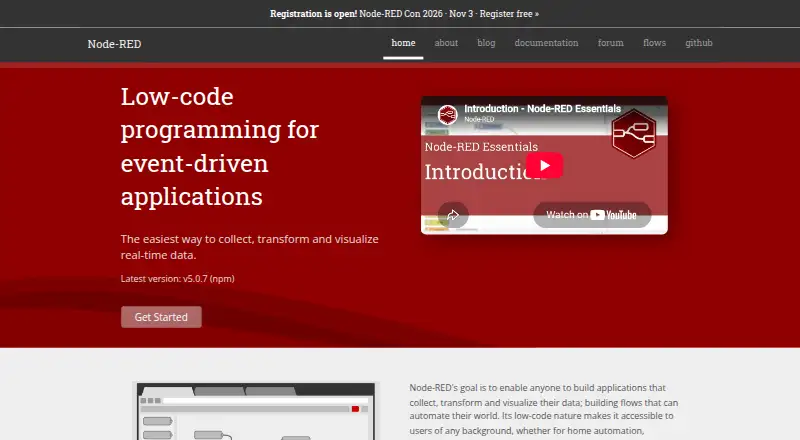
What Node-RED is
Node-RED is a free, open-source tool for building event-driven applications that collect, transform, and visualize data. Its browser-based flow editor lets you connect nodes into workflows and deploy them to a Node.js runtime. Core nodes can trigger or inspect messages, transform and route them, and apply templates. The runtime is designed for low-cost edge hardware such as Raspberry Pi, as well as cloud environments. A community library with more than 5,000 nodes and flows extends the available capabilities. Flows are stored as JSON for importing, exporting, and sharing; projects use Git and can collaborate through remote repositories. Node-RED supports workflow orchestration, data transformation, real-time sync, and API management. It can run on local computers, Raspberry Pi, Docker, BeagleBone, Android through Termux, AWS, and Microsoft Azure. The editor is unsecured by default, so anyone with access to its IP address can make changes and deploy them; HTTPS and authentication options are documented. The core Inject node interval tops out at 596 hours.
Good
- Browser-based editor deploys flows to the runtime.
- Community Flow Library has over 5,000 nodes and flows.
- Flows can be imported, exported, and shared as JSON.
- Projects use Git and support remote repositories.
- Free and open source, with no paid plans stated.
Watch out
- Editor is unsecured by default.
- Inject intervals are limited to 596 hours.
- Credential files should be encrypted before project sharing.
Who it suits
Node-RED suits people building event-driven applications who want to connect data collection, transformation, and visualization in flows. It also fits teams needing Git-based flow versioning or a runtime for edge hardware or cloud environments.
Verdict
Node-RED brings flow editing, a lightweight runtime, and a broad community library together for event-driven applications. Secure editor access before use, and consider a scheduler node for intervals longer than the Inject node allows.
Plans and prices
From Node-RED's own pricing page, checked 14 Oct 2026.
| Plan | Price | What it gives you |
|---|---|---|
| Free | Free | Open-source Node-RED runtime · self-hosted deployment |
| Node-RED | Free | Open-source project; no paid plans or usage limits stated |
The facts
Each one read from Node-RED's own pages, with the date it was checked.
What it does
- Admin HTTP API
- The runtime exposes an HTTP Admin API used by the editor and command-line admin tool.checked 14 Oct 2026
- API capabilities
- Admin endpoints cover authentication, settings, diagnostics, flows, runtime state and node-module installation or management.checked 14 Oct 2026
- API management
- Yeschecked 20 Sep 2026
- Community ecosystem
- The project site reports more than 5,000 community Nodes and Flows.checked 14 Oct 2026
- Core features
- Core nodes include Inject, Debug, Function, Change, Switch, and Template nodes for triggering, inspecting, transforming, routing, and templating messages.checked 11 Oct 2026
- Credential security
- The Projects guide strongly recommends encrypting credential files before sharing a project, with the encryption key kept outside the project.checked 11 Oct 2026
- Data transformation
- Yeschecked 20 Sep 2026
- Documentation
- The documentation includes installation guides, platform instructions, user guides, API references, node-creation material and security guidance.checked 14 Oct 2026
- Editor
- Its browser-based flow editor lets users wire nodes into flows and deploy them to the runtime with one click.checked 11 Oct 2026
- Extensibility APIs
- Hooks, storage, logging, context-store, library-store, editor and module APIs support custom runtime behavior, plugins and embedding in Node.js applications.checked 14 Oct 2026
- Flow portability
- Flows are stored as JSON and can be imported and exported for sharing.checked 14 Oct 2026
- Flow sharing
- Flows are stored as JSON and can be imported, exported, and shared through the online Flow Library.checked 11 Oct 2026
- Funding news
- FlowFuse announced a $7.25 million funding round on 10 June 2025.checked 14 Oct 2026
- Google Play availability
- A third-party Node-RED Client Editor listing shows 10K+ downloads, in-app purchases and a last update of 1 March 2021.checked 14 Oct 2026
- Hardware limitation
- The Raspberry Pi guide says Node.js 24 has no 32-bit builds, so ARMv6 Raspberry Pi devices are no longer supported with that setup.checked 14 Oct 2026
- Integrations
- Official getting-started material covers local computers, Docker, Raspberry Pi, BeagleBone, Android through Termux, AWS and Microsoft Azure.checked 14 Oct 2026
- JavaScript functions
- The editor includes a rich text editor for creating JavaScript functions inside flows.checked 14 Oct 2026
- Legal and funding facts
- Crunchbase identifies FlowFuse's legal name as FlowForge Inc, lists two seed rounds and six investors, and names WestWave Capital and Uncorrelated Ventures among them.checked 14 Oct 2026
- License
- Node-RED core is licensed under Apache 2.0; third-party nodes may use different licenses.checked 14 Oct 2026
- Limit: dashboards
- A G2 reviewer reports that the dashboard experience is still not optimal.checked 14 Oct 2026
Where it runs
- Android support caveat
- The official Android guide uses Termux and warns that the Play Store version of Termux may not be maintained; the Node-RED team does not support Termux.checked 14 Oct 2026
- Installation platforms
- The getting-started guide lists local computers, Raspberry Pi, Docker, BeagleBone boards, Android via Termux, AWS, and Microsoft Azure as ways to run Node-RED.checked 11 Oct 2026
The company
- Company facts
- FlowFuse, the commercial company built around Node-RED, is listed on LinkedIn as founded in 2021, headquartered in San Francisco and employing 11–50 people.checked 14 Oct 2026
- Founded
- 2013checked 28 Sep 2026
The full review of Node-RED
Node-RED is a low-code tool for building event-driven applications by connecting nodes into flows. It suits people who want to collect, transform, and route data on their own hardware or cloud runtime. Its flexible runtime and open-source library make it a capable automation toolkit, provided you secure the editor and manage the environment yourself.
Overview
A browser-based editor lets you connect nodes, then deploy the resulting flow to a lightweight runtime built on Node.js. The visual layout makes event paths easier to follow, while Function nodes allow custom logic when standard building blocks are not enough. Node-RED is a programming tool rather than a ready-made hosted service: you choose where it runs and take responsibility for that environment.
The runtime is designed for both low-cost edge hardware, including Raspberry Pi, and cloud use. That range makes Node-RED a strong choice when an application needs to sit close to devices or when deployment flexibility matters. The main operational concern is security: by default, anyone who can reach the editor's IP address can access it and deploy changes. Configure HTTPS and authentication before making the editor reachable on a network.
Key features
Core nodes cover the main stages of a flow. Inject starts messages, Debug helps inspect them, Function and Change transform them, Switch routes them, and Template formats them. Together these blocks support workflow orchestration, data transformation, real-time synchronization, and API management while leaving room to shape the logic to a particular application.
The community Flow Library contains more than 5,000 nodes and flows, giving builders a broad set of extensions. Flows are stored as JSON and can be imported, exported, and shared through the library. Projects use Git for version control and collaboration through remote repositories, which is useful for teams reviewing and managing flow changes. Credential files need separate care: the Projects guide recommends encrypting them before sharing a project and keeping the encryption key outside it.
Inject intervals can be configured up to 596 hours. For longer schedules that must cope with outages and restarts, the documentation recommends using a scheduler node. That distinction matters for unattended jobs: the built-in timer covers many recurring tasks, but it is not the right mechanism for every long interval.
Pricing
Node-RED is free and open source. Its Node-RED plan costs nothing and has no stated usage limits or paid tiers. This suits individual builders and organizations comfortable running the software themselves; there is no paid hosted plan to choose for a managed experience.
Platforms
Node-RED supports Android, API, Linux, macOS, self-hosted, web, and Windows. Installation options include local computers, Raspberry Pi, Docker, BeagleBone boards, Android via Termux, AWS, and Microsoft Azure. Windows installation requires a supported version of Node.js. The range is a clear advantage for mixed environments, though users still need to install and operate the runtime.
Who it's for
Node-RED is best for developers, device builders, and technically confident teams that need to connect event sources, transform messages, and run flows close to hardware or in the cloud. Git-backed projects and shareable JSON flows also suit teams that want to review and exchange their automation logic. Readers who want a managed service or do not want to handle editor security and runtime upkeep should look elsewhere.
Pros and cons
- Pros: Free and open source, with no stated usage caps, makes it viable for projects that need room to grow.
- Pros: A lightweight Node.js runtime runs across edge hardware, local computers, and cloud options.
- Pros: More than 5,000 community nodes and flows, plus JSON sharing and Git projects, support extension and collaboration.
- Cons: The editor is unsecured by default, so network access can allow others to make changes unless HTTPS and authentication are configured.
- Cons: Users must select and operate their own runtime, which adds setup and maintenance work compared with a hosted automation service.
- Cons: Inject intervals stop at 596 hours; longer schedules that need outage and restart handling call for a scheduler node.
Alternatives
Make is a better fit for readers who want a freemium service with Android, iOS, API, and web support; its free plan includes 1,000 credits per month, two active scenarios, and a 15-minute minimum interval.
FlexGet is another free option for multipurpose media automation, installable via pip, with Linux, macOS, Windows, web, API, and self-hosted platforms.
Ui.Vision RPA, IFTTT, Macro Recorder, Activepieces, Huginn, and Windmill are also alternatives to consider.
Browse the Task Automation Software and Integration Platform as a Service Software categories to compare more options.
Verdict
Choose Node-RED if you want a free, extensible flow editor and the freedom to run event-driven applications on edge hardware or cloud infrastructure. Its community library, portable flows, and Git-backed projects make it especially useful for builders who want control over their automation logic. Look elsewhere if you need a managed service or cannot take responsibility for securing and maintaining the runtime.
Getting started
- Open the Node-RED website
- Choose a listed installation route such as a local computer, Raspberry Pi, Docker, BeagleBone, Android Termux, AWS, or Microsoft Azure
- Install a supported Node.js version for local Windows installation
- Launch the browser-based flow editor
- Connect nodes into a flow and deploy it to the runtime
- Encrypt credential files before sharing a project
Limits worth knowing
The core Inject node supports intervals up to 596 hours. For longer intervals, the docs recommend a scheduler node that must handle outages and restarts.
Questions
Is Node-RED free?
Yes. The listed Node-RED plan costs nothing and is open source.
Which platforms can run Node-RED?
Listed options include web, Windows, macOS, Linux, Android, API, and self-hosted environments. Installation guidance also covers local computers, Raspberry Pi, Docker, BeagleBone, AWS, and Microsoft Azure.
Does Node-RED support version control?
Yes. Projects use Git to version-control flow files and support collaboration through remote repositories.
How many community extensions are available?
The community Flow Library has more than 5,000 nodes and flows.
Is the editor secured by default?
No. By default, anyone who can access its IP address can access the editor and deploy changes; HTTPS and authentication options are documented.
How are flows shared?
Flows are stored as JSON and can be imported, exported, and shared through the online Flow Library.
Alternatives to Node-RED
- 1

Windmill
Free planOpen sourceWebAPILinuxSelf-hosted8.3From $120 a month - 2

Make
Free planAndroidiOSWebAPI8.1From $9 a month - 3

IFTTT
Free planAndroidiOSWebAPI7.6From $2.99 a month - 4

Zapier
Free planWeb7.5From $19.99 a month - 5
Browserflow
Free planWebAPIExtension7.4From $19 a month - 6
Ui.Vision RPA
Free planWebAPIExtensionLinux7.3Free plan