Visual Assistance
Visual Assistance is a browser-based remote support tool for businesses that need to communicate visually with customers in real time.
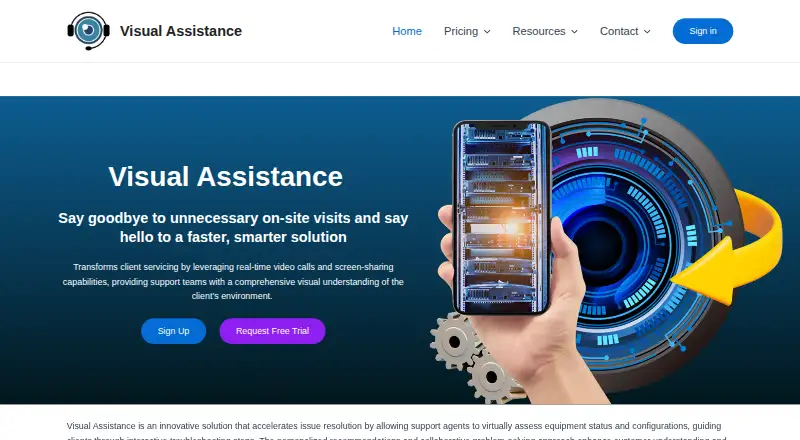
What Visual Assistance is
Visual Assistance is a browser-based remote support tool for businesses that need to communicate visually with customers in real time. A company user starts a session from a Windows or macOS computer and can text a unique session link to a client’s mobile number. The client joins through an iOS or Android smartphone browser, without installing an app. Sessions include live camera streaming, messaging, screen capture and annotation; clients can use only the rear camera. Video, audio and messages are encrypted in transit. Visual Assistance says it does not store session video, audio, pictures or messages, though SMS history and company phone book contacts remain accessible. The Business Plan costs NZ$75 a month with monthly billing, or NZ$800 a year with annual billing, and includes a 10-day trial. Company users and clients need supported browsers to join sessions.
Good
- Live camera, messaging, screen capture and annotation
- Clients join through a smartphone browser
- Video, audio and messages encrypted in transit
- Enterprise deployment can use customer infrastructure
Watch out
- Clients can only use the rear camera
- Business Plan starts at NZ$75 a month
Who it suits
It suits businesses that need visual support for technical issues, remote inspections or customer guidance. Clients can join from a smartphone browser without downloading an app.
Verdict
Visual Assistance combines browser-based customer sessions with live video, messaging and annotation. Check the Business Plan billing options and the rear-camera limitation against your support needs.
Plans and prices
From Visual Assistance's own pricing page, checked 7 Oct 2026.
| Plan | Price | What it gives you |
|---|---|---|
| Business Plan (monthly billing) | 75 NZD a month | Not stated · monthly billing |
| Business Plan (annual billing) | 800 NZD a year | Not stated · annual billing; approx. NZD 67 / month |
| Enterprise Plan | Priced on request | Session recording · SMS customization · on-premise deployment · advanced customization · Project-based solution; contact sales for more information |
The facts
Each one read from Visual Assistance's own pages, with the date it was checked.
Where it runs
- Browser requirements
- The FAQ lists Chrome 72+ or Edge 79+ for company users, and Safari 12+, Chrome 72+ or Edge 79+ for clients.checked 7 Oct 2026
- Supported devices
- Company users can initiate sessions from Windows or macOS computers, while clients can join from iOS or Android smartphones.checked 7 Oct 2026
What it does
- Camera limit
- Clients can only use the rear camera during a session, according to the FAQ.checked 7 Oct 2026
- Enterprise deployment
- The Enterprise Plan is described as a project-based solution deployable within the customer’s own infrastructure, with session tracking and advanced customization.checked 7 Oct 2026
- Intended users
- The FAQ identifies businesses needing real-time visual communication for technical support, remote inspection or customer guidance as its intended users.checked 7 Oct 2026
- Live support
- Sessions support live camera streaming, messaging, screen capture and annotation.checked 7 Oct 2026
- No client installation
- Clients join from a smartphone browser without downloading an app.checked 7 Oct 2026
- Payments
- The privacy policy says payment details are processed exclusively by Stripe and Visual Assistance does not store payment card details.checked 7 Oct 2026
- Purpose
- Visual Assistance is a browser-based remote support tool for real-time visual communication between businesses and customers.checked 7 Oct 2026
- Security
- Video, audio and messages are encrypted in transit using industry-standard protocols.checked 7 Oct 2026
- Session data
- The service says it does not store call sessions, including video, audio, pictures or messages; SMS history and company phone book contacts remain accessible.checked 7 Oct 2026
- Session invitations
- Company users can enter a client’s mobile number to send an SMS containing a unique session link.checked 7 Oct 2026
- Support
- Support is available Monday to Friday, 9:00 AM to 5:00 PM (GMT+8), excluding public holidays, and aims to respond within one business day.checked 7 Oct 2026
The company
- Headquarters
- Auckland, New Zealandchecked 28 Sep 2026
Alternatives to Visual Assistance
- 1

Blitzz Visual Remote Assistance
AndroidiOSWebAPI7.8From $19 a month - 2

XMReality Remote Guidance
AndroidiOSWebAPI7.1From $35 a month - 3
OnSight RVX
AndroidiOSWeb7.0From $29 a month - 4
Viewabo
AndroidiOSWeb6.9From $79 a month - 5

IFS Cloud Field Service Management
AndroidiOSWebAPI6.8 - 6
Natterbox
AndroidiOSWebExtension6.8From $82 a month