Userback
Userback helps product teams gather and organize user feedback, then turn it into work for product development.
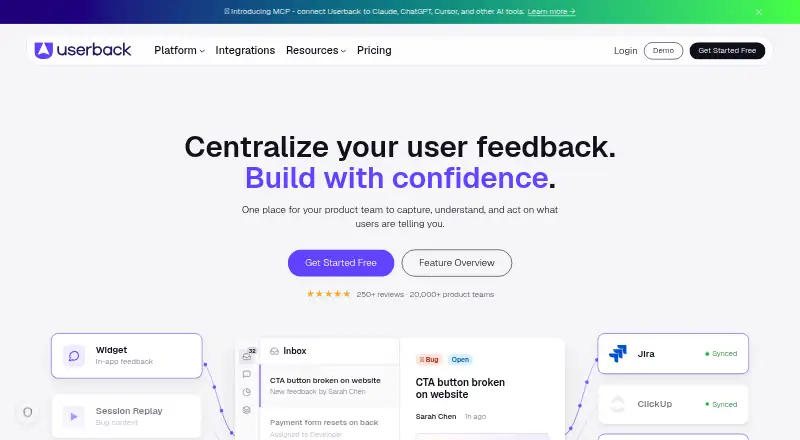
What Userback is
Userback helps product teams gather and organize user feedback, then turn it into work for product development. Its in-app widget can collect annotated screenshots, video recordings, and console logs; session replay shows what users did before filing a bug. Teams can run targeted surveys and NPS prompts, while the Feature Portal lets users submit ideas, vote, comment, and follow a public roadmap. AI features can categorize feedback, find similar issues, and identify recurring themes and sentiment. Integrations listed include Jira, GitHub, Slack, ClickUp, GitLab, Intercom, Linear, Microsoft Teams, Notion, Zendesk, and Zapier. Its Chrome, Firefox, and Edge extension captures feedback from websites without installing code on the target site, and a Mobile SDK supports native iOS and Android feedback. Userback says it uses TLS 1.2 or 1.3, encrypts account data, and stores passwords as one-way hashes. It also states compliance with SOC 2 Type II, GDPR, and specified Australian privacy laws. The free plan allows unlimited feedback collection, but account access to feedback lasts seven days. Team costs $29.00 per month billed annually or $39 billed monthly.
Good
- Captures screenshots, video, and console logs in-app.
- Session replay shows activity before a bug report.
- Includes surveys, NPS prompts, and a public roadmap.
- Browser extension captures feedback without target-site code.
- Free plan permits unlimited feedback collection.
Watch out
- Free-plan feedback is retained in the account for 7 days.
- Team is $29.00 per month billed annually.
- Team costs $39 billed monthly.
Who it suits
Userback suits product teams that want to collect bug reports, survey responses, feature requests, and product sentiment in one place. Its extension and mobile SDK also suit teams seeking feedback from websites or native iOS and Android apps.
Verdict
Userback combines visual bug feedback, surveys, feature requests, and integrations for product teams. Its free plan removes a collection cap, but feedback is only available in the account for seven days.
Plans and prices
From Userback's own pricing page, checked 3 Oct 2026.
| Plan | Price | What it gives you |
|---|---|---|
| Free Forever | Free | 2 seats · 2 projects · feedback available for 7 days · unlimited feedback collection · Free |
| Team | $29 a month | 5 seats · 5 projects · unlimited feedback availability · billed annually; $39 billed monthly |
| Business | $79 a month | unlimited seats · 25 projects · includes surveys, session replay with feedback, AI features, and automation · billed annually; $99 billed monthly |
| Business Plus | $159 a month | unlimited seats · 50 projects · includes mobile SDK, REST API, webhooks, and advanced privacy controls · billed annually; $199 billed monthly |
| Enterprise | Priced on request | unlimited projects · custom terms and invoice payment · SSO · priority support with dedicated Slack channel · Talk to sales |
The facts
Each one read from Userback's own pages, with the date it was checked.
What it does
- AI features
- The features page says AI can categorize incoming feedback, surface similar issues, and detect recurring themes and sentiment.checked 3 Oct 2026
- Compliance
- The security page states that Userback is SOC 2 Type II compliant and compliant with GDPR and specified Australian privacy laws.checked 3 Oct 2026
- Feature requests
- The Feature Portal lets users submit ideas, vote on features, comment, and follow a public roadmap.checked 3 Oct 2026
- Integrations
- Listed integrations include Jira, GitHub, Slack, ClickUp, GitLab, Intercom, Linear, Microsoft Teams, Notion, Zendesk, and Zapier.checked 3 Oct 2026
- Mobile support
- The integrations page describes a Mobile SDK for native iOS and Android in-app feedback.checked 3 Oct 2026
- Product
- Userback helps product teams collect, understand, and act on user feedback in one place.checked 3 Oct 2026
- Security
- The security page says Userback uses HTTPS with TLS 1.2 or 1.3, encrypts account data, and stores passwords as one-way hashes.checked 3 Oct 2026
- Session replay
- Session replay lets teams see what users did before reporting a bug.checked 3 Oct 2026
- Support
- Enterprise includes priority support with a dedicated Slack channel, and the pricing FAQ says users can schedule a demo or contact Userback by email or website chat.checked 3 Oct 2026
- Surveys
- Users can run targeted in-app surveys and NPS prompts to measure sentiment and product changes.checked 3 Oct 2026
- Visual feedback
- Its feedback widget collects in-app feedback with annotated screenshots, video recordings, and console logs.checked 3 Oct 2026
Where it runs
- Browser extension
- The browser extension is available for Chrome, Firefox, and Edge and captures feedback from websites without installing code on the target site.checked 3 Oct 2026
The company
- Company history
- The company says it has been building Userback since 2018 and identifies Jon Tobin and Lee Le as co-founders.checked 3 Oct 2026
- Founded
- 2016checked 23 Sep 2026
Money
- Free plan limit
- The Free plan allows unlimited feedback collection, but feedback is available in the account for only 7 days.checked 3 Oct 2026
The full review of Userback
Userback is a feedback platform for product teams that brings bug reports, product ideas, and customer sentiment into a shared workflow. It suits teams that need visual bug context alongside requests and surveys, especially when they already work in connected project tools. Its main trade-off is that the free plan keeps feedback for just seven days, while several core analysis and collaboration features require higher tiers.
Overview
Userback combines annotated screenshots, video recordings, and console logs in an in-app feedback widget, with session replay to show what happened before a bug report. Teams can also collect feature requests through a portal where users vote, comment, and follow a public roadmap. Targeted surveys and NPS prompts add a way to measure sentiment and changes in the product.
Its AI features can categorize feedback, identify similar issues, and surface recurring themes and sentiment. Integrations span Jira, GitHub, Slack, ClickUp, GitLab, Intercom, Linear, Microsoft Teams, Notion, Zendesk, and Zapier, making it more useful when teams want feedback to feed into existing work systems. The company says it has been building Userback since 2018 and names Jon Tobin and Lee Le as co-founders; the product is identified as founded in 2016.
Key features
Bug context and feedback collection
Screenshot annotation, recordings, and console logs give a report more diagnostic context than a plain text submission. Session replay can further help teams trace what users did before reporting an issue. These features suit product and engineering teams handling bugs from live users, though session replay is included in Business rather than the entry-level paid Team plan.
Ideas, surveys, and AI
The Feature Portal brings idea submission, voting, comments, and a public roadmap together. Surveys and NPS prompts help teams ask targeted questions, while AI categorization and theme detection can organize incoming feedback. These capabilities make Userback broader than a bug-reporting widget, but surveys, session replay with feedback, and AI features are reserved for Business and above.
Browser and mobile capture
The Chrome, Firefox, and Edge extension captures feedback on a website without requiring code installation on that target site, a practical option for external or third-party pages. Native iOS and Android feedback is supported through a Mobile SDK, included with Business Plus.
Pricing
Userback is freemium, with a 14-day trial and paid plans from $29/mo on annual billing. The plan choice matters less for collection volume than for retention, team scale, and access to surveys, replay, AI, and developer tools.
| Plan | Price and terms | What it means |
|---|---|---|
| Free Forever | free; 2 seats, 2 projects | Unlimited feedback collection, but feedback is available in the account for only 7 days. It works for a small team evaluating the workflow, not as a durable feedback archive. |
| Team | $29 a month billed annually; $39 billed monthly; 5 seats, 5 projects | Unlimited feedback availability removes the free plan’s retention limit. It is the sensible paid starting point for a small team, but does not include the surveys, replay, and AI features specified for Business. |
| Business | $79 a month billed annually; $99 billed monthly; unlimited seats, 25 projects | Adds surveys, session replay with feedback, AI features, and automation. The higher price is justified for teams that need those capabilities across multiple projects. |
| Business Plus | $159 a month billed annually; $199 billed monthly; unlimited seats, 50 projects | Adds the Mobile SDK, REST API, webhooks, and advanced privacy controls. It fits larger or mobile-focused teams that need those connections and controls. |
| Enterprise | Custom pricing; unlimited projects | Offers custom terms, invoice payment, SSO, and priority support with a dedicated Slack channel. It is aimed at organizations requiring those provisions rather than a fixed self-serve tier. |
Platforms
Userback supports Android, iOS, web, API, and browser extension. The extension works with Chrome, Firefox, and Edge; native mobile feedback uses the iOS and Android Mobile SDK. The Business Plus plan includes that SDK and the REST API and webhooks.
Who it's for
Userback is a strong fit for product teams that want bug context, feature requests, and customer sentiment routed through a single feedback system, particularly when integrations match their existing tools. Small teams can start on Free, but the seven-day account window makes it a poor choice when feedback needs to remain available. Teams needing surveys, replay, or AI should budget for Business; mobile SDK, API access, webhooks, and advanced privacy controls require Business Plus.
Security measures include HTTPS with TLS 1.2 or 1.3, encrypted account data, and one-way password hashes. Userback states that it is SOC 2 Type II compliant and compliant with GDPR and specified Australian privacy laws.
Pros and cons
- Pro: Reports can include annotated screenshots, recordings, and console logs, giving teams useful context beyond a text description.
- Pro: The portal, surveys, NPS prompts, and integrations cover both collecting feedback and connecting it to team workflows.
- Pro: Free allows unlimited collection, and Team removes the seven-day availability limit.
- Con: Free feedback is only available for seven days, limiting its usefulness for ongoing review.
- Con: Surveys, session replay with feedback, and AI features start at Business, a substantial step up from Team.
- Con: Mobile SDK and REST API access require Business Plus, so mobile or integration-heavy teams face a higher entry price.
Alternatives
For other options in the category, see Customer Feedback Software.
- Featurebase is worth considering for teams seeking a freemium alternative with unlimited conversations on its free plan and feedback included, though that plan is limited to one seat and does not support AI.
- Sleekplan is another freemium option; its free Indie plan includes unlimited feedback and subscribers, but has zero team seats.
- Beamer offers a free plan capped at 1,000 MAUs, one teammate, and one language, with an NPS add-on priced at $99 a month.
- Productboard is an alternative with a free plan that includes 50 AI credits per month, 500 feedback notes, 25 contributors, one teamspace, and one product portal.
- Canny suits readers comparing feedback tools with a free plan for 25 tracked users and unlimited feedback; its Pro plan is $79 a month billed yearly for 100+ tracked users and PM integrations.
- Qualaroo is another freemium alternative, with Essentials at $39.99 a month billed monthly for 1,000 email sends and unlimited responses.
- Zonka Feedback uses paid, custom-quote pricing based primarily on data credits and can be bundled with Feedback Management.
- Medallia is a paid alternative.
Verdict
Choose Userback if your product team needs to combine visual bug reports with a public feedback portal and, on higher plans, surveys, replay, and AI-assisted organization. The free tier is useful for trying the collection workflow, but its seven-day retention makes it unsuitable as a long-term record; teams should expect to pay for unlimited availability, and more again for the broader feedback and mobile capabilities.
Alternatives to Userback
- 1

Featurebase
Free planAndroidiOSWebAPI8.1From $29 a month - 2

Sleekplan
Free planAndroidiOSWebAPI8.1From $13 a month - 3

UserJot
Free planAndroidiOSWebAPI8.1From $29 a month - 4

Beamer
Free planAndroidiOSWebAPI8.0From $59 a month - 5
Zonka Feedback
AndroidiOSWebAPI7.8From $99 a month - 6

Canny
Free planWebAPIExtension7.6From $79 a month