
Synology Active Backup for SaaS
Synology Active Backup for SaaS backs up Microsoft 365 and Google Workspace data to Synology NAS servers, so data can be recovered after loss or service down…
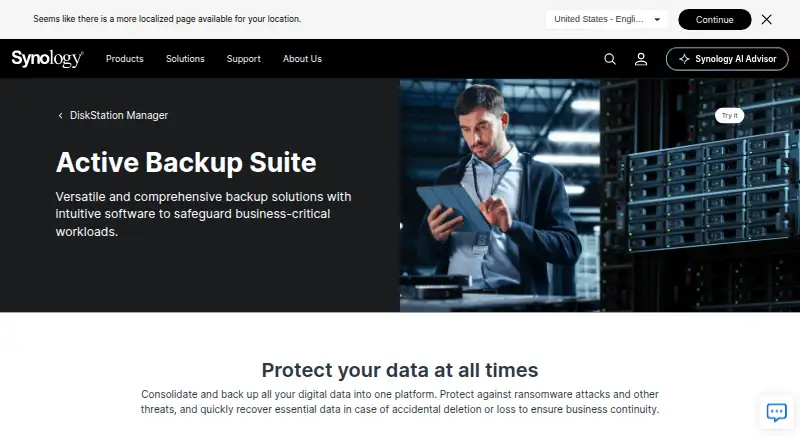
What Synology Active Backup for SaaS is
Synology Active Backup for SaaS backs up Microsoft 365 and Google Workspace data to Synology NAS servers, so data can be recovered after loss or service downtime. Microsoft 365 coverage includes OneDrive for Business, SharePoint Online, Exchange Online, and Teams. Google Workspace coverage includes Drive, Gmail, Contacts, and Calendar, along with shared drives, labels, and attachments. Microsoft 365 backups can run continuously, manually, or on a schedule; continuous intervals adjust from one to ten minutes based on API request rates. Both services support file versioning. Microsoft 365 administrators and employees can restore or export backed-up data through its Recovery Portal, with self-service access depending on configuration. The product is a free add-on for a compatible Synology NAS, with account capacity limited by NAS storage. Active Backup for Microsoft 365 requires DSM 6.1-15217 or later. Deduplication requires an x64 Synology NAS using Btrfs, and neither service supports secondary backups. Google Workspace backup setup requires administrators to configure the Drive SDK API and create a service key.
Good
- Backs up Microsoft 365 and Google Workspace
- Microsoft 365 backups can run continuously
- Supports file versioning
- Recovery Portal can restore or export Microsoft 365 data
- Free add-on with no software license required
Watch out
- Compatible Synology NAS required
- Microsoft 365 requires DSM 6.1-15217 or later
- Deduplication requires x64 NAS and Btrfs
- Secondary backups are unsupported
Who it suits
It suits organizations that use Microsoft 365 or Google Workspace and have a compatible Synology NAS for backups. Administrators should account for the setup and platform requirements, including the Google Workspace service key requirement.
Verdict
This free add-on protects data from two widely used workspace services by storing backups on Synology NAS devices. Confirm NAS compatibility, storage capacity, and configuration requirements before relying on it.
Plans and prices
From Synology Active Backup for SaaS's own pricing page, checked 21 Oct 2026.
| Plan | Price | What it gives you |
|---|---|---|
| Active Backup for SaaS | Free | License-free · Google Workspace account count limited by available NAS storage · Requires compatible Synology NAS |
| Active Backup for SaaS (Microsoft 365 and Google Workspace) | Free | Unlimited accounts, subject to NAS storage capacity; compatible Synology NAS required · Free add-on for Synology NAS; no software license required. |
The facts
Each one read from Synology Active Backup for SaaS's own pages, with the date it was checked.
What it does
- Account discovery
- Google Workspace account discovery can automatically select newly detected users or shared drives for backup.checked 21 Oct 2026
- API and setup
- Google Workspace setup requires configuring the Drive SDK API and creating a service key; the setup guide also names Admin SDK, People, Gmail, Calendar, Drive, and Drive Labels APIs.checked 21 Oct 2026
- Backup modes
- Google Workspace tasks can run on a schedule, manually, or continuously.checked 21 Oct 2026
- Backup schedules
- Microsoft 365 backups can run continuously, manually, or on a schedule; continuous backup intervals are adjusted from one to ten minutes based on the detected API request rate.checked 3 Oct 2026
- Deduplication requirement
- Deduplication is supported only on x64 Synology NAS models using the Btrfs file system for both products.checked 3 Oct 2026
- Deduplication requirements
- Google Workspace deduplication requires an x64 NAS running the Btrfs file system.checked 21 Oct 2026
- Deployment
- Active Backup for SaaS runs as a NAS add-on, with backup data stored on Synology NAS servers.checked 21 Oct 2026
- Documentation
- Synology provides technical specifications, a Google Workspace preparation guide, and a Microsoft 365 quick-start guide; the Google setup guide walks through API and service-account preparation.checked 21 Oct 2026
- Export
- Google Workspace email can be exported as EML files, and selected Drive items can be exported individually.checked 21 Oct 2026
- Google Workspace coverage
- Active Backup for Google Workspace backs up Drive, Gmail, Contacts, and Calendar data.checked 21 Oct 2026
- Google Workspace services
- It backs up Drive, Gmail, Contacts, and Calendar data, including shared drives, email labels, and attachments.checked 3 Oct 2026
- Google Workspace setup
- Before creating a Google Workspace backup task, administrators need to configure the Drive SDK API and create a service key.checked 3 Oct 2026
- Granular recovery
- Google Workspace recovery supports restoring selected Drive files and folders, including their sharing permissions.checked 21 Oct 2026
- Integrations
- The suite integrates with Synology Snapshot Replication and Hyper Backup for copies to other Synology NAS devices and cloud services.checked 21 Oct 2026
- License status
- Synology describes the Google Workspace backup add-on as license-free, but the reviewed pages do not state whether its source code is open source.checked 21 Oct 2026
- Limit: reliability
- One G2 reviewer reports recurring backup failures and difficulty completing full-machine restores, including issues with VSS and agent updates.checked 21 Oct 2026
- Limit: scale
- A G2 reviewer says the solution cannot currently scale out to meet their enterprise deployment needs.checked 21 Oct 2026
- Microsoft 365 coverage
- Active Backup for Microsoft 365 supports backup of drives, email, contacts, calendars, sites, and Teams data.checked 21 Oct 2026
The company
- Company headquarters and founding
- LinkedIn lists Synology’s headquarters in New Taipei City, Taiwan, and its founding year as 2000.checked 21 Oct 2026
- Company legal name
- Synology’s product and company pages identify the maker as Synology Inc.checked 21 Oct 2026
- Company size
- LinkedIn lists Synology’s company size as 501–1,000 employees.checked 21 Oct 2026
- Company support
- Synology lists its headquarters at 9F., No. 1, Yuandong Road, Banqiao District, New Taipei City, Taiwan.checked 3 Oct 2026
- Headquarters
- Banqiao District, New Taipei City, Taiwanchecked 23 Sep 2026
Money
- Free plan
- Yeschecked 20 Sep 2026
The full review of Synology Active Backup for SaaS
Synology Active Backup for SaaS is a self-hosted backup add-on for Microsoft 365 and Google Workspace, aimed at organizations that already operate a compatible Synology NAS. It is a compelling no-license-cost option for keeping recoverable copies of both suites, but its hardware dependency and lack of secondary backups make it a poor fit for teams seeking an independent backup destination.
Overview
The service covers OneDrive for Business, SharePoint Online, Exchange Online and Microsoft Teams, alongside Google Drive, Gmail, Contacts and Calendar. Google coverage extends to shared drives, email labels and attachments. Item-level restore and audit logs are useful when the need is to recover a particular record rather than rebuild an entire workspace.
Microsoft 365 backups can run continuously, manually or on a schedule. Continuous intervals adjust from one to ten minutes based on detected API request rates, a useful way to keep copies current while adapting to service limits. Both products support file versioning; Google Workspace retention can be limited to a chosen period or set to keep every version. Keeping more history can consume more NAS capacity, so unlimited accounts do not mean unlimited storage.
Key features
- Microsoft 365 recovery: The Recovery Portal lets administrators and employees restore or export backed-up data. Employee self-service access depends on configuration, giving administrators flexibility but requiring them to decide and set up the access model.
- Storage efficiency: Single instancing and block-level deduplication reduce duplicate data in Microsoft 365 backups. Deduplication is available only on x64 Synology NAS models running Btrfs for either product, so it should not be assumed on every compatible device.
- Google Workspace setup: Administrators must configure the Drive SDK API and create a service key before making a backup task. That prerequisite adds setup work for teams that want Google protection, but it also makes clear that this is a NAS-administered system, not a turnkey cloud service.
- Backup limitation: Neither the Microsoft 365 nor Google Workspace product supports secondary backups. Organizations that require another backup copy should choose a solution that supports that recovery strategy instead of relying on this add-on alone.
Pricing
Active Backup for SaaS (Microsoft 365 and Google Workspace) costs nothing. It is a free add-on for Synology NAS, requires no software license and allows unlimited accounts, subject to available NAS storage. That makes it especially attractive for organizations with existing compatible hardware and many users; for a team without that hardware, the zero software price does not remove the cost or requirement of the NAS.
There is one plan, so there is no cheaper tier that trades away features or account capacity. The practical cap is storage on the NAS, and the lack of secondary backups is a material limitation regardless of account count.
Platforms
This is self-hosted software for Synology NAS rather than a general-purpose desktop or mobile app. Active Backup for Microsoft 365 requires a compatible Synology NAS running DSM 6.1-15217 or later. Both products require an x64 NAS with Btrfs to use deduplication. Check the specific NAS and storage capacity against the workload before making it the foundation of workspace recovery.
Who it's for
It is best suited to organizations already invested in Synology NAS that want Microsoft 365 and Google Workspace coverage without per-account software licensing. The broad suite coverage, item-level recovery and flexible Microsoft 365 backup cadence are valuable for administrators responsible for everyday file, email and collaboration recovery.
It is not the right choice for organizations that lack compatible Synology hardware, need a cloud-hosted backup service, or require a secondary backup copy. Google Workspace administrators should also be prepared to configure its API and service key before creating a task.
Pros and cons
- Pro — No software license cost: Unlimited accounts make the plan economical for large organizations already running a compatible NAS, although storage capacity remains the constraint.
- Pro — Broad workspace coverage: It protects the named Microsoft 365 and Google Workspace services, including Google shared drives and attachments, with item-level restore.
- Pro — Adjustable Microsoft 365 cadence: Continuous, manual and scheduled options give administrators control over backup timing, with continuous intervals adapting to API request rates.
- Con — Synology hardware is mandatory: This is only a practical free option for organizations with a compatible NAS and enough capacity.
- Con — No secondary backups: A NAS copy cannot serve as the only protection for organizations whose policy requires another backup destination.
- Con — Setup and efficiency constraints: Google Workspace needs API and service-key configuration, while deduplication requires x64 hardware and Btrfs.
Alternatives
For a cloud-storage gateway or migration workflow rather than SaaS backup, compare the Cloud Storage Gateway Software and Storage Migration Software categories. For broader comparisons focused on workspace protection, see SaaS Backup Software, Google Workspace Backup Software, Microsoft 365 Backup Software and Email Backup Software.
LucidLink is a paid alternative with a free trial and apps across desktop, mobile, web and browser extension platforms; its Starter plan is $7 a month, billed per member/month, with 10 members and 100 GB included per member, shared. Consider it when those platform options and its stated plan fit better than a Synology NAS-dependent backup add-on.
Triofox is a paid alternative with a free trial and support for self-hosted, desktop, mobile and web platforms. Morro Data CloudNAS is another paid option with a free trial; its Business plan is from $129 (priced on request), with up to 2 CacheDrives and stated default storage and download allowances. These are worth comparing when a paid option is preferable to Synology's NAS add-on.
QNAP HybridMount is a free alternative with a free plan and self-hosted and web platforms; its Small plan is $19.99 a year for one file share and local NAS cache. It is a more relevant comparison for readers considering a different NAS-oriented option, though its listed plan is structured around file shares rather than the workspace backup coverage described above.
Hitachi Universal Volume Manager is a paid alternative requiring a license on the local storage system. Nasuni File Data Platform is a paid option on a three-year contract billed annually. ObjectiveFS is a paid alternative with a free trial and a Personal plan at $99 a month. Oracle Cloud Infrastructure Object Storage is a freemium option with a free plan and trial; its Infrequent Access tier is $0.01 a month per gigabyte of storage capacity, with retrieval charged at $0.01 per gigabyte retrieved per month.
Verdict
Choose Synology Active Backup for SaaS if your organization already has a compatible, adequately sized Synology NAS and wants no-license-cost backups for both Microsoft 365 and Google Workspace. Its strongest case is broad coverage with item-level recovery and flexible Microsoft 365 scheduling. Look elsewhere if you need a secondary backup copy, cloud-hosted service, or a solution that does not depend on Synology hardware.