NovaNAS
NovaNAS is a free, open-source NAS operating system managed through a desktop-like web interface.
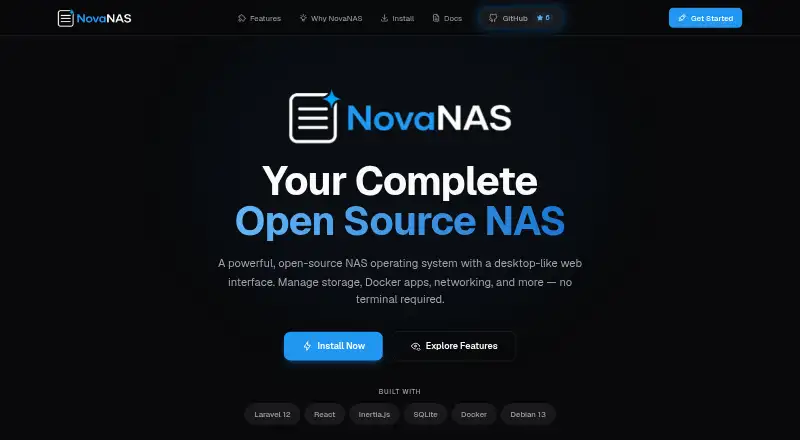
What NovaNAS is
NovaNAS is a free, open-source NAS operating system managed through a desktop-like web interface. Its browser-based file manager can browse, upload, download, and preview files. Storage options include ZFS and EXT4, RAID management, and SMB/CIFS and NFS shared folders with access controls. A community app store supports one-click deployment of Docker apps such as Plex, Nextcloud, and Pi-hole. The project describes automated backups to external drives or cloud storage, as well as backups between NovaNAS systems using API key authentication. Network and security tools include UFW firewall controls, DynDNS, automatic Let's Encrypt certificates, and WebAuthn/FIDO2 passkey login. A monitoring view covers CPU, memory, disk, and network activity in real time. NovaNAS currently supports Debian 13 only, and its installer is intended for a fresh system, not an existing installation. The minimum requirements are 2 GB RAM, a 1-core CPU, and a 20 GB system drive, plus data drives. Virtualization, historical monitoring, and scheduled tasks are listed as coming soon.
Good
- Free and open source
- Supports ZFS, EXT4, and RAID management
- One-click Docker app deployment
- Automated external, cloud, and system-to-system backups
- Includes real-time resource monitoring
Watch out
- Debian 13 is the only supported operating system
- Installer is intended for a fresh system
- Role-based user permissions are coming soon
- Virtualization support is coming soon
Who it suits
NovaNAS suits DIY hardware owners and home or small-business users seeking storage managed through a web interface. It requires a fresh Debian 13 system and at least 2 GB RAM, a 1-core CPU, and a 20 GB system drive.
Verdict
NovaNAS combines storage management, file sharing, backups, and Docker app deployment in a web interface. Its Debian 13-only requirement and fresh-install limitation are important constraints to check first.
Plans and prices
From NovaNAS's own pricing page, checked 4 Oct 2026.
| Plan | Price | What it gives you |
|---|---|---|
| NovaNAS | Free | Open-source NAS operating system; requires Debian 13; minimum 2GB RAM, 1-core CPU, and 20GB system drive plus data drives |
The facts
Each one read from NovaNAS's own pages, with the date it was checked.
Where it runs
- Apps
- The community app store offers one-click deployment of Docker apps, including Plex, Nextcloud, and Pi-hole.checked 4 Oct 2026
- Platform limit
- The README says Debian 13 is currently the only supported operating system.checked 3 Oct 2026
What it does
- Audience
- The site describes NovaNAS as a free, open-source option for DIY hardware and serious home or small-business storage.checked 4 Oct 2026
- Authentication
- The project README lists passwordless WebAuthn/FIDO2 passkey authentication.checked 4 Oct 2026
- Backup
- The README describes automated backups to external drives or cloud storage and NovaNAS-to-NovaNAS backups using API key authentication.checked 3 Oct 2026
- Backups
- The project README describes automated backup to external drives or cloud storage and NovaNAS-to-NovaNAS network backup using API key authentication.checked 4 Oct 2026
- Coming soon
- Virtualization support and scheduled tasks are listed as coming soon on the site.checked 4 Oct 2026
- File management
- Its web file manager supports browsing, uploading, downloading, and previewing files.checked 4 Oct 2026
- File sharing
- NovaNAS supports SMB/CIFS and NFS sharing with access controls.checked 3 Oct 2026
- Installation limit
- The installer is intended for a fresh Debian 13 system and the site says not to run it on an existing system.checked 4 Oct 2026
- Monitoring
- The site describes real-time CPU, memory, disk, and network monitoring; historical monitoring and alerting are marked coming soon.checked 4 Oct 2026
- Network and security
- Listed features include UFW firewall management, DynDNS, automatic Let's Encrypt certificates, and WebAuthn/FIDO2 passkey login.checked 3 Oct 2026
- Product
- NovaNAS is an open-source NAS operating system managed through a desktop-like web interface.checked 4 Oct 2026
- Purpose
- NovaNAS is an open-source NAS operating system managed through a desktop-like web interface.checked 3 Oct 2026
- Security
- The site lists UFW firewall controls, DynDNS, and automatic Let's Encrypt SSL/TLS certificate management.checked 4 Oct 2026
- Storage
- NovaNAS supports ZFS and EXT4 pools, RAID management, and SMB/CIFS and NFS shared folders.checked 4 Oct 2026
- Support
- The README points users to documentation and GitHub Issues for support and bug reports.checked 3 Oct 2026
- Support and permissions
- The project README says role-based user permissions are coming soon and currently limited to admins; it lists documentation and GitHub issues for support.checked 4 Oct 2026
- System requirements
- The installer is designed for a fresh Debian 13 system with at least 2 GB RAM, a 1-core CPU, and a 20 GB system drive.checked 3 Oct 2026
Money
- Price
- The site describes NovaNAS as completely free and open source.checked 3 Oct 2026
The full review of NovaNAS
NovaNAS is a free, open-source NAS operating system for people building storage on their own hardware. It is most compelling for DIY home and small-business setups that can dedicate a machine to Debian 13. The storage and app tools cover a useful range, but the strict installation requirement makes it a poor fit for an existing server.
Overview
NovaNAS puts NAS administration behind a desktop-style web interface, pairing file access with storage pools, sharing, backups and Docker app deployment. Support for ZFS and EXT4, RAID management, and SMB/CIFS and NFS shares gives it a solid base for a personal or small-office file server.
Installation requires a fresh Debian 13 system; the installer is not meant for an existing installation, and Debian 13 is the only supported operating system. In practice, that means planning for dedicated hardware rather than simply adding NovaNAS to a server already in use. Minimum requirements are 2 GB RAM, a 1-core CPU and a 20 GB system drive, in addition to data drives.
Key features
Files, storage and apps
The browser-based file manager supports browsing, uploads, downloads and previews. Shared folders work over SMB/CIFS and NFS with access controls. These familiar protocols make the system useful for devices that need network file access, while the choice of ZFS or EXT4 and RAID management gives storage builders options for organizing their pools.
A community app store offers one-click deployment of Docker applications such as Plex, Nextcloud and Pi-hole. That can consolidate media, file collaboration and network services on the NAS rather than requiring a separate application host. NovaNAS supports containers but not virtual machines, so it is not the right pick for workloads that need VM hosting.
Backups, security and monitoring
Automated backups can target external drives or cloud storage, and NovaNAS-to-NovaNAS backups use API key authentication. This provides both local and network backup paths, although the available backup destinations are the ones described by the project. Security tools include UFW firewall management, DynDNS, automatic Let's Encrypt certificates and passwordless WebAuthn/FIDO2 login.
Real-time CPU, memory, disk and network monitoring helps administrators see current system activity. Historical resource monitoring, scheduled tasks and virtualization support are listed as coming soon, so buyers who need those capabilities now should look elsewhere. User permissions are currently limited to admins; role-based permissions are also planned rather than available.
Pricing
NovaNAS is free and open source, with one plan: NovaNAS — free. It includes the NAS operating system, storage pools, user management, an app catalog and container support, subject to the Debian 13 and hardware requirements. There is no paid tier to unlock additional features, but users must provide and maintain compatible hardware. A free trial is not offered because the software itself is free.
Platforms
NovaNAS supports Linux, self-hosted deployment and web access, with API support also listed. The host requirement narrows that Linux support to Debian 13; it is not a multi-operating-system NAS package. Users who cannot start from a fresh Debian 13 system should not proceed with its installer.
Who it's for
NovaNAS suits technically comfortable users who want to build a dedicated home or small-business NAS and manage storage and Docker apps through a browser. Its free, open-source model and integrated backup options are appealing for DIY deployments. It is less suitable for an existing server that must be preserved, a team needing role-based permissions today, or anyone requiring virtual machines or the coming-soon features.
Pros and cons
- Pros: Free, open-source software with ZFS, EXT4, RAID management, and SMB/CIFS and NFS sharing in one NAS system.
- Pros: One-click Docker app deployment and backups to external drives, cloud storage or another NovaNAS system.
- Pros: Includes firewall controls, automatic Let's Encrypt certificates, passkey login and real-time resource monitoring.
- Cons: Requires a fresh Debian 13 installation, excluding other operating systems and servers users need to keep intact.
- Cons: Permissions are currently limited to admins, which constrains multi-user administration.
- Cons: Virtualization, scheduled tasks and historical monitoring are not yet available.
Alternatives
NAS Software is the broader category directory for comparing NAS options. Consider ZimaOS if broader platform support, including Windows, macOS, Android and iOS, matters; its free plan includes core features and Zima Client for mobile and PC. TrueNAS is another free option, with a community edition described for any x86 hardware and community support.
napp-it offers a free CS Home plan for noncommercial home use, capped at three servers but with no capacity limit and no support; it also has a free trial. OSNEXUS QuantaStor is worth considering for community, educational or testing use, with its free Community Edition limited to 80 TB raw capacity and four servers per storage grid. DPlaneOS is another free, open-source community option that can be used, modified and distributed under AGPLv3 on hardware you own.
OpenNAS offers a free, open-source x86_64 beta installer for self-hosting. PetaSAN is a free, open-source storage platform with a self-support model. openmediavault is free software under GNU GPL v3 and is another option for Linux self-hosting.
Verdict
Choose NovaNAS if you want a free, open-source NAS for dedicated Debian 13 hardware, with storage management, file sharing, backups and Docker apps together in a web interface. Its firm fresh-install requirement is the main reason to look elsewhere: users who need to preserve an existing system, run VMs or manage role-based permissions today will be better served by another NAS platform.
Alternatives to NovaNAS
- 1

TrueNAS
Free planOpen sourceAndroidiOSWebAPI7.9Free plan - 2
ZimaOS
Free planAndroidiOSWebAPI7.9$29 one-time - 3

Synology Active Backup for SaaS
Free planSelf-hosted6.7Free plan - 4

KitchenAsty
AndroidiOSWebAPI6.6 - 5
napp-it
Free planWebAPILinuxmacOS6.6Free plan - 6
SoftNAS
WebAPILinuxSelf-hosted6.6From $0.13 a month