Morro Data CloudNAS
Morro Data CloudNAS gives businesses and managed service providers a shared file view, so people at different locations can access files through one namespace.
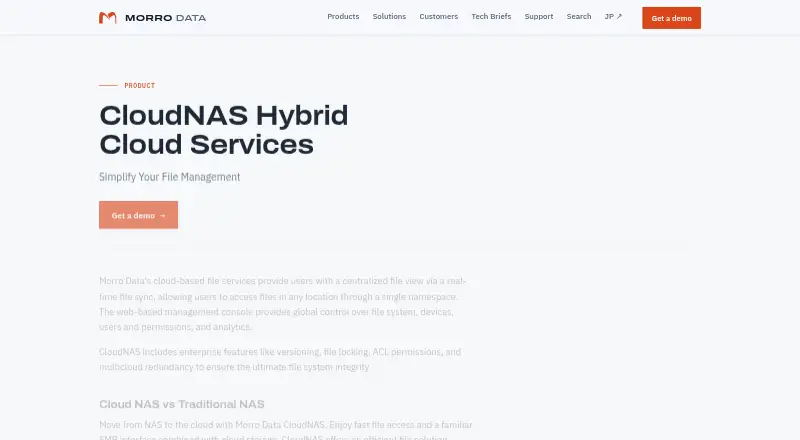
What Morro Data CloudNAS is
Morro Data CloudNAS gives businesses and managed service providers a shared file view, so people at different locations can access files through one namespace. It combines an on-premises caching gateway and a global file system with cloud object storage. Access is available through a web portal, Morro Connect desktop applications, or mapped network drives. The web management console lets administrators manage file systems, devices, users, permissions, and analytics across locations.
CloudNAS includes file versioning, locking, ACL permissions, and multicloud redundancy. Morro Data says data is encrypted at rest in cloud storage and while in transit to it. Morro Audit records file access and offers searchable logs and alerts for unusual bulk operations. Listed storage choices include S3, Wasabi, Azure, and Backblaze. SharePoint Sync links SharePoint Online libraries for synchronization, backup, and archiving. A free trial can be arranged through Morro Data, with terms provided by the team.
Good
- Provides a global file namespace with local caching.
- Offers web, desktop, and mapped-drive access.
- Includes versioning, file locking, and ACL permissions.
- Supports listed S3, Wasabi, Azure, and Backblaze options.
- Includes searchable file-access logs and bulk-activity alerts.
Watch out
- No free plan is listed.
- Trial terms are arranged through the Morro team.
Who it suits
CloudNAS suits businesses and managed service providers that need file access across locations, including organizations in AEC, manufacturing, logistics, finance, media and entertainment, or life sciences. It is also relevant to teams using the listed cloud storage options or SharePoint Online libraries.
Verdict
CloudNAS brings shared file access, caching, and administration together for distributed organizations. Confirm the plan, storage setup, and trial terms with Morro Data before choosing it.
Plans and prices
From Morro Data CloudNAS's own pricing page, checked 14 Oct 2026.
| Plan | Price | What it gives you |
|---|---|---|
| Business | $129 a month | No end-user fee · Standard support included · Premium support optional · from $129 / site |
| Enterprise | $199 a month | Multicloud redundancy · Auditing · Office collaboration · Premium support · from $199 / site |
| Design Collaboration | Priced on request | Remote Team Collaboration for Revit and AutoCAD · Premium support · Contact Sales |
The facts
Each one read from Morro Data CloudNAS's own pages, with the date it was checked.
What it does
- Access
- Users can access files through a web portal, Morro Connect desktop apps, or mapped network drives.checked 2 Oct 2026
- API and SDK documentation
- Morro's public support center exposes administration, connection, synchronization and storage articles but no dedicated public API or SDK documentation section.checked 14 Oct 2026
- Architecture
- CloudNAS uses an on-premises caching gateway and a global file system while storing files in cloud object storage.checked 2 Oct 2026
- Auditing
- Morro Audit logs file access activity and provides searchable records and alerts for unusual bulk operations.checked 2 Oct 2026
- Client access
- Users can connect through native Windows File Explorer, macOS Finder, the Morro Connect desktop app or a browser-based Team Portal.checked 14 Oct 2026
- Cloud integrations
- Documented integrations include SharePoint, Dropbox, OneDrive and Slack alerts.checked 14 Oct 2026
- Compliance claims
- Morro Data's corporate sheet states that its services support GDPR and HIPAA compliance requirements.checked 14 Oct 2026
- Documentation and support
- Capterra lists phone, email/help desk, chat, 24/7 live representative, knowledge base, webinars, live online training, documentation and videos as support options.checked 14 Oct 2026
- File features
- CloudNAS includes versioning, file locking, ACL permissions, and multicloud redundancy.checked 2 Oct 2026
- Founder
- Crunchbase identifies Paul Tien as founder and CEO and says he previously led NETGEAR network storage and founded ReadyNAS.checked 14 Oct 2026
- Global file locking
- CloudNAS locks files across gateways to prevent simultaneous edits and supports collaboration on Office and design files.checked 14 Oct 2026
- Hybrid architecture
- The service combines cloud storage with CacheDrive gateways that cache frequently used data locally while presenting an SMB network-share interface.checked 14 Oct 2026
- Identity integration
- The management console integrates with Microsoft Active Directory and Azure AD, including Azure AD single sign-on.checked 14 Oct 2026
- Identity integrations
- The plans list Azure AD and Local AD support, and optional or supported JumpCloud DaaS depending on plan.checked 2 Oct 2026
- License model
- FAUN.dev describes CloudNAS as closed-source proprietary software controlled by Morro Data.checked 14 Oct 2026
- Limit: lock visibility
- A reviewer wanted clearer visibility into which user held a read/write lock on files such as PDFs.checked 14 Oct 2026
- Limit: remote downloads
- A reviewer said the web version allowed sharing but did not provide direct downloading when away from the LAN without the desktop app.checked 14 Oct 2026
- Limit: small-file performance
- One reviewer reported performance below a local file server when handling many small files and said caching favored larger files.checked 14 Oct 2026
- Limit: storage expansion
- A reviewer said increasing drive size after initial setup required rebuilding the NAS.checked 14 Oct 2026
Where it runs
- Azure appliance sizing
- For about ten simultaneous users, Morro recommends an Azure F2s v3 VM with 2 vCPUs, 4 GB RAM and at least 256 GB Standard SSD.checked 14 Oct 2026
- Desktop platforms
- Morro Connect downloads are offered for Windows PC x86 and macOS on Intel and Apple Silicon.checked 2 Oct 2026
- Linux support
- The support center lists a Linux connection procedure for CacheDrive file access.checked 14 Oct 2026
Money
- Free-trial terms
- Morro's support article says the trial is a money-back guarantee when service is cancelled and purchased hardware is returned within the first 30 days.checked 14 Oct 2026
The company
- Headquarters
- Newark, California, United Stateschecked 28 Sep 2026
The full review of Morro Data CloudNAS
Overview
Morro Data CloudNAS gives distributed teams a shared file namespace backed by cloud object storage and on-premises caching gateways. It is best suited to organizations that need centrally managed file access across sites; its hybrid architecture and file controls are compelling, but the per-site plans and storage allowances deserve close scrutiny.
Key features
CloudNAS presents files across locations through one namespace, with real-time synchronization and local caching at gateway sites. That combination can help teams work from a shared view without making every file access depend on a direct cloud connection. Its SMB support and mapped network-drive access also fit organizations built around conventional shared-file workflows.
Versioning, file locking, ACL permissions, and multicloud redundancy address practical needs for collaboration and file governance. A global web console manages file systems, devices, users, permissions, and analytics. Morro Data says files are encrypted at rest in cloud storage and in transit to it. Morro Audit adds searchable access records and alerts for unusual bulk operations, useful for teams that need oversight as well as shared access.
Users can connect through a web portal, Morro Connect desktop apps, or mapped drives. Desktop downloads are offered for Windows PC x86 and both Intel and Apple Silicon Macs. CloudNAS supports S3, Wasabi, Azure, and Backblaze storage targets, while its plans list Azure AD and Local AD support; JumpCloud DaaS support varies by plan. SharePoint Sync connects SharePoint Online document libraries for synchronization, backup, and archiving workflows.
Pricing
CloudNAS is paid, with no free plan. Business starts at from $129 (priced on request), shown as from $129 / site. It includes up to two CacheDrives, unlimited maximum storage, and default allowances of 1 TB storage and 1 TB/month download per account. Standard support is included and Premium is optional. This is the clearest fit for businesses that can work within the included gateway count and default allowances.
Enterprise starts at from $199 (priced on request), shown as from $199 / site. It keeps unlimited maximum storage and the same default storage and download allowances, but CacheDrives are determined with Morro Data and Premium support is required. The higher starting price and mandatory support make it more appropriate for organizations that need an enterprise arrangement than for smaller deployments seeking a low-cost entry point.
Design Collaboration uses custom pricing and requires Premium support. CacheDrives are determined with Morro Data; the plan adds RTC for Revit and AutoCAD across sites. It is the relevant plan for teams needing those cross-site design workflows, but not a priced alternative for general file sharing. Unlimited maximum storage should not be confused with unlimited default usage: both priced plans show 1 TB storage and 1 TB/month download per account by default. Morro Data offers a PoC trial, with its team arranging an introduction and discussing trial terms.
Platforms
CloudNAS supports Linux, macOS, web, and Windows. Morro Connect desktop downloads are specifically offered for Windows PC x86 and macOS on Intel and Apple Silicon. The hybrid deployment combines on-premises caching with cloud object storage.
Who it's for
Morro Data serves businesses and managed service providers across architecture, engineering, and construction; manufacturing; logistics; finance; media and entertainment; and life sciences. It makes the most sense for distributed organizations that need a centrally administered shared file view and can plan around per-site pricing, gateway requirements, and per-account default allowances. A Support Center offers help articles and ticket submission for existing customers.
Pros and cons
- Pros: A global namespace, real-time sync, and local caching bring cross-site file access together in a hybrid design.
- Pros: Versioning, locking, ACLs, audit records, and bulk-operation alerts provide meaningful file-management and oversight controls.
- Pros: S3, Wasabi, Azure, and Backblaze options give organizations a choice of supported cloud storage targets.
- Cons: Business is capped at two CacheDrives, while Enterprise and Design Collaboration require a conversation with Morro Data about gateway quantities.
- Cons: The 1 TB storage and 1 TB/month download defaults per account may constrain usage despite unlimited maximum storage.
- Cons: Enterprise and Design Collaboration require Premium support, adding a required support component beyond the Business plan.
Alternatives
Cloud Storage Gateway Software is a broader category directory for comparing gateway products. Choose LucidLink instead if you want a stated Starter plan at $7 a month billed member/month, with 10 members and 100 GB shared per member, rather than CloudNAS's per-site entry pricing.
Triofox is another paid option with a free trial and support for Android, iOS, macOS, self-hosted, web, and Windows. NetApp Global File Cache is worth comparing if Linux, Windows, or self-hosted platform support is central; its one-year subscription is $250 a year.
Synology Active Backup for SaaS is a free add-on for Synology NAS with no software license required, making it a different fit for Synology users seeking SaaS backup. Quantum StorNext is a paid alternative spanning Linux, macOS, self-hosted, web, and Windows, with product inquiries handled by Quantum.
Alibaba Cloud Storage Gateway offers cloud gateways priced by hour or monthly/yearly subscription, depending on gateway specification, cache, and other factors. Nasuni File Data Platform is another paid option with SMB and NFS shares, a global file system, and immutable snapshots under a three-year contract paid annually. Oracle Cloud Infrastructure Object Storage has a free plan and free trial, and may suit readers looking for object storage rather than a managed shared-file namespace.
Verdict
Choose Morro Data CloudNAS if your distributed organization needs shared cross-site file access, local caching, and centralized controls in a hybrid architecture. Its strongest case is the mix of a global namespace and practical governance features; look elsewhere if you need a free entry point, predictable gateway counts beyond Business, or default allowances that better match heavier per-account usage.
Alternatives to Morro Data CloudNAS
- 1

Oracle Cloud Infrastructure Object Storage
Free planAndroidiOSWebAPI8.0Free plan - 2

CloudMounter
macOSWindows7.1 - 3

LucidLink
AndroidiOSWebExtension7.1From $7 a month - 4
Triofox
AndroidiOSWebmacOS6.9From $11 a month - 5

Synology Active Backup for SaaS
Free planSelf-hosted6.7Free plan - 6
QNAP HybridMount
WebSelf-hosted6.6From $19.99 a year