
CloudMounter
CloudMounter mounts cloud storage accounts and web services as local drives, so you can browse and manage remote files through Finder on macOS or Explorer on…
What CloudMounter is
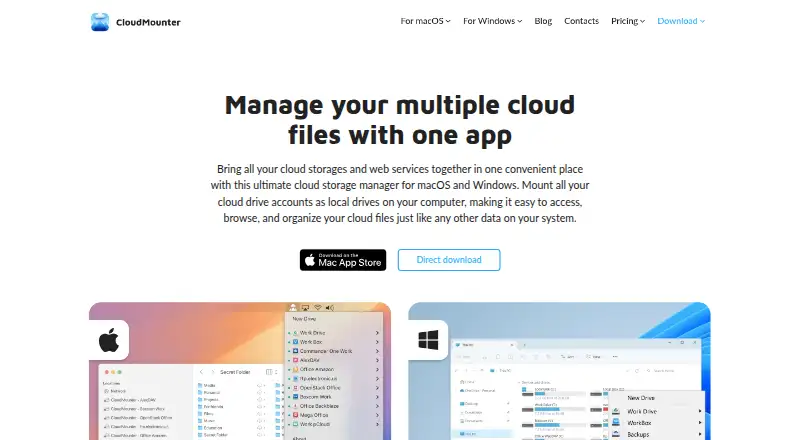
CloudMounter mounts cloud storage accounts and web services as local drives, so you can browse and manage remote files through Finder on macOS or Explorer on Windows. It supports services including Dropbox, Google Drive, OneDrive, Amazon S3, WebDAV, SFTP, FTP, Box, Backblaze, MEGA, OpenStack Swift, and pCloud. You can move files between cloud services by dragging and dropping without downloading them to your computer, or work with remote files without using local storage. The maker describes client-side AES-256 encryption before files are sent to storage; on macOS, login details are kept in Keychain rather than on CloudMounter’s servers. Offline work is supported on macOS and listed as coming soon for Windows. The 7-day Mac trial applies to yearly subscriptions; Windows offers a 14-day PRO trial before its free version’s account limits apply.
Good
- Manage cloud files through Finder or Explorer.
- Transfer files between services without downloading them.
- Work with remote files without using local storage.
- Client-side AES-256 encryption is listed.
- Supports FTP, FTPS, FTPES, SFTP, and WebDAV.
Watch out
- Windows offline work is listed as coming soon.
- Windows free version limits additional accounts and services to read-only.
- Folder synchronization is not included.
- Automation support is not included.
Who it suits
CloudMounter suits people who want to manage files across cloud services from Finder or Explorer, or transfer files without first downloading them. Check the platform-specific account limits if you plan to use the Windows free version or need offline access.
Verdict
CloudMounter brings multiple cloud and remote services into familiar file managers and supports direct transfers between services. Its free-plan limits differ on Windows, and it does not include folder synchronization or automation.
Plans and prices
From CloudMounter's own pricing page, checked 8 Oct 2026.
| Plan | Price | What it gives you |
|---|---|---|
| Mac Personal 1-year subscription | $29 a year | Personal use only · 1 Mac · 7-day trial · $29 per year |
| One-Year Personal Subscription | $29.99 a year | 1 Mac · Amazon S3, FTP/WebDAV, Dropbox, Google Drive encryption, OneDrive · per user, per year |
| Windows Personal | $29.99, paid once | 1 PC · One-time purchase |
| Mac Personal Lifetime | $74, paid once | Personal use only · 1 Mac · Pay once, use forever; shown alongside $99 |
| Lifetime Purchase Personal License | $74.99, paid once | Personal lifetime license · flat rate, one time |
| Mac Team 1-year subscription | $99 a year | Business and personal use · 5 Macs · 7-day trial · $99 per year |
| Windows Team | $99.99, paid once | 5 PCs · One-time purchase |
| One-Year Team Subscription | $99.99 a year | Team plan · flat rate, per year |
| Mac Team Lifetime | $249, paid once | Business and personal use · 5 Macs · Pay once, use forever; shown alongside $299 |
| Lifetime Purchase Team License | $249.99, paid once | Team lifetime license · flat rate, one time |
| Company license | Priced on request | Mac: more than 5 Macs · Windows: up to 50 PCs or more · Custom quote |
The facts
Each one read from CloudMounter's own pages, with the date it was checked.
What it does
- Account count
- The maker says there is no CloudMounter limit on the number of accounts for one cloud service.checked 15 Oct 2026
- API usage
- The maker describes CloudMounter as accessing cloud services through the services’ developer APIs.checked 15 Oct 2026
- Client-side encryption
- CloudMounter offers AES-256 client-side encryption before files are sent to supported storage.checked 15 Oct 2026
- Cloud integrations
- Supported services include Dropbox, Google Drive, OneDrive, Amazon S3, Box, Backblaze B2, MEGA, pCloud and OpenStack Swift.checked 15 Oct 2026
- Commercial licensing
- CloudMounter is distributed under paid annual and lifetime licenses with a continuing free tier, rather than as an open-source project.checked 15 Oct 2026
- Credential storage
- The macOS edition stores login credentials in macOS Keychain rather than retaining them in the app.checked 15 Oct 2026
- Cross-cloud transfer
- The product says files can be dragged between mounted cloud drives without first downloading them to the computer.checked 15 Oct 2026
- Cross-cloud transfers
- Users can transfer files between cloud services by dragging and dropping without first downloading them to their computer.checked 8 Oct 2026
- Documentation
- The support center lists 11 Windows user-guide articles covering connections, licensing, FAQs and version history.checked 15 Oct 2026
- Encryption
- The maker describes client-side AES-256 encryption that encrypts files before they are sent to cloud storage.checked 8 Oct 2026
- File Explorer integration
- On Windows, CloudMounter maps remote services into File Explorer.checked 15 Oct 2026
- File management
- The app supports browsing and managing cloud files through Finder on macOS and Explorer on Windows.checked 8 Oct 2026
- File-size limits
- The FAQ lists provider limits including Dropbox 350 GB, Google Drive 5 TB, Amazon S3 5 TB and OneDrive 10 GB.checked 15 Oct 2026
- Finder integration
- On macOS, mounted services appear in Finder and can be handled like local drives.checked 15 Oct 2026
- Integrations
- The listed services include Dropbox, OneDrive, Google Drive, Amazon S3, WebDAV, SFTP, FTP, Box, Backblaze, MEGA, OpenStack Swift, and pCloud.checked 8 Oct 2026
- License limits
- Mac and Windows Team licenses are separate; each covers five devices on its own platform and cannot be shared across platforms.checked 8 Oct 2026
- Limit: cache usage
- App Store reviewers report that cached files can consume substantial local disk space and that cache avoidance is unavailable.checked 15 Oct 2026
- Limit: service support
- The FAQ states that iCloud is not supported.checked 15 Oct 2026
The company
- Company
- CloudMounter is made by Electronic Team, Inc., whose listed address is in Reston, Virginia, USA.checked 8 Oct 2026
- Company headquarters
- Electronic Team lists its mailing address at 11890 Sunrise Valley Drive, Reston, Virginia 20191, USA.checked 15 Oct 2026
- Company name
- The product is published by Electronic Team, Inc.; Apple identifies Eltima LLC as the provider for the Mac listing.checked 15 Oct 2026
- Company size and founding
- LinkedIn lists Electronic Team as privately held, headquartered in Reston, with 51–200 employees and a 2018 founding year.checked 15 Oct 2026
- Headquarters
- Reston, Virginia, USAchecked 28 Sep 2026
Where it runs
- Limit: platform coverage
- A G2 reviewer noted there is no Linux version and described Windows as less stable than Mac in their experience.checked 15 Oct 2026
Alternatives to CloudMounter
- 1

Filestash
Free planOpen sourceAndroidiOSWebAPI8.5From $50 a month - 2
Monsta FTP
Free planAndroidiOSWebLinux7.4From $29 a year - 3
Cyberduck
Free planmacOSWindows7.1Free plan - 4

WinSCP
Free planOpen sourceWindows7.1Free plan - 5
CrossFTP
Free planLinuxmacOSWindows7.0$24.99 one-time - 6

FileZilla Client
Free planLinuxmacOSWindows6.9Free plan