
Smartsheet
Smartsheet is a work management platform for teams organizing projects and building solutions, from individual workflows to large portfolios.
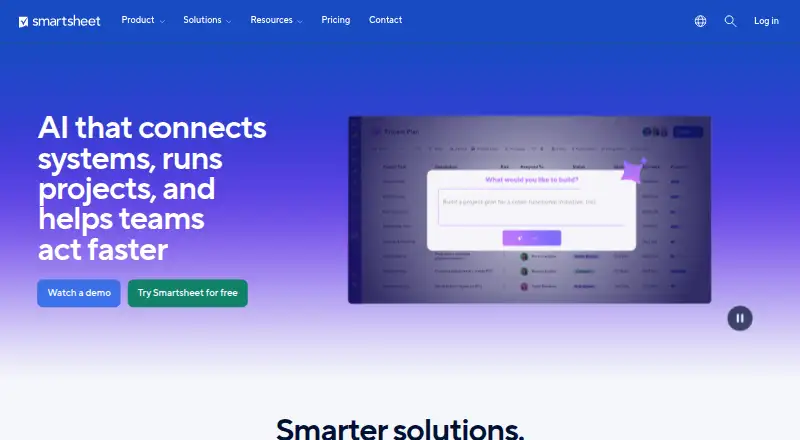
What Smartsheet is
Smartsheet is a work management platform for teams organizing projects and building solutions, from individual workflows to large portfolios. Work can be displayed in grid, Gantt, calendar, table, board, and timeline views; timeline is included in Business and higher plans. Project tools include dashboards, reports, forms, formulas, workload tracking, and portfolios, though some depend on the plan. No-code automation offers 250 automations per month on Pro and unlimited automations on Business and higher. Built-in AI can generate formulas, analyze data, summarize content, and help build dashboards. Integrations include Jira, Salesforce, Slack, Microsoft Teams, and Adobe Creative Cloud, among others. Smartsheet also describes connections to ChatGPT, Claude, Gemini, and Microsoft Copilot through its MCP Server. Security features listed include role-based access, SSO, MFA, event reporting, and 24/7 incident monitoring. Plans are paid, with a 30-day trial. Pro costs $9 a month and Business costs $19 a month; Enterprise and Advanced Work Management have no listed price. The desktop app for Windows and Mac is deprecated and slated for retirement on or after January 6, 2027.
Good
- Includes grid, Gantt, calendar, table, and board views
- Business and higher include unlimited automations
- Built-in AI can summarize and analyze content
- 30-day trial available
Watch out
- No free plan
- Timeline view requires Business or higher
- Desktop app is deprecated
- Standard sheets have a 20,000-row limit
Who it suits
Smartsheet may suit teams that need structured project views, automation, and collaboration tools, including organizations managing portfolios. Plan-dependent features and member minimums make it worth checking the plan details against team needs.
Verdict
Smartsheet offers project views, automation, and reporting tools across paid plans, with some capabilities restricted by tier. Review plan limits and the desktop app’s retirement notice if either affects your workflow.
Plans and prices
From Smartsheet's own pricing page, checked 7 Oct 2026.
| Plan | Price | What it gives you |
|---|---|---|
| Pro | $9 a month | 1–10 Members · unlimited Contributors · 250 automations/month · 20 GB attachment storage · $9 per Member/month billed yearly; $12 per Member/month billed monthly |
| Business | $19 a month | 3+ Members · unlimited Guests and Contributors · unlimited automations · 1 TB attachment storage · $19 per Member/month billed yearly; $24 per Member/month billed monthly |
| Enterprise | Priced on request | 10+ Members · unlimited attachment storage · SAML-based SSO · portfolios · Custom pricing |
| Advanced Work Management | Priced on request | Custom solutions · includes Enterprise features plus Control Center, Dynamic View, Data Shuttle, Connectors, DataMesh, Calendar App, Pivot App, and Premium Support · Custom pricing |
The facts
Each one read from Smartsheet's own pages, with the date it was checked.
What it does
- AI
- Built-in AI features can generate formulas, analyze data, summarize content, and help build dashboards.checked 7 Oct 2026
- AI integrations
- The integrations page describes connections to AI tools including ChatGPT, Claude, Gemini, and Microsoft Copilot through the Smartsheet MCP Server.checked 7 Oct 2026
- Automation
- Smartsheet supports no-code automated workflows; Pro includes 250 automations per month, while Business and higher plans include unlimited automations.checked 7 Oct 2026
- Automation rules
- Yeschecked 20 Sep 2026
- Compliance
- The Trust Center lists SOC 2, ISO 27001, GDPR, FedRAMP, and HIPAA (BAA); ISO 42001 is marked in progress.checked 7 Oct 2026
- Data residency
- Smartsheet Regions lets customers choose data storage locations including the US, EU, or Australia.checked 7 Oct 2026
- Guest access
- Yeschecked 20 Sep 2026
- Integrations
- Smartsheet lists integrations including Jira, Power BI, Salesforce, SAP, ServiceNow, Tableau, Workday, Slack, Microsoft Teams, and Adobe Creative Cloud.checked 7 Oct 2026
- Intended users
- Smartsheet describes its audience as ranging from people and teams tracking projects to organizations managing complex solutions and large-scale portfolios.checked 7 Oct 2026
- Limits
- The system requirements page states a 500,000-cell sheet limit, a 50 MB imported-file limit, and a maximum of 20,000 rows and 400 columns for standard sheets.checked 7 Oct 2026
- Project tools
- Features include dashboards, reports, forms, formulas, workload tracking, and portfolios, with some capabilities limited to higher plans.checked 7 Oct 2026
- Purpose
- Smartsheet provides tools for teams to manage projects and build solutions of different sizes and complexity.checked 7 Oct 2026
- Security
- Smartsheet describes role-based access controls, SSO, MFA, external collaboration controls, event reporting, and 24/7 incident monitoring.checked 7 Oct 2026
- Support
- All plans include Help & Learning content, the Smartsheet Community, and web-based ticketing; premium support is included with Advanced Work Management.checked 7 Oct 2026
- Task views
- boardchecked 20 Sep 2026
- Time tracking
- Yeschecked 20 Sep 2026
- Work views
- The product includes grid, Gantt, calendar, table, board, and timeline views, with timeline view included in Business and higher plans.checked 7 Oct 2026
Where it runs
- Desktop app
- The desktop app is available for Windows and Mac, but Smartsheet says it is deprecated and will be retired on or after January 6, 2027.checked 7 Oct 2026
The company
- Founded
- 2005checked 28 Sep 2026
- Headquarters
- Bellevue, Washington, USAchecked 28 Sep 2026
Money
- Free plan
- Nochecked 20 Sep 2026
The full review of Smartsheet
Smartsheet is a project management platform for people, teams, and organizations coordinating work across projects and portfolios. It suits teams that need multiple ways to view work, automated workflows, and broader project controls; buyers should weigh its plan limits and the announced retirement of its desktop app.
Overview
Smartsheet combines project tracking with tools for building team workflows of varying complexity. Grid, table, board, calendar, and Gantt views cover common planning needs, while dashboards, reports, forms, formulas, workload tracking, and portfolios extend it beyond a task list. Timeline view is available on Business and higher plans, and some other capabilities also depend on tier.
Sheet size has firm ceilings: standard sheets allow up to 20,000 rows and 400 columns, with a 500,000-cell limit; imported files can be no larger than 50 MB. Those limits are manageable for many project plans, but teams working with large datasets or bulky imports should account for them.
Key features
Views and project oversight
The range of views lets teams organize work in a format suited to the project, and dashboards, reports, workload tracking, and portfolios support oversight beyond individual assignments. That breadth makes Smartsheet relevant to larger coordination needs, though buyers should confirm that the controls they require are included in their plan.
Automation and AI
No-code workflows can handle recurring coordination. Pro caps automations at 250 per month, while Business and higher plans include unlimited automations; teams with frequent triggers may find that Pro ceiling restrictive. Built-in AI can generate formulas, analyze data, summarize content, and help build dashboards, while connections to ChatGPT, Claude, Gemini, and Microsoft Copilot are described through the Smartsheet MCP Server.
Integrations, security, and support
Smartsheet lists connections to Jira, Power BI, Salesforce, SAP, ServiceNow, Tableau, Workday, Slack, Microsoft Teams, and Adobe Creative Cloud, giving teams options to connect project work with business tools. Its security controls include role-based access, SSO, MFA, external collaboration controls, event reporting, and round-the-clock incident monitoring. Compliance coverage includes SOC 2, ISO 27001, GDPR, FedRAMP, and HIPAA (BAA); ISO 42001 is in progress. Smartsheet Regions offers US, EU, or Australia data storage options. All plans include Help & Learning, the community, and web ticketing; premium support is included with Advanced Work Management.
Pricing
Smartsheet is paid software with a 30-day trial and no free plan. Pro costs $9 a month when billed yearly ($9 per Member/month) or $12 per Member/month billed monthly. It supports 1–10 Members, unlimited Contributors, 250 automations per month, and 20 GB of attachment storage. This is the entry point for smaller teams that can work within the member and automation caps.
Business costs $19 a month when billed yearly ($19 per Member/month) or $24 per Member/month billed monthly. It requires at least 3 Members and includes unlimited Guests and Contributors, unlimited automations, and 1 TB of attachment storage. Timeline view is also included at this tier. It fits teams that need room for more collaborators, storage, or workflow activity; the higher per-member price and three-member minimum make it a less economical starting point for a small team.
Enterprise has custom pricing, requires 10 or more Members, and includes unlimited attachment storage. Advanced Work Management also has custom pricing and adds Control Center, Dynamic View, Data Shuttle, Connectors, DataMesh, and premium support. These tiers are aimed at organizations needing their named capabilities, but the price requires a sales conversation. The trial lasts 30 days; no free plan is offered.
Platforms
Smartsheet supports Android, iOS, web, Windows, macOS, Linux, APIs, and an extension. Its Windows and Mac desktop app is deprecated and scheduled for retirement on or after January 6, 2027, so teams planning long-term desktop workflows should factor in that change.
Who it's for
Smartsheet can suit individuals and teams tracking projects as well as organizations managing complex solutions and large portfolios. It is strongest for teams that will use its multiple views, workflow automation, reporting, and portfolio tools together. A small group seeking an ongoing free tier, or one that needs to exceed sheet limits, should look elsewhere.
Pros and cons
- Pros: Grid, Gantt, calendar, table, board, and timeline views accommodate different planning styles, with timeline available from Business.
- Pros: Dashboards, reports, forms, formulas, workload tracking, and portfolios support oversight beyond task lists.
- Pros: Automation scales from 250 monthly runs on Pro to unlimited on Business and higher.
- Cons: Pro limits membership to 10 and storage to 20 GB; moving to Business raises the price and requires at least three Members.
- Cons: Standard sheet dimensions, total cells, and imported-file size have explicit caps that can constrain data-heavy workflows.
- Cons: The desktop app is deprecated and scheduled to retire on or after January 6, 2027.
- Cons: Enterprise and Advanced Work Management require custom pricing, making their costs harder to compare upfront.
Alternatives
Consider frePPLe if a free, open-source edition or self-hosted deployment is a better fit; it also has cloud plans, including one capped at six scenarios. SAVIOM is another paid option, with Power and Lite license tiers. Workday Adaptive Planning offers a 30-day trial and cross-device support, with pricing by request. NETVIBES has a free plan alongside its paid offering. Deltek Maconomy is an enterprise ERP for professional services firms, with pricing by demo request. Hubstaff is worth considering when its paid plans and listed tracking quotas better fit the job. Scoro offers paid time-billing and project plans. Turnella provides a free Core plan with no trial period or expiry.
For more options by specialty, browse Capacity Planning Software, Resource Management Software, IT Project Management Software, Deal Desk Software, AI Project Management Software, and Game Project Management Software.
Verdict
Choose Smartsheet if your team needs flexible project views, automation, and reporting that can extend to workload and portfolio management. Its range and integrations make it a strong fit for coordinated team work, but the Pro caps, sheet limits, higher Business entry cost, and desktop retirement may make another tool a better choice for small teams or workflows tied to the desktop app.
Getting started
- Open the Smartsheet website
- Start the 30-day trial
- Choose Pro, Business, Enterprise, or Advanced Work Management
- Use Smartsheet on the web or supported desktop and mobile platforms
- Connect required services through listed integrations or the API
Limits worth knowing
Pro includes 250 automations per month, while Business and higher plans include unlimited automations. Standard sheets allow up to 500,000 cells, 20,000 rows, and 400 columns, with a 50 MB imported-file limit. The Windows and Mac desktop app is deprecated and will be retired on or after January 6, 2027.
Questions
Is Smartsheet free?
No. Smartsheet is paid, but paid plans include a 30-day trial.
What are the Pro and Business prices?
Pro is $9 per Member/month billed yearly or $12 per Member/month billed monthly. Business is $19 per Member/month yearly or $24 monthly.
Which platforms does it support?
It supports Android, iOS, Linux, macOS, Windows, and web, plus an API and extension.
Does Smartsheet include AI?
Yes. Its built-in AI can generate formulas, analyze data, summarize content, and help build dashboards.
Which integrations are available?
Listed integrations include Jira, Power BI, Salesforce, SAP, ServiceNow, Tableau, Workday, Slack, Microsoft Teams, and Adobe Creative Cloud.
What security and compliance controls are listed?
Smartsheet lists role-based access, SSO, MFA, external collaboration controls, event reporting, and 24/7 incident monitoring. Its Trust Center lists SOC 2, ISO 27001, GDPR, FedRAMP, and HIPAA with a BAA.
Alternatives to Smartsheet
- 1

Amazon Connect
AndroidiOSWebAPI7.9 - 2

Workforce.com
AndroidiOSWebAPI7.9From C$12.80 a month - 3
Microsoft Dynamics 365 Sales
AndroidiOSWebAPI7.6 - 4

Scoro
AndroidiOSWebAPI7.6From $17 a month - 5
Workday Adaptive Planning
AndroidiOSWebAPI7.5 - 6

frePPLe
Free planWebAPILinuxSelf-hosted7.2Free plan