
ManageEngine Endpoint Central
ManageEngine Endpoint Central is a web-based endpoint management product with a hybrid deployment model.
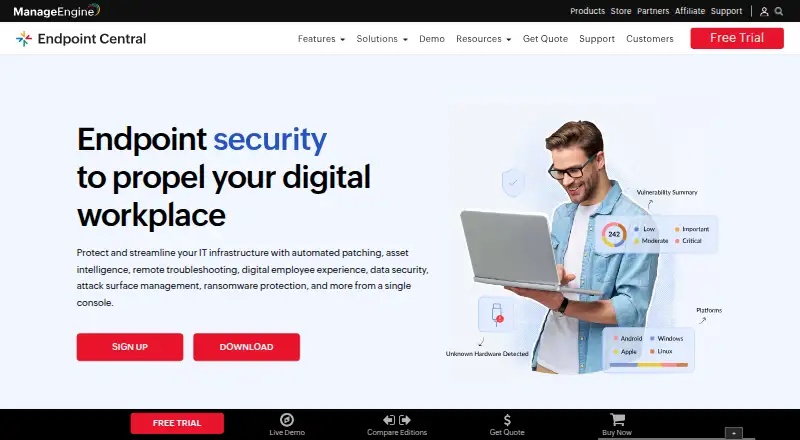
What ManageEngine Endpoint Central is
ManageEngine Endpoint Central is a web-based endpoint management product with a hybrid deployment model. It includes patch management, configuration management, and remediation automation, and supports Windows, macOS, Linux, iOS, Android, iPadOS, ChromeOS, and tvOS. The Free Edition covers 25 endpoints. Paid Professional, Enterprise, and UEM options are listed for cloud and on-premises deployment, with annual and monthly cloud subscriptions as well as annual and perpetual on-premises licenses. The listed Professional On-Premises Annual price is $795.00 per year, with one technician and 50 endpoints. Professional Cloud Monthly is $104.00 per month, also with one technician and 50 endpoints. Enterprise and UEM plans have separate listed rates, and the 30-day trial is noted. The product is from ManageEngine, which was founded in 1996 and is headquartered in Pleasanton, California, USA.
Good
- Supports Windows, macOS, Linux, and mobile platforms.
- Includes patch and configuration management.
- Free Edition covers 25 endpoints.
- Cloud and on-premises deployment options are listed.
- A 30-day trial is noted.
Watch out
- Free Edition is limited to 25 endpoints.
- Paid plan examples list 50 endpoints and one technician.
- Professional Cloud Monthly costs $104.00 per month.
Who it suits
Endpoint Central may suit organizations managing a mix of desktop and mobile operating systems. Its free edition is sized for 25 endpoints, while paid plan details list 50 endpoints and one technician.
Verdict
Endpoint Central combines endpoint management capabilities with a broad supported-platform list and hybrid deployment. Compare the free 25-endpoint allowance with the paid plan capacities and listed rates.
Plans and prices
From ManageEngine Endpoint Central's own pricing page, checked 22 Sep 2026.
| Plan | Price | What it gives you |
|---|---|---|
| Free Edition | Free | 25 endpoints |
| Professional Edition — On-Premises Annual | $795 a year | 50 endpoints · 1 technician · With 1 technician |
| Professional Edition — On-Premises Perpetual | $1,987, paid once | 50 endpoints · 1 technician · Perpetual license; AMS charges are 20% of invoice total |
| Professional Edition — Cloud Monthly | $104 a month | 50 endpoints · 1 technician · With 1 technician |
| Professional Edition — Cloud Annual | $1,045 a year | 50 endpoints · 1 technician · With 1 technician |
| Enterprise Edition — On-Premises Annual | $945 a year | 50 endpoints · 1 technician · With 1 technician |
| Enterprise Edition — On-Premises Perpetual | $2,362, paid once | 50 endpoints · 1 technician · Perpetual license; AMS charges are 20% of invoice total |
| Enterprise Edition — Cloud Monthly | $124 a month | 50 endpoints · 1 technician · With 1 technician |
| Enterprise Edition — Cloud Annual | $1,245 a year | 50 endpoints · 1 technician · With 1 technician |
| UEM Edition — On-Premises Annual | $1,095 a year | 50 endpoints · 1 technician · With 1 technician |
| UEM Edition — On-Premises Perpetual | $2,738, paid once | 50 endpoints · 1 technician · Perpetual license; AMS charges are 20% of invoice total |
| UEM Edition — Cloud Monthly | $139 a month | 50 endpoints · 1 technician · With 1 technician |
The facts
Each one read from ManageEngine Endpoint Central's own pages, with the date it was checked.
The company
- Founded
- 1996checked 23 Sep 2026
- Headquarters
- Pleasanton, California, USAchecked 23 Sep 2026
The full review of ManageEngine Endpoint Central
ManageEngine Endpoint Central brings patching, configuration control, and remediation automation into one endpoint-management service. It is a strong fit for IT teams managing mixed operating systems that want a choice between cloud and on-premises deployment. The main caveat is that paid entry tiers center on 50 endpoints and one technician, so capacity planning matters.
Overview
Endpoint Central is built for routine endpoint upkeep and corrective work rather than a single-purpose patch tool. Its hybrid deployment model lets an organization select cloud or on-premises operation, while the same core capabilities address maintenance and configuration needs. The 1996-founded ManageEngine product is most compelling when one team needs to cover desktops, mobile devices, and specialist platforms from a broad operating-system list.
Key features
- Patch management: Gives administrators a dedicated way to keep managed endpoints current, making it suitable for teams that need repeatable maintenance across many device types.
- Configuration management: Handles device configuration alongside patching, reducing the need to split those related responsibilities between products.
- Remediation automation: Adds automated response for endpoint problems, a meaningful advantage over tools limited to inventory or manual intervention.
- Hybrid deployment: Cloud and on-premises editions accommodate different infrastructure preferences, but buyers must compare separate billing terms and edition prices.
- Wide platform coverage: Windows, macOS, Linux, iOS, Android, iPadOS, ChromeOS, and tvOS are supported. This breadth benefits heterogeneous estates; a Windows-only organization may gain less from it.
Pricing
The Free Edition costs nothing and covers 25 endpoints. It is the sensible starting point for a very small environment or an evaluation that can stay within that cap. A 30-day trial is also available for assessing paid capacity before committing.
| Plan | Price | Included capacity and term |
|---|---|---|
| Professional, on-premises annual | $795 a year | 50 endpoints, 1 technician |
| Professional, on-premises perpetual | $1,987, paid once | Perpetual license; AMS charges are 20% of invoice total; 50 endpoints, 1 technician |
| Professional, cloud monthly | $104 a month | 50 endpoints, 1 technician |
| Professional, cloud annual | $1,045 a year | 50 endpoints, 1 technician |
| Enterprise, on-premises annual | $945 a year | 50 endpoints, 1 technician |
| Enterprise, on-premises perpetual | $2,362, paid once | Perpetual license; AMS charges are 20% of invoice total; 50 endpoints, 1 technician |
| Enterprise, cloud monthly | $124 a month | 50 endpoints, 1 technician |
| Enterprise, cloud annual | $1,245 a year | 50 endpoints, 1 technician |
| UEM, on-premises annual | $1,095 a year | 50 endpoints, 1 technician |
| UEM, on-premises perpetual | $2,738, paid once | Perpetual license; AMS charges are 20% of invoice total; 50 endpoints, 1 technician |
| UEM, cloud monthly | $139 a month | 50 endpoints, 1 technician |
Professional is the lower-cost paid route for core endpoint management. Enterprise costs more for organizations that need its higher edition, while UEM is the top-priced option among these tiers. Annual billing costs less than paying the corresponding cloud monthly rate for twelve months, while perpetual licenses trade a larger upfront payment for ongoing AMS charges. Every paid entry shown uses the same 50-endpoint, one-technician baseline, so growing teams should price additional capacity rather than assuming the entry quote will scale indefinitely.
Platforms
The service is delivered on the web and manages Windows, macOS, Linux, iOS, Android, iPadOS, ChromeOS, and tvOS endpoints. That combination is particularly useful for organizations with laptops, servers, phones, tablets, Chromebooks, or Apple TV devices in one management program.
Who it's for
Choose Endpoint Central if your IT staff need patching, configuration management, and automated remediation together and your estate spans several operating systems. The free edition suits up to 25 endpoints; paid plans fit organizations needing 50 endpoints with one technician and a defined cloud or on-premises preference. It is less attractive when you need a larger technician-to-endpoint allowance at the starting price or only manage a narrow device fleet.
Pros and cons
Pros
- Broad coverage: Eight supported operating-system families reduce gaps in mixed environments.
- Core operations in one product: Patching, configuration, and remediation automation address complementary endpoint tasks.
- Deployment choice: Cloud and on-premises editions support different infrastructure policies.
- Low-risk entry: A free 25-endpoint edition and 30-day trial make initial evaluation practical.
Cons
- Small paid baseline: Paid plans start at 50 endpoints and one technician, which can constrain larger or multi-admin teams.
- Perpetual cost structure: On-premises perpetual plans require substantial upfront payment and 20% AMS charges on the invoice total.
- Edition complexity: Professional, Enterprise, and UEM options have different prices across cloud and on-premises terms, requiring careful comparison.
Alternatives
Breeze is a better fit for a self-hosted, forever-free setup with unlimited devices and 64 modules, provided you bring your own Anthropic key.
Checkmk suits infrastructure monitoring buyers who want a free community tier with more than 2,000 integrations and capacity for about 100 hosts.
ITarian Remote Desktop is the simpler choice when the requirement is free remote access with unlimited administrators.
ManageEngine MSP Central is aimed at managed service providers seeking a paid, trial-supported product with per-device network monitoring and management.
Atera is an alternative for teams wanting paid RMM with unlimited endpoints in its Pro plan.
Pulseway is worth considering when configurable endpoints, MDM, security options, and monthly, annual, or three-year terms are priorities.
Tactical RMM offers a freemium, self-hosted route, including a 55.00 USD-per-month starter tier for up to 199 endpoints.
Site24x7 MSP is another paid, trial-supported option for MSP operations.
Verdict
ManageEngine Endpoint Central is a strong recommendation for IT teams that need unified patching, configuration management, and remediation across a genuinely mixed device estate. Its broad platform support and cloud/on-premises choice are the main reasons to choose it. Look elsewhere if your team needs more than one technician or more than 50 endpoints at the entry paid tier, or if a simpler remote-access or monitoring tool covers your narrower requirement.
Alternatives to ManageEngine Endpoint Central
- 1

OPSI
Free planOpen sourceWebAPILinuxmacOS8.4From €4.99 a year - 2

Puppet
Free planOpen sourceWebAPILinuxmacOS8.4From $120 a month - 3

ManageEngine Mobile Device Manager Plus
Free planAndroidiOSWebAPI8.3From $495 a year - 4

ManageEngine Patch Manager Plus
Free planAndroidiOSWebAPI8.2From $245 a year - 5

Rudder
Free planOpen sourceWebAPILinuxSelf-hosted8.2From $40 a year - 6

Canonical MAAS
Free planOpen sourceWebAPILinuxSelf-hosted8.1From $30 a year