
Checkmk
Checkmk monitors cloud, hybrid, and data center infrastructure, including containers, networks, and web, mail, and database servers.
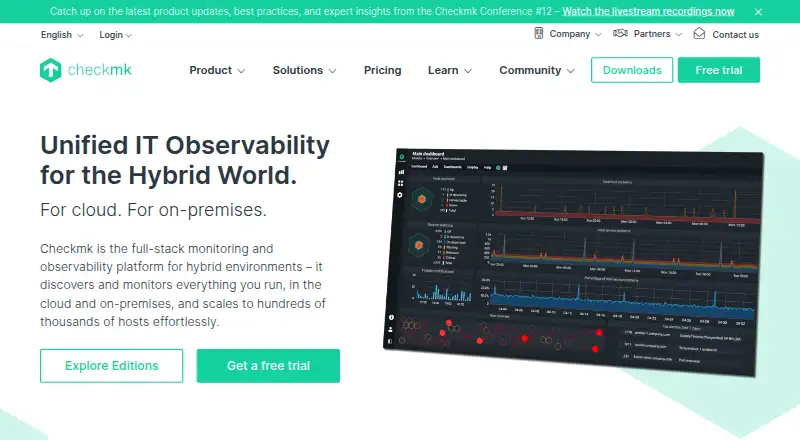
What Checkmk is
Checkmk monitors cloud, hybrid, and data center infrastructure, including containers, networks, and web, mail, and database servers. It combines automatic discovery, network mapping, and more than 2,000 smart checks with native agents for Windows, Linux, and other systems, agentless SNMP and TCP/UDP monitoring, and API-based checks. Cloud monitoring covers AWS, Azure, and Google Cloud Platform, with automatic component detection and Quick Setup. A single instance can monitor thousands of servers, and distributed monitoring supports horizontal scaling. Checkmk Community includes more than 2,000 integrations and is intended for smaller environments, scaling to approximately 100 hosts. Deployment options include customer hardware, virtualized environments, Linux packages, Docker, and a Virtual Appliance. Checkmk supports API, Linux, macOS, self-hosted, web, and Windows environments.
Good
- Monitors AWS, Azure, and Google Cloud Platform.
- Offers agent, agentless, and API-based checks.
- Community includes more than 2,000 integrations.
- Can scale across thousands of servers.
- Runs on customer hardware or virtually.
Watch out
- Community is designed for about 100 hosts.
- Pro and Ultimate support hours are limited by plan.
- Ultimate zero-inbound monitoring requires that plan.
Who it suits
It suits teams monitoring mixed infrastructure, servers, networks, and cloud services. The Community edition is aimed at smaller infrastructures, while distributed monitoring can support larger setups.
Verdict
Checkmk covers multiple infrastructure types and supports several monitoring methods and deployment options. The Community plan has a stated small-infrastructure scope; larger environments can use distributed monitoring.
Plans and prices
From Checkmk's own pricing page, checked 14 Oct 2026.
| Plan | Price | What it gives you |
|---|---|---|
| Community | Free | 2000+ integrations · up to ~100 hosts · community support · forever free of charge |
| Synthetic Monitoring | Free | $0.00/test · 3 free tests · available with Pro and Ultimate · billed annually |
| Pro | $275 a month | ~3,000 services · professional support 8h × 5d · distributed monitoring · billed annually |
| Cloud | $290 a month | 1,000 services shown · 50,000-service cap · 99.5% availability · 20 users · monthly billing |
| Ultimate | $400 a month | ~3,000 services · full-stack observability · multi-tenancy option · professional support 10h × 5d · billed annually |
The facts
Each one read from Checkmk's own pages, with the date it was checked.
What it does
- Agent requirements
- Linux or Unix agents require Bash 4.2 or newer, ksh 93 or newer, Perl 5.14 or newer and systemd or xinetd; supported Windows agents are 64-bit releases 2016 through 2025.checked 14 Oct 2026
- API
- The REST API is designed to cover functionality exposed by the GUI and command line, with OpenAPI documentation generated from the same source as the software.checked 14 Oct 2026
- API versioning
- REST API v1 ships with Checkmk 2.5, while older major versions remain temporarily usable after a new major release.checked 14 Oct 2026
- Cloud coverage
- Checkmk supports AWS, Azure and Google Cloud Platform monitoring, including automatic cloud-component detection and Quick Setup.checked 30 Sep 2026
- Community limits
- Checkmk Community is designed for small infrastructures and is described as easily scalable up to approximately 100 hosts.checked 30 Sep 2026
- Deployment
- Checkmk can run on customer hardware or virtualized, with packages for major Linux distributions, Docker and Virtual Appliance.checked 30 Sep 2026
- Documentation
- The User Guide is intentionally comprehensive and explains concepts and implementation approaches in addition to procedures.checked 14 Oct 2026
- Extensibility
- Developers can create custom checks, agent plug-ins, local checks and other extensions; the documentation points to the Checkmk Exchange.checked 14 Oct 2026
- Feature: alerting
- Community edition includes context-rich email alerting intended to reduce alert noise.checked 14 Oct 2026
- Feature: dashboards
- The platform offers customizable dashboards, historical charts and time-series analysis views.checked 14 Oct 2026
- Feature: discovery
- Automated discovery identifies hosts and services and proposes monitoring configuration.checked 14 Oct 2026
- Feature: OpenTelemetry
- Checkmk 2.5 adds native OpenTelemetry ingestion and correlation of application and infrastructure telemetry in Ultimate and Cloud.checked 14 Oct 2026
- Feature: synthetic monitoring
- Synthetic Monitoring simulates user actions and tracks user-flow KPIs, with three tests shown as free.checked 14 Oct 2026
- Integration examples
- Official pages list integrations such as AWS, Azure, Grafana, Prometheus, ServiceNow, Jira, PagerDuty and Opsgenie.checked 14 Oct 2026
- Integrations
- Checkmk advertises more than 2,000 built-in integrations covering hardware, networks, applications, operating systems and cloud or container platforms.checked 14 Oct 2026
- Licence
- Checkmk Community code is described as GPL v2 licensed, while commercial editions add proprietary enterprise functionality.checked 14 Oct 2026
- Limit: scale and performance
- A G2 reviewer reports that large environments can become slow and that some configuration limits do not scale well.checked 14 Oct 2026
The company
- Company facts
- LinkedIn lists Checkmk as privately held, founded in 2007, headquartered in Munich, with 201–500 employees.checked 14 Oct 2026
- Company history
- Mathias Kettner founded a Munich consulting business in 2007 that later became Checkmk GmbH, and Checkmk Raw launched in 2012.checked 30 Sep 2026
- Founded
- 2007checked 23 Sep 2026
- Headquarters
- Munich, Germanychecked 23 Sep 2026
- Legal entity and owner
- Crunchbase lists the legal name as Checkmk GmbH, founder Mathias Kettner, Munich headquarters and PSG Equity as the investor.checked 14 Oct 2026
Money
- Free trial
- Checkmk offers a free 30-day trial with access to all features; self-hosted use becomes free with limited features after the trial.checked 30 Sep 2026
Where it runs
- Limit: application monitoring
- A G2 reviewer asks for stronger application performance monitoring and improved SSO capabilities.checked 14 Oct 2026
The full review of Checkmk
Checkmk is infrastructure monitoring software for servers, networks, cloud environments and containers. It suits teams that need to monitor varied systems with a choice of agents, agentless checks and APIs. Its broad coverage is a strong fit for growing environments, though Community is scoped for smaller infrastructure.
Overview
Checkmk monitors cloud, hybrid and data-center infrastructure, including servers, networks and containers. For server monitoring, it offers more than 2,000 smart checks, automatic discovery and network mapping across web, mail and database servers. That breadth gives teams several ways to cover mixed environments rather than tying monitoring to one operating system or collection method.
Teams can deploy it on customer hardware or in virtualized environments, using packages for major Linux distributions, Docker or a Virtual Appliance. A single instance can monitor thousands of servers, with distributed monitoring available for horizontal scaling. This makes Checkmk viable beyond a single site, while its free Community plan is intended for small infrastructures and scales to approximately 100 hosts.
Key features
- Multiple monitoring methods: Native agents support Windows, Linux and other operating systems; agentless SNMP and TCP/UDP checks cover systems where installing an agent is unsuitable. API-based checks can use HTTP/XML, SSH or TELNET, giving teams flexibility across different infrastructure types.
- Cloud monitoring: AWS, Azure and Google Cloud Platform coverage includes automatic detection of cloud components and Quick Setup. This is useful for teams managing cloud alongside on-premises systems, though the product’s value depends on needing that breadth.
- Integrations and automation: Community includes more than 2,000 built-in integrations, with REST APIs and custom automation scripts also supported. That provides a substantial starting point for connecting monitoring to existing workflows.
- Security and support: Ultimate offers zero-inbound, fully encrypted monitoring using push agents and Checkmk Relay. The Trust Center carries ISO 27001:2022, SOC 2 Type I, GDPR, SIG, EU AI Act and DORA badges. Pro support runs 8h x 5d; Ultimate provides 10h x 5d, with an option to upgrade to 24h x 5d.
Pricing
Checkmk uses a freemium model, with a free plan, paid options from €190/mo (annual), and a 30-day trial. The plan figures below are presented separately in USD, so compare the stated prices and billing terms as shown.
- Community: free, billed forever free of charge. It includes more than 2,000 pre-built integrations and community support, with a scope of up to approximately 100 hosts. This is the sensible starting point for small infrastructures; the host limit and community-only support make it less suited to larger or support-dependent operations.
- Synthetic Monitoring: free, billed annually, at $0.00/test with 3 free tests. It is available with Pro and Ultimate, so it is an included limited allowance rather than a standalone alternative to those plans.
- Pro: $275 a month, billed annually, from $275/month. It is described as as low as ~$2.75/host per month, equivalent to ~3,000 services, and includes 8h x 5d professional support. This fits organizations that need paid capacity and weekday support without Ultimate’s stated support tier.
- Cloud: $290 a month with monthly billing, at ~$8.70/host per month. It covers 1K–50K services, with one host equivalent to ~30 services and 99.5% availability. Its monthly billing and service range suit cloud-monitoring needs where those capacity and availability terms fit.
- Ultimate: $400 a month, billed annually, from $400/month. It is described as as low as ~$4.00/host per month, equivalent to ~3,000 services, and includes 10h x 5d professional support, upgradeable to 24h x 5d. The higher price is aimed at teams that need its encrypted push architecture or stronger support coverage.
Platforms
Checkmk supports API, Linux, macOS, self-hosted, web and Windows. Its hybrid deployment model and multiple-OS coverage make it suitable for teams monitoring a mix of hosted and customer-managed systems.
Who it's for
Checkmk is a strong choice for infrastructure teams responsible for varied server, network and cloud environments, especially when agentless or API-based checks matter alongside native agents. Its scaling and deployment options also suit organizations that expect to grow beyond one monitoring instance. Small teams can start with Community, but should look at paid plans when the approximately 100-host scope or community support is no longer enough.
Pros and cons
- Pro — Broad monitoring coverage: Agents, SNMP, TCP/UDP and API-based checks give teams options across heterogeneous infrastructure.
- Pro — Room to scale: One instance can monitor thousands of servers, and distributed monitoring enables horizontal scaling.
- Pro — Generous free starting scope: Community includes more than 2,000 integrations and is free forever, making it practical for smaller environments.
- Con — Community has a clear ceiling: Its approximately 100-host scope and community support will not suit larger deployments or teams that need professional support.
- Con — Paid costs and capacity are plan-specific: Pro and Ultimate have annual billing and stated service equivalents, while Cloud uses monthly billing and a different service range. Buyers should match the plan’s capacity and terms to their monitoring workload.
Alternatives
For service-provider-oriented browsing, see Managed Service Provider Software; for category comparisons, also see Cloud Monitoring, Infrastructure Monitoring, Metrics Monitoring Tools, Network Performance Monitoring Software and Hardware Monitoring Software.
- Breeze is worth considering if unlimited devices, all 64 modules and a self-hosted free Community plan matter more than Checkmk’s stated infrastructure-monitoring focus.
- ManageEngine MSP Central may fit buyers seeking a paid, device-based network monitoring and management plan at $1 a month per device.
- Atera is another paid option with a free trial and an unlimited-endpoints Pro plan.
- ManageEngine Endpoint Central may suit endpoint-management needs; it has a free edition for 25 endpoints and a Professional on-premises annual option at $795 a year for 50 endpoints and one technician.
- Tactical RMM offers a free plan and a self-hosted Tier 1 Starter plan at $55 a month for 0 to 199 endpoints, with a 48-hour support SLA.
- Site24x7 MSP is a paid, trial-available alternative.
- Datto Endpoint Backup for Windows is a paid alternative with consumption-based pricing for storage used.
- Liongard is a paid alternative with monthly, per-user pricing and 105+ integrations included in LiongardIQ.
Verdict
Choose Checkmk if you need broad infrastructure monitoring that can span servers, networks and cloud services, with multiple collection methods and a path from a free small-environment plan to distributed scale. Look elsewhere if your environment exceeds Community’s approximately 100-host scope but cannot justify paid capacity, or if you need a different specialization such as endpoint management or backup.
Getting started
- Visit https://checkmk.com/.
- Choose a deployment on customer hardware or a virtualized environment.
- Use a Linux package, Docker, or the Virtual Appliance to deploy.
- Start with Community or use the available 30-day trial.
- Configure monitoring with agents, agentless checks, or API-based checks.
Limits worth knowing
Community is intended for smaller infrastructures and is described as scaling to approximately 100 hosts; it includes community support. The 30-day trial is available, while the pricing note lists paid plans from €190 per month on annual billing.
Questions
Is Checkmk free?
Yes. The Community plan is free forever and includes more than 2,000 pre-built integrations, up to approximately 100 hosts, and community support.
Is there a free trial?
Yes, Checkmk offers a 30-day trial.
What infrastructure can Checkmk monitor?
It monitors cloud, hybrid, and data center infrastructure, including containers and networks, as well as web, mail, and database servers.
Which cloud platforms are supported?
Checkmk supports AWS, Azure, and Google Cloud Platform monitoring.
How can I deploy Checkmk?
It can run on customer hardware or in a virtualized environment, with packages for major Linux distributions, Docker, and a Virtual Appliance.
What security certifications are listed?
The Checkmk Trust Center lists ISO 27001:2022, SOC 2 Type I, GDPR, SIG, EU AI Act, and DORA badges.
Alternatives to Checkmk
- 1
Netdata
Free planOpen sourceAndroidiOSWebAPI8.7From $4.50 a month - 2

Centreon
Free planOpen sourceWebAPILinuxSelf-hosted8.3From €2.27 a year - 3

ManageEngine OpManager
Free planAndroidiOSWebAPI8.3From $95 a year - 4
Telegraf
Free planOpen sourceWebAPILinuxmacOS8.3From $18,000 a year - 5

Nagios XI
Free planWebAPILinuxmacOS8.1$2,595 one-time - 6
Glances
Free planOpen sourceAndroidWebAPILinux8.0Free plan