
ManageEngine Patch Manager Plus
ManageEngine Patch Manager Plus automates patch management from scanning and assessment through deployment and reporting.
What ManageEngine Patch Manager Plus is
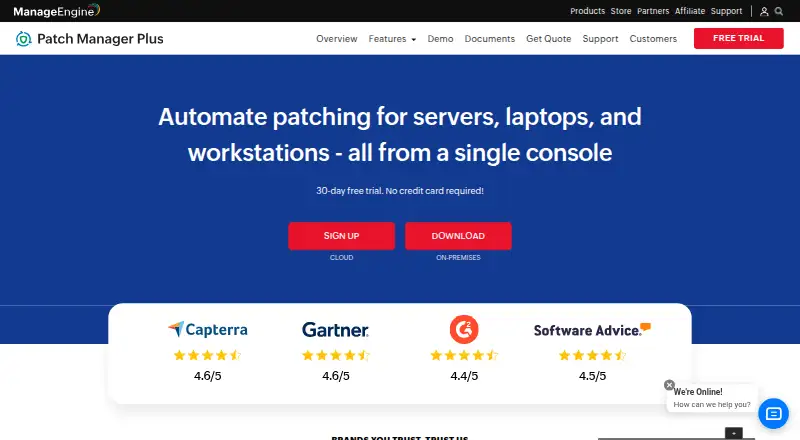
ManageEngine Patch Manager Plus automates patch management from scanning and assessment through deployment and reporting. It supports patch management for Windows, Mac, and Linux, and the vendor says it can deploy patches for more than 1,100 third-party applications, including Adobe, Java, and WinRAR. Administrators can create test groups, test patches, and automatically approve patches for production deployment. Real-time audits and reports cover patch compliance and endpoint patch status. The Free edition is listed for up to 20 workstations and five servers. A 30-day free trial is available without a credit card. Edition differences matter: antivirus definition updates, driver and BIOS updates, and automated patch testing and approval are unavailable in Professional but shown in Enterprise and Free. Enterprise is described as suitable for WAN patching and includes distribution server support for bandwidth optimization. Listed plans include Professional cloud monthly at $34.50 a month, Enterprise cloud monthly at $44.50 a month, Professional on-premises annual at $245 a year, and Enterprise on-premises annual at $345 a year.
Good
- Patches Windows, Mac, and Linux systems.
- Covers patches for over 1,100 third-party applications.
- Supports test groups and automatic patch approval.
- Trial runs for 30 days without a credit card.
Watch out
- Free edition is limited to 20 workstations and five servers.
- Professional lacks antivirus definition updates.
- Professional lacks driver and BIOS updates.
- Professional lacks automated patch testing and approval.
Who it suits
It suits administrators responsible for patching Windows, Mac, and Linux endpoints, including third-party applications. The Free edition is listed for small businesses with up to 20 workstations and five servers.
Verdict
Patch Manager Plus covers patch workflows from assessment to reporting, with edition differences that affect testing and update coverage. Review those limits alongside the listed cloud and on-premises plans before choosing an edition.
Plans and prices
From ManageEngine Patch Manager Plus's own pricing page, checked 29 Sep 2026.
| Plan | Price | What it gives you |
|---|---|---|
| Free edition | Free | Up to 20 workstations and 5 servers |
| Professional cloud, monthly | $34.50 a month | 50 computers · 1 technician · monthly; 50 computers with 1 technician |
| Professional Cloud | $34.50 a month | 50 computers · 1 technician · monthly |
| Enterprise cloud, monthly | $44.50 a month | 50 computers · 1 technician · monthly; 50 computers with 1 technician |
| Professional on-premises, annual subscription | $245 a year | 50 computers · 1 technician · annually; 50 computers with 1 technician |
| Professional On-Premises Annual | $245 a year | 50 computers · 1 technician · annual |
| Enterprise on-premises, annual subscription | $345 a year | 50 computers · 1 technician · annually; 50 computers with 1 technician |
| Professional cloud, annual | $345 a year | 50 computers · 1 technician · annually; 50 computers with 1 technician |
| Enterprise On-Premises Annual | $345 a year | 50 computers · 1 technician · drivers, BIOS and antivirus updates · automated patch testing · annual |
| Enterprise cloud, annual | $445 a year | 50 computers · 1 technician · annually; 50 computers with 1 technician |
| Professional on-premises, perpetual | $735, paid once | 50 computers · 1 technician · one-time; 50 computers with 1 technician |
| Professional On-Premises Perpetual | $735, paid once | 50 computers · 1 technician · perpetual |
| Enterprise on-premises, perpetual | $1,185, paid once | 50 computers · 1 technician · one-time; 50 computers with 1 technician |
The facts
Each one read from ManageEngine Patch Manager Plus's own pages, with the date it was checked.
What it does
- API examples
- The API documentation supplies endpoint tables plus cURL, Java and Python request examples and response schemas.checked 14 Oct 2026
- Automated scanning
- Managed computers are scanned periodically for missing patches, which are then tested and deployed through lightweight agents.checked 14 Oct 2026
- Compliance support
- ManageEngine states that Patch Manager Plus supports ISO 27001 controls for technical-vulnerability management and event logging.checked 14 Oct 2026
- Data location
- The security policy states that on-premises customer data resides in the customer's own environment and that the product database resides in the customer setup.checked 29 Sep 2026
- Deployment controls
- Administrators can customize patch policies, reboot behavior, maintenance timing and Self Service Portal availability.checked 14 Oct 2026
- Deployment models
- Patch Manager Plus is offered as cloud-native or on-premises software, with downloadable 32-bit and 64-bit installers.checked 14 Oct 2026
- Edition limits
- The comparison page marks antivirus definition updates, driver and BIOS updates, and automated patch testing and approval unavailable in Professional, while showing them in Enterprise and Free.checked 29 Sep 2026
- Integrations
- The integrated console lists Tenable Security, Tenable Vulnerability Management, Rapid7, ServiceDesk Plus, CrowdStrike and Analytics Plus integrations.checked 14 Oct 2026
- Legal name
- Crunchbase identifies the legal entity as AdventNet, Inc., operating as a Zoho sub-organization.checked 14 Oct 2026
- Licence
- The EULA grants a non-exclusive, non-transferable binary software licence and states that Zoho retains ownership, so the product is proprietary rather than open source.checked 14 Oct 2026
- Limit: reporting and interface
- Users report that reporting customization is limited and that the interface or scheduling can feel complex for newcomers.checked 14 Oct 2026
- Limit: stability and coverage
- TrustRadius reviewers mention bugs after updates, limited Mac compatibility, occasional manual patch downloads and missing FedRAMP availability.checked 14 Oct 2026
- Limit: storage
- A Capterra reviewer reports that downloaded patches can consume substantial C: drive space and that failures lack clear explanations.checked 14 Oct 2026
- Limit: troubleshooting
- Reviewers repeatedly report unclear failure details and say failed deployments can take extra effort to diagnose.checked 14 Oct 2026
- Network coverage
- The service supports patching across LAN, WAN and DMZ networks and can reach work-from-home systems without a VPN.checked 14 Oct 2026
- Patch testing
- Test groups can automatically test newly released patches and approve them for production deployment.checked 14 Oct 2026
- Praise: automation
- Independent reviewers repeatedly praise centralized automated patching, scheduled deployments and reduced manual work.checked 14 Oct 2026
The company
- Company founded and size
- LinkedIn lists ManageEngine as founded in 2002 with 5,001–10,000 employees.checked 14 Oct 2026
- Company headquarters
- LinkedIn lists headquarters in Del Valle, Texas.checked 14 Oct 2026
- Company ownership
- ManageEngine is the enterprise IT-management division of Zoho Corporation.checked 14 Oct 2026
- Founded
- 1996checked 23 Sep 2026
- Headquarters
- Pleasanton, California, USAchecked 23 Sep 2026
Money
- Free edition
- The download page advertises a fully functional free version for up to 25 computers.checked 14 Oct 2026
Where it runs
- News: iOS update
- The Apple listing records a revamped iOS app release with updated interface, patch workflows, reporting and automation improvements in January 2025.checked 14 Oct 2026
The full review of ManageEngine Patch Manager Plus
Overview
ManageEngine Patch Manager Plus is endpoint patch-management software for teams that want to automate updates across Windows, Mac, and Linux systems. It is a strong fit for administrators who need third-party application patching and compliance reporting; the main caveat is that several testing and update controls depend on the edition.
Deployment can be cloud-based or on-premises. The patch workflow covers scanning, assessment, deployment, and reporting, with scheduled deployments and scheduled reboot controls.
Its place in Patch Management Software is clear, while its deployment workflows also overlap with IT Automation Software and Application Deployment Software.
Key features
Patch coverage and rollout
Patch Manager Plus can deploy updates for more than 1,100 third-party applications, including Adobe, Java, and WinRAR. That breadth helps teams manage common application updates alongside operating-system patches. Administrators can create test groups, test patches, and automatically approve patches for production deployment, making staged rollouts possible where the chosen edition supports them.
Edition choice is consequential: antivirus definition updates, driver and BIOS updates, and automated patch testing and approval are unavailable in Professional, while Enterprise and Free include them. Enterprise also supports distribution servers for bandwidth optimization and is positioned for patching desktops across a WAN. Professional therefore makes more sense for simpler environments that do not need those capabilities.
Reporting, integrations, and security
Real-time audits and reports show patch compliance and endpoint patch status, giving administrators a way to monitor rollout progress. Integrations cover vulnerability detection and remediation, endpoint SLA management, analytics, IT asset visibility, and SIEM audit-log forwarding; API access is also provided.
Security controls include SAML single sign-on, two-factor authentication, role-based access control, HTTPS transport, and AES-256 encryption for sensitive database data. For on-premises deployments, customer data and the product database remain in the customer's environment. Support is available through an online request form, separate email addresses for cloud and on-premises customers, and telephone numbers.
Pricing
The Free edition costs nothing and covers up to 20 workstations and 5 servers. It is a practical starting point for a small business within those caps, but not a fit for a larger estate.
All paid plans below include 50 computers and 1 technician:
| Plan | Price | Billing |
|---|---|---|
| Professional cloud, monthly | $34.50 a month | Billed monthly |
| Enterprise cloud, monthly | $44.50 a month | Billed monthly |
| Professional cloud, annual | $345 a year | Billed annually |
| Enterprise cloud, annual | $445 a year | Billed annually |
| Professional on-premises, annual subscription | $245 a year | Billed annually |
| Enterprise on-premises, annual subscription | $345 a year | Billed annually |
| Professional on-premises, perpetual | $735, paid once | Billed one-time |
| Enterprise on-premises, perpetual | $1,185, paid once | Billed one-time |
The lowest-cost paid route is Professional on-premises at $245 a year, while Enterprise adds the update and rollout capabilities Professional lacks. Cloud offers monthly billing as well as annual subscriptions; the annual figures are higher than the on-premises annual subscriptions for the corresponding editions. Perpetual on-premises licenses require a larger one-time payment. The plans specify 50 computers and 1 technician, so the free tier is the option with a stated smaller-estate allowance. A 30-day free trial requires no credit card.
Platforms
Patch management covers Windows, Mac, and Linux. The platform list also includes Android, iOS, API, web, and self-hosted; these entries should not be confused with the operating systems named for patch management. Cloud and on-premises deployment choices let teams choose between hosted service and keeping the product database in their own environment.
Who it's for
Patch Manager Plus suits IT administrators who manage mixed Windows, Mac, and Linux fleets and want third-party application updates, scheduled rollout, and compliance reporting in one patch workflow. The Free edition is aimed at small businesses with up to 20 workstations and 5 servers. Enterprise is the better fit for teams that need WAN distribution-server support, automated testing and approval, or antivirus definition, driver, and BIOS updates. Professional is a narrower fit when those features are not required.
Pros and cons
- Broad third-party coverage: Patching for more than 1,100 applications reduces the need to handle common application updates separately.
- Useful rollout and audit controls: Test groups, scheduled deployment, scheduled reboots, and real-time compliance reporting support managed rollouts.
- Choice of hosting model: Cloud and on-premises plans accommodate different deployment preferences, and on-premises customer data stays in the customer's environment.
- Edition restrictions matter: Professional omits automated patch testing and approval, antivirus definition updates, and driver and BIOS updates, so teams needing those functions must choose Enterprise or Free.
- Plan capacity is bounded: Paid plans specify 50 computers and 1 technician, while the free tier caps at 20 workstations and 5 servers.
Alternatives
SureAsset is a better direction for teams prioritizing asset lifecycle management and hardware and software license tracking, with API access and a free plan.
OPSI is worth considering for teams seeking a free community edition with unlimited devices, core features, and one worker process.
WAPT offers an Enterprise plan for software deployment, OS deployment, Windows updates, and hardware and software audits; consider it when that stated scope better matches the task.
Kudu has a free desktop app with core maintenance tools, no account requirement, and MIT-licensed open-source software, making it a different option for users seeking those characteristics.
ESET Mobile Security for Android is a more relevant choice for Android users looking for mobile security rather than cross-platform endpoint patch management.
Action1 is an alternative for teams that can work within its free allowance of 200 endpoints; paid subscription pricing is quote-based above that limit.
Ivanti Neurons for Zero Trust Access is a paid, named-user-licensed SaaS option for teams focused on zero-trust access.
Infronest Problem Management is aimed at problem management rather than patch management.
Verdict
Choose ManageEngine Patch Manager Plus if you need a structured patch workflow across Windows, Mac, and Linux, particularly when third-party application coverage and compliance reporting matter. The Free edition can serve a small business within its workstation and server caps, while Enterprise is the safer fit for WAN distribution and the advanced update and testing controls. Look elsewhere if Professional's omissions or the paid plans' 50-computer, 1-technician scope do not match your deployment needs.
Getting started
- Open the ManageEngine Patch Manager Plus website.
- Choose the Free edition or a paid cloud or on-premises plan.
- Start the 30-day free trial if you want to evaluate the product; no credit card is required.
- For on-premises deployment, use the product's on-premises option.
- Create test groups and test patches before setting automatic approval for production deployment.
Limits worth knowing
The Free edition covers up to 20 workstations and five servers. Listed paid options cover 50 computers with one technician; Professional does not include antivirus definition updates, driver and BIOS updates, or automated patch testing and approval.
Questions
Is there a free plan?
Yes. The Free edition costs nothing and covers up to 20 workstations and five servers.
How long is the free trial?
The trial is 30 days, and no credit card is required.
What is the price of Professional cloud monthly?
Professional cloud monthly is $34.50 a month for 50 computers with one technician.
What is the price of Professional on-premises annual subscription?
It is $245 a year for 50 computers with one technician.
Which operating systems does it patch?
It supports patch management for Windows, Mac, and Linux.
What is unavailable in Professional?
Antivirus definition updates, driver and BIOS updates, and automated patch testing and approval are unavailable in Professional.
Alternatives to ManageEngine Patch Manager Plus
- 1

OPSI
Free planOpen sourceWebAPILinuxmacOS8.4From €4.99 a year - 2

PatchMon
Free planOpen sourceWebAPILinuxSelf-hosted8.1From $1 a month - 3

Patch My PC
Free planWebmacOSSelf-hostedWindows7.7From $3.50 a year - 4

Oracle Cloud Compute
Free planAndroidiOSWebAPI7.6Free plan - 5

Kudu
Free planWebAPILinuxmacOS7.5From $5 a month - 6

Uyuni
Free planOpen sourceWebAPILinuxSelf-hosted7.4Free plan