
ManageEngine Mobile Device Manager Plus
ManageEngine Mobile Device Manager Plus gives enterprise IT teams a console for managing and securing devices, apps, and data.
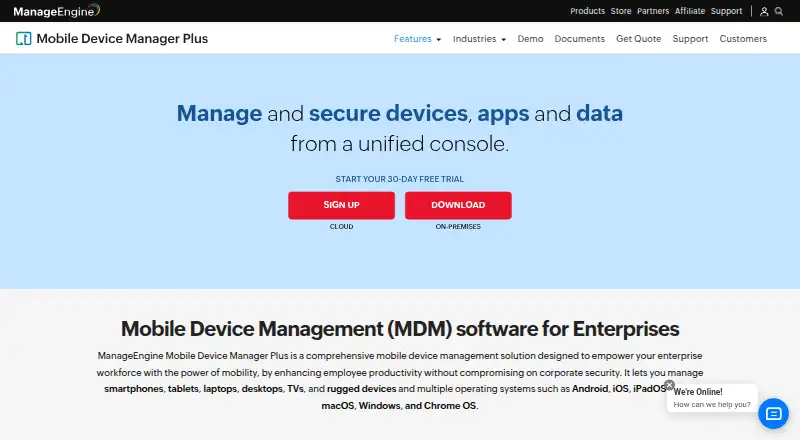
What ManageEngine Mobile Device Manager Plus is
ManageEngine Mobile Device Manager Plus gives enterprise IT teams a console for managing and securing devices, apps, and data. It covers smartphones, tablets, laptops, desktops, TVs, and rugged devices running Android, iOS, iPadOS, tvOS, macOS, Windows, or Chrome OS. Administrators can enroll devices, configure Wi-Fi and VPN profiles, distribute store or in-house apps, and use Kiosk Mode. The product also supports app inventory and separation of work and personal profiles. Security controls include remote lock and wipe, detection of rooted or jailbroken devices, role-based permissions, data loss prevention, and device and app access controls. Managed email works with Office 365 and Azure; administrators can distribute and remotely update documents and restrict third-party backups. Cloud and on-premises editions are offered, with integrations including ServiceDesk Plus, ServiceNow, Zendesk, Jira, directory services, and REST APIs. The Free edition supports up to 25 devices.
Good
- Manages phones, computers, TVs, and rugged devices
- Supports Android, Apple, Windows, and Chrome OS devices
- Includes app distribution, inventory, and Kiosk Mode
- Provides remote lock and wipe and rooted-device detection
- Free edition supports up to 25 devices
Watch out
- Free edition is limited to 25 devices
- Unsupported on-premises versions stop receiving support and updates
Who it suits
Mobile Device Manager Plus suits enterprise IT teams managing corporate-owned and employee-owned devices. It is relevant to administrators who need device enrollment, app distribution, policy controls, and remote security actions.
Verdict
Mobile Device Manager Plus brings device, app, and data controls into an enterprise management console, with both cloud and on-premises editions. Check the edition and device limit that fit your deployment, and note that on-premises versions past end of support no longer receive updates or technical support.
Plans and prices
From ManageEngine Mobile Device Manager Plus's own pricing page, checked 14 Oct 2026.
| Plan | Price | What it gives you |
|---|---|---|
| Free edition | Free | Fully featured Professional edition · up to 25 devices |
| Standard Edition (Cloud) | $64 a month | App, asset, audit/report, content, enrollment, email, integration, kiosk, profile, remote troubleshooting, rugged-device and security management · per month |
| Professional Edition (Cloud) | $119 a month | App, asset, enrollment, email, integration, kiosk, profile and remote troubleshooting · per month |
| Standard Edition (on-premises) | $495 a year | Basic mobile device management · on-premises Windows server · 50 devices/year |
| Professional Edition (on-premises) | $895 a year | Enterprise fleet management features · on-premises Windows server · 50 devices/year |
The facts
Each one read from ManageEngine Mobile Device Manager Plus's own pages, with the date it was checked.
What it does
- API authentication
- API examples use Zoho OAuth access tokens in Authorization headers, and the documentation provides Java, Python and cURL examples.checked 14 Oct 2026
- API content endpoints
- Content APIs support listing, creating, updating, deleting and associating documents or media with devices, groups and users.checked 14 Oct 2026
- Asset management
- Inventory scans collect installed apps, restrictions, certificates and hardware details, with location and battery tracking available.checked 14 Oct 2026
- Content management
- Documents and media can be distributed over the air, securely viewed on devices and revoked through content-management controls.checked 14 Oct 2026
- Deployment options
- The vendor offers Cloud and On-premises editions.checked 29 Sep 2026
- Documentation depth
- The help center contains installation guidance, enrollment procedures, feature documentation, API reference pages and release notes.checked 14 Oct 2026
- Email and containerization
- The product manages corporate email through Exchange ActiveSync and separates corporate from personal data with containerization.checked 14 Oct 2026
- Email and content
- The product supports managed email access with Office 365 and Azure and lets administrators distribute documents, update them remotely, and restrict third-party backups.checked 29 Sep 2026
- Hosting
- ManageEngine offers both a cloud service and an on-premises deployment.checked 14 Oct 2026
- Independent product assessment
- TechRadar describes the product as supporting cloud and on-premises deployment across Android, Apple, Windows, macOS and Chrome OS, with rooting or jailbreak detection and remote wipe.checked 14 Oct 2026
- Integrations
- Documented integrations include Apple Business Manager, Managed Google Play, Chrome Web Store, Windows Business Store, Active Directory, Entra ID, Okta, Google Workspace and Zoho Directory.checked 14 Oct 2026
- Intended users
- The product is presented as enterprise MDM for IT teams managing corporate-owned and employee-owned devices.checked 29 Sep 2026
- Limit: deployment reliability
- TrustRadius summaries report buggy or slow application deployment and updates, enrollment difficulties and inconsistent device-status reporting.checked 14 Oct 2026
Where it runs
- App management
- Administrators can create an enterprise app catalog, distribute store and custom apps, silently install or remove apps, configure app settings and blocklist apps.checked 14 Oct 2026
- Browser requirements
- The datasheet lists Internet Explorer 7+, Chrome 20+, Firefox 4+ and Safari 5+ for the management console.checked 14 Oct 2026
- Device enrollment
- Enrollment methods include OTA email or SMS enrollment, self-service enrollment, Apple Business Manager, Windows Autopilot, Android zero-touch and Samsung Knox.checked 14 Oct 2026
- Device enrollment and policies
- It supports device enrollment and lets administrators configure profiles and policies for Wi-Fi, VPN, and other parameters.checked 29 Sep 2026
- Kiosk mode
- Kiosk policies can restrict devices to one app or a selected group of apps and customize the home-screen layout.checked 14 Oct 2026
- Limit: Android client complaints
- Google Play reviews include complaints about work-profile installation failures, USB-debugging incompatibility and concerns about requested call-history or contact permissions.checked 14 Oct 2026
The company
- Company founding and headquarters
- Gartner lists the parent company as Zoho, founded in 2002, with head office in Del Valle, United States.checked 14 Oct 2026
- Company identity
- ManageEngine is the enterprise IT-management division of Zoho Corporation.checked 14 Oct 2026
- Company size
- LinkedIn lists ManageEngine as privately held with 5,001–10,000 employees.checked 14 Oct 2026
- Founded
- 1996checked 23 Sep 2026
- Headquarters
- Pleasanton, California, United Stateschecked 23 Sep 2026
The full review of ManageEngine Mobile Device Manager Plus
Overview
ManageEngine Mobile Device Manager Plus is an enterprise console for administering devices, apps, and work data. It is best suited to IT teams coordinating a mixed fleet across mobile and desktop operating systems; its wide enrollment options are a strength, though the choice between cloud and self-managed deployment brings different pricing and support considerations.
It covers phones, tablets, laptops, desktops, TVs, and rugged devices running Android, iOS, iPadOS, tvOS, macOS, Windows, or Chrome OS. Teams can enroll devices individually, in bulk, by QR code or EMM token, or through platform-specific programs such as Android Zero Touch, Apple Automated Device Enrollment, and Windows Autopilot.
Key features
Device and app administration
Administrators can set Wi-Fi, VPN, and other device policies, distribute in-house and store apps, review app inventories, and separate work and personal profiles. Kiosk Mode supports devices assigned a single purpose. That combination is useful for organizations managing both employee devices and dedicated equipment, rather than only issuing standard phones.
Security and content controls
Remote lock and wipe, rooted or jailbroken device detection, role-based permissions, data loss prevention, and controls over device and app access give IT teams ways to limit exposure when devices or data are at risk. Managed email access works with Office 365 and Azure; administrators can distribute documents, update them remotely, and restrict third-party backups.
Higher-tier Professional editions add content management, custom configurations, app and OS update policies, conditional access, remote control, and geofencing. These are meaningful additions for teams that need more than enrollment and baseline restrictions, but they make Standard a more limited fit for organizations that depend on those controls.
Deployment, integrations, and support
Cloud and On-premises editions let organizations choose vendor-hosted or self-managed deployment. Integrations include ServiceDesk Plus, ServiceNow, Zendesk, Jira, Active Directory, Entra ID, Google Workspace, Zoho Directory, Zoho Creator, and REST APIs. On-premises administrators are advised to use HTTPS, current builds, strong passwords, two-factor authentication, and appropriate administrator roles. Once an on-premises version reaches end of support, it stops receiving technical support, security updates, and other updates or enhancements, so maintaining a current version is essential.
Pricing
The Free edition costs nothing and is described as the fully featured Professional edition, capped at 25 devices. It is a strong way for a small team to use the higher-tier feature set, but the device limit rules it out for a larger fleet.
Standard edition (Cloud) starts at $1.28 a month, with up to 20% savings with annual billing. It includes mobile device management, app distribution, configuration and restriction management, Kiosk Mode, geotracking, and remote commands. Professional edition (Cloud) starts at $2.38 a month, with the same annual-billing savings, and adds content management, custom configurations, update policies, conditional access, remote control, and geofencing. Standard suits teams focused on core device control; Professional is the better fit when content and access policies or remote support are required.
Standard edition (On-premises) starts at $9.90 a year, while Professional edition (On-premises) starts at $17.90 a year. Their feature sets mirror the corresponding Cloud tiers, but organizations choosing on-premises must also account for server administration and the support lifecycle. A 30-day trial is offered. The starting prices do not state a device allowance for paid tiers, so confirm the applicable limit and billing terms for the intended deployment.
Platforms
Supported operating systems are Android, iOS, iPadOS, macOS, Windows, Chrome OS, and tvOS. The product also supports self-hosted deployment and web access, with enrollment routes including Samsung Knox Mobile Enrollment, NFC, ADB, Apple Configurator, and Chrome manual enrollment. This breadth helps when an organization needs one management approach across different device types, while the range of enrollment methods can accommodate varied provisioning workflows.
Who it's for
This is a practical fit for enterprise IT teams managing corporate-owned and employee-owned devices, particularly those that need app distribution, kiosk controls, policy enforcement, and several enrollment routes across a mixed operating-system fleet. Smaller teams can start within the 25-device free cap. It is less suitable for organizations that cannot maintain an on-premises server but require self-hosting, or for fleets that exceed the free cap and need a confirmed paid-tier device allowance before budgeting.
Pros and cons
- Broad device and OS coverage: manages everything from phones and computers to TVs and rugged devices across seven operating systems.
- Flexible enrollment: supports individual, bulk, QR-based, and platform-specific provisioning, which suits fleets with varied setup needs.
- Useful free tier: the fully featured Professional edition is available for up to 25 devices, allowing a small deployment to use advanced controls.
- Two deployment models: Cloud and On-premises editions give organizations a choice, but self-managed customers must keep versions supported and secure.
- Paid device limits need confirmation: starting prices are provided without a stated paid-tier device allowance, making fleet budgeting less straightforward.
Alternatives
For a broader IT operations focus, ManageEngine Patch Manager Plus has a free edition for up to 20 workstations and five servers, alongside a paid cloud plan starting at $34.50 a month; choose it when workstation and server patch management is the priority rather than mobile fleet administration.
OPSI is another freemium option for teams considering an alternative with Linux, macOS, Windows, and self-hosted platform coverage. CFEngine is a freemium alternative with Linux, macOS, Windows, and self-hosted coverage. PatchMon offers a free, self-hosted community edition under AGPLv3, with the operator responsible for its server, updates, backups, and uptime. Rundeck has a free community plan for small teams, with registration required. Salt offers a free Apache 2.0 open-source edition. Foreman is free and open source for self-managed installation. Rudder offers a free core plan and source code that can be downloaded and modified under its open-source licenses.
For more options in device management, see Mobile Device Management Software. The IT Automation Software list and Mac Management Software list cover adjacent needs.
Verdict
ManageEngine Mobile Device Manager Plus is a strong choice for enterprise IT teams that need broad device coverage, multiple enrollment paths, and app and data controls in one system. The free Professional edition is especially compelling for fleets of 25 devices or fewer. Larger organizations should compare the Standard and Professional features carefully, confirm paid-tier device limits, and choose Cloud or On-premises with the latter's support lifecycle in mind.
Getting started
- Visit the ManageEngine Mobile Device Manager Plus website.
- Choose the Cloud or On-premises edition.
- Start with the Free edition for up to 25 devices, or select a listed paid edition.
- Use the 30-day trial if you want to evaluate the product before choosing a plan.
- Enroll devices using a supported method such as self enrollment, invite enrollment, bulk enrollment, or QR code/EMM token.
- Configure device profiles and policies, then distribute apps or use Kiosk Mode as needed.
Limits worth knowing
The Free edition supports up to 25 devices. On-premises versions that reach end of support no longer receive technical support, security updates, or other updates and enhancements.
Questions
Is there a free plan?
Yes. The Free edition is listed as free for up to 25 devices.
What is the starting Cloud price?
The listed starting price can save up to 20% with annual billing.
Is a trial available?
Yes. A 30-day trial is listed.
Which operating systems are supported?
The product lists Android, iOS, iPadOS, tvOS, macOS, Windows, and Chrome OS.
Can it be deployed on-premises?
Yes. The vendor offers Cloud and On-premises editions.
What happens when an on-premises version reaches end of support?
It no longer receives technical support, security updates, or other updates and enhancements.
Alternatives to ManageEngine Mobile Device Manager Plus
- 1

FileWave
Free planAndroidiOSWebAPI9.0Free plan - 2

Relution
Free planAndroidiOSWebAPI8.4Free plan - 3

Mosyle Manager
Free planiOSWebAPImacOS8.4From $5.50 a year - 4
SureAsset
Free planAndroidiOSWebAPI8.3Free plan - 5

Miradore
Free planAndroidiOSWebAPI8.3From $2.75 a month - 6

AppTec360 Enterprise Mobility Management
AndroidiOSWebAPI7.9From €49 a month