
CFEngine
CFEngine automates infrastructure, security and compliance by steering managed systems toward a state defined by users.
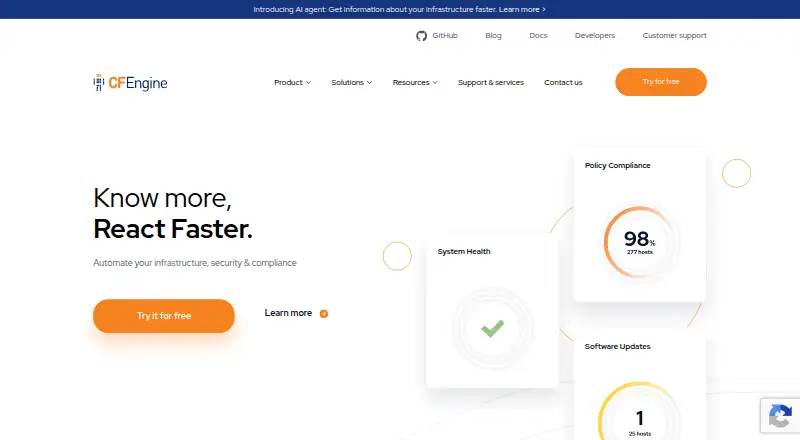
What CFEngine is
CFEngine automates infrastructure, security and compliance by steering managed systems toward a state defined by users. Users express the desired state in CFEngine's domain-specific language, while lightweight agents work to bring each device into compliance. By default, an agent contacts the CFEngine hub every five minutes. CFEngine runs on embedded devices, servers, cloud systems and mainframes, and is designed to handle tens or hundreds of thousands of nodes. Enterprise adds the Mission Portal web interface, an SQL-backed reporting hub, REST APIs, compliance reports, policy analysis, alerts, inventory and change reporting, file-integrity monitoring and performance monitoring. Its dashboards show compliance and performance information, and can be customized and shared. Secure bootstrap uses mutual authentication, key exchange and encrypted TLS communication. The Community Edition is free under GNU GPL, supports Linux and includes community support. Enterprise is free for up to 25 hosts; pricing beyond that is available on request. The listed supported operating systems include Linux distributions and Windows.
Good
- Free Community Edition under GNU GPL
- Enterprise free for up to 25 hosts
- Agents check compliance every five minutes by default
- Supports compliance reporting and drift detection
- Designed for deployments with tens or hundreds of thousands of nodes
Watch out
- Community Edition supports Linux
- Enterprise pricing beyond 25 hosts is on request
Who it suits
CFEngine suits teams managing infrastructure across devices and systems that need policy-based configuration, security and compliance. Enterprise adds reporting, dashboards and dedicated support.
Verdict
CFEngine combines policy-driven infrastructure management with agent-based compliance checks. Community Edition is free for Linux, while Enterprise offers broader reporting and support and is free for up to 25 hosts.
Plans and prices
From CFEngine's own pricing page, checked 14 Oct 2026.
| Plan | Price | What it gives you |
|---|---|---|
| Community Edition | Free | Linux support · community support · configuration management · autonomous agents · free to use |
| Enterprise free trial | Free | up to 25 hosts · unrestricted trial features · no credit card required |
| Enterprise Edition | Priced on request | Windows, AIX, Solaris and HP-UX · Mission Portal · REST APIs · reporting · alerts · dashboards · technical support · single price per license |
The facts
Each one read from CFEngine's own pages, with the date it was checked.
What it does
- Alerts and actions
- Users can define event alerts and trigger custom actions or integrations when infrastructure changes occur.checked 14 Oct 2026
- API
- The Enterprise Hub exposes a REST API that also supports SQL-based queries for custom reports over distributed database data.checked 14 Oct 2026
- Architecture
- The CFEngine agent runs on each managed device and connects to the CFEngine hub by default every five minutes to ensure configuration compliance.checked 1 Oct 2026
- Authentication and encryption
- Public-key authentication is mandatory; Community uses RSA-2048 authentication with Blowfish transfer encryption, while commercial editions use AES-256 and SHA-256 and cite FIPS 140-2 validation.checked 14 Oct 2026
- Compliance reporting
- Enterprise provides customizable reports for internal and external compliance requirements.checked 14 Oct 2026
- Configuration management
- The system manages files, processes, packages, services, users, storage and other promise types.checked 14 Oct 2026
- Dashboards
- Enterprise dashboards show compliance levels, performance, alerts and customizable shared views.checked 14 Oct 2026
- Desired-state automation
- Administrators describe desired states in CFEngine's policy language and local agents converge systems toward those states.checked 14 Oct 2026
- Documentation depth
- Documentation includes getting-started guides, installation, policy tutorials, promise and function references, web UI material and API references.checked 14 Oct 2026
- Documentation licensing
- CFEngine documentation is published as open source and accepts pull-request corrections.checked 14 Oct 2026
- Enterprise interface
- Enterprise includes the Mission Portal web interface, a reporting hub with SQL database, REST APIs, compliance reports, policy analysis, alerts, inventory reporting, change reporting, file-integrity monitoring and performance monitoring.checked 1 Oct 2026
- Extensibility
- CFEngine Build supplies community and vendor policy modules that can be added through Mission Portal or command-line tools.checked 14 Oct 2026
- External integrations
- Policies can consume JSON, YAML and CSV data and can use generated API data or CMDB exports as inputs.checked 14 Oct 2026
- Installation method
- Community installation guides provide precompiled RPM and DEB packages for Ubuntu, Debian, Red Hat, CentOS and SUSE, plus the cf-remote installer.checked 14 Oct 2026
- Inventory
- Inventory reporting collects detailed information across bare-metal servers, virtual machines, cloud instances and IoT devices.checked 1 Oct 2026
- Inventory reporting
- Enterprise collects infrastructure inventory from bare-metal servers, virtual machines, cloud instances and IoT devices.checked 14 Oct 2026
- Known issue
- The 3.27 documentation records a 3.26.0 Ubuntu hub installation hang when using cf-remote and gives manual-install workarounds.checked 14 Oct 2026
- Licence
- Community Edition is licensed under the GNU General Public License, while Enterprise uses a commercial licence.checked 14 Oct 2026
- Limit: documentation usability
- The same account said CFEngine had extensive documentation but that finding a practical learning path was difficult.checked 14 Oct 2026
- Limit: learning curve
- UpGuard identifies CFEngine's specialized language and operating-system nuances as producing a steep learning curve.checked 14 Oct 2026
The company
- Company profile
- LinkedIn lists Northern.tech as a privately held software company founded in 2008, headquartered in Oslo, with 51–200 employees.checked 14 Oct 2026
- Founded
- 2008checked 23 Sep 2026
- Headquarters
- Oslo, Norwaychecked 23 Sep 2026
- Legal maker
- CFEngine states that it is developed and maintained by Northern.tech AS.checked 14 Oct 2026
The full review of CFEngine
CFEngine is a self-hosted platform for automating infrastructure, security and compliance through policies that keep systems aligned with a desired state. It is best suited to teams managing large or varied fleets that can operate agents and a central hub. Its broad scale and Enterprise reporting are compelling, but Community Edition is limited to Linux and the richer management layer requires Enterprise.
Overview
Administrators express the state they want in CFEngine’s domain-specific language; lightweight agents on managed devices work to bring actual configurations into line. By default, each agent connects to the hub every five minutes to check compliance. That recurring model is a practical fit for continuous configuration control, rather than a one-off setup tool.
CFEngine is designed to run across embedded devices, servers, cloud systems and mainframes, and to manage tens or hundreds of thousands of nodes. Its deployment model is self-hosted, so teams operate the management environment themselves. The breadth and scale will matter most to organizations with substantial infrastructure, not those seeking a hosted service with minimal operational ownership.
Key features
Policy-driven enforcement
Desired-state policies, drift detection and patch management give teams a way to keep configurations aligned over time. Policy as code makes the intended state explicit, while agents do the recurring work of convergence. The five-minute default hub interval provides regular checks, though it should not be mistaken for immediate event-driven enforcement.
Enterprise visibility
Enterprise adds the Mission Portal, a reporting hub backed by an SQL database, plus REST APIs. Teams can use compliance, policy-analysis, alert, inventory, change, file-integrity and performance reporting to investigate and oversee a fleet. Dashboards show real-time compliance levels and performance, and can be customized and shared; custom alerts and actions add operational flexibility.
Inventory, security and extensibility
Inventory reporting spans bare-metal servers, virtual machines, cloud instances and IoT devices, useful when infrastructure is distributed across unlike environments. Secure bootstrap uses mutual authentication, key exchange and TLS-encrypted communication. CFEngine Build provides a catalogue of policies and modules from CFEngine, partners and the community. The Enterprise API also uses SQL to build custom reports from data held across globally distributed CFEngine database servers.
Pricing
CFEngine uses a freemium model, with a free plan and Enterprise pricing on request. Community Edition costs nothing and is licensed under GNU GPL, with Linux support and community support. It is the natural starting point for Linux-focused teams able to rely on community help; Windows support and Enterprise’s reporting and support are outside this plan’s stated scope.
Enterprise Edition has custom pricing and is free for up to 25 hosts. It uses a single price per license, with no add-on or extra-functionality costs. Enterprise is the better fit for teams that need its broader reporting, APIs and dedicated support. That support team can advise on best practices and prioritize requested feature development. The free allowance gives smaller deployments a route to Enterprise capabilities, while larger fleets should expect to discuss pricing directly.
Platforms
CFEngine is self-hosted and agent-based. Its supported operating systems include Linux distributions such as RHEL, Debian and Ubuntu, as well as Windows. The platform listing also includes macOS, web and API access; the Community Edition’s stated support is Linux, so teams should distinguish that free-plan scope from the broader platform listing.
Who it's for
CFEngine suits infrastructure and operations teams that want policy-based control across a large, diverse fleet and can manage a self-hosted hub and agents. Enterprise is the stronger choice when compliance reporting, inventory visibility, custom dashboards or dedicated support are operational requirements. Teams wanting a turnkey hosted product, or a simple tool for a small number of systems without policy-management overhead, should look elsewhere.
Pros and cons
- Pros: Designed to manage tens or hundreds of thousands of nodes across embedded devices, servers, cloud systems and mainframes, making it relevant to unusually broad estates.
- Pros: Enterprise combines compliance, inventory, change and performance reporting with dashboards, alerts, REST APIs and SQL-backed custom reports.
- Pros: Enterprise includes a free allowance of up to 25 hosts and has one license price without add-on charges.
- Cons: Community Edition is Linux-supported and relies on community support, limiting its appeal for teams needing Windows coverage or dedicated assistance at no cost.
- Cons: Self-hosting and agent management put operational responsibility on the adopting team.
- Cons: Enterprise pricing beyond the 25-host free allowance is custom, so larger teams cannot assess total cost from a published price.
Alternatives
Salt is worth considering for teams seeking free software under the Apache 2.0 license, with Linux, macOS, Windows and self-hosted platform support.
config.XO may suit a small deployment that can work within its free plan’s caps: one workspace, one admin user, one cloud connection, one hypervisor, three managed systems and one API key.
Rudder is an alternative for teams that value downloadable, modifiable source code under its open-source licenses.
OpenVox offers a free, community-maintained option for agent/server or standalone use.
Uyuni is another free option for open-source configuration and infrastructure management; its hardware requirements depend on deployment and channel requirements.
OpenDSC is a free alternative.
Puppet offers a free allowance of 10 nodes on its custom-priced Enterprise plan, making it a comparison point for teams weighing node-based entry terms.
Chef Infra is an alternative with a Business plan priced at $59 a year, billed per node per year.
For broader category comparisons, see Configuration Management Tools, IT Configuration Management Software and IT Automation Software.
Verdict
Choose CFEngine if your team needs self-hosted, policy-driven enforcement across a large or heterogeneous fleet and values Enterprise’s reporting, APIs and dedicated support. Its scale and compliance tooling are the main reasons to pick it; the self-hosted operating burden and custom Enterprise pricing are the clearest reasons to look elsewhere.
Getting started
- Visit https://cfengine.com/.
- Choose Community Edition or Enterprise Edition.
- Use Community Edition for free Linux support, or Enterprise for up to 25 free hosts.
- Deploy the self-hosted hub and agents on managed devices.
- Define desired infrastructure states in CFEngine's domain-specific language.
Limits worth knowing
Community Edition is free under GNU GPL, supports Linux, and includes community support. Enterprise is free for up to 25 hosts; pricing beyond that is on request.
Questions
Is CFEngine free?
Yes. Community Edition costs nothing. Enterprise Edition is free for up to 25 hosts.
What does Enterprise add?
It includes the Mission Portal, reporting and REST APIs, compliance and inventory reporting, alerts, policy analysis, file-integrity monitoring, performance monitoring, and dedicated support.
Which platforms are supported?
The listed supported systems are Linux distributions including RHEL, Debian, and Ubuntu, plus Windows. The broader platform list also includes macOS, web, API, and self-hosted.
Is CFEngine open source?
Community Edition is available under GNU GPL.
How is CFEngine deployed?
Its deployment model is self-hosted and agent-based. Agents run on managed devices and connect to the hub by default every five minutes.
How much does Enterprise cost?
Enterprise Edition pricing is available on request. It has a single price per license, with no add-ons or extra functionality costs.
Alternatives to CFEngine
- 1

Puppet
Free planOpen sourceWebAPILinuxmacOS8.4From $120 a month - 2

Canonical MAAS
Free planOpen sourceWebAPILinuxSelf-hosted8.1From $30 a year - 3

AWS CloudFormation
Free planiOSWebAPILinux7.7Free plan - 4

Pulumi
Free planWebAPILinuxmacOS7.4From $40 a month - 5

Uyuni
Free planOpen sourceWebAPILinuxSelf-hosted7.4Free plan - 6

Qovery
WebAPILinuxmacOS7.1From $299 a month