
Canonical MAAS
Canonical MAAS is an open source platform for managing physical servers as cloud resources.
What Canonical MAAS is
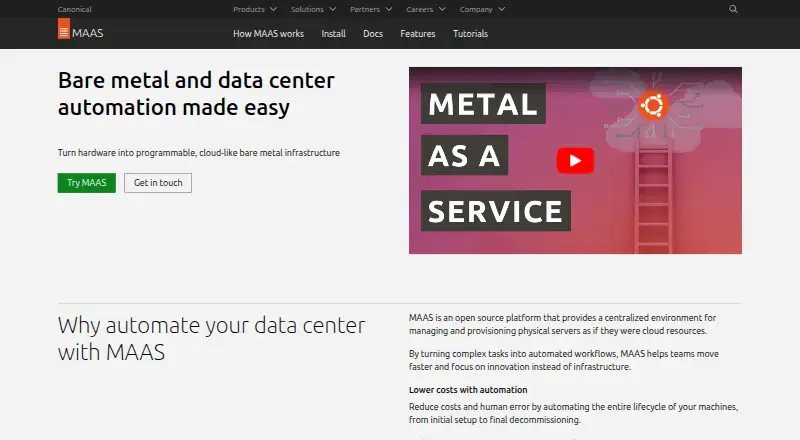
Canonical MAAS is an open source platform for managing physical servers as cloud resources. It automates server discovery, inventory, commissioning, deployment, and decommissioning, with nodes managed through a web UI, command line, or API. Its API integrates with Terraform, Juju, and Ansible for infrastructure automation and orchestration. MAAS discovers machines through PXE boot and supports IPMI-enabled servers, as well as subnet, VLAN, and switch-fabric discovery. It can configure networking and storage, run hardware tests, and manage LXD and KVM virtual machines. Listed operating system images include Ubuntu, CentOS, Windows, and RHEL; images can be synchronized or served from an onsite mirror for offline use. The free self-support plan covers all machines but has no HA support, RBAC, Knowledge Base, Sev 1 response SLA, phone support, or ticket support. Ubuntu Pro is required for MAAS controllers, and Canonical says it provides security patching and enterprise support for controllers and Ubuntu machines.
Good
- Automates the physical-server lifecycle.
- Provides web, command-line, and API management.
- Integrates with Terraform, Juju, and Ansible.
- Can synchronize images or serve them offline.
- Free self-support plan covers all machines.
Watch out
- Free plan has no HA support.
- Free plan excludes phone and ticket support.
- Controllers require Ubuntu Pro.
- Essential costs $30 a year per managed machine.
Who it suits
MAAS suits teams managing physical servers for private cloud with OpenStack, server automation, or bare metal Kubernetes. Its single-machine installation is also described for homelabs, proofs of concept, and small production environments.
Verdict
MAAS automates provisioning and management for physical-server environments, with network, storage, VM, and hardware-test capabilities. Compare the free plan's support limits with the paid tiers, and account for the Ubuntu Pro controller requirement.
Plans and prices
From Canonical MAAS's own pricing page, checked 15 Oct 2026.
| Plan | Price | What it gives you |
|---|---|---|
| Free | Free | MAAS software · self-support |
| Self-support | Free | Free for all machines · no HA support · no RBAC · no Knowledge Base · no Sev 1 response SLA · no phone or ticket support |
| Essential | $30 a year | Knowledge base · high-availability support · per managed machine annually |
| Standard | $50 a year | Office-hours phone and ticket support · 4-hour Severity 1 SLA · knowledge base · high-availability support · per managed machine annually |
| Advanced | $100 a year | 24/7 phone and ticket support · 1-hour Severity 1 SLA · knowledge base · high-availability support · per managed machine annually |
The facts
Each one read from Canonical MAAS's own pages, with the date it was checked.
What it does
- API
- MAAS exposes a REST API with GET, POST, PUT and DELETE methods; version 2.0 is the documented supported API version.checked 15 Oct 2026
- API authentication
- API authentication uses 0-legged OAuth, and the documentation provides Python, Ruby, cURL and HTTPie examples.checked 15 Oct 2026
- API coverage
- The latest reference states that every feature available in the UI is also accessible through the API and that the v2 reference is generated from OpenAPI.checked 15 Oct 2026
- Architecture
- A PostgreSQL-backed region controller handles operator requests while distributed rack controllers provide DHCP, IPMI, PXE, TFTP and cached images.checked 15 Oct 2026
- Documentation depth
- The documentation is organized into tutorials, how-to guides, explanations and reference material, including installation, API, Terraform, troubleshooting, metrics, logging and security-hardening sections.checked 15 Oct 2026
- Extensibility
- Canonical documents CLI and Python client bindings, custom commissioning scripts, deployment scripts and custom power-driver plugins.checked 15 Oct 2026
- Hardware discovery
- PXE boot can automatically discover and enlist servers, while network discovery identifies subnets, VLANs and switch fabrics.checked 15 Oct 2026
- Hardware inventory
- Commissioning records processors, memory, storage, networking and other components, with lifecycle event tracking.checked 15 Oct 2026
- Hardware testing
- Administrators can run supplied hardware tests or upload their own and review historical component metrics.checked 15 Oct 2026
- High availability
- Region-controller high availability is database-based, and rack controllers can provide local service redundancy.checked 15 Oct 2026
- Infrastructure as code
- MAAS provides a cloud-like API and integrates with Terraform, Juju, and Ansible for infrastructure automation and orchestration.checked 30 Sep 2026
- Installation options
- Canonical documentation describes a single-machine region-and-rack installation for homelabs, proofs of concept, or small production environments, and multiple controllers for high availability.checked 30 Sep 2026
- Integrations
- Canonical documentation names Juju, Chef, Puppet, Ansible, Terraform, OpenStack and Kubernetes as MAAS automation or orchestration integrations.checked 15 Oct 2026
- License
- The MAAS source repository is distributed under the GNU Affero General Public License version 3.checked 15 Oct 2026
- Lifecycle automation
- MAAS automatically discovers, inventories, commissions, deploys, and decommissions physical servers.checked 30 Sep 2026
- Limit: documentation onboarding
- Community feedback said version-specific documentation was hard to locate and that the quick-start guide omitted information needed for a basic real-database installation.checked 15 Oct 2026
The company
- Company founded
- Canonical's LinkedIn profile lists 2004 as its founding year.checked 15 Oct 2026
- Company headquarters
- Canonical's LinkedIn profile lists London, England as headquarters.checked 15 Oct 2026
- Company legal name
- Crunchbase lists the maker's legal name as Canonical Ltd.checked 15 Oct 2026
- Company ownership
- Crunchbase describes Canonical as a privately held, for-profit company and identifies Mark Shuttleworth as founder and CEO.checked 15 Oct 2026
- Company size
- LinkedIn places Canonical in the 1,001–5,000-employee range.checked 15 Oct 2026
- Founded
- 2004checked 23 Sep 2026
- Headquarters
- London, United Kingdomchecked 23 Sep 2026
Where it runs
- Device discovery
- MAAS discovers devices and interfaces passively, on demand or periodically.checked 15 Oct 2026
The full review of Canonical MAAS
Canonical MAAS is an open-source control plane that turns physical servers into centrally managed cloud resources. It is aimed at infrastructure teams running private clouds, bare-metal Kubernetes, or repeatable server fleets. The platform is unusually broad, but controller support requirements and per-machine pricing make plan selection important.
Overview
MAAS automates the full hardware lifecycle: discovering and inventorying machines, commissioning them, deploying operating systems, and decommissioning servers when they leave service. PXE boot and IPMI support help it enroll heterogeneous hardware, while discovery across subnets, VLANs, and switch fabrics gives larger installations a way to build an accurate inventory.
Nodes can be operated from a web interface, command line, or API. A single-machine region-and-rack installation suits a homelab, proof of concept, or small production site; multiple controllers provide a path to high availability when downtime is unacceptable.
Key features
MAAS provides a cloud-style API and integrations with Terraform, Juju, and Ansible. That makes it a strong choice when bare-metal provisioning must participate in infrastructure-as-code and orchestration rather than remain a sequence of manual console tasks.
Operating-system image support covers Ubuntu, CentOS, Windows, and RHEL. Images can be synchronized or delivered from an onsite mirror, which is valuable for mixed-OS environments and sites that need offline deployment. Network configuration includes address assignment, bonding, VLANs, virtual bridges, static routes, DHCP, and DNS management. Storage layouts include Bcache, RAID, and LVM.
LXD and KVM integration lets teams create and manage virtual machines through the same UI, CLI, and API used for physical nodes. Built-in or uploaded hardware tests can run during the lifecycle, with historical results and metrics retained for maintenance and fleet-quality tracking.
MAAS supports unattended network deployment, driver injection, multi-OS and mixed server types, and multi-tenant management. Ubuntu Pro supplies security patching and enterprise support for MAAS controllers and Ubuntu machines, and controllers require Ubuntu Pro. Standalone Support can cover machines without Ubuntu Pro, but the machines hosting controllers still need Ubuntu Pro.
Pricing
The self-support plan is free for all machines. It excludes high-availability support, role-based access control, the Knowledge Base, a Sev 1 response SLA, phone support, and ticket support. It is a sensible fit for labs, evaluations, and teams able to operate the controller without vendor assistance, but the missing HA and access controls limit it for serious shared production use.
Essential costs $30 a year per managed machine and adds HA support, RBAC, and the Knowledge Base. It still has no Sev 1 response SLA, phone support, or ticket support, so it suits production operators who mainly need operational features rather than a staffed incident channel.
Standard is $50 a year per managed machine. It retains those capabilities and adds a four-hour Sev 1 response time plus phone and ticket support during office hours. Advanced costs $100 a year per managed machine, with a one-hour Sev 1 response time and phone and ticket support 24 hours a day, every day. Those tiers are easier to justify for business-critical fleets where response coverage matters; costs scale directly with machine count.
Platforms
MAAS is delivered for Linux, as a self-hosted service, with web, command-line, and API access. Its network deployment model supports physical bare-metal provisioning as well as virtual-machine management through LXD and KVM.
Who it's for
Choose MAAS for private-cloud foundations built on OpenStack, automated bare-metal Kubernetes clusters, or server fleets where repeatable discovery, imaging, network setup, storage layout, and hardware validation are central requirements. It is also well suited to teams already using Terraform, Juju, or Ansible. A homelab or small proof of concept can start with one controller and free self-support; organizations needing HA, RBAC, or dependable incident response should budget for a paid tier and Ubuntu Pro on controller hosts.
Pros and cons
Pros
- Complete physical-server lifecycle: discovery through retirement is handled in one control plane, reducing separate tooling for fleet operations.
- Strong automation fit: API access and Terraform, Juju, and Ansible integrations connect provisioning to declarative workflows.
- Broad infrastructure scope: mixed operating systems, detailed network and storage configuration, VM integration, and retained hardware-test data cover more than basic imaging.
- Offline-friendly images: onsite mirrors help deployments continue where external connectivity is restricted.
Cons
- Free-plan trade-offs: no HA, RBAC, support tickets, phone support, or Sev 1 SLA leaves production responsibility with the operator.
- Per-machine cost growth: annual pricing multiplies across every managed machine, especially at the Advanced support level.
- Ubuntu Pro dependency: controller hosts must run Ubuntu Pro, adding a platform requirement to otherwise self-hosted deployments.
Alternatives
For a broad shortlist, see Bare Metal Provisioning Software, OS Deployment Software, and IT Automation Software.
AuroraBoot is a free Apache-licensed self-hosted option that runs through Docker or another container engine and supports more host platforms.
Clonezilla is free, open-source GPL software for users who need imaging rather than MAAS's full lifecycle and infrastructure controls.
FOG Project is free for commercial use with community support, making it an alternative for simpler deployment environments.
Supermicro SuperDoctor 5 is a free Linux and Windows choice when server monitoring is the priority.
Foreman is free, open-source, and self-managed for teams seeking another server-management approach.
NVIDIA ShadowPlay is a free Windows utility tied to supported GeForce hardware, not a general bare-metal provisioning platform.
openQRM Enterprise offers a free community edition and a custom-priced Enterprise tier with broader plugins and add-ons.
iVentoy has a free edition with no time limit but caps usage at 20 clients, bars commercial use, and limits client architectures.
Verdict
Canonical MAAS is the right choice for teams that need programmable, multi-OS bare-metal infrastructure with serious network, storage, VM, and hardware-test automation in one system. Its main reason to choose it is lifecycle breadth tied to infrastructure-as-code; its main reason to look elsewhere is the Ubuntu Pro controller requirement and the per-machine cost of HA and responsive support.
Alternatives to Canonical MAAS
- 1

FOG Project
Free planOpen sourceWebAPILinuxmacOS7.7Free plan - 2

Foreman
Free planWebAPILinuxSelf-hosted6.9Free plan - 3
Supermicro SuperDoctor 5
Free planLinuxWindows6.8Free plan - 4
Clonezilla
Free planLinuxmacOSSelf-hostedWindows6.7Free plan - 5
iVentoy
Free planLinuxSelf-hostedWindows6.7$49 one-time - 6
Digital Rebar Provision
WebAPILinuxmacOS6.6