
Salt
Salt is an open-source framework for remote execution, configuration management, provisioning, and infrastructure orchestration.
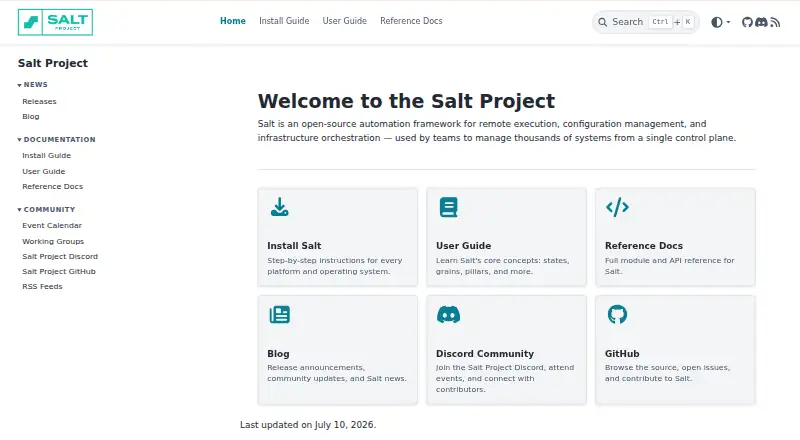
What Salt is
Salt is an open-source framework for remote execution, configuration management, provisioning, and infrastructure orchestration. It can run commands across thousands of systems in seconds from a single execution. Teams can use a master to manage minions, connect through Salt SSH or salt-proxy without a minion, or run Salt in stand-alone mode. Salt states define configurations that can be extended and layered, and orchestration can arrange work by dependency—for example, preparing a load balancer before configuring a web-server cluster. Salt Cloud provisions systems on cloud hosts or hypervisors and can connect new virtual machines to a Salt master. Its documented providers include Amazon EC2, Google Compute Engine, Azure, OpenStack, DigitalOcean, Linode, VMware, and Proxmox. The free software is self-hosted and licensed under Apache 2.0. SaltStack Config adds an enterprise web interface, access controls, multi-master support, reporting, APIs, and identity integrations. Salt uses RSA authentication and encrypted master-minion communication.
Good
- Free software is licensed under Apache 2.0.
- Supports master-managed and agentless operation.
- Salt Cloud provisions systems on listed providers.
- Orchestration can order work by dependencies.
- Encrypted master-minion communication cannot be disabled.
Watch out
- openSUSE support is reasonable-effort only.
- No guarantee of Salt Project packages for openSUSE.
- The software is self-hosted.
Who it suits
Salt suits teams automating configuration and infrastructure across multiple systems, including teams that need agentless access or dependency-ordered orchestration. SaltStack Config may suit organizations seeking role-based access controls and compliance profiles.
Verdict
Salt offers several operating modes for remote management, provisioning, and orchestration. Consider its self-hosted model and the stated support limits for openSUSE before adopting it.
Plans and prices
From Salt's own pricing page, checked 1 Oct 2026.
| Plan | Price | What it gives you |
|---|---|---|
| Salt Open Source | Free | Apache 2.0 license |
The facts
Each one read from Salt's own pages, with the date it was checked.
What it does
- Access control
- Salt provides publisher ACLs and external authentication that can restrict users to selected functions on selected minions.checked 1 Oct 2026
- Agentless operation
- Salt SSH can communicate with targets without installing a minion when the SSH service is running and port 22 is open.checked 1 Oct 2026
- API
- Salt netapi modules provide network API access over REST through HTTP and WSGI and through WebSockets.checked 30 Sep 2026
- Cloud integrations
- Salt Cloud documentation lists providers including Amazon EC2, Google Compute Engine, Azure, OpenStack, DigitalOcean, Linode, VMware, Proxmox, and others.checked 30 Sep 2026
- Cloud provisioning
- Salt Cloud provisions systems on cloud hosts or hypervisors and automatically connects newly created virtual machines to the Salt master.checked 30 Sep 2026
- Community
- The Salt Project community includes more than 3,000 contributors.checked 1 Oct 2026
- Community support
- Salt Project directs community members to its Discord server and GitHub Discussions.checked 30 Sep 2026
- Compliance
- SaltStack Config provides security policies with industry-standard compliance profiles such as CIS and DISA STIGS.checked 30 Sep 2026
- Configuration management
- Salt states are described as simple, extensible, deterministic, and layerable.checked 1 Oct 2026
- Enterprise features
- SaltStack Config includes a web interface, role-based access control, multi-master support, a central job and event cache, reporting, and an enterprise API.checked 1 Oct 2026
- Enterprise UI
- SaltStack Config includes a web-based user interface, role-based access control, multi-master support, job and event caching, reporting, and an enterprise API.checked 30 Sep 2026
- Identity integrations
- SaltStack Config supports LDAP, SAML, OIDC, and Active Directory integration.checked 30 Sep 2026
- Installation
- Salt provides official RPM, DEB, and generic repositories for Windows, macOS, and other non-RPM and non-DEB packages.checked 1 Oct 2026
- Integrations
- SaltStack Config integrates with LDAP, SAML, OIDC, and Active Directory.checked 1 Oct 2026
- License
- Salt is licensed under the Apache 2.0 license.checked 1 Oct 2026
- Management model
- A basic Salt implementation consists of a Salt master managing one or more Salt minions.checked 1 Oct 2026
- Management modes
- A Salt minion can run the salt-minion service, use salt-ssh or salt-proxy agentlessly, or run without a master in stand-alone mode.checked 30 Sep 2026
- Orchestration
- Salt can configure sets of systems in dependency order, such as setting up a load balancer before a web-server cluster.checked 1 Oct 2026
- Purpose
- Salt is a Python-based, open-source framework for remote execution, configuration management, automation, provisioning, and orchestration.checked 1 Oct 2026
- Scale
- Salt can execute multiple commands across thousands of systems in seconds with a single execution.checked 1 Oct 2026
- Security
- Salt uses RSA keys for authentication, AES keys for encryption, and rotates the AES key every 24 hours by default or when a minion is deleted.checked 1 Oct 2026
- Support
- The project directs users to GitHub issues for bugs and problems and to Discord for community technical support and discussions.checked 1 Oct 2026
- Supported systems
- Salt is tested and packaged for CentOS, Debian, RHEL, Ubuntu, macOS, Windows, and more.checked 1 Oct 2026
- Support limits
- openSUSE is covered under reasonable-effort support, with no guarantee that Salt Project packages will be available.checked 30 Sep 2026
The full review of Salt
Overview
Salt is an open-source framework for remote execution, configuration management, provisioning, and infrastructure orchestration. It suits teams managing large, varied fleets that want to automate from infrastructure they host themselves. Its reach and operating modes are substantial, but self-hosting and community-led support make it a less natural fit for buyers seeking a managed service or guaranteed help.
A basic deployment pairs a Salt master with one or more minions, and a single execution can run commands across thousands of systems in seconds. Salt can also operate over SSH or through a proxy without a minion, or run standalone without a master. That flexibility lets teams fit management to different targets, though it also means choosing and maintaining the appropriate operating model.
Key features
Configuration and remote execution
Salt states are designed to be deterministic, extensible, and layerable, giving operators a way to express system configuration in reusable layers. Publisher ACLs and external authentication can restrict users to selected functions on selected minions, a useful control when multiple operators share a fleet.
Agent choices and orchestration
Teams can install the salt-minion service, use salt-ssh or salt-proxy agentlessly, or run Salt in standalone mode. Salt SSH can reach a target without a minion if SSH is running and port 22 is open; that avoids installing an agent but makes access dependent on those network conditions. Orchestration can apply changes in dependency order, such as preparing a load balancer before a web-server cluster, which is valuable when infrastructure changes must happen in sequence.
Provisioning and APIs
Salt Cloud provisions systems on cloud hosts and hypervisors, then connects newly created virtual machines to the Salt master automatically. Its documented integrations include Amazon EC2, Google Compute Engine, Azure, OpenStack, DigitalOcean, Linode, VMware, and Proxmox. Netapi exposes REST access through HTTP and WSGI, as well as WebSockets, supporting integrations that need to invoke Salt programmatically.
Security and enterprise controls
Salt uses RSA key-based authentication, requires administrator acceptance of minion keys by default, and authenticates the master. Master-minion communication is encrypted and cannot be disabled; AES encryption keys rotate every 24 hours by default or when a minion is deleted. SaltStack Config adds a web interface, role-based access control, multi-master support, centralized job and event caching, reporting, and an enterprise API. It integrates with LDAP, SAML, OIDC, and Active Directory, and provides security policies with CIS and DISA STIGS compliance profiles.
Pricing
Salt Open Source costs nothing under the Apache 2.0 license. It is a strong fit for teams able to host and operate their own automation framework without a software charge. The free plan does not remove the work of running a self-hosted system; teams that need SaltStack Config's web interface, reporting, or enterprise controls should evaluate that separate enterprise offering, for which no price is stated here.
Platforms
Salt is self-hosted and supports Linux, Windows, and macOS, with supported system families also including Amazon Linux, Debian, Red Hat, and Windows, as well as architectures such as x86_64, arm64, amd64, and x86. Official RPM, DEB, and generic repositories cover Windows, macOS, and other non-RPM and non-DEB packages. The broader supported-platform list includes AIX, FreeBSD, OpenBSD, NetBSD, Solaris, Gentoo, and SUSE, but openSUSE support is reasonable-effort only, with no guarantee that Salt Project packages will be available. That caveat matters for teams standardizing on openSUSE.
Who it's for
Salt is best for infrastructure and operations teams that need remote execution at scale, configuration management, ordered orchestration, or cloud provisioning across mixed environments—and have the capacity to host and maintain the system. Its agentless SSH option suits targets where installing a minion is undesirable, provided SSH access is available. Teams that need a turnkey service or guaranteed support, particularly for openSUSE, should consider other options.
Pros and cons
Pros
- Multiple operating modes: Minions, SSH, proxy, and standalone operation give teams choices for different targets and environments.
- Built for broad automation: Remote execution across thousands of systems, dependency-ordered orchestration, and cloud provisioning cover distinct stages of infrastructure work.
- Strong security controls: Encrypted master-minion traffic, key acceptance, rotating AES keys, and function-level access controls address access and transport concerns.
- No-cost open-source plan: The Apache 2.0 plan avoids a license charge for teams prepared to self-host.
Cons
- Self-hosted operation: Teams must take responsibility for operating the framework rather than adopting a hosted service.
- Uneven openSUSE assurance: Support is reasonable-effort only, and project packages are not guaranteed.
- Community support path: Technical support and discussion are directed to Discord and GitHub Discussions, while bugs and problems go to GitHub issues; this is not a stated guaranteed support arrangement.
Alternatives
CFEngine is worth considering if a freemium option with a free trial is preferable; its Community Edition is free and specifies Linux support and community support.
Puppet may suit teams seeking a freemium alternative with a free trial; Puppet Enterprise includes 10 nodes free, while the Enterprise Advanced plan has custom pricing.
config.XO is a more tightly capped free option: its Free plan costs nothing forever and is limited to one workspace, one admin user, one cloud connection, one hypervisor, three managed systems, and one API key.
OpenDSC is another free option for readers comparing configuration management software.
Rudder is a freemium alternative whose source code can be downloaded and modified under its open source licenses.
OpenVox offers a free, community-maintained option with agent/server or standalone use.
Azure Machine Configuration may fit readers managing Azure resources, for which the Azure resource plan is free; its Arc resource plan costs $6 a month, billed hourly on a prorated basis.
Radmind is another free alternative to consider.
For more options, browse Configuration Management Tools, IT Configuration Management Software, or IT Automation Software.
Verdict
Choose Salt if your team needs flexible, large-scale automation and can run it on its own infrastructure: few options in this lineup pair remote execution, agentless operation, orchestration, and cloud provisioning so directly. Look elsewhere if you need a managed service, guaranteed support, or dependable Salt Project packages for openSUSE.
Getting started
- Visit https://saltproject.io/.
- Install using the official RPM, DEB, or generic repositories for the relevant platform.
- Choose a master-and-minion setup, agentless access with salt-ssh or salt-proxy, or stand-alone mode.
- Use GitHub issues for bugs and problems, or Discord for community technical support and discussion.
Limits worth knowing
openSUSE receives reasonable-effort support, and Salt Project packages are not guaranteed to be available for it.
Questions
Does Salt cost anything?
Salt is free and open source under the Apache 2.0 license.
Can Salt run without installing a minion?
Yes. Salt SSH can reach targets without a minion when SSH is running and port 22 is open. Salt can also run in stand-alone mode.
Which systems and platforms are supported?
Listed platform families include Linux, Windows, macOS, AIX, FreeBSD, OpenBSD, NetBSD, Solaris, Gentoo, and SUSE.
Does Salt integrate with cloud providers?
Salt Cloud documentation lists Amazon EC2, Google Compute Engine, Azure, OpenStack, DigitalOcean, Linode, VMware, Proxmox, and others.
What does SaltStack Config add?
It includes a web interface, role-based access control, multi-master support, job and event caching, reporting, an enterprise API, and identity integrations such as LDAP, SAML, OIDC, and Active Directory.
How does Salt secure communication?
Salt uses RSA key-based authentication and encrypted master-minion communication. AES keys are used for encryption and rotate every 24 hours by default or when a minion is deleted.
Alternatives to Salt
- 1

OPSI
Free planOpen sourceWebAPILinuxmacOS8.4From €4.99 a year - 2

Puppet
Free planOpen sourceWebAPILinuxmacOS8.4From $120 a month - 3

ManageEngine Mobile Device Manager Plus
Free planAndroidiOSWebAPI8.3From $495 a year - 4

ManageEngine Patch Manager Plus
Free planAndroidiOSWebAPI8.2From $245 a year - 5

Rudder
Free planOpen sourceWebAPILinuxSelf-hosted8.2From $40 a year - 6

Canonical MAAS
Free planOpen sourceWebAPILinuxSelf-hosted8.1From $30 a year