
Mailbutler Smart Assistant
Mailbutler Smart Assistant adds AI writing and email-management tools to Apple Mail, Microsoft Outlook, and Gmail.
What Mailbutler Smart Assistant is
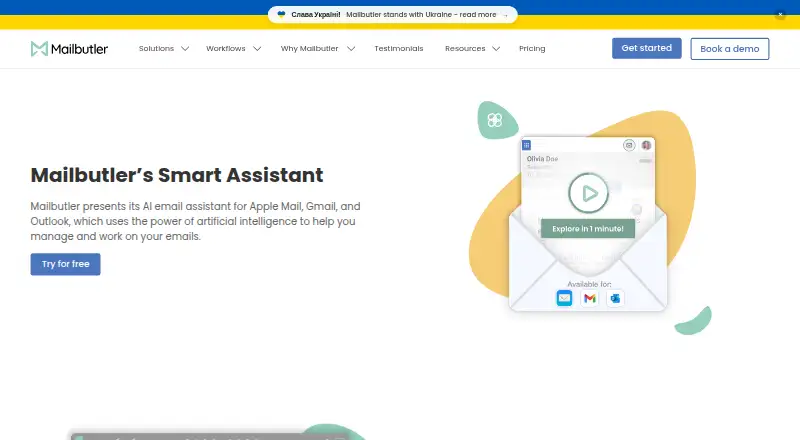
Mailbutler Smart Assistant adds AI writing and email-management tools to Apple Mail, Microsoft Outlook, and Gmail. It can draft a message from keywords or prepare a reply using details you provide, with controls for format, length, style, tone, and language. It can summarize selected emails and identify to-dos for Mailbutler Tasks; Smart Improve suggests spelling and grammar changes to a draft. Mailbutler says it uses OpenAI GPT-4o. The assistant is included in a 14-day trial and requires a Smart or Business subscription afterward. Mailbutler says email subjects and bodies are processed by Microsoft Azure OpenAI Service in the EU, with personal data redacted before submission to the underlying model. It also says backend data is encrypted and that it is ISO/IEC 27001 certified and GDPR compliant. Compatibility varies: Apple Mail support is listed for macOS Tahoe, Sequoia, Sonoma, and Ventura; mobile apps require iOS 15 or later or Android 7 or later.
Good
- Drafts messages from keywords and supplied details.
- Adjusts format, length, style, tone, and language.
- Finds to-dos for Mailbutler Tasks.
- Processes email through Azure OpenAI Service in the EU.
Watch out
- Smart Assistant requires a Smart or Business subscription after trial.
- Free Starter sent emails include a visible Mailbutler watermark.
- Mobile apps require iOS 15 or later or Android 7 or later.
Who it suits
It suits people who want AI drafting, reply, summary, and task-finding tools in Apple Mail, Outlook, or Gmail. Check the supported operating systems and subscription requirement before choosing it.
Verdict
Mailbutler Smart Assistant brings drafting, summarizing, and task discovery together for supported email clients. Its trial offers a way to try the assistant, but continued use requires a Smart or Business subscription.
Plans and prices
From Mailbutler Smart Assistant's own pricing page, checked 15 Oct 2026.
| Plan | Price | What it gives you |
|---|---|---|
| Starter | Free | Starter features · visible Mailbutler watermark · free forever; 14-day trial converts automatically |
| Professional | $9 a month | tracking · templates · mail merge · inbox collaboration · automations · signatures · $9 monthly or $7 monthly on yearly billing per user |
| Smart | $14 a month | AI Smart Compose · Smart Improve · Smart Summarize · Task Finder · Smart Follow-ups · per-recipient tracking · $14 monthly or $11 monthly on yearly billing per user |
| Business | $32 a month | all Smart features · CRM tracking sync · custom tracking subdomain · IP blacklisting · UTM personalization · dynamic signature content · $32 monthly or $24 monthly on yearly billing per user |
| Professional (yearly billing) | $7 a month | Email tracking · Templates and mail merge · Inbox collaboration · Signature marketing · Per user per month with yearly billing |
| Professional (monthly billing) | $9 a month | Email tracking · Templates and mail merge · Inbox collaboration · Signature marketing · Per user per month |
| Smart (yearly billing) | $11 a month | Smart Assistant · Smart Follow-ups · Email tracking · Mail merge · Inbox collaboration · Per user per month with yearly billing |
| Smart (monthly billing) | $14 a month | Smart Assistant · Smart Follow-ups · Email tracking · Mail merge · Inbox collaboration · Per user per month |
| Business (yearly billing) | $24 a month | Smart Assistant · Smart Follow-ups · CRM tracking sync · Custom subdomain · IP blacklisting · Per user per month with yearly billing |
| Business (monthly billing) | $32 a month | Smart Assistant · Smart Follow-ups · CRM tracking sync · Custom subdomain · IP blacklisting · Per user per month |
The facts
Each one read from Mailbutler Smart Assistant's own pages, with the date it was checked.
What it does
- AI data processing
- Mailbutler’s GDPR page says email body and subject are processed by Microsoft Azure OpenAI Service in the EU for Smart Assistant, with personal data redacted before submission to the underlying model.checked 29 Sep 2026
- AI model
- The Smart Assistant uses OpenAI GPT-4o.checked 15 Oct 2026
- AI tuning
- The assistant can tune generated text by format, length, style, tone and language.checked 15 Oct 2026
- Cloud hosting
- SoftwareWorld lists Mailbutler as cloud hosted and says an API is unavailable.checked 15 Oct 2026
- Compatibility limits
- Mailbutler lists Apple Mail support on macOS Tahoe, Sequoia, Sonoma, and Ventura; Gmail support on macOS, Windows, and Linux; and mobile apps for iOS 15 or later and Android 7 or later.checked 29 Sep 2026
- Compose and reply
- It drafts emails from keywords and generates replies, with an option to supply details for the response.checked 29 Sep 2026
- Documentation
- The support center lists 16 getting-started, 10 tracking, 6 tailored-sending, 11 collaboration, 3 signature, 7 subscription, 5 troubleshooting and 2 FAQ articles.checked 15 Oct 2026
- Email clients
- The assistant works with Apple Mail, Microsoft Outlook, and Gmail.checked 29 Sep 2026
- Email tracking
- Tracking reports opens, link clicks, timing, location and device information, with per-recipient detail on higher tiers.checked 15 Oct 2026
- Improve drafts
- Smart Improve suggests spelling and grammar improvements for a written email.checked 29 Sep 2026
- Integrations
- Business plans sync tracking events with HubSpot and Salesforce and support Google Analytics 4 UTM data.checked 15 Oct 2026
- Licence
- The terms license proprietary software, prohibit sublicensing, reverse engineering and derivative works, and allow use on up to two computers by one user.checked 15 Oct 2026
- Limit: interface complexity
- Reviewers report that the interface can feel clunky, organization is unclear and some functions are difficult to find.checked 15 Oct 2026
- Limit: pricing
- Capterra, Software Advice and GetApp reviewers say higher tiers or organization-wide deployment can be expensive.checked 15 Oct 2026
- Limit: tracking accuracy
- Trustpilot and SoftwareWorld reviewers report unreliable tracking in some Outlook, Apple Mail or provider configurations.checked 15 Oct 2026
- Mail Merge
- Mail Merge personalizes templates using Apple, Google or Outlook Contacts, HubSpot, Salesforce or CSV data.checked 15 Oct 2026
- Microsoft permissions
- The Outlook add-in uses delegated Microsoft Graph Mail.ReadWrite and Mail.Send permissions and no additional APIs.checked 15 Oct 2026
- Mobile requirements
- The mobile app requires iOS 15 or later or Android 7 or later.checked 15 Oct 2026
The company
- Company founded
- Mailbutler was founded in 2015 and its product launched in March 2016.checked 15 Oct 2026
- Company legal name
- The company is Mailbutler GmbH, registered in Berlin under HRB 166863 B.checked 15 Oct 2026
- Founded
- 2015checked 28 Sep 2026
- Headquarters
- Berlin, Germanychecked 28 Sep 2026
Money
- Free plan
- Yeschecked 19 Sep 2026
Where it runs
- Limit: Apple platform dependence
- Reviewers note that Apple Mail plug-in conflicts and limited iOS or iPadOS functionality reduce coverage on Apple devices.checked 15 Oct 2026
The full review of Mailbutler Smart Assistant
Overview
Mailbutler Smart Assistant adds AI writing and inbox organization to Apple Mail, Gmail, and Outlook. It is best suited to people who want help preparing replies and finding work in email; it is a weaker fit if automatic sending or a free, continuing AI assistant is essential. The 14-day trial gives you a way to assess it, but ongoing Smart Assistant access requires a paid Smart or Business subscription.
Key features
Drafting starts from keywords, while replies can incorporate details you provide. You can tune generated text for format, length, style, tone, and language, which makes the writing tools more adaptable than a single one-click response. Smart Improve suggests spelling and grammar changes to a draft. These are preparation tools, not automatic sending: you retain control of the final message.
Smart Summarize condenses selected emails, and Smart Task Finder identifies to-dos you can add to Mailbutler Tasks. That combination is useful for turning messages into an actionable list, though the assistant’s task-finding depends on you reviewing and acting on the results. Mailbutler says Smart Assistant uses GPT-4o.
Mailbutler also supports Mail Merge with Apple, Google, or Outlook Contacts, HubSpot or Salesforce, and CSV data. HubSpot and Salesforce can sync CRM tracking data on Business. Those integrations broaden the appeal for outreach and shared email workflows, but they are separate from the core value of AI drafting and summarization.
Pricing
The Starter plan is free forever at no cost, but sent emails carry a visible Mailbutler watermark and the plan does not include Smart Assistant. Professional is $7 a month billed annually, or $9 a month with monthly billing; it adds email tracking, templates and mail merge, inbox collaboration, and signature marketing, but not the Smart Assistant.
Smart costs $11 a month with yearly billing or $14 a month with monthly billing, per user. It is the entry point for Smart Assistant, with Smart Follow-ups, email tracking, mail merge, and inbox collaboration. For an individual or team prioritizing AI assistance, this is the relevant tier; the cheaper Professional plan saves money but gives up the assistant.
Business costs $24 a month with yearly billing or $32 a month with monthly billing, per user. It includes Smart Assistant and Smart Follow-ups plus CRM tracking sync, custom subdomain, and IP blacklisting. Choose it when CRM sync or those business controls matter; otherwise Smart covers the stated AI features for less. The 14-day trial includes Smart Assistant, after which a Smart or Business subscription is required.
Platforms
Mailbutler lists support for Apple Mail on macOS Tahoe, Sequoia, Sonoma, and Ventura; Gmail on macOS, Windows, and Linux; and mobile apps for iOS 15 or later and Android 7 or later. The overall platform listing also includes web and extensions. Check that your email client and operating system match the supported combinations before choosing it.
Mailbutler says it is ISO/IEC 27001 certified and GDPR compliant, and that backend data is encrypted. For Smart Assistant, it says email subjects and bodies are processed by Microsoft Azure OpenAI Service in the EU, with personal data redacted before submission to the underlying model. Mailbutler says its support team answers queries 24/7 and offers a Support Center.
Who it's for
Smart Assistant is a practical choice for people using Apple Mail, Gmail, or Outlook who want to draft and refine messages, summarize selected email, and turn to-dos into Mailbutler Tasks. It is less suitable if you need messages sent automatically, want the AI features without a paid subscription after the trial, or do not use a supported client and operating system.
Pros and cons
- Pro: Drafting, adjustable writing controls, summaries, and task discovery address several parts of email work in one assistant.
- Pro: Smart Assistant is available in a 14-day trial, and the stated EU processing and personal-data redaction provide useful privacy context.
- Con: Ongoing access starts at the Smart plan; the free Starter plan does not include the assistant and adds a visible watermark to sent email.
- Con: It does not send messages automatically, so users must review and send drafts themselves.
- Con: Business is a substantial step up in price from Smart, making it hard to justify unless its CRM sync or business controls are needed.
Alternatives
Mailtrack is a better fit when email tracking is the priority: its free plan includes unlimited tracked emails, first-open logging, and 100 campaign emails, though it adds a promotional signature.
Boomerang suits Gmail or G Suite users looking for scheduling and reminders, with a free Basic plan capped at 10 message credits per month. Its Personal plan is $4.98 a month.
Mixmax is worth considering for tracked emails and sequence outreach: its free plan allows 20 tracked emails per month and up to 50 sequence recipients per month. Its Inbox Copilot plan is $29 a month.
Snov.io is another option for users comparing email and sales tools.
KudosCRM may suit photography studios seeking a CRM with a free tier for up to three users, 1,000 contacts, and one pipeline.
Mailmeteor is an alternative for Gmail and spreadsheet-based mail merge: its free Hobby plan includes 500 emails per month, templates, tracking, scheduling, and attachments.
Right Inbox offers a free Limited plan for solo use, capped at five emails per month and without mail merge, sequences, or CRM integration.
Salesforce Sales Cloud is an alternative for readers seeking a broader sales platform; its Free Suite is listed as free.
Verdict
Choose Mailbutler Smart Assistant if you use a supported email client and want drafting, summaries, and task discovery alongside Mailbutler’s email tools. Its strongest case is bringing those AI tasks into an email workflow while leaving sending under your control. Look elsewhere if you need automatic sending, or if the ongoing Smart subscription is not worth paying after the 14-day trial.
Getting started
- Open the Mailbutler Smart Assistant website.
- Choose the 14-day trial or a Mailbutler plan.
- Connect Apple Mail, Microsoft Outlook, or Gmail on a supported platform.
- Use keywords to draft a message or provide details for a reply.
- Adjust the generated text or summarize a selected email.
Limits worth knowing
The free Starter plan does not include Smart Assistant and adds a visible Mailbutler watermark to sent emails. Smart Assistant is available in the 14-day trial, then requires a Smart or Business subscription.
Questions
How much does Mailbutler Smart Assistant cost?
The Smart plan is $11.00 per month with yearly billing or $14.00 per month with monthly billing. Business is $24.00 per month with yearly billing or $32.00 per month with monthly billing.
Is there a free plan or trial?
Yes. Starter is free forever and a 14-day trial includes Smart Assistant. After the trial, Smart Assistant requires a Smart or Business subscription.
Which email clients does it support?
It works with Apple Mail, Microsoft Outlook, and Gmail. Apple Mail support is listed for macOS Tahoe, Sequoia, Sonoma, and Ventura.
Which platforms are supported?
Listed platforms include Android, iOS, browser extensions, Linux, macOS, web, and Windows. Gmail support is listed on macOS, Windows, and Linux; mobile apps require iOS 15 or later or Android 7 or later.
Does Smart Assistant send emails automatically?
No. It drafts emails and replies, but automatic sending is not included.
What happens to email data processed by Smart Assistant?
Mailbutler says email body and subject data is processed by Microsoft Azure OpenAI Service in the EU, with personal data redacted before submission to the underlying model. It says backend data is encrypted and that it is ISO/IEC 27001 certified and GDPR compliant.
Alternatives to Mailbutler Smart Assistant
- 1

Zoho Mail
Free planAndroidiOSWebAPI9.0Free plan - 2

Front
AndroidiOSWebAPI8.6From $25 a month - 3

Spike
Free planAndroidiOSWebmacOS8.5From $4 a month - 4

eM Client
Free planAndroidiOSmacOSWindows8.4From $39.95 a year - 5

Newton Mail
Free planAndroidiOSmacOSWindows8.4From $5 a month - 6

Spark Mail
Free planAndroidiOSmacOSWindows8.3From $99 a year