Magpie
Magpie is a free, open-source window upscaling tool for Windows, supporting both fullscreen and windowed scaling.
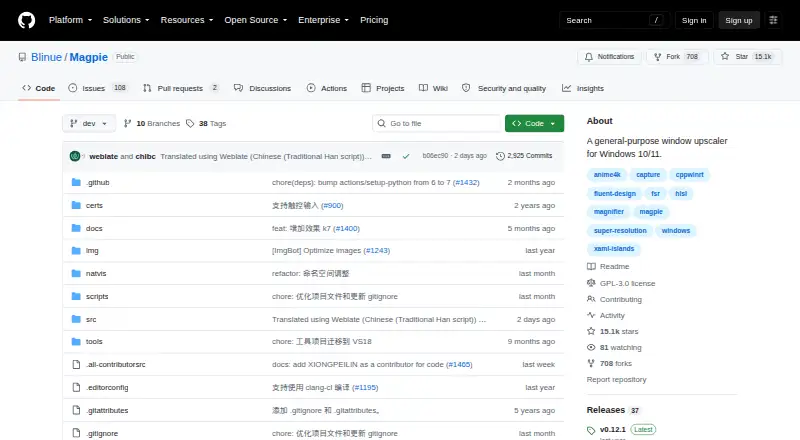
What Magpie is
Magpie is a free, open-source window upscaling tool for Windows, supporting both fullscreen and windowed scaling. Its built-in algorithms and filters include Anime4K, FSR, CRT shaders, and others. The WinUI-based interface has light and dark themes, and the tool supports multiple monitors. Effects can be combined, most have customizable parameters, and users familiar with HLSL can add effects. Release notes describe a screenshot hotkey that defaults to Alt+Shift+S, with customizable filenames, and SGSR, an upscaling algorithm designed for 3D content. The FAQ says frame generation is not planned because Magpie focuses on visual quality and post-processing, which it says adds latency when frame generation is used. Magpie requires Windows 10 version 1903 or later, or Windows 11, plus DirectX feature level 11. The project is licensed under GPLv3. Its repository says it has no SECURITY.md file and no published security advisories. Downloads are linked from GitHub Releases.
Good
- Supports fullscreen and windowed scaling
- Includes Anime4K, FSR, and CRT shaders
- Supports multiple monitors
- Effects can be combined and customized
- Screenshot hotkey and filename options
Watch out
- Requires Windows 10 version 1903 or later, or Windows 11
- Requires DirectX feature level 11
- Frame generation is not planned
- Repository has no SECURITY.md file
Who it suits
Magpie suits Windows users seeking window or fullscreen scaling and a choice of filters. It may also fit users who want to combine effects or customize them, including through HLSL.
Verdict
Magpie focuses on scaling and post-processing, with multiple algorithms, filters, and customizable effects. Its Windows and DirectX requirements, along with its stated lack of planned frame generation, may shape whether it fits a particular setup.
Plans and prices
From Magpie's own pricing page, checked 8 Oct 2026.
| Plan | Price | What it gives you |
|---|---|---|
| Free | Free | Open-source Windows window upscaler |
The facts
Each one read from Magpie's own pages, with the date it was checked.
What it does
- Additional scaling effect
- The release notes describe SGSR as a lightweight upscaling algorithm designed for 3D content.checked 7 Oct 2026
- Algorithms
- Built-in algorithms and filters include Anime4K, FSR, CRT shaders, and more.checked 8 Oct 2026
- Built-in effects
- Its built-in algorithms and filters include Anime4K, FSR, CRT shaders, and more.checked 7 Oct 2026
- Capture caveat
- The FAQ explains that Magpie's Direct3D screen capture can also capture RTSS performance-monitor overlays, potentially displaying two OSD layers.checked 8 Oct 2026
- Capture feature
- The release notes describe a screenshot hotkey, defaulting to Alt+Shift+S, and customizable screenshot filenames.checked 7 Oct 2026
- Custom effects
- Effects can be combined and most have customizable parameters; users familiar with HLSL can add effects.checked 8 Oct 2026
- Displays
- Magpie supports multiple monitors.checked 8 Oct 2026
- Download
- The README links to GitHub Releases for downloads.checked 8 Oct 2026
- Frame generation
- The FAQ says frame generation is not planned because the project's goal is visual quality rather than performance.checked 8 Oct 2026
- Game compatibility caveat
- The FAQ says Magpie is designed to be non-intrusive and notes there have been no reported bans for using it, while warning users to be aware of the risks.checked 8 Oct 2026
- Interface
- The WinUI-based interface supports light and dark themes.checked 8 Oct 2026
- License
- The project is licensed under GPLv3.checked 8 Oct 2026
- Purpose
- Magpie is a lightweight window upscaling tool with scaling algorithms and filters.checked 8 Oct 2026
- Requirements
- The stated system requirements are Windows 10 version 1903 or later, or Windows 11, and DirectX feature level 11.checked 7 Oct 2026
- Scaling modes
- It supports both fullscreen and windowed scaling.checked 8 Oct 2026
- Security policy
- The repository says it has not set up a SECURITY.md file and has no published security advisories.checked 7 Oct 2026
- System requirements
- It requires Windows 10 version 1903 or later, or Windows 11, and DirectX feature level 11.checked 8 Oct 2026
- Touch input
- The FAQ says touch input has been supported since version 0.11.checked 8 Oct 2026
- Who it is for
- The FAQ says Magpie focuses on usability and supporting more scaling algorithms.checked 7 Oct 2026
The company
- Founded
- 2021checked 28 Sep 2026
Money
- Free plan
- Yeschecked 20 Sep 2026
The full review of Magpie
Magpie is a free, open-source Windows utility for enlarging windowed or fullscreen content with selectable image-processing methods. It is best suited to PC users who want to tune presentation quality and visual effects themselves. Choose it for flexible post-processing at no cost; look elsewhere if frame generation or a broader performance-optimization suite is your priority.
Overview
Magpie treats upscaling as an image-quality task rather than a way to create extra frames. It can scale either a window or the entire display, which makes it useful for games and other content that do not offer the desired native resolution or presentation. Multiple-monitor support helps it fit more complex desktop layouts, while the WinUI interface offers light and dark themes.
The project is GPLv3-licensed and downloads are provided through GitHub Releases. Its FAQ describes a non-intrusive design and says there have been no reported bans for using it, but users are still told to consider the risks of their particular games and services. Direct3D screen capture can also capture RTSS performance-monitor overlays, potentially leaving two OSD layers on screen.
Key features
- Windowed and fullscreen scaling: You can enlarge either a selected window or fullscreen content. That flexibility suits games and applications with different display modes, although it leaves the user responsible for choosing the appropriate capture and scaling arrangement.
- Several algorithms and filters: Built-in options include Anime4K, FSR and CRT shaders, among others. Anime4K and FSR address different visual priorities, while CRT shaders target a deliberately retro presentation; the range is valuable when one default look does not suit every game.
- SGSR for 3D content: The release notes describe SGSR as a lightweight upscaling algorithm designed for 3D material. It gives 3D-focused users another option without changing Magpie's emphasis on image processing.
- Composable, adjustable effects: Effects can be combined and most expose customizable parameters. Users who know HLSL can add effects, making the tool unusually adaptable for technically confident users, while newcomers may face more decisions than with a fixed preset.
- Touch and multi-display support: Touch input has been supported since version 0.11, and multiple monitors are supported. These details matter for touch-capable Windows devices and desktops where content and controls span displays.
- Screenshot hotkey: A screenshot command defaults to Alt+Shift+S, and screenshot filenames can be customized. It is a practical capture convenience, though the Direct3D overlay caveat still applies to what appears in captured content.
- No frame generation: The FAQ says frame generation is not planned because it prioritizes visual quality and considers the added latency of post-processing frame generation undesirable. Magpie therefore complements a frame-rate strategy rather than replacing one.
Pricing
Magpie is free, with a Free plan listed as free. It is an open-source Windows window upscaler, with no paid tier or trial period to evaluate. That makes it suitable for anyone who wants the full project without subscriptions or seat charges; the trade-off is that the product's value is concentrated in its scaling and effect controls rather than bundled optimization or support plans.
Platforms
Magpie runs on Windows 10 version 1903 or later and Windows 11, and requires DirectX feature level 11. It is not presented as a cross-platform application. Confirming both the Windows version and DirectX capability is essential before choosing it for an older or non-Windows device.
Who it's for
Magpie is a strong fit for Windows players and desktop users who want to improve how lower-resolution or windowed content looks, compare multiple algorithms, or build effect chains. HLSL familiarity makes the customization depth more useful, while touch support and multi-monitor handling broaden its hardware fit. It is a weaker choice for anyone specifically seeking frame generation, automated system tuning, or a tool that avoids all capture-overlay considerations.
Pros and cons
Pros
- Free and open source: The 0.00 USD plan removes subscription and trial constraints, and GPLv3 licensing permits an open project model.
- Broad visual control: Anime4K, FSR, CRT shaders, SGSR and other filters provide meaningful ways to tailor image treatment.
- Deep customization: Effects can be combined, parameters are adjustable, and HLSL users can add their own effects.
- Flexible display handling: Windowed or fullscreen scaling, multiple monitors and touch input cover varied Windows setups.
Cons
- Windows and DirectX dependency: Windows 10 version 1903 or newer, Windows 11 and DirectX feature level 11 are required, excluding other platforms and unsupported hardware.
- No frame generation roadmap: Users wanting generated frames must use another approach because Magpie deliberately focuses on scaling and post-processing.
- Overlay and game-policy caveats: RTSS overlays may be captured twice, and the non-intrusive design does not remove the need to consider risks in individual games.
- Technical tuning overhead: Combining effects and adjusting parameters offers control but demands more involvement than a single fixed scaling mode.
Alternatives
TargetFPS is a free web option when you prefer browser access rather than a Windows upscaler. FrameCoach suits users wanting a free optimizer, settings guides and a Windows desktop app. Choose Gaming Optimizer instead for a free, MIT-licensed Windows project. Hone is a Windows freemium alternative with a capped free tier, Balanced Game Mode and standard Boost-Ups, plus ads. Intel VTune Profiler is the better direction for Linux, Windows or self-hosted performance profiling. NVIDIA ShadowPlay fits Windows users with a supported GeForce setup who want the NVIDIA App. PULSE offers Windows monitoring and FPS/frametime features through free and paid options. SteelSeries Moments is another free Windows choice.
Verdict
Its main reason to choose it is the breadth of visual tuning in a free open-source package. Look elsewhere if you need frame generation, cross-platform support, or a more automated performance-optimization workflow.
Alternatives to Magpie
- 1
Recoll
Free planOpen sourceAndroidWebAPIExtension7.9Free plan - 2

GitHub CodeQL
Free planWebExtensionLinuxmacOS7.5From $30 a month - 3
Open Semantic Desktop Search
Free planOpen sourceWebAPIExtensionLinux7.5Free plan - 4

Agent Ransack
Free planWindows6.6$20 one-time - 5
WizFile
Free planWindows6.6$20 one-time - 6
Everything
Free planWindows6.5From $49 a year