Open Semantic Desktop Search
Open Semantic Desktop Search is free, open-source software for searching and analyzing large document collections.
What Open Semantic Desktop Search is
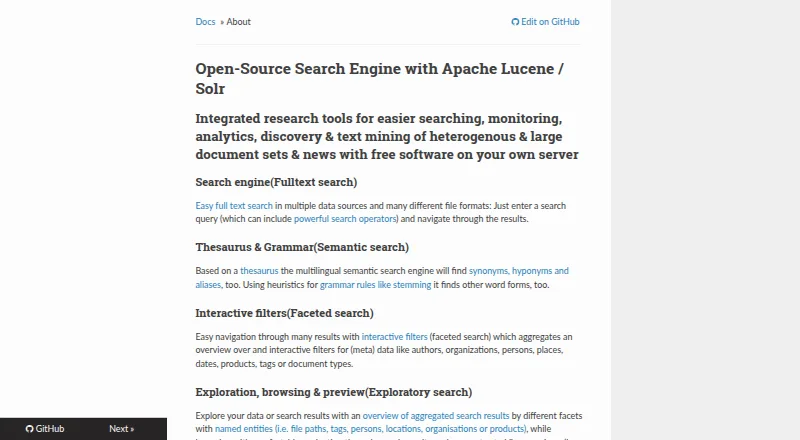
Open Semantic Desktop Search is free, open-source software for searching and analyzing large document collections. Its desktop edition is delivered as a prepared virtual machine appliance that users import into VirtualBox; configured shared folders point to documents, and indexing begins when the virtual machine starts. Search includes wildcard, Boolean AND/OR/NOT and fuzzy operators. Multilingual semantic search uses a thesaurus to locate synonyms, hyponyms and aliases, while stemming helps find other forms of words. Interactive facets group metadata such as authors, organizations, dates, tags and document types. Previews can show PDFs, extracted text, table rows and images. Analysis features include date trend charts, word clouds, word lists, network graphs and interactive maps. OCR can make text in image files and scanned PDFs searchable. Connectors include files and directories, RSS feeds, websites, SQL databases, MediaWiki and IMAP email. The desktop virtual machine is intended for single users; a separate server installation is aimed at organizations and research teams. The multilingual virtual machine image is a 4 GB download, while the German desktop image is listed as coming soon.
Good
- Supports full-text, fuzzy and semantic search.
- OCR covers image files and scanned PDFs.
- Facets and previews help explore indexed documents.
- Includes connectors for files, feeds, websites and databases.
- Free and open source.
Watch out
- Desktop edition requires VirtualBox.
- Multilingual virtual machine image is a 4 GB download.
- German desktop virtual machine is listed as coming soon.
Who it suits
It suits individual users who want to search and explore a large document collection through a VirtualBox desktop appliance. Organizations and research teams are directed toward the separate server installation.
Verdict
Open Semantic Desktop Search brings document search, OCR, metadata facets and analysis tools into a single-user virtual machine setup. Consider the VirtualBox requirement and image size before choosing the desktop edition.
Plans and prices
From Open Semantic Desktop Search's own pricing page, checked 15 Oct 2026.
| Plan | Price | What it gives you |
|---|---|---|
| Open Semantic Desktop Search | Free | VirtualBox appliance · 4 GB download · desktop use |
| Open Semantic Search Server | Priced on request | Debian/Ubuntu server package · official licences/packages available |
The facts
Each one read from Open Semantic Desktop Search's own pages, with the date it was checked.
What it does
- Alerts
- Saved searches and filters can produce RSS alerts for new or changed documents and news results.checked 15 Oct 2026
- Analysis
- Analysis and visualization features include date trend charts, word clouds, word lists, network graphs and interactive maps.checked 29 Sep 2026
- Annotation
- Users can add keywords, categories, names and free-text notes to documents for later filtering.checked 15 Oct 2026
- Annotations
- Users can add tags, categories, names and text notes to documents and filter documents using annotations.checked 29 Sep 2026
- API and extensibility
- The architecture uses ETL plugins, Apache Tika, OCR, named-entity tools, Solr and optional Neo4j, with OpenRefine API integration described in workshop material.checked 15 Oct 2026
- Connectors
- Documented connectors cover files and directories, RSS feeds, websites, SQL databases including MySQL and PostgreSQL, MediaWiki, and IMAP email.checked 29 Sep 2026
- Data connectors
- Connectors cover files, folders, file shares, databases, websites, content-management systems and RSS feeds.checked 15 Oct 2026
- Desktop integration
- Unity and Gnome search lenses can expose results, and Windows Explorer or Nautilus can trigger indexing from context menus.checked 15 Oct 2026
- Desktop packaging
- The desktop edition is delivered as a preconfigured VirtualBox virtual machine for Linux, Windows and Mac.checked 15 Oct 2026
- Docker status
- The download and installation pages mark Docker images as coming soon.checked 15 Oct 2026
- Documentation
- The project publishes extensive MkDocs documentation covering usage, administration, installation, configuration, logs, analytics and development.checked 15 Oct 2026
- Download size
- The listed multilingual desktop appliance is a 4 GB OVA and the Debian Bullseye package is about 300 MB.checked 15 Oct 2026
- Email indexing
- The Outlook PST enhancer indexes each mailbox message and its attachments separately, with sender and recipient facets.checked 15 Oct 2026
- Exploratory search
- Results can be browsed through facets and previews of PDFs, extracted text, tables and images.checked 15 Oct 2026
- Faceted search
- Interactive facets summarize metadata such as authors, organizations, people, places, dates, products, tags and document types.checked 15 Oct 2026
- Facets and previews
- Interactive facets aggregate metadata such as authors, organizations, people, places, dates, products, tags and document types; previews can show PDFs, extracted text, table rows and images.checked 29 Sep 2026
- File formats
- Supported content includes office documents, spreadsheets, PDFs, email, CSV, images, photos and video formats.checked 15 Oct 2026
- Filesystem monitoring
- Monitored folders can index new or changed files within seconds.checked 15 Oct 2026
- Full-text search
- It searches multiple data sources and many file formats using configurable search operators.checked 15 Oct 2026
- Independent distribution
- SourceForge hosts an unaffiliated exact mirror; its page lists source archives modified on 2025-04-19.checked 15 Oct 2026
- Independent praise: breadth
- A Digital Humanities workshop lists OCR, semantic tagging, named-entity recognition, list search, Neo4j and visualizations as advanced functions.checked 15 Oct 2026
- Independent praise: research workflow
- A hands-on Digital Humanities review reports that the system can index files, websites, newsfeeds, CSV tables and Hypothes.is annotations, then show list, preview, entity and media views.checked 15 Oct 2026
- Indexing
- Documents in configured shared folders begin indexing automatically when the virtual machine starts.checked 29 Sep 2026
Where it runs
- Browser integration
- Firefox, Internet Explorer, Chrome and Opera can integrate through the OpenSearch standard.checked 15 Oct 2026
The full review of Open Semantic Desktop Search
Overview
Open Semantic Desktop Search is a free document search and analysis tool for collections that extend beyond a handful of files. It suits a single user who wants semantic search, OCR and ways to explore document metadata. Its breadth is compelling, but running the desktop edition inside VirtualBox makes it a less direct choice than a conventional desktop search app.
Key features
Search that reaches beyond exact matches
Queries can use wildcards, Boolean AND, OR and NOT, and fuzzy search. Multilingual semantic search adds thesaurus links for synonyms, narrower terms and aliases, while stemming heuristics can match other forms of a word. These tools are useful when a collection uses varied terminology, though they make the product more than a basic filename finder.
OCR brings text in image files and graphical content inside PDFs, including scans, into search. Supported formats include text, Office and OpenOffice documents, spreadsheets, PDFs, email, CSV, images and videos, among others. Connectors reach files and directories, RSS feeds, websites, MySQL and PostgreSQL databases, MediaWiki and IMAP email. That range can suit researchers or document-heavy work; users seeking only quick local-file lookup may not need it.
Explore, annotate and analyze
Interactive facets group metadata such as authors, organizations, people, places, dates, products, tags and document types. Previews can show PDFs, extracted text, table rows and images, helping users inspect results without relying on a filename alone. Tags, categories, names and text notes can be added to documents and used as filters.
Analysis tools include date-trend charts, word clouds and lists, network graphs and interactive maps. These give users several ways to examine a large corpus, but the feature set is aimed at exploration as well as retrieval—not just finding one known file.
Pricing
Open Semantic Desktop Search: free. The plan provides a virtual-machine image for one desktop computer or notebook and requires VirtualBox. There is no free trial because the software is free. The single-user desktop plan is a fit for an individual, not a substitute for the separate server installation aimed at organizations and research teams.
The desktop setup has practical costs even at no charge: the multilingual image is a 4 GB download, and users must import it into VirtualBox and configure shared folders. Indexing starts when the virtual machine starts. The German desktop image is marked “Coming soon.”
Platforms
The desktop plan requires VirtualBox and is presented for Windows, macOS and Linux hosts. The product also has web and self-hosted contexts. Index locations include local folders, file servers and file shares, with content, email and OCR search supported.
Access control deserves attention if the search engine is reachable over a network: the maker warns that an unsecured web server or application can expose both the search engine and indexed content to anyone who can reach its IP. Apache access restrictions are documented as a mitigation.
Who it's for
Choose the desktop edition if you are a single user with a substantial, mixed-format collection and value OCR, multilingual semantic matching, metadata facets or analysis tools enough to accept a virtual-machine workflow. It is less suitable if you want a lightweight app that installs directly, or if several people need a shared organizational search system; the separate server installation is aimed at teams.
Pros and cons
Pros
- Broad search coverage: Boolean, fuzzy and semantic matching combine with OCR across scanned PDFs and image files.
- Useful ways to inspect a corpus: Facets, previews, annotations and visual analysis can help make sense of more than a list of matches.
- Multiple ingestion paths: Connectors extend beyond folders to websites, RSS, databases, MediaWiki and IMAP email.
Cons
- VirtualBox is required: The desktop edition is an appliance, not a conventional standalone desktop install.
- Getting started takes space and setup: The multilingual image is 4 GB, and users must configure shared folders.
- Single-user desktop scope: Organizations and research teams are directed to the separate server installation.
- Network exposure needs care: An unsecured reachable server can expose indexed content, so access restrictions matter.
Alternatives
Desktop Search Software is the broader category for comparing desktop search options. For a free, open-source option with Android and API platforms in addition to desktop and self-hosted platforms, consider Recoll; its Linux and source plan is free.
If you want free local-file desktop search and are willing to create folder indexes, DocFetcher is a more focused alternative. Precision File Search is another free, open-source desktop option for Linux, macOS and Windows.
Agent Ransack offers a free Windows Lite plan for personal or commercial use, with no support. DocFinder is a free AGPL-3.0-licensed desktop application for Linux, macOS, web and Windows. For a free macOS option, EasyFind requires OS X El Capitan or later.
Listary is a Windows alternative with a free personal-use plan for basic file search, app launching, filters, commands and UI themes. Buddi is free budgeting software for Linux, macOS and Windows, rather than a document-search alternative.
Verdict
Open Semantic Desktop Search is a strong choice for a single user who needs to search and analyze a large, varied document collection, especially when OCR and semantic matching matter. Its free price and broad discovery tools are the draw; choose another desktop search app if you want a conventional install, and look to the server edition if the intended users are a team.
Getting started
- Download the multilingual virtual machine image.
- Install or open VirtualBox and import the appliance.
- Configure shared folders to point to the documents you want indexed.
- Start the virtual machine; documents in configured shared folders begin indexing.
- Use the search, facets, previews, analysis tools and annotations.
Limits worth knowing
The desktop plan is a virtual machine image for one desktop computer or notebook and requires VirtualBox. The multilingual image is a 4 GB download; the German desktop image is marked “Coming soon.”
Questions
How much does Open Semantic Desktop Search cost?
The desktop plan is free: free.
What do I need to run the desktop version?
It is distributed as a preconfigured virtual machine appliance imported into VirtualBox. The plan is for a single desktop computer or notebook and requires VirtualBox.
Which platforms are supported?
Listed platforms are web, Windows, macOS and Linux. The desktop edition uses a virtual machine appliance.
Can it search email and scanned documents?
Yes. Email search is supported, and OCR can recognize text in image files and graphical content embedded in PDFs, including scanned documents.
Is it open source?
Yes. The software is described as free and open-source.
Is it safe to expose the web server?
The maker warns that anyone who can reach an unsecured server’s IP can access the search engine and indexed content. It documents Apache access restrictions as a mitigation.
Alternatives to Open Semantic Desktop Search
- 1
Recoll
Free planOpen sourceAndroidWebAPIExtension7.9Free plan - 2

GitHub CodeQL
Free planWebExtensionLinuxmacOS7.5From $30 a month - 3

Agent Ransack
Free planWindows6.6$20 one-time - 4
Magpie
Free planWindows6.6Free plan - 5
WizFile
Free planWindows6.6$20 one-time - 6
Everything
Free planWindows6.5From $49 a year