
DocFetcher
DocFetcher is a free, open-source desktop application for searching inside files stored on a computer.
What DocFetcher is
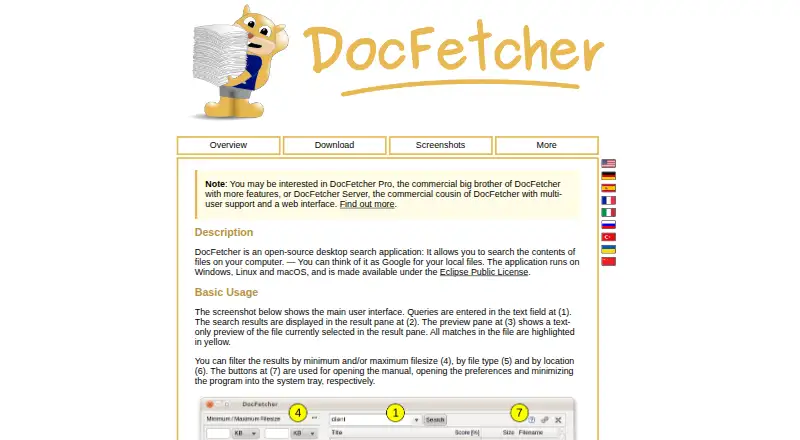
DocFetcher is a free, open-source desktop application for searching inside files stored on a computer. It shows a text preview of each selected result and highlights matching passages. Searches can be narrowed by file size, file type, or location, and the query language includes Boolean operators, wildcards, phrase and fuzzy searches, proximity search, and boosting. Supported content includes office files, Outlook PST, OpenOffice, PDF, EPUB, HTML, plain text, RTF, media metadata, Visio, and SVG. It can also search ZIP, 7z, RAR, and tar archives, including archives nested within other archives. Users create folder indexes themselves. The app detects file changes while open, and a background process records changes while it is closed for processing at the next launch. Portable editions keep indexes and settings in the application folder and can be moved between computers. The maker says DocFetcher collects no private data and indexes nothing by default. It runs on Windows, macOS, and Linux. New features are not planned, but bug fixes and support continue.
Good
- Searches many document formats and nested archives.
- Filters results by file size, type, and location.
- Portable versions can be moved between computers.
- The maker says it collects no private data.
Watch out
- Users must create folder indexes.
- OCR search is not supported.
- No new features are planned.
Who it suits
DocFetcher suits people who want free local-file content search on Windows, macOS, or Linux and are comfortable creating indexes for folders. Its portable versions may suit users who want to carry their index and settings between computers.
Verdict
DocFetcher offers broad local search and filtering at no cost, with portable versions for all three supported desktop platforms. Its legacy status and need to create indexes are important considerations.
Plans and prices
From DocFetcher's own pricing page, checked 30 Sep 2026.
| Plan | Price | What it gives you |
|---|---|---|
| DocFetcher | Free | Free and open source · desktop search for local files · requires users to create indexes for folders |
The facts
Each one read from DocFetcher's own pages, with the date it was checked.
What it does
- Archive support
- It supports ZIP, 7z, RAR, and tar archives, including unlimited nesting of archives.checked 30 Sep 2026
- Automatic updates
- DocFetcher detects file changes while running, and a background daemon records changes while it is closed for processing the next time it starts.checked 30 Sep 2026
- Distribution
- The maker offers portable and non-portable downloads and also points to PortableApps and a Linux snap package.checked 30 Sep 2026
- File support
- Supported formats include Microsoft Office, Outlook PST, OpenOffice, PDF, EPUB, HTML, plain text, RTF, AbiWord, CHM, media metadata, Visio, and SVG.checked 30 Sep 2026
- Filters
- Search results can be filtered by minimum or maximum file size, file type, and location.checked 30 Sep 2026
- Indexing
- Users must create indexes for folders; the maker says indexing is typically about 200 files per minute and subsequent updates usually take a couple of seconds.checked 30 Sep 2026
- License
- DocFetcher is distributed under the Eclipse Public License and is described by the maker as free and open source.checked 30 Sep 2026
- Portable versions
- Portable versions for Windows, Linux, and macOS store indexes and settings in the application folder, and the maker says they can be moved between computers.checked 30 Sep 2026
- Privacy
- The maker states that DocFetcher does not collect private data and indexes nothing by default.checked 30 Sep 2026
- Publisher history
- The official DocFetcher Pro site says the free original was first published in 2007 and is now legacy software, while still receiving bug fixes and support.checked 30 Sep 2026
- Purpose
- DocFetcher is an open-source desktop search application for searching the contents of files on a computer.checked 30 Sep 2026
- Query syntax
- Its query syntax supports AND, OR, NOT, wildcards, phrase search, fuzzy search, proximity search, and boosting.checked 30 Sep 2026
- Search results
- It displays results with a text-only preview of the selected file and highlights matches.checked 30 Sep 2026
- Support and development
- The project wiki says no new features are planned for DocFetcher, only bug fixes; questions can be posted in its forum.checked 30 Sep 2026
Where it runs
- Platforms
- The current download page lists Windows 7 SP1 or later (64-bit), Linux with GTK3 (64-bit), and macOS 11 or later as minimum requirements.checked 30 Sep 2026
The full review of DocFetcher
Overview
DocFetcher is a free desktop app for searching the text and metadata inside files on a computer. It is a strong fit for people managing mixed document collections who want detailed search controls without a subscription. The trade-off is a setup built around user-created indexes, alongside a project that is no longer adding features.
Key features
Its format coverage spans Microsoft Office and OpenOffice files, Outlook PST, PDF, EPUB, HTML, plain text, RTF, AbiWord, CHM, Visio and SVG, plus media metadata. It can also search ZIP, 7z, RAR and tar archives, including archives nested without a stated depth limit. That range makes it useful when important material is scattered across document types and compressed folders. It does not offer OCR search, so scanned pages without searchable text are a clear limitation.
Results show a text-only preview of the selected file and highlight matches. Filters by minimum or maximum file size, type and location help cut down a large result set. Search syntax includes AND, OR, NOT, wildcards, phrase and fuzzy search, proximity search and boosting. These controls suit users who need to narrow a query carefully; they may be more than someone looking for a basic file-name search needs.
Users choose folders and create indexes before searching; DocFetcher indexes nothing by default. The maker estimates indexing at about 200 files per minute, with subsequent updates usually taking a couple of seconds. The app detects changes while running, and a background daemon records changes while it is closed for processing at the next start. This keeps indexes current without requiring a wholly manual refresh, but initial setup remains part of the job.
The maker says DocFetcher collects no private data. Portable builds for Windows, Linux and macOS keep indexes and settings in the application folder and can be moved between computers, a useful option for removable or synced workflows. The project is legacy software: it continues to receive bug fixes and support, but plans no new features.
Pricing
DocFetcher costs nothing. The free and open-source plan includes desktop search for local files, with no paid tier or trial to weigh against it. Its price does not remove the setup cost: users still need to create indexes for the folders they want to search.
Platforms
DocFetcher supports Windows, macOS and Linux. Portable and non-portable downloads are offered, with the maker also pointing users to PortableApps and a Linux snap package. The portable versions keep their indexes and settings alongside the application, and are intended to move between computers.
Who it's for
Choose DocFetcher if you need free local content search across varied documents and archives, and value query controls, filters and portable use. It is less suitable when your files are mainly scans, when you want searching to work without creating indexes, or when ongoing feature development is a priority.
Pros and cons
- Pros: Broad document and archive support, including deeply nested archives, covers collections a narrower search tool may miss.
- Pros: Detailed query syntax, highlighted previews and size, type and location filters help users refine results rather than sift through every match.
- Pros: Free, open-source distribution and portable builds across all three desktop platforms make it accessible without a recurring fee.
- Cons: Users must set up folder indexes, and the app does not index anything by default.
- Cons: No OCR search means scanned text without an underlying text layer cannot be found.
- Cons: The legacy project is limited to bug fixes rather than planned new features.
Alternatives
Desktop Search Software is the broader category directory for comparing options. Consider Recoll if you want a free, open-source alternative spanning desktop and additional platforms including Android, web and self-hosted use; its Linux and source plan is free, while its Windows price is a small contribution.
Open Semantic Desktop Search is another free option if a virtual machine image for one desktop or notebook and a VirtualBox requirement suit your setup. Precision File Search is worth comparing if you want a free, open-source alternative with no paid tiers or usage limits stated. The other listed alternatives—Buddi, Microsoft Quick Assist, WizFile, Agent Ransack and Magpie—are also available to compare.
Verdict
DocFetcher is a sensible pick for a desktop user who wants no-cost, privacy-minded search across a diverse local file collection and is willing to create indexes. Its format breadth and precise query tools are compelling; look elsewhere if OCR, a no-setup search experience or active feature development matters more.
Getting started
- Open the DocFetcher website
- Choose a Windows, macOS, or Linux download
- Install the non-portable edition or use a portable version
- Create indexes for the folders you want to search
- Run searches and refine results with filters or query operators
Limits worth knowing
DocFetcher requires folder indexes before content can be searched. OCR search is not supported, and the project plans bug fixes only rather than new features.
Questions
Is DocFetcher free?
Yes. The DocFetcher plan is free, and the application is described as free and open source.
Which platforms does it support?
It supports Windows, macOS, and Linux, with portable and non-portable downloads.
Can it search archives?
Yes. It searches ZIP, 7z, RAR, and tar archives, including unlimited nesting.
Does it search email?
Email search is supported, including Outlook PST files.
Does it use OCR?
No. OCR search is not supported.
Is DocFetcher still being developed?
The project wiki says no new features are planned, while bug fixes and support continue.
Alternatives to DocFetcher
- 1
Recoll
Free planOpen sourceAndroidWebAPIExtension7.9Free plan - 2

GitHub CodeQL
Free planWebExtensionLinuxmacOS7.5From $30 a month - 3
Open Semantic Desktop Search
Free planOpen sourceWebAPIExtensionLinux7.5Free plan - 4

Agent Ransack
Free planWindows6.6$20 one-time - 5
Magpie
Free planWindows6.6Free plan - 6
WizFile
Free planWindows6.6$20 one-time