
Hone
Hone is Windows software that brings supported game, GPU, and Windows settings into one app for gaming PC optimization.
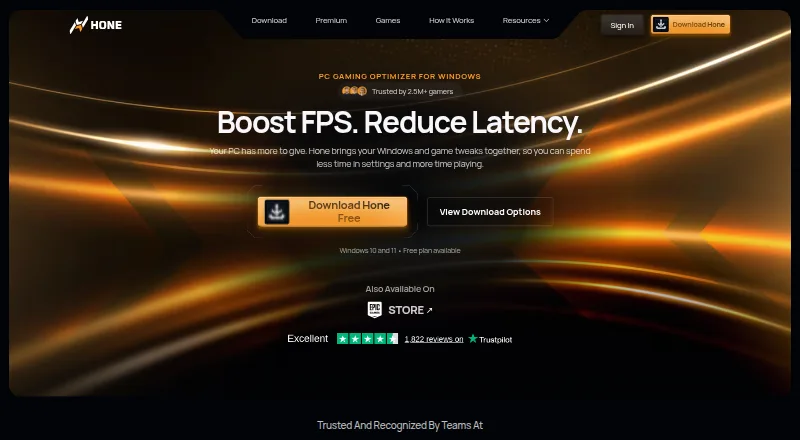
What Hone is
Hone is Windows software that brings supported game, GPU, and Windows settings into one app for gaming PC optimization. It adjusts game settings and selected Windows and network settings to help improve FPS and reduce PC-side delay. Game Mode manages selected background processes and services while a game runs. Hone says it detects more than 100,000 titles for system-wide optimization, though dedicated presets and supported settings differ by game. You can review available optimizations and choose which ones to apply; for supported registry changes, Hone saves the original values for later restoration. The Free plan is free and includes 10 optimizations, one extra per referral up to 15, Balanced Game Mode, standard Boost-Ups, and ads. Premium adds unlimited optimizations, premium-only settings and presets, Custom and Performance Game Mode, Premium Boost-Ups, no ads, and priority support; its regional price is shown at checkout. Hone supports Windows 10 and 11, and settings can sync through the cloud.
Good
- Choose which supported optimizations to apply.
- Original supported registry values can be restored.
- Free plan includes up to 15 optimizations with referrals.
- Cloud-synced settings and multiple sign-in options.
Watch out
- Windows only; unavailable for macOS, consoles, and phones.
- Free plan shows ads and limits optimizations.
- Premium regional price is shown only at checkout.
- Results vary and are not guaranteed for every PC.
Who it suits
Hone suits Windows 10 or 11 gamers who want to choose from supported system and game optimizations. Its free plan may suit people who can work within the optimization limit and ads.
Verdict
Hone offers selectable Windows and game adjustments, with reversible supported registry changes and a free plan. Check the plan limits and Windows-only support, and keep in mind that results vary by PC and conditions.
Plans and prices
From Hone's own pricing page, checked 28 Sep 2026.
| Plan | Price | What it gives you |
|---|---|---|
| Hone Free | Free | 10 optimizations · one extra per referral, up to 15 · Balanced Game Mode · standard Boost-Ups · ads shown |
| Hone Premium | — | Unlimited optimizations · Premium-only optimizations and game presets · Custom and Performance Game Mode · Premium Boost-Ups · no ads · priority support · Monthly plans renew monthly; regional price shown at checkout |
| Hone Premium | — | Unlimited optimizations · Premium-only optimizations and game presets · Custom and Performance Game Mode · Premium Boost-Ups · no ads · priority support · Yearly plans renew yearly; regional price shown at checkout |
The facts
Each one read from Hone's own pages, with the date it was checked.
What it does
- Background processes
- Game Mode manages selected background processes and services while a game is running.checked 28 Sep 2026
- Distribution
- Hone is available through its official installer and the Epic Games Store.checked 28 Sep 2026
- FPS and latency
- Hone adjusts game settings and selected Windows and network settings to help improve FPS and reduce PC-side delay.checked 28 Sep 2026
- Game support
- Hone says it detects more than 100,000 titles for system-wide optimization, while dedicated presets and supported settings vary by game.checked 28 Sep 2026
- Operating system
- Hone supports Windows 10 and Windows 11 gaming PCs and says it is not available for macOS, consoles, or phones.checked 28 Sep 2026
- Performance limits
- Hone says results vary with hardware, games, settings, drivers, temperatures, background workload, and connection conditions, and it does not promise a fixed result for every PC.checked 28 Sep 2026
- Privacy and security
- Hone's privacy policy says it collects information that can include hardware specifications, device performance data, operating system settings, installed games, and game settings, and it says it cannot guarantee absolute security.checked 28 Sep 2026
- Purpose
- Hone brings supported Windows, GPU, and in-game settings together to help optimize a gaming PC.checked 28 Sep 2026
- Research
- Hone says its research method isolates one change at a time, measures results with repeated runs, and reviews benefit, risk, and scope.checked 28 Sep 2026
- Reversible changes
- For supported registry optimizations, Hone saves original values so users can restore them later.checked 28 Sep 2026
- Sign-in options
- The setup guide says users can authenticate through a Hone account, Google, or Discord, with settings saved to the cloud.checked 28 Sep 2026
- Support
- Hone lists a Help Center and Discord community for assistance, and Premium includes priority support.checked 28 Sep 2026
- User control
- Users can review supported optimizations in the app and apply only the changes they choose.checked 28 Sep 2026
The company
- Company
- Hone's privacy policy identifies the company as AuraSide, Inc., and its About page traces the product timeline to 2022.checked 28 Sep 2026
- Founded
- 2022checked 23 Sep 2026
The full review of Hone
Overview
Hone is a Windows app for gamers who want to manage supported system and game adjustments from one place. Its selectable changes and reversible supported registry tweaks are useful safeguards, but it is not a route to guaranteed FPS gains.
Hone combines supported Windows, GPU and in-game settings with options aimed at improving frame rates and reducing delay on the PC side. Its Game Mode manages selected background processes and services while a game is running. The app detects more than 100,000 titles for system-wide optimization, though dedicated presets and supported settings vary by game.
Automatic recommendations, per-game profiles, library scanning and an in-game overlay make the feature set broader than a simple collection of manual tweaks. Users can review supported optimizations and apply only the changes they choose. For supported registry changes, Hone saves original values for later restoration. Its method of evaluating changes one at a time through repeated runs is a considered approach, but it cannot make a change beneficial on every PC: results vary with hardware, games, settings, drivers, temperatures, background workload and connection conditions.
Key features
- Game Mode: Manages selected processes and services during play, which can suit users looking to limit background activity without manually making every adjustment.
- Selectable changes: Reviewing and choosing supported optimizations gives users more control than applying every suggested tweak automatically.
- Registry reversibility: Original values are saved for supported registry optimizations, offering a way back if a change is unwanted.
- Game-specific tools: Per-game profiles, scanning and an overlay help organize optimization around a library, but title detection should not be confused with a dedicated preset for every game.
- Cloud-saved settings: Users can sign in with a Hone account, Google or Discord, and settings are saved to the cloud.
Pricing
Hone Free — free. The free plan includes 10 optimizations, with one extra per referral up to 15, Balanced Game Mode, standard Boost-Ups and ads. It is a sensible way to try the core approach, but the optimization cap and ads make it less suited to users who want unrestricted tweaking.
Hone Premium — custom pricing. Monthly plans renew monthly, and the regional price is shown at checkout. Premium adds unlimited optimizations, premium-only optimizations and game presets, Custom and Performance Game Mode, Premium Boost-Ups, no ads and priority support. It fits users who need those expanded controls or support; the free plan is the clearer choice for occasional use within its cap.
Platforms
Hone supports Windows 10 and Windows 11 gaming PCs. It is not available for macOS, consoles or phones. Users can install it from Hone's official installer or the Epic Games Store.
Who it's for
Hone is best suited to Windows gamers who want a central place to inspect and selectively apply supported adjustments, with the option to restore supported registry values. It is a poor fit for anyone outside Windows gaming or anyone expecting a fixed performance improvement irrespective of their setup.
Privacy-conscious users should also weigh that Hone's policy says collected information can include hardware specifications, device performance data, operating system settings, installed games and game settings; it does not guarantee absolute security. Hone provides a Help Center and Discord community for assistance.
Pros and cons
- Pro: Users choose which supported optimizations to apply, and supported registry changes retain original values for restoration.
- Pro: The free plan includes Balanced Game Mode and standard Boost-Ups, with room for up to 15 optimizations through referrals.
- Con: Free users face a 10-optimization cap, or 15 with referrals, and see ads; broader modes and unlimited changes require Premium.
- Con: Game detection across many titles does not ensure a dedicated preset or identical settings for each one.
- Con: Windows-only support and variable results rule it out for other devices and for buyers seeking assured gains.
Alternatives
For a broader comparison, browse Game Graphics Optimization Software.
- GameShift is a Windows free-plan option with no paid plans stated, worth considering if you want a free alternative.
- PULSE is another Windows freemium option; its free plan includes real-time CPU, GPU and RAM monitoring, FPS and frametime via RTSS, and system information.
- FrameCoach offers a free optimizer, settings guides and a Windows desktop app, with a web platform as well; consider it if guides are part of what you need.
- TargetFPS is a free web option for readers who prefer a web platform.
- PC Game Booster has a free plan with basic game optimizations, suspension of unnecessary system features, game management and automatic boosting on launch.
- Smart Game Booster is a Windows freemium alternative with a free plan; consider it if its free core features and basic manual system boost suit your needs.
- BDO Optimizer is free and supports Linux, macOS and Windows.
- Settings For Games is a free web and Windows option for readers considering another platform mix.
Verdict
Choose Hone if you play on Windows and want selective system and game adjustments with supported registry changes you can undo. Its free plan provides a practical starting point, but the cap, ads and Premium-only controls matter if you want extensive optimization. Look elsewhere if you need another platform or expect predictable performance gains.
Getting started
- Get Hone through its official installer or the Epic Games Store.
- Use a Windows 10 or Windows 11 gaming PC.
- Sign in with a Hone account, Google, or Discord.
- Review supported optimizations and apply the changes you want.
- Choose the free plan or check out Premium for its regional monthly price.
Limits worth knowing
Hone Free allows 10 optimizations, with one extra per referral up to 15. It includes Balanced Game Mode and standard Boost-Ups, and shows ads; Premium adds unlimited optimizations and other features.
Questions
Is Hone free?
Yes. Hone Free costs nothing and includes 10 optimizations, one extra per referral up to 15, Balanced Game Mode, standard Boost-Ups, and ads.
What does Premium cost?
The regional monthly price is shown at checkout. Monthly plans renew monthly.
Which devices does Hone support?
Hone supports Windows 10 and Windows 11 gaming PCs. It is not available for macOS, consoles, or phones.
How do I get Hone?
It is available through its official installer and the Epic Games Store. Setup supports sign-in with a Hone account, Google, or Discord.
What does Premium add?
Premium includes unlimited optimizations, Premium-only optimizations and game presets, Custom and Performance Game Mode, Premium Boost-Ups, no ads, and priority support.
Can I undo registry changes?
For supported registry optimizations, Hone saves original values so users can restore them later.
Alternatives to Hone
- 1
ARC Raiders Config Tuner
Free planOpen sourceLinuxSelf-hostedWindows7.9Free plan - 2
Razer Game Clips
Free planAndroidiOSAPIWindows7.6Free plan - 3
Smart Game Booster
Free planWindows7.5From $17.99 a year - 4
Gaming Optimizer
Free planWindows7.4Free plan - 5

NVIDIA ShadowPlay
Free planWindows7.4Free plan - 6

TargetFPS
Free planWeb7.4Free plan