LibrePlan
LibrePlan is an open-source, web-based project management application for planning, monitoring, and controlling projects.
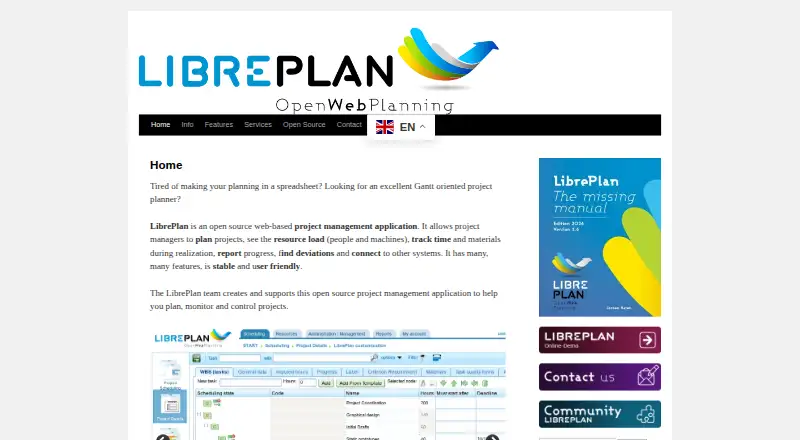
What LibrePlan is
LibrePlan is an open-source, web-based project management application for planning, monitoring, and controlling projects. It is made by LibrePlan, a project that began in Galicia, Spain, in 2009. The application supports hierarchical work breakdown structures, Gantt charts, task dependencies, scheduling constraints, and reusable project templates. Project teams can plan human and machine resources, configure calendars and skills, and assign resources manually or by criteria. Workers can record time and expenses, while teams follow task progress with multiple measurement units and progress indicators. Organization-wide views include project status, resource-load information, earned-value indicators, budget and cost controls, dashboards, and reports. LibrePlan also provides portfolio management. Web services can import or export resources, calendars, and work-breakdown data, and separate installations can interoperate for subcontracting. Database authentication is available by default, with LDAP authentication and role mapping as an option. The software does not show advertisements or sell user data. Community Edition is open source, self-hosted, and carries no license fee. Enterprise Edition is a commercial subscription for hosted or on-premise deployment with guaranteed support and SLA agreements. Linux, self-hosted, and web use are listed; no Windows installation package is currently available.
Good
- Open-source Community Edition has no license fee
- Hierarchical work breakdowns and Gantt charts
- Plans human and machine resources
- Tracks time, expenses, and task progress
- Dashboards include status, costs, and earned value
- LDAP authentication with role mapping
Watch out
- Community Edition requires self-hosted deployment
- No Windows installation package is available
- Enterprise Edition uses a commercial subscription
Who it suits
LibrePlan suits project managers who need structured schedules, dependencies, resource allocation, progress tracking, and portfolio-level oversight. Community Edition fits organizations able to run self-hosted open-source software, while professional environments can consider Enterprise Edition and its formal support agreements.
Verdict
Choose LibrePlan for open-source project planning with schedules, resource management, monitoring, and portfolio views. Community Edition is the fit when self-hosting is acceptable; Enterprise Edition adds hosted or on-premise delivery, guaranteed support, and SLA agreements. Look elsewhere if Windows installation packages are required.
Plans and prices
From LibrePlan's own pricing page, checked 8 Oct 2026.
| Plan | Price | What it gives you |
|---|---|---|
| Enterprise Edition | Priced on request | commercial subscription · hosted or on-premise · guaranteed support and SLA agreements |
| Community Edition | Free | open source · self-hosted |
The facts
Each one read from LibrePlan's own pages, with the date it was checked.
What it does
- Authentication
- The application supports database authentication by default and LDAP authentication with LDAP role mapping.checked 8 Oct 2026
- Data handling
- The project says it does not show advertisements or sell user data.checked 8 Oct 2026
- Deployment
- The download page describes a Docker image and a WAR file for installation on a Tomcat server; it says no Windows installation packages are currently available.checked 8 Oct 2026
- History
- LibrePlan began in Galicia, Spain, in April 2009 as a planning tool for the regional naval auxiliary sector.checked 8 Oct 2026
- Integrations
- LibrePlan offers web services to import and export resources, calendars, and project WBS data, and separate LibrePlan installations can interoperate for subcontracting.checked 8 Oct 2026
- Intended users
- The site presents LibrePlan as a project planning tool for project managers and describes the Enterprise Edition as designed for professional environments.checked 8 Oct 2026
- License
- LibrePlan is licensed under the GNU Affero General Public License and can be downloaded and used without licensing costs.checked 8 Oct 2026
- Monitoring
- The product provides company-wide project status, resource-load views, earned-value indicators, budget and cost controls, and reports.checked 8 Oct 2026
- Purpose
- LibrePlan is an open-source, web-based project management application for planning, monitoring, and controlling projects.checked 8 Oct 2026
- Resource management
- Users can plan human and machine resources, configure calendars and skills, and allocate resources manually or by criteria.checked 8 Oct 2026
- Support
- The Enterprise Edition is described as offering email support 5 x 8, while its subscription includes guaranteed support and SLA agreements.checked 8 Oct 2026
- Tracking
- Workers can record time and expenses, while teams track task progress using multiple measurement units and progress indicators.checked 8 Oct 2026
The company
- Founded
- 2009checked 28 Sep 2026
Money
- Free plan
- Yeschecked 20 Sep 2026
- Planning
- It supports hierarchical work breakdown structures, Gantt charts, task dependencies, scheduling constraints, and project templates.checked 8 Oct 2026
The full review of LibrePlan
LibrePlan is an open-source, web-based project planning and control system for teams that need formal schedules, resource allocation, and financial oversight. It suits project managers running Linux or self-hosted infrastructure, especially where people and equipment must be coordinated across complex work. The trade-off is clear: its depth is paired with deployment and administration responsibility unless you buy the commercial edition.
Overview
LibrePlan originated in Galicia, Spain, in 2009 as a planning tool for the regional naval auxiliary sector. Today it covers the full project cycle, from building a work breakdown structure to monitoring company-wide status, resource load, budgets, and earned value. That range makes it more appropriate for structured operational projects than for casual team to-do lists.
Its AGPL licensing means the Community Edition can be downloaded and used without licence fees. The project also states that it shows no advertisements and does not sell user data, which will appeal to organisations wanting control over both software and project information.
Key features
Planning and schedules
Hierarchical work breakdown structures, Gantt charts, task dependencies, scheduling constraints, and reusable project templates give managers a disciplined way to model interrelated work. These controls are valuable when a delayed predecessor or a constrained resource can change the whole delivery plan; they are more machinery than a small team needs for simple checklists.
Resources and progress
LibrePlan plans both human and machine resources. Calendars and skills can be configured, with allocation performed manually or by criteria. That combination supports deliberate staffing decisions while retaining a way to match work against defined capabilities. Workers can record time and expenses, and teams can report progress through multiple measurement units and indicators, making the schedule useful for cost and effort follow-up rather than just dates.
Monitoring, portfolios, and integration
Company-wide status views, resource-load displays, earned-value indicators, budget and cost controls, dashboards, reports, timeline views, and portfolio management give managers a consolidated oversight layer. Web services import and export resources, calendars, and project work-breakdown data. Separate LibrePlan installations can interoperate for subcontracting, a practical option when partners maintain their own instance.
Access control
Database authentication is the default. LDAP authentication with LDAP role mapping is supported for organisations that need directory-based access and roles.
Pricing
Community Edition
The Community Edition has custom pricing shown as no licence fee: it is open source and self-hosted. It is the natural choice for organisations able to provide Linux infrastructure, installation, upgrades, backups, and operational support themselves. The absence of a licence charge does not remove those internal administration costs.
Enterprise Edition
The Enterprise Edition uses a commercial subscription with hosted or on-premise deployment. It adds guaranteed support and SLA agreements; email support is described as 5 x 8. Pricing is custom, so organisations must request terms. This is the better fit when uptime commitments, vendor assistance, or a hosted option matter more than avoiding subscription procurement.
Platforms
LibrePlan is delivered as a web application for Linux and self-hosted environments. The download page describes a Docker image and a WAR file for installation on Apache Tomcat. No Windows installation package is currently available, so Windows-only deployments should look elsewhere or plan a separate Linux server.
Who it's for
Project managers coordinating multi-stage work, equipment, specialist skills, budgets, and subcontractors will get the most from LibrePlan. It also suits organisations that require portfolio-level visibility and can operate open-source infrastructure. It is a weaker choice for teams wanting a turnkey cloud service, native Windows installation, or a lightweight task board with minimal administration.
Pros and cons
Pros
- Deep schedule control: Work breakdowns, dependencies, constraints, Gantt views, and templates handle complex planning relationships.
- People and equipment planning: Calendars, skills, and criteria-based allocation cover more than human-only staffing.
- Operational oversight: Resource-load, earned-value, budget, cost, dashboard, report, and portfolio views connect delivery and financial monitoring.
- Open-source deployment: The AGPL Community Edition carries no licence fee and keeps deployment under the organisation's control.
- Integration options: Web services and installation-to-installation interoperability support data exchange and subcontracting.
Cons
- Self-hosting burden: Community users must run and maintain the Linux-based deployment themselves.
- No Windows installer: Organisations requiring a native Windows package cannot install it directly that way.
- Enterprise cost uncertainty: Hosted or supported operation requires a commercial subscription with custom pricing.
Alternatives
Choose Teamdeck instead when you need Android, iOS, macOS, Windows, or web access and a freemium model, including a free Startup plan for up to six team members.
Ganttic is a better fit for a browser-based freemium planner whose free tier allows up to 10 resources, unlimited users and projects, Gantt charts, reports, and Kanban boards.
Pick Rapla for another open-source option that runs on Linux, macOS, Windows, or self-hosted infrastructure.
SAVIOM suits organisations seeking a paid, self-hosted or web resource platform with commercial licence tiers and a free trial.
Choose Smartsheet for a paid service with broad desktop and mobile platform coverage, a free trial, and a Pro plan starting at $9 per member per month when billed yearly.
Tempo Portfolio Manager is preferable when a hosted portfolio tool with a free tier capped at 10 members, three projects, and 300 tasks meets your needs.
Mosaic is an alternative for teams wanting web, iOS, and Android access with project, resource, and portfolio planning in its Starter offering.
Napta is another paid option with Android, iOS, API, and web platforms.
For broader comparisons, see Resource Management Software, Gantt Chart Software, Work Management Software, and Project Management Software.
Verdict
Choose LibrePlan if your organisation needs rigorous scheduling, resource and cost control, and portfolio oversight on software it can self-host and administer. Its strongest reason to stay is the combination of open-source freedom and unusually broad planning depth. Look elsewhere if you require a native Windows package, a turnkey hosted experience without Enterprise procurement, or a simpler tool for lightweight collaboration.
Getting started
- Open the LibrePlan website
- Choose Community Edition or Enterprise Edition
- For Community Edition, download the Docker image or WAR file
- Install the WAR file on a Tomcat server if using that route
- Configure database authentication or LDAP authentication
- Use the web application for project planning
Limits worth knowing
Community Edition is self-hosted and has no license fee.
Questions
Is LibrePlan free?
Yes. Community Edition is open source and has no license fee.
What platforms does LibrePlan support?
Linux, self-hosted deployments, and web use are listed. No Windows installation package is currently available.
Does LibrePlan offer an enterprise plan?
Yes. Enterprise Edition is a commercial subscription with hosted or on-premise deployment, guaranteed support, and SLA agreements.
Is LibrePlan open source?
Yes. LibrePlan is licensed under the GNU Affero General Public License.
How can LibrePlan authenticate users?
Database authentication is available by default. LDAP authentication with LDAP role mapping is also supported.
Alternatives to LibrePlan
- 1
Teamdeck
Free planAndroidiOSWebAPI8.2From $2 a month - 2

Scoro
AndroidiOSWebAPI7.6From $17 a month - 3

Smartsheet
AndroidiOSWebAPI7.6From $9 a month - 4

EG Silverbucket
AndroidiOSWebAPI7.5From €11 a month - 5

Ganttic
Free planAndroidiOSWebAPI7.4From $25 a month - 6
Epicflow
AndroidiOSWebAPI7.0From €22.50 a month