
Creately
Creately is a visual collaboration platform built around an infinite canvas for brainstorming, diagramming, planning, workshops, project management, and rese…
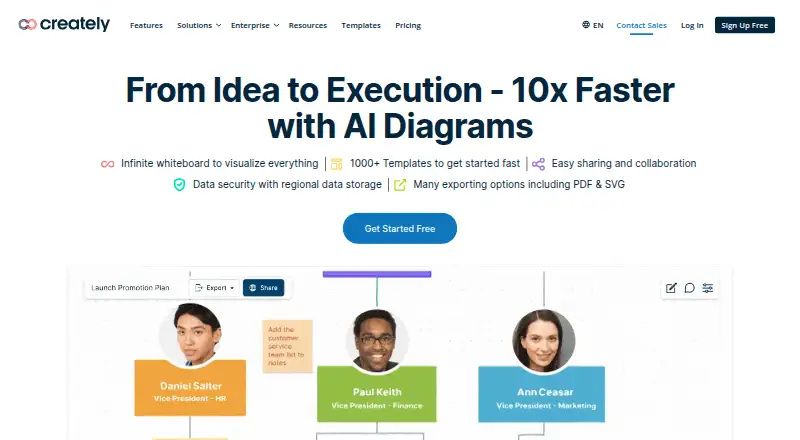
What Creately is
Creately is a visual collaboration platform built around an infinite canvas for brainstorming, diagramming, planning, workshops, project management, and research. Its diagramming tools cover 70 standards, with more than 1,000 shapes and context-specific connectors. The platform lists over 8,000 professional templates and more than 200,000 examples. Teams can edit together in real time, add comments and tasks, and share folders or workspaces with role-based permissions reaching down to item fields. Listed integrations include Google Drive, Slack, Confluence, and Microsoft Teams. PNG and JPEG exports are available on all plans; SVG and PDF exports are limited to premium plans. The Free plan allows unlimited canvases and collaborators, but limits each canvas to 45 items and includes one folder and two imports. Paid plan amounts are not listed here, though the pricing note gives a starting price of $5/mo (annual) and a seven-day trial. Creately offers web, API, Linux, macOS, Windows, and self-hosted options. Its On-Prem deployment can run on an internal network, private cloud, or on-premises data center.
Good
- Infinite canvas supports several kinds of visual work.
- Real-time editing includes comments and tasks.
- Offers over 8,000 templates and 200,000 examples.
- Self-hosted On-Prem deployment is available.
Watch out
- Free canvases are limited to 45 items each.
- Free plan includes one folder and two imports.
- SVG and PDF exports require a premium plan.
- Listed paid plan amounts are not provided.
Who it suits
Creately suits teams that need a shared canvas for diagrams, planning, workshops, or research. Its self-hosted option may suit organizations seeking deployment within their own network or data center.
Verdict
Creately brings diagramming and collaborative planning together, with both hosted and self-hosted options. Review the Free plan’s canvas and import limits, and confirm paid-plan pricing before selecting a tier.
Plans and prices
From Creately's own pricing page, checked 15 Oct 2026.
| Plan | Price | What it gives you |
|---|---|---|
| Free | Free | infinite canvas · all diagram types · up to 40 shapes per diagram · real-time collaboration · basic product features and AI tools · free forever |
| Starter | — | Unlimited canvases · 1000 items per canvas · 20 active folders · Unlimited imports · 30-day version history · Email support · Monthly or annual billing shown; page does not expose the amounts in the opened text |
| Team | — | Unlimited canvases · 1500 items per canvas · 30 active folders · 30-day version history · Advanced collaboration · Email/chat support · Per user; monthly or annual billing shown, amounts not exposed in the opened text |
| Business | $89 a month | unlimited users · 3000 items per canvas · 100 folders · Microsoft Teams · two-way Excel/Google Sheets sync · 50 databases · 500 items per database · 1-year version history · project-management tools · guest access · annual billing; page also shows $149/month list price |
| Enterprise | Priced on request | unlimited items and folders · on-premise deployment · advanced API integrations · forever version history · regional data residency · SAML SSO · SCIM · SLAs · dedicated customer-success team · annual agreement |
The facts
Each one read from Creately's own pages, with the date it was checked.
What it does
- Additional integrations
- The integration page lists Zapier and Microsoft OneDrive connections as coming soon.checked 15 Oct 2026
- AI tools
- AI tools are included as basic features across Creately products, including document procedure extraction and genogram generation.checked 15 Oct 2026
- API
- Creately Enterprise advertises a robust API for embedding the product, automating processes and connecting internal systems.checked 15 Oct 2026
- Atlas
- Creately Atlas builds organization charts, imports people data from CSV with AI column mapping, and offers structural views such as span-of-control and vacancy analysis.checked 15 Oct 2026
- Blueprint
- Creately Blueprint can scan AWS read-only environments or import Terraform and CloudFormation for inventory, topology and cost views.checked 15 Oct 2026
- Business workflows
- The Business plan includes Microsoft Teams integration, two-way data sync with Excel and Google Sheets, toolkits, project management tools, guest access, and custom templates.checked 30 Sep 2026
- Clinical Maps
- Creately Clinical Maps supports standard clinical genograms and AI generation from pasted text; advanced plans add hereditary analysis and clinical reports.checked 15 Oct 2026
- Collaboration
- Features include real-time editing, comments and tasks, and folder- and workspace-level sharing permissions with role-based permissions down to item fields.checked 30 Sep 2026
- Compass
- Creately Compass provides compliance readiness scores, control-to-process coverage maps and enterprise audit-pack exports in JSON, HTML or PDF.checked 15 Oct 2026
- Confluence integration
- Creately offers a Confluence plugin with standard shape libraries, thousands of templates and support for more than 50 diagram types.checked 15 Oct 2026
- Data residency
- Regional hosting is offered in the United States, European Union and Australia, with Enterprise pages also listing the Middle East.checked 15 Oct 2026
- Desktop availability
- Creately has a desktop application for Mac, Windows and Linux that caches documents locally and supports work during connectivity loss.checked 15 Oct 2026
- Diagramming
- The product page lists 70 diagramming standards, more than 1,000 shapes, and context-specific connectors.checked 30 Sep 2026
- Documentation and support
- Creately links a Help Center and support portal, while Enterprise plans include dedicated onboarding, priority SLAs and an enterprise success team.checked 15 Oct 2026
- Encryption
- Creately states that connections use TLS 1.2 or higher and document content is encrypted at rest with AES-256.checked 15 Oct 2026
- Enterprise deployment
- Creately On-Prem offers self-hosted deployment in an internal network, private cloud, or on-premises data center, with full API access and extensibility.checked 30 Sep 2026
- Export limits
- PNG and JPEG exports are available on all plans, while SVG and PDF exports are limited to premium plans.checked 30 Sep 2026
- Google Drive integration
- The Google Drive integration lets users manage Creately documents and folders, share collaborators, and set edit or view permissions from Drive.checked 15 Oct 2026
The company
- Company
- Creately says it is the only product of Cinergix Pty. Ltd., founded in 2008, with headquarters in Melbourne, Australia and its primary team in Colombo, Sri Lanka.checked 30 Sep 2026
- Company legal name
- Creately is the product of Cinergix Pty. Ltd.; the Terms of Service identify Cinergix Pty Ltd as an Australian company.checked 15 Oct 2026
- Company size
- LinkedIn lists Creately as privately held with 51–200 employees and headquarters in Melbourne, Victoria.checked 15 Oct 2026
- Founded
- 2008checked 28 Sep 2026
- Founded and headquarters
- Creately says it was founded in 2008 and is headquartered in Melbourne, Australia, with a primary team in Colombo, Sri Lanka.checked 15 Oct 2026
Money
- Free plan
- Yeschecked 22 Sep 2026
The full review of Creately
Creately is a visual workspace for diagrams, planning and collaborative sessions, best suited to teams that need more than a drawing canvas. Its breadth and sharing controls are compelling, but the Free plan’s tight per-canvas item cap is a real constraint, and paid prices should be confirmed before choosing a tier.
Overview
Creately combines diagramming with an infinite canvas for brainstorming, workshops, project management and research. It is designed to carry work from early sketches into shared plans, rather than focus only on producing finished diagrams. Presentation mode, workshop templates and voting tools support facilitated sessions as well as individual visual work.
The diagram library spans 70 standards, more than 1,000 shapes and context-specific connectors. More than 8,000 templates and 200,000 examples provide a broad range of starting points; that breadth is useful to teams working across different visual formats, though the large catalog may be more than a simple one-off diagram requires.
Key features
- Collaborative canvas: Real-time editing, comments and tasks make it possible to discuss and organize work alongside diagrams. Guest collaboration extends participation beyond the core team.
- Granular sharing: Folder- and workspace-level permissions, including role-based controls down to item fields, suit teams that need to limit who can view or change specific information.
- Connected workflows: Google Drive, Slack, Confluence and Microsoft Teams integrations connect the canvas with common team tools. The Business plan adds two-way data sync with Excel and Google Sheets, plus project-management tools, toolkits, guest access and custom templates.
- Security and deployment: Creately reports a SOC 2 Type 2 audit, ISO 27001 certification, HIPAA compliance and a commitment to GDPR compliance. It says content is encrypted at rest with AES-256 and data in transit with TLS 1.2 or higher, and offers regional hosting in the United States, European Union and Australia. Creately On-Prem supports deployment in an internal network, private cloud or on-premises data center, with API access and extensibility.
- Export choices: PNG and JPEG exports are available across plans, while SVG and PDF require a premium plan. Teams needing scalable or document-ready exports should account for that before settling on Free.
Pricing
Creately uses a freemium model, with a seven-day trial offered for Business. The pricing page shows monthly or annual billing for paid tiers but does not expose their amounts; confirm current pricing and terms before committing.
- Free — free: Forever free, with unlimited canvases and collaborators, but only 45 items per canvas, one folder and two imports. It is a useful way to explore shared diagramming, though the item cap makes it a poor fit for substantial canvases or repeat importing.
- Starter — custom pricing: Unlimited canvases, 1,000 items per canvas, 20 active folders, unlimited imports, 30-day version history and email support. This lifts the Free plan’s tight caps and suits smaller users who need more room without Team’s advanced collaboration.
- Team — custom pricing: Per-user billing, unlimited canvases, 1,500 items per canvas, 30 active folders, 30-day version history, advanced collaboration and email/chat support. Per-user terms matter as a team grows; it is the more fitting tier when collaboration features and support justify that structure.
- Business — custom pricing: Unlimited users, 3,000 items per canvas, 100 folders, 50 databases with 500 items per database, and one-year version history. Its unlimited-user allowance and business workflow tools favor broader deployments; the seven-day trial offers a short evaluation window.
- Enterprise — custom pricing: Unlimited items per workspace and storage, SSO, custom data residency and enterprise administration. It is aimed at organizations with deployment and governance needs beyond the lower tiers.
Starter and Team include 30-day version history, while Business extends that to one year. Starter lists email support; Team lists email and chat. The help center says support is available 24x7.
Platforms
Creately supports web, Windows, macOS, Linux and API access, as well as self-hosted deployment. The self-hosted option is particularly relevant to organizations that need to keep deployment within their own network or infrastructure.
Who it's for
Creately is a strong fit for teams that move between diagrams, planning and workshops, especially when they need structured permissions, guest participation or business data connections. Organizations with security, residency or self-hosting requirements have meaningful deployment options to consider. It is less suitable for a casual user who needs only an occasional diagram: Free’s 45-item canvas limit can get in the way, and premium exports require a paid tier.
Pros and cons
- Pro: A broad diagram library and large template collection support varied visual workflows without limiting the product to one diagram type.
- Pro: Real-time collaboration and item-level role permissions suit teams working together on content with different access needs.
- Pro: Self-hosting, regional hosting and stated security measures give organizations options for deployment and data governance.
- Con: Free allows only 45 items per canvas and two imports, which can make it feel restrictive for ongoing or larger projects.
- Con: SVG and PDF exports are reserved for premium plans, limiting Free to PNG and JPEG for output.
- Con: Paid-plan prices are custom pricing, so comparing tiers requires confirming the cost and billing terms directly.
Alternatives
For more options, browse Diagram Software, Diagramming Software or Collaborative Whiteboard Software. Readers focused on AI-assisted work can also compare AI Diagram Generators and AI Whiteboard Software; for visual data communication, see Infographic Software.
- Nimbalyst is worth considering if open-source desktop and iOS apps are a priority; its apps are MIT licensed.
- OpenCharts may suit someone seeking a free tier with 500K AI credits, a Code Canvas project and 10 GB of Drive storage.
- Archway offers a free plan with five AI generations a month, three diagrams and all seven diagram types, for users whose needs fit those limits.
- Eraser is an option for users who value unlimited guests on its Free plan, which is limited to three files and three AI diagrams.
- LetDraw has a free plan with three documents, one workspace and five comments per document, suiting smaller document-based collaboration.
- Mermaid Chart may fit teams whose needs fit three diagrams, limited AI and one team and project on its Basic plan.
- sysdraw offers a free allowance of 10 scenes and five AI generations a month, with PNG export.
- Lucid Train is another alternative.
Verdict
Choose Creately if your team wants one workspace for diagrams, collaborative planning and facilitated sessions, with granular permissions and options for managed or self-hosted deployment. Its breadth is the main reason to choose it; the Free canvas cap and custom-priced paid plans are the main reasons to compare alternatives or verify costs first.
Getting started
- Visit https://creately.com/ to get started.
- Choose a supported platform: web, Linux, macOS or Windows.
- Start with the free plan, which is billed as free forever.
- Consider paid plans, listed from $5/mo when billed annually.
- Use the seven-day trial offered with the Business plan.
- For a self-hosted deployment, consider Creately On-Prem.
Limits worth knowing
The free plan allows 45 items per canvas, one folder and two imports. Starter and Team include 30-day version history, while Business includes a seven-day free trial; SVG and PDF exports are limited to premium plans.
Questions
Is Creately free?
Yes. Its Free plan is billed forever at no cost and includes unlimited canvases and collaborators, with 45 items per canvas, one folder and two imports.
What does Creately cost?
Amounts for individual Starter, Team, Business and Enterprise plans are not provided here.
Which platforms does Creately support?
The listed platforms are web, Linux, macOS, Windows, API and self-hosted.
Does Creately offer a free trial?
Yes. The Business plan offers a seven-day free trial.
What integrations does Creately list?
Its integrations include Google Drive, Slack, Confluence and Microsoft Teams. The Business plan also includes two-way data sync with Excel and Google Sheets.
Can Creately be self-hosted?
Yes. Creately On-Prem supports deployment on an internal network, private cloud or on-premises data center.
Alternatives to Creately
- 1

Structurizr
Free planOpen sourceWebAPILinuxmacOS8.7From £300 a month - 2

SmartDraw
AndroidiOSWebAPI8.6From $8.95 a month - 3

Sparx Enterprise Architect
Free planWebAPILinuxmacOS8.6$245 one-time - 4

draw.io
Free planOpen sourceAndroidiOSWebWindows8.4Free plan - 5

EdrawMax
Free planAndroidiOSWebLinux8.3From $5.90 a month - 6
Microsoft Visio
Free planWebmacOSWindows8.2From $5 a month