
Eraser
Eraser is a diagramming tool for technical teams that can create diagrams from prompts, code, files and private Git repositories.
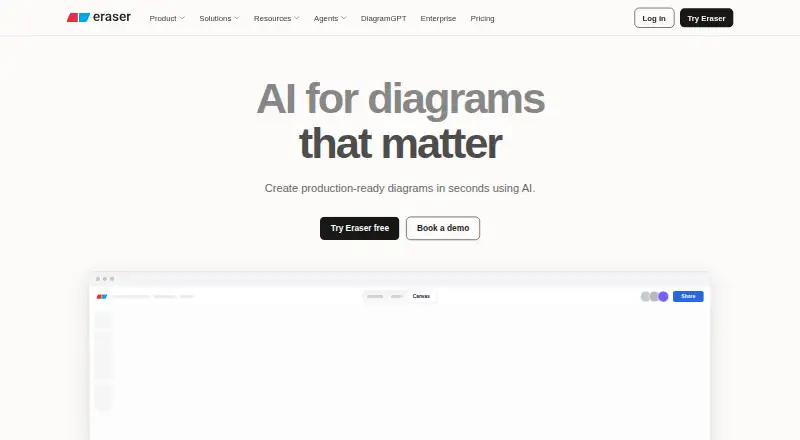
What Eraser is
Eraser is a diagramming tool for technical teams that can create diagrams from prompts, code, files and private Git repositories. Supported formats include flow charts, entity-relationship diagrams, cloud architecture diagrams, sequence diagrams and BPMN diagrams. Generated diagrams can be refined with manual diagram-as-code editing or AI edits, and reference libraries can ground output in company building blocks. Teams can collaborate in real time, comment, tag and invite unlimited free guests. Eraser lists GitHub, Notion and Confluence integrations, plus a VS Code extension; it also describes live diagram embeds and Git-powered updates. The free plan includes three files, three AI diagrams and seven-day version history. Starter, listed at $15/user/mo billed annually, adds private files and API calls. The diagram API is for paid users, while MCP operations depend on plan AI credit limits. Eraser says it is SOC 2 Type 2 certified, performs annual penetration testing and does not train AI models on customer content. Enterprise deployment options include multi-tenant, single-tenant and self-hosted setups.
Good
- Generates diagrams from prompts, code, files and Git repositories
- Supports five listed diagram types, including BPMN
- Real-time collaboration, comments and tagging
- Exports to PNG, SVG, PDF and other formats
Watch out
- Free plan limited to three files and three AI diagrams
- Free version history lasts seven days
- Private files start with Starter
- Diagram API is limited to paid users
Who it suits
Eraser is aimed at technical teams, including enterprise architects, DevOps teams, technology consultants and software engineers. It may suit teams that want collaborative diagrams grounded in their own building blocks.
Verdict
Eraser combines AI diagram generation with manual editing and team collaboration. The free plan has tight file and AI limits; Starter is listed at $15/user/mo billed annually.
Plans and prices
From Eraser's own pricing page, checked 15 Oct 2026.
| Plan | Price | What it gives you |
|---|---|---|
| Free | Free | 3 files · 3 AI diagrams · 7-day version history · unlimited guests · diagram-as-code · Markdown notes · GitHub, Notion, Confluence & VS Code · Free forever; $0 / member / mo |
| Starter | $15 a month | unlimited files · 40 AI diagrams · 90-day version history · private files · 20 custom icons · API calls · billed annually, or $20 monthly; per member / month |
| Business | $45 a month | unlimited files · 250 AI diagrams · unlimited version history · SAML SSO · 100 custom icons · reference diagrams · billed annually, or $60 monthly; per member / month |
| Enterprise | Priced on request | unlimited files · unlimited AI diagrams · unlimited version history · flexible deployments · customer success manager · ACH and wire transfer · usage reporting · Custom; call for pricing details |
The facts
Each one read from Eraser's own pages, with the date it was checked.
What it does
- AI data training
- Eraser says neither it nor its LLM provider will train models on customer data.checked 15 Oct 2026
- AI diagram editing
- Generated diagrams can be edited manually, changed with further AI prompts and refined on a canvas.checked 15 Oct 2026
- AI diagram input
- AI diagrams accept natural-language text, code snippets, image files and uploaded documents as inputs.checked 15 Oct 2026
- API access
- API tokens are provisioned per team and are limited to paid plans.checked 15 Oct 2026
- API and MCP
- The diagram API is available to paid users, while the MCP server supports diagram operations from compatible clients subject to plan AI credit limits.checked 29 Sep 2026
- API pricing
- Usage pricing lists $60 per 100 AI credits, $80 per 100 prompt-render calls and $20 per 100 element-render calls.checked 15 Oct 2026
- API scope
- Reference documentation covers teams, files, diagrams, folders, exports, embeds, AI requests, usage metrics and audit logs.checked 15 Oct 2026
- Canvas and notes
- The product combines an infinite canvas with Markdown notes, embeds, wikilinks and real-time collaboration.checked 15 Oct 2026
- Cloud data sources
- Documentation lists connectors for AWS, Azure, Google Cloud, ServiceNow, VMware, Cisco, Ardoq and OrbusInfinity.checked 15 Oct 2026
- Collaboration
- Plans include commenting, tagging, real-time collaboration and export to PDF, PNG, SVG and Markdown.checked 15 Oct 2026
- Deployment
- Enterprise deployment options include multi-tenant, single-tenant, or self-hosted deployments.checked 29 Sep 2026
- Diagram-as-code
- Eraser uses a DSL so diagrams can be created and maintained by editing text rather than dragging shapes.checked 15 Oct 2026
- Diagram editing
- AI-generated diagrams can be refined manually with diagram-as-code or through AI edits.checked 29 Sep 2026
- Diagram types
- The documented diagram-as-code types are flow charts, entity-relationship diagrams, cloud architecture diagrams, sequence diagrams and BPMN diagrams.checked 15 Oct 2026
- Documentation depth
- The documentation includes quickstarts, syntax references, integration guides, team administration, security, billing and a multi-endpoint REST API reference.checked 15 Oct 2026
- Funding record
- Crunchbase lists one seed funding round and names Caffeinated Capital among the investors, but masks the amount.checked 15 Oct 2026
- Git integration
- Git repositories can supply source material for codebase diagrams, and Eraserbot can keep diagrams current as code changes.checked 15 Oct 2026
- Inputs
- Diagrams can be generated from prompts, code, files, and private Git repositories.checked 29 Sep 2026
- Integrations
- Official integrations include GitHub, Notion, Confluence and a VS Code extension.checked 15 Oct 2026
The company
- Company founded
- LinkedIn lists the company as founded in 2020.checked 15 Oct 2026
- Company headquarters
- LinkedIn lists headquarters in San Mateo, California.checked 15 Oct 2026
- Company legal name
- Crunchbase lists the legal name as Eraser Labs, Inc.checked 15 Oct 2026
- Company size
- LinkedIn lists Eraser as having 11–50 employees.checked 15 Oct 2026
Money
- Free plan
- Yeschecked 20 Sep 2026
The full review of Eraser
Overview
Its mix of code-aware inputs, reusable team references and broad export options makes it a strong fit for engineering groups; the free plan’s three-file and three-AI-diagram caps make it a limited long-term workspace.
Key features
Eraser can generate flow charts, entity-relationship diagrams, cloud architecture diagrams, sequence diagrams and BPMN diagrams from prompts, code, files or private Git repositories. That range suits teams documenting software systems and workflows, while the ability to refine results manually using diagram-as-code or AI edits provides a way to correct and adapt generated diagrams rather than accept them as-is.
Reference libraries let teams steer AI output toward their own building blocks, a useful distinction for organizations that need consistent diagrams across projects. Real-time collaboration includes commenting and tagging, and guests are unlimited on every plan. GitHub, Notion and Confluence integrations, a VS Code extension, live embeds and Git-powered updates connect diagrams to technical workflows.
Exports span PNG, SVG, PDF, PowerPoint, Google Slides, BPMN, Visio, draw.io and Markdown; imports include common image and office formats as well as Draw.io and Visio. The API is for paid users, while the MCP server supports diagram operations from compatible clients within plan AI-credit limits. Eraser says it is SOC 2 Type 2 certified, undergoes annual penetration testing and does not train AI models on customer content.
Pricing
The Free plan costs nothing, forever. It allows three files, three AI diagrams, seven-day version history and unlimited guests. That is enough for a small trial, but the file and generation caps make it a poor fit for a continuing team workspace.
Starter costs $15 / member / mo billed annually, or $20 monthly. It adds unlimited files, 40 AI diagrams, 90-day version history, private files, 20 custom icons and API calls. Starter is the practical entry point for individual contributors or small teams that need private diagrams and API access, though its AI quota still calls for restraint.
Business costs $45 / member / mo billed annually, or $60 monthly. It raises the AI allowance to 250 diagrams, makes version history unlimited, and adds SAML SSO, 100 custom icons and reference diagrams. It is the better fit for teams that need centralized sign-on or consistent, reusable diagram conventions, but the per-member price is a substantial step up from Starter.
Enterprise has custom pricing and includes unlimited files, AI diagrams and version history. Enterprise deployment options include multi-tenant, single-tenant and self-hosted deployments; the plan also includes a customer success manager, with security reports available under NDA. Choose it when deployment requirements or support needs call for those arrangements.
Platforms
Eraser is available on the web, through an extension and API, and as a self-hosted deployment option. The API is restricted to paid users; Enterprise offers deployment choices that include self-hosting.
Who it's for
Eraser is aimed at enterprise architects, DevOps teams, technology consultants and software engineers who need diagrams tied to code, repositories or company-specific reference material. It is less compelling for occasional users who only need a few diagrams, since the free plan caps both files and AI generation, or for teams that do not need technical diagramming and collaboration features.
Pros and cons
- Pros: Generation from code, files and private Git repositories is well suited to technical documentation.
- Pros: Manual editing and reference libraries give teams ways to correct AI output and keep diagrams aligned with shared building blocks.
- Pros: Unlimited guests on all plans and extensive import and export formats ease collaboration and handoff.
- Cons: Free is capped at three files and three AI diagrams, limiting its usefulness beyond evaluation.
- Cons: Private files and API calls start at Starter, while SAML SSO and reference diagrams require Business.
- Cons: Starter’s 40 AI diagrams and Business’s 250 diagrams impose quotas even on paid users.
Alternatives
For a different AI diagram generator, compare Archway, which has a free plan with five AI generations per month and three diagrams. LetDraw offers a free plan capped at three documents, one workspace and three AI prompts. sysdraw is a web option with a free plan of 10 scenes and five AI generations per month. Mermaid Chart includes a free plan with three diagrams, limited AI and one team and project.
For broader diagramming, Creately offers a free plan with unlimited canvases and collaborators, capped at 45 items per canvas. ArchitectureDiagram.ai has a free plan limited to two diagrams per month, with watermarked exports. Nimbalyst is a free alternative with desktop and iOS apps whose code is MIT licensed. OpenFlowKit is another free web option.
Browse AI Diagram Generators for more AI-focused options, or compare the wider Diagramming Software and Diagram Software categories.
Verdict
Eraser is a strong choice for technical teams that want AI-assisted diagrams connected to code and repositories, with editing controls and collaboration built into the same workspace. Its clearest reason to look elsewhere is the cost of scaling: the free tier is tightly capped, paid plans meter AI diagrams, and SSO is reserved for Business.
Alternatives to Eraser
- 1

Creately
Free planWebAPILinuxmacOS8.1Free plan - 2
OpenCharts
Free planWebAPImacOSWindows7.4From $9.99 a month - 3
Capci
Free planWebAPISelf-hosted7.3From ₹375 a month - 4

AI Diagram Maker
Free planWebAPIExtension7.2From $10 a month - 5

Archflow
Free planWeb7.2From $5 a month - 6
Nimbalyst
Free planiOSLinuxmacOSWindows7.0From $200 a year