
CompassDocs
CompassDocs is a self-hosted knowledge base for teams creating and organizing SOPs, technical documentation, policies, and internal reference material.
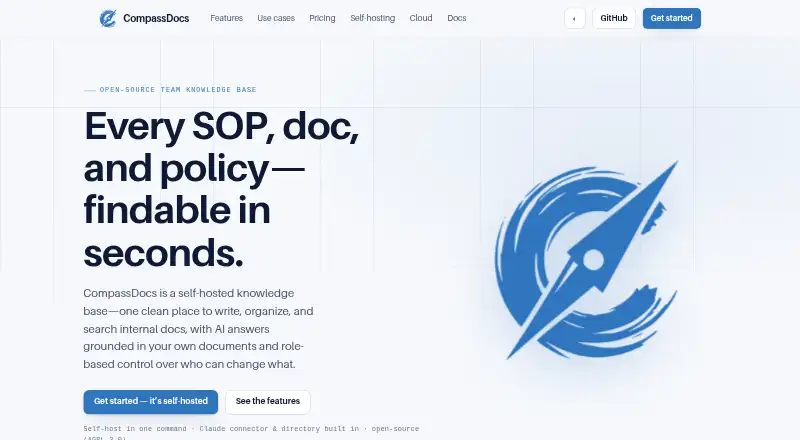
What CompassDocs is
CompassDocs is a self-hosted knowledge base for teams creating and organizing SOPs, technical documentation, policies, and internal reference material. Staff can ask plain-English questions about their documents and get answers with inline citations; without an AI key, the product falls back to keyword search. Documents can be written in rich text or Markdown, with AI proofreading and support for diagrams, tables, checklists, and embeds. Access and publishing can be managed through Viewer, Editor, Approver, and Admin roles, custom roles, private spaces, and an optional review queue. Integrations include a Claude connector, Microsoft 365 and Entra sync, Google Workspace directory sync, and notifications through Webex, Teams, Slack, email, or webhooks. Self-hosting is available through Docker or manual Node.js and PostgreSQL installation. Scheduled backups can be restored or mirrored to off-site storage. Community is free and self-hosted; Enterprise is listed at $599 per year. A Cloud plan is shown at $8 per user per month but is not yet launched.
Good
- Free self-hosted Community plan has unlimited users and documents.
- Answers include citations to team documents.
- Supports rich text and Markdown editing.
- Scheduled backups support restore and off-site mirroring.
- Selected spaces can be published as read-only public sites.
Watch out
- Cloud plan is listed as not yet launched.
- Enterprise SSO and SCIM are in the Enterprise plan.
- Dedicated support costs $3,000 per year as an add-on.
Who it suits
It suits teams that want to host their own searchable knowledge base and manage document review and access by role. Organizations needing a managed cloud service should note that the listed Cloud plan has not launched.
Verdict
CompassDocs combines team documentation, search, and governance features in a self-hosted product. Its free Community plan is a clear starting point, while Enterprise adds identity and directory features for a listed annual fee.
Plans and prices
From CompassDocs's own pricing page, checked 15 Oct 2026.
| Plan | Price | What it gives you |
|---|---|---|
| Community | Free | unlimited users and documents · self-hosted · AGPL-3.0 · community GitHub support · forever |
| Cloud | $8 a month | managed hosting · updates · encrypted backups · managed TLS · custom domain · export to self-hosting · per user; from; coming soon |
| Enterprise | $599 a year | SSO · Microsoft 365 and Entra sync · policy acknowledgements · training tracking · SCIM · audit export · optional $3,000/year dedicated support · flat per install; unlimited users |
| Enterprise dedicated support add-on | $3,000 a year | Optional add-on · 48-hour response commitment · $3,000/yr |
The facts
Each one read from CompassDocs's own pages, with the date it was checked.
What it does
- AI answers
- Its Ask CompassDocs feature creates plain-English answers grounded in company documents and links claims to source documents.checked 15 Oct 2026
- AI fallback
- When no AI provider key is configured, questions fall back to ranked keyword-search results or matching snippets.checked 15 Oct 2026
- Analytics
- Knowledge-base analytics cover views, unique readers, reading time, trending documents, unanswered searches, engagement, author reach and downloads.checked 15 Oct 2026
- API endpoints
- Documented API resources include token introspection, visible spaces and paginated document listing with space, status, limit and offset parameters.checked 15 Oct 2026
- Backups
- Scheduled encrypted backups support retention and off-site mirroring to S3-compatible storage, Cloudflare R2, MinIO or Azure.checked 15 Oct 2026
- Claude integration
- A Claude MCP connector can search, draft and revise CompassDocs documents while retaining the approval workflow.checked 15 Oct 2026
- Cloud status
- CompassDocs Cloud is described as launching soon; its listed plan includes 25 GB of document and attachment storage and a free trial at launch with no credit card.checked 30 Sep 2026
- Content blocks
- Markdown content can include Mermaid and PlantUML diagrams, tabs, accordions, callouts, embeds, checklists, decision trees and filterable tables.checked 15 Oct 2026
- Editor
- Documents can be edited in rich text or Markdown, with AI proofreading and support for diagrams, tables, checklists, and embeds.checked 30 Sep 2026
- Encryption
- SMTP, AI, SSO and backup credentials are sealed with AES-256-GCM, session tokens are hashed and backups are encrypted before storage.checked 15 Oct 2026
- Enterprise identity
- Enterprise adds SAML 2.0 and OIDC SSO, Microsoft 365 directory and Entra group synchronization, SCIM provisioning and audit-log export.checked 15 Oct 2026
- Governance
- Viewer, Editor, Approver, and Admin roles, custom roles, private spaces, and an optional review queue control access and publishing.checked 30 Sep 2026
- Integrations
- The product lists a Claude connector, Microsoft 365 and Entra sync, Google Workspace directory sync, and notifications through Webex, Teams, Slack, email, or webhooks.checked 30 Sep 2026
- Licence
- The Community software is open source under the GNU Affero General Public License version 3.0.checked 15 Oct 2026
- Limit: AI dependency
- Synthesized cited AI answers require an Anthropic API key; without one the product provides keyword-based results.checked 15 Oct 2026
- Limit: cloud availability
- The Cloud edition is marked coming soon and final launch pricing is not yet confirmed.checked 15 Oct 2026
- News: copyright year
- The repository and website identify the software copyright as 2026 CompassDocs authors.checked 15 Oct 2026
- Notifications
- Review, publishing and announcement events can notify users through Webex, Microsoft Teams, Slack, email or webhooks.checked 15 Oct 2026
- Outlook
- An Outlook add-in offers search, AI answers, and one-click document-link insertion from the Outlook ribbon.checked 30 Sep 2026
- People directory
- The product includes profiles, department views and authored-document links, with Microsoft 365, Entra or Google Workspace synchronization in paid editions.checked 15 Oct 2026
Where it runs
- Approval workflow
- Strict mode routes edits to published documents through an Approver review queue, while open mode allows direct publishing.checked 15 Oct 2026
Money
- Limit: enterprise support cost
- Dedicated support is an optional $3,000-per-year add-on to the Enterprise plan.checked 15 Oct 2026
- Limit: enterprise trial
- Enterprise trials are time-limited licenses issued after contacting CompassDocs rather than a published self-service trial.checked 15 Oct 2026
The company
- Maker attribution
- The public source repository is under the GitHub account mattny20 and identifies CompassDocs as an open-source project.checked 30 Sep 2026
The full review of CompassDocs
Overview
CompassDocs is an open-source, self-hosted knowledge base for teams that need to keep procedures, policies and technical documentation searchable and under control. It suits organizations comfortable running their own software; the free plan makes trying that approach inexpensive, but teams wanting a managed service must wait for CompassDocs Cloud.
Key features
Writing and finding information
Teams can write in rich text or Markdown, with support for diagrams, tables, checklists, embeds and AI proofreading. Plain-English questions return answers drawn from team documents with inline citations, but this depends on an AI key; without one, CompassDocs falls back to keyword search. That fallback preserves basic discovery, though not the conversational way of finding information.
An Outlook add-in brings search and AI answers into the mail client and can insert document links from its ribbon. Integrations include a Claude connector, Microsoft 365 and Entra sync, Google Workspace directory sync, and notifications through Webex, Teams, Slack, email or webhooks.
Governance and publishing
Viewer, Editor, Approver and Admin roles, custom roles, private spaces and an optional review queue give teams meaningful control over access and publishing. Version history, read acknowledgements and completion tracking are useful for procedures and policies that need review or confirmation. Selected spaces can also become a branded, read-only public knowledge base; sharing is off by default, and search-engine indexing is configurable.
The feature page describes encryption at rest for credentials and backups using AES-256-GCM, hashed session tokens, login throttling and security headers. Self-hosted deployments support scheduled database backups, retention, one-click restore and off-site mirroring to S3, R2, MinIO or Azure. Those capabilities give administrators controls for recovery, but place deployment and backup operations with the organization.
Pricing
Community
Community is free, billed $0 forever. It includes unlimited users and documents, self-hosting, AGPL-3.0 licensing and GitHub community support. That removes seat and document caps for teams willing to operate the software themselves; it does not include Enterprise identity features or dedicated support.
Cloud
Cloud is $8 a month, billed $8 / user / month, and is marked as coming soon rather than launched. The listed plan is fully managed, includes 25 GB of document and attachment storage, and is described as offering a free trial at launch with no credit card. Its per-user price and storage allowance make it a different tradeoff from Community's unlimited self-hosted use; it is not an option for teams that need service today.
Enterprise
Enterprise costs $599 a year, billed $599 / year as a flat fee for unlimited users, with one license per install. It adds SAML 2.0 and OIDC single sign-on, SCIM provisioning, Microsoft 365 directory and Entra group sync, policy acknowledgements, training and audit-log export. The annual flat price can suit organizations that need those identity and governance capabilities without per-seat billing, but the self-hosted installation requirement remains.
Optional dedicated support costs $3,000 a year and includes a 48-hour response commitment. That is a substantial extra annual cost for teams whose support expectations exceed GitHub community support.
Platforms
CompassDocs supports API, Linux, macOS, self-hosted, web and Windows. A Docker command starts CompassDocs and PostgreSQL; the self-hosting guide also describes Docker on Linux hosts and Docker Desktop on macOS or Windows, plus manual Node.js and PostgreSQL installation on any OS. This breadth offers deployment flexibility, but self-hosting requires teams to take responsibility for operating the service.
Who it's for
CompassDocs is a good fit for teams consolidating SOPs, technical documentation and policies that need review, acknowledgement or controlled publication, especially when they want unlimited users and documents on a self-hosted free plan. It is less suitable for organizations that require a managed product immediately, or that do not want to run their own database and deployment.
Pros and cons
- Pro: Community has no user or document caps, so a growing self-hosted knowledge base does not incur per-seat charges.
- Pro: Roles, private spaces, review queue, acknowledgements and completion tracking cover important publishing and policy workflows.
- Pro: Scheduled backups, restore and off-site mirroring offer concrete recovery options for self-hosted installations.
- Con: AI answers require an AI key; without one, users get keyword search instead.
- Con: Cloud is coming soon, leaving teams that want managed hosting without a current CompassDocs deployment option.
- Con: Enterprise identity controls require a paid annual license, while dedicated support adds another $3,000 per year.
Alternatives
For teams centered on capturing workflows rather than maintaining a self-hosted knowledge base, Tango offers browser capture and link or embed sharing; its free plan allows 5 shared workflows and up to 10 users per workspace.
Scribe is another freemium option for creating shareable how-to documentation, with a free Basic plan that works with any web app and supports quick customization and link or embed sharing.
SOPGalaxy is worth considering for teams that want Android or iOS support alongside web and self-hosting; its Starter plan is $6 a month and caps use at 15 users and 100 SOPs.
Teams looking for playbooks and a small free allowance can consider Whale, whose free plan includes 10 members, 1 creator, 20 Playbook items and 20 AI credits.
Guidde is a web-based alternative focused on how-to videos: its free plan includes up to 25 videos, web-app capture and voiceover recording.
Dozuki is another option for teams evaluating a connected-worker platform.
For a quality-management alternative with a stated monthly entry price, Q-Hub offers a Starter plan at £85 a month, with 1 Full user and 5 Basic users.
SOP Maker is a free web-based alternative.
Compare category options in SOP Software, IT Documentation Software, HR Knowledge Base Software and IT Knowledge Base Software.
Verdict
Choose CompassDocs if your team wants a governed, searchable knowledge base, can self-host, and values unlimited users and documents without a recurring Community fee. Its strongest case is the combination of document workflows, access controls and backup options; look elsewhere if you need managed hosting now or prefer not to operate the software yourself.
Getting started
- Visit https://compassdocs.io/ to explore the product and plans.
- Choose the free Community plan for self-hosting, or Enterprise at $599 per year.
- Start CompassDocs and PostgreSQL with the listed Docker command, or install Node.js and PostgreSQL manually.
- For Docker, use a Linux host or Docker Desktop on macOS or Windows.
- Configure document spaces, roles, and publishing controls for your team.
Limits worth knowing
The free Community plan is self-hosted and includes GitHub community support. The $8 per user per month Cloud plan is described as coming soon; Enterprise is $599 per year and the dedicated-support add-on is $3,000 per year.
Questions
Is CompassDocs free?
Yes. The Community plan is free, with unlimited users and documents, and is self-hosted.
How much does Enterprise cost?
Enterprise is $599 per year, flat, with unlimited users and one license per install.
Is CompassDocs Cloud available?
The Cloud plan is listed at $8 per user per month and is described as coming soon. Its listed plan includes 25 GB of document and attachment storage and a free trial at launch with no credit card.
Can teams self-host CompassDocs?
Yes. The self-hosting page lists Docker on Linux, macOS, and Windows through Docker Desktop, plus manual Node.js and PostgreSQL installation on any OS.
What integrations does CompassDocs list?
It lists a Claude connector, Microsoft 365 and Entra sync, Google Workspace directory sync, and notifications through Webex, Teams, Slack, email, or webhooks.
What does Enterprise add?
Enterprise adds SAML 2.0 and OIDC single sign-on, SCIM provisioning, and Microsoft 365 directory and Entra group sync. It also lists policy acknowledgements, training, and audit-log export.
Alternatives to CompassDocs
- 1
Happy HR
Free planAndroidiOSWeb7.9From $4 a month - 2

Zendesk Guide
AndroidiOSWebAPI7.9From $19 a month - 3
Go-EMP Policy Management
AndroidiOSWebmacOS7.7From ₹49 a month - 4
Vivantio
Free planWebAPISelf-hosted7.6Free plan - 5

Slite
AndroidiOSWebAPI7.5From $120 a year - 6

Axero
AndroidiOSWebAPI7.2From $500 a month