
AlertOps
AlertOps is an incident orchestration platform for teams that coordinate on-call response across multiple tools.
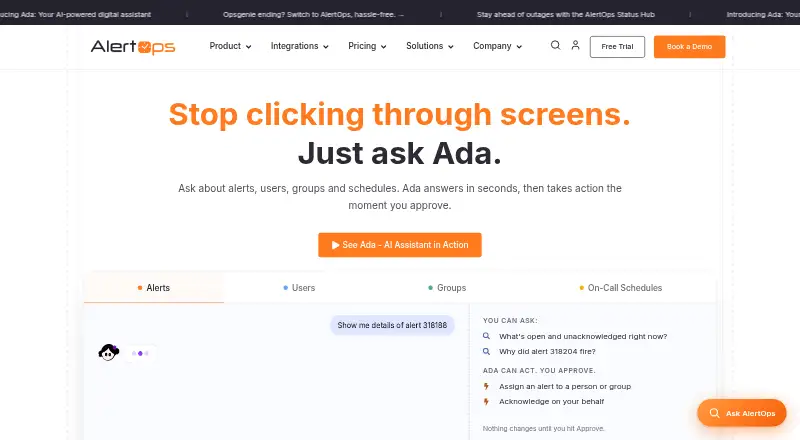
What AlertOps is
AlertOps is an incident orchestration platform for teams that coordinate on-call response across multiple tools. It routes alerts through several channels, supports on-call schedules and live call routing, and can automate escalations and incident workflows from detection through resolution. Workflow Automation can handle remediation, escalation, and communication steps. Its OpsIQ capabilities correlate signals, assist triage, generate post-mortems, and recommend resolution actions; AlertOps says noise reduction can reach 68%. Mobile incident management is available on iOS and Android. The service lists 150+ pre-built connectors, including options such as ServiceNow, ConnectWise, Datadog, AWS, and Azure, and can connect other systems through email, REST API, or webhooks. Listed access controls include SSO, enforced MFA, and role-based permissions. A free plan covers up to five users and three escalation policies.
Good
- Multi-channel alerting and on-call scheduling
- Workflow automation for remediation and communication
- OpsIQ provides triage and resolution recommendations
- 150+ listed pre-built connectors
- Mobile incident management on iOS and Android
Watch out
- Free plan limited to five users
- Free plan includes three escalation policies
- Paid plans require yearly billing at listed rates
Who it suits
AlertOps may suit teams managing on-call operations across multiple tools, especially global teams and incident response operations. Its mobile apps and automation features are relevant to teams coordinating alerts and response workflows.
Verdict
AlertOps combines alert routing, on-call management, workflow automation, and incident communication in one platform. The free plan has a small user limit, while paid plans add capabilities such as live call routing and OpsIQ features.
Plans and prices
From AlertOps's own pricing page, checked 14 Oct 2026.
| Plan | Price | What it gives you |
|---|---|---|
| Free | Free | up to 5 users · basic alert routing · 3 escalation policies · 200+ integrations · monthly |
| Standard | $8 a month | up to 10 users · multi-channel notifications · on-call scheduling · 3 escalation policies · annually |
| Premium | $18 a month | everything in Standard · live call routing · workflow automation · SSO/SAML · OpsIQ AI Suite add-on · annually |
| Enterprise | $28 a month | everything in Premium · custom integrations · dedicated account manager · 99.9% SLA guarantee · OpsIQ AI Suite included · annually |
The facts
Each one read from AlertOps's own pages, with the date it was checked.
What it does
- Access controls
- AlertOps lists SSO via SAML, OIDC, or Active Directory, enforced MFA, and role-based access control.checked 30 Sep 2026
- AI features
- OpsIQ correlates signals, automates triage, generates post-mortems, and recommends resolution actions; AlertOps says it can reduce noise by up to 68%.checked 30 Sep 2026
- Alerting and response
- The platform provides multi-channel alerting, on-call scheduling, live call routing, automated escalations, and incident response from detection to resolution.checked 30 Sep 2026
- Alert routing
- Routing rules can use severity, service, source, groups, schedules, and notification methods to determine recipients.checked 14 Oct 2026
- Analytics
- The platform reports alert volume, MTTA, MTTR, incident lifecycles, operations dashboards, and downloadable reports.checked 14 Oct 2026
- API
- A public AlertOps API is documented through a Swagger UI endpoint for the v1 API.checked 14 Oct 2026
- Audience
- AlertOps describes itself as built for multi-tool stacks, global teams, and incident response operations.checked 30 Sep 2026
- Automation
- Workflow Automation can automate remediation, escalation, and communication workflows end-to-end.checked 30 Sep 2026
- Availability claim
- The company says its platform has 99.99% uptime and redundant delivery paths on its about page.checked 14 Oct 2026
- Custom extensibility
- Custom systems can connect through webhooks, email integrations, or REST API calls.checked 14 Oct 2026
- Data protection
- AlertOps says customer data is encrypted at rest with AES-256 and in transit with HTTPS/TLS.checked 30 Sep 2026
- Documentation
- The help center contains onboarding, concepts, scheduling, integrations, mobile, settings, billing, and product-update articles with dated revisions.checked 14 Oct 2026
- Escalations
- Escalation policies define notification order, wait times, acknowledgment handling, and movement from primary to secondary or manager responders.checked 14 Oct 2026
- Incident workflow
- Its documented flow is event ingestion, smart routing, on-call lookup, escalation, multi-channel delivery, and integration processing.checked 14 Oct 2026
- Integration methods
- The integrations page says email, a REST API, and webhooks can connect other systems to AlertOps.checked 30 Sep 2026
- Integrations
- AlertOps advertises more than 200 pre-built integrations across monitoring, ITSM, DevOps, security, and collaboration tools.checked 14 Oct 2026
- Legal name
- Crunchbase lists the legal name as AlertOps and names Chellasamy Jamburajan as founder and CEO.checked 14 Oct 2026
- Licence and hosting
- AlertOps is presented as a privately held, cloud-based SaaS product; no open-source licence or self-hosted edition is stated on the reviewed product pages.checked 14 Oct 2026
- Limit: interface complexity
- Reviewers say filters, configuration screens, and advanced functionality can feel confusing or require significant research.checked 14 Oct 2026
- Limit: notification problems
- G2’s review summary includes complaints about delayed, duplicated, or poorly filtered notifications.checked 14 Oct 2026
- Limit: scheduling complexity
- G2 reviewers report that some scheduling scenarios require extra steps and can be difficult to configure.checked 14 Oct 2026
The company
- Company facts
- LinkedIn lists AlertOps as privately held, founded in 2019, headquartered in Bloomingdale, Illinois, with 51–200 employees and an additional Chennai office.checked 14 Oct 2026
Where it runs
- Limit: Android usability
- Google Play reviewers report too many taps, missed on-call schedule notifications, unpleasant UX, and repeated logins.checked 14 Oct 2026
- Limit: iOS usability
- An Apple App Store reviewer called the iOS interface unintuitive and complained that navigation and confirmation controls obstruct normal use.checked 14 Oct 2026
The full review of AlertOps
AlertOps is a response platform for teams coordinating incidents across monitoring and operational tools. It is best suited to operations groups that need structured on-call escalation and stakeholder coordination alongside alert routing. Its breadth is useful, but important capabilities such as live call routing and workflow automation sit above Standard.
Overview
AlertOps brings alert intake, on-call coordination, incident response, and communication into a shared workflow. It is aimed at multi-tool environments and global teams, with more than 150 pre-built connectors and options to connect other systems through email, a REST API, or webhooks. That range can help teams consolidate response across their stack; the user and feature limits on lower tiers make plan choice important as a team grows.
Security controls include SSO through SAML, OIDC, or Active Directory, enforced MFA, and role-based access. AlertOps states that it is SOC 2 Type II and GDPR compliant, runs on Microsoft Azure, and encrypts customer data at rest with AES-256 and in transit with HTTPS/TLS.
AlertOps is relevant to Alert Management Software, Incident Management Software, IT Incident Management Software, and On-Call Management Software.
Key features
Alerting and incident coordination
Multi-channel notifications, on-call schedules, escalation policies, and automated escalation cover the path from alert to response. Stakeholder updates and ChatOps incident actions support coordination during an incident, while post-incident reviews extend the workflow beyond resolution. Standard includes scheduling and multi-channel notifications; live call routing is reserved for Premium, so teams that rely on calls should budget for the higher tier.
Automation and OpsIQ
Workflow Automation can handle remediation, escalation, and communication workflows end to end. OpsIQ correlates signals, automates triage, creates post-mortems, and recommends resolution actions. AlertOps says the product can reduce noise by up to 68%; that is a vendor claim, not a guarantee for every environment. OpsIQ is an add-on on Premium and included with Enterprise, so its cost and availability differ materially by plan.
Mobile and integrations
AlertOps offers incident management on iOS and Android, alongside web and API access. Its connector catalogue includes ServiceNow, ConnectWise, Datadog, AWS, and Azure. The combination is useful for teams assembling response from several systems, while the API, email, and webhook options provide paths for systems outside the pre-built catalogue.
Pricing
The Free plan costs nothing, billed $0 / month, and caps usage at five users. It includes basic alert routing, three escalation policies, and 200+ integrations, making it a practical starting point for a small team; it does not include the paid-plan scheduling and notification bundle. Retention is three months.
Standard costs $8 a month, billed $8 per user / month with yearly billing. It supports up to 10 users and adds multi-channel notifications and on-call scheduling, while retaining a limit of three escalation policies. Its seat ceiling and lack of live call routing or Workflow Automation make it a narrower fit for teams that need core scheduling but not richer response workflows. Retention is six months.
Premium costs $18 a month, billed $18 per user / month with yearly billing. It includes everything in Standard, plus live call routing, Workflow Automation, and SSO / SAML; OpsIQ AI Suite is an add-on. This is the more relevant tier for teams needing call-based routing or automated workflows, but the AI capability adds a separate purchase. Retention is 12 months.
Enterprise costs $28 a month, billed $28 per user / month with yearly billing. It includes everything in Premium, custom integrations, a dedicated account manager, a 99.9% SLA guarantee, and OpsIQ AI Suite. That package is better aligned with organizations that need the included AI suite, bespoke integrations, or a stated service guarantee. Retention is custom.
A 14-day trial is available for any paid plan without a credit card. The pricing summary also gives a paid-from figure of $10/user/mo, which differs from the Standard plan's stated yearly-billing rate of $8 per user / month; readers should compare the applicable terms before choosing.
Platforms
AlertOps supports Android, iOS, web, and API access. Mobile incident management is intended to provide full incident management capabilities on both phone platforms, useful for responders who need to coordinate away from a desktop.
Who it's for
AlertOps is a strong fit for incident-response operations with multiple tools, distributed teams, and a need to formalize routing, schedules, escalations, and communications in one service. It is less compelling for a small group that only needs basic alerting, or for teams that require live call routing and automation but cannot move beyond Standard. The Free plan's five-user cap is a clear constraint for larger teams.
Pros and cons
- Broad response coverage: Alert routing, on-call scheduling, escalation, automation, and stakeholder communication address several stages of incident work in one platform.
- Flexible connectivity: More than 150 pre-built connectors plus email, API, and webhook options suit multi-tool stacks.
- Useful mobile scope: iOS and Android incident management supports responders working away from a desktop.
- Free tier is tightly capped: Five users and three escalation policies limit how far a growing team can take the no-cost plan.
- Key capabilities cost more: Live call routing and Workflow Automation start at Premium, and OpsIQ is an add-on there rather than included.
- Retention varies by tier: Free provides three months and Standard six, which may be restrictive for teams needing longer incident history.
Alternatives
ilert is worth comparing for teams that want a free plan with up to five users, one status page, and 100 SMS/voice notifications. PagerDuty offers a free tier for five users with one on-call schedule and one escalation policy, making it a relevant option for a small team focused on those basics. Better Stack is an alternative with a free personal-projects plan covering monitoring, status pages, exceptions, session replays, and retained logs and traces.
FireHydrant may suit teams seeking a free plan for up to 10 responders with runbooks and Slack and Teams chatbots. xMatters offers a free plan for up to five users and a Starter tier stated for up to 25 users. incident.io is a free alternative centered on native Slack or Microsoft Teams response, single-team on-call, and essential incident automation.
Rootly is a paid alternative with a free trial and a stated $20 per user/mo Incident Response Essentials plan. OpsKnight offers a free, self-hosted Community edition under AGPL-3.0-only.
Verdict
Choose AlertOps if your operations team needs alert routing, on-call response, and incident coordination across a multi-tool stack, with a path to automation and AI as requirements grow. Its integration breadth and end-to-end response scope are the main reasons to choose it. Look elsewhere if a five-user free ceiling is too small or if you need live call routing and Workflow Automation without stepping up to Premium.
Alternatives to AlertOps
- 1
Wazuh
Free planOpen sourceWebAPILinuxmacOS8.4From $571 a month - 2

PagerDuty
Free planAndroidiOSWebAPI8.3From $21 a month - 3

xMatters
Free planAndroidiOSWebAPI8.3From $15 a month - 4

MISP
Free planOpen sourceWebAPILinuxSelf-hosted7.9From €7.31 a year - 5

UTMStack
Open sourceWebAPILinuxmacOS7.9From $238.80 a month - 6
OpenNMS
Free planWebAPILinuxSelf-hosted7.1From $6,000 a year